Smith Charts
Smith Charts
Download on App Store

This page is not an official page of the app or its developer, but an independent editorial publication created for informational and commentary purposes. Unless expressly stated otherwise, neither the app nor its developer is affiliated with, endorsed by, sponsored by, authorized by, or otherwise officially connected with MWM, Apple, Google Play, the app publisher, or the app's developer, and nothing on this page implies that the app was developed using MWM's services. Any trademarks, logos, screenshots, and other content remain the property of their respective owners.

Logo of Smith Charts
Download on App Store

Smith Charts

Accelerate your lab workflow with high-precision impedance matching, Touchstone file support, and advanced device analysis. Experience a powerful interactive environment optimized for engineers on iPhone, iPad, and Mac.

Key Figures

Downloads

6K+

User Rating

5.0/5

Total Ratings

0

Publisher

Edoardo Orzes

Category

Productivity

Locales

1

Latest Version

3.0.1

Size

24.2 MB

First Released

Dec 29, 2021
Features

Precision RF Engineering at Your Fingertips

Ditch the paper charts for a high-performance digital suite. Designed for RF professionals and engineers, our app provides a seamless workflow for matching network design and complex device analysis on iPhone, iPad, and Mac.

Interactive Digital Chart

Replace pencils and compasses with high-precision touch gestures. Drag, zoom, and use the integrated digital ruler to instantly obtain wavelengths, coordinates, and impedance in any environment.

Advanced Network Synthesis

Design complex matching networks with L, C, R, and transmission lines. Simulate parasites and track real-time impedance shifts as you build, ensuring your design meets specifications before you hit the lab bench.

The following screenshots and description are sourced directly from the app's official store listing and are the property of the app developer.

App Store

Screenshots
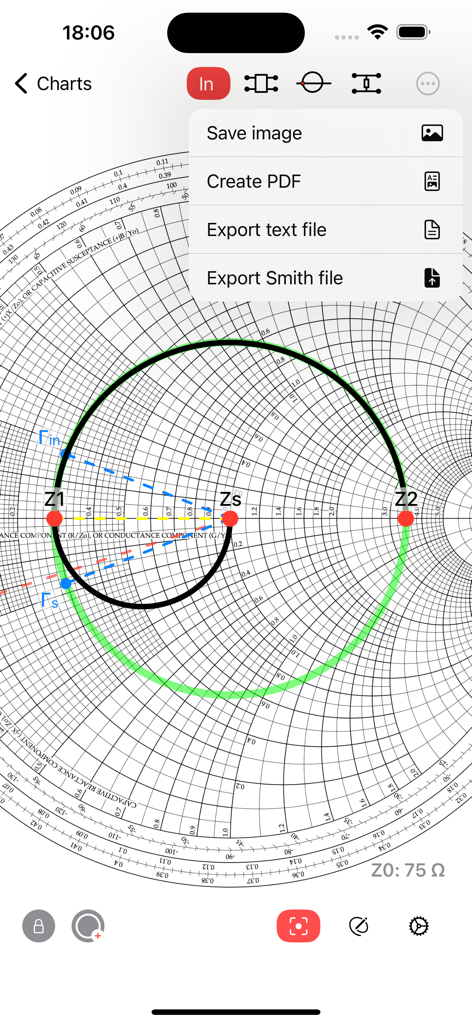
Smith Charts - Smith Charts app showing export options including PDF and text file over an impedance plot on a smith chart.
Smith Charts app showing export options including PDF and text file over an impedance plot on a smith chart.

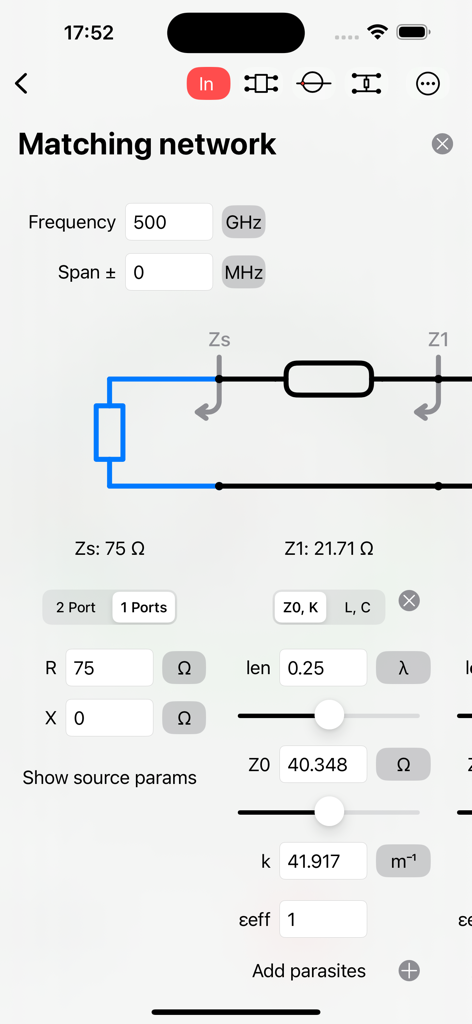
Smith Charts - Interface of the Smith Charts app showing matching network design tools and circuit parameters
Interface of the Smith Charts app showing matching network design tools and circuit parameters

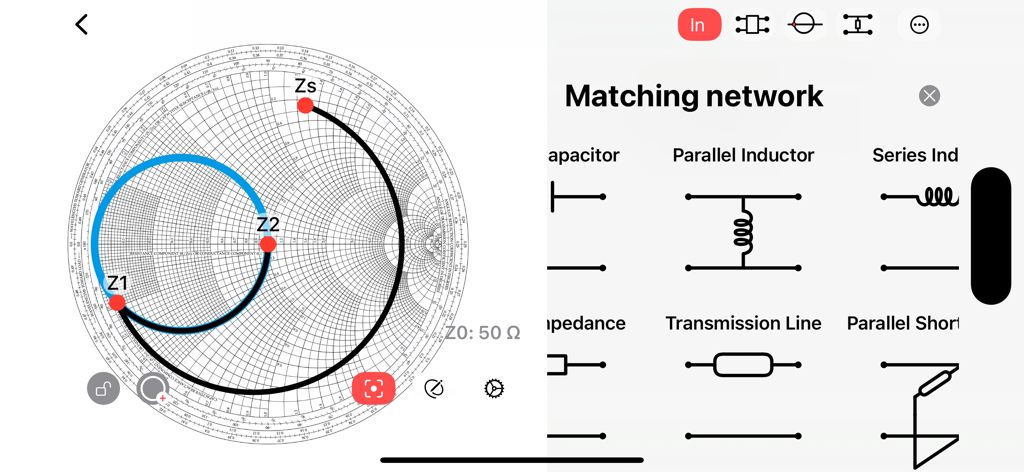
Smith Charts - Smith Chart app interface showing a matching network design with impedance points and component selection menu
Smith Chart app interface showing a matching network design with impedance points and component selection menu

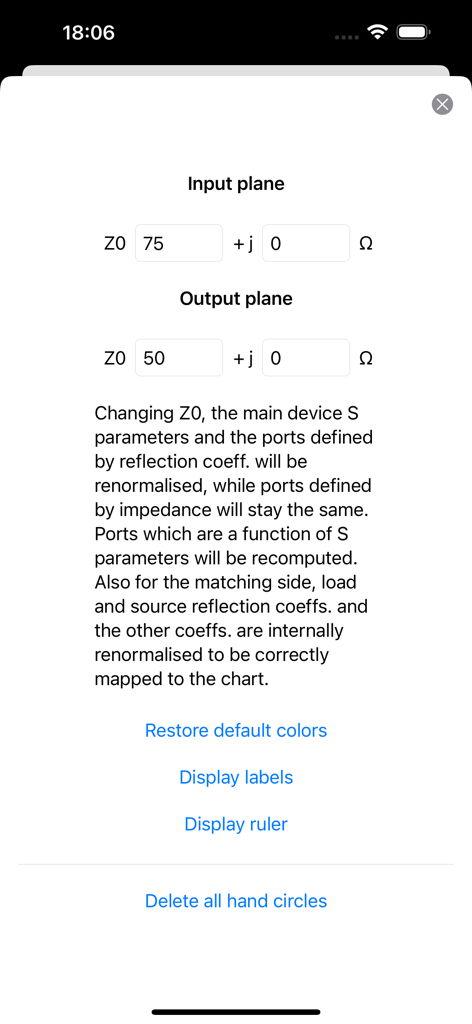
Smith Charts - Settings screen for configuring input and output plane impedance values in the Smith Charts app
Settings screen for configuring input and output plane impedance values in the Smith Charts app

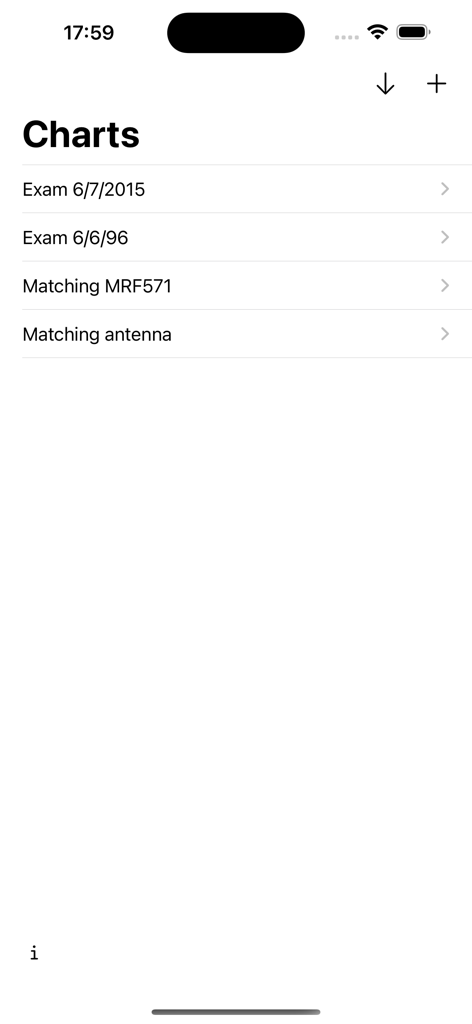
Smith Charts - A list view showing saved Smith chart projects including antenna matching and exam files
A list view showing saved Smith chart projects including antenna matching and exam files

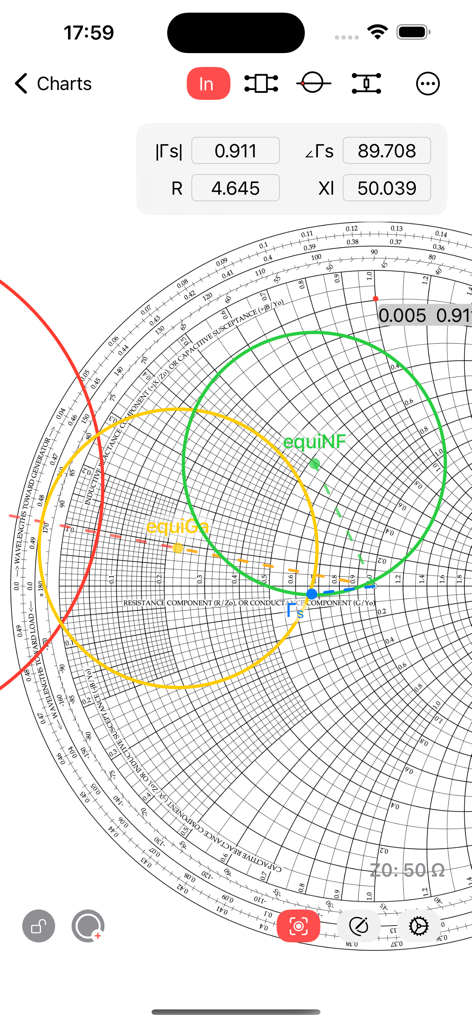
Smith Charts - Smith Charts app interface displaying equi-gain and equi-noise circles for radio frequency engineering design
Smith Charts app interface displaying equi-gain and equi-noise circles for radio frequency engineering design

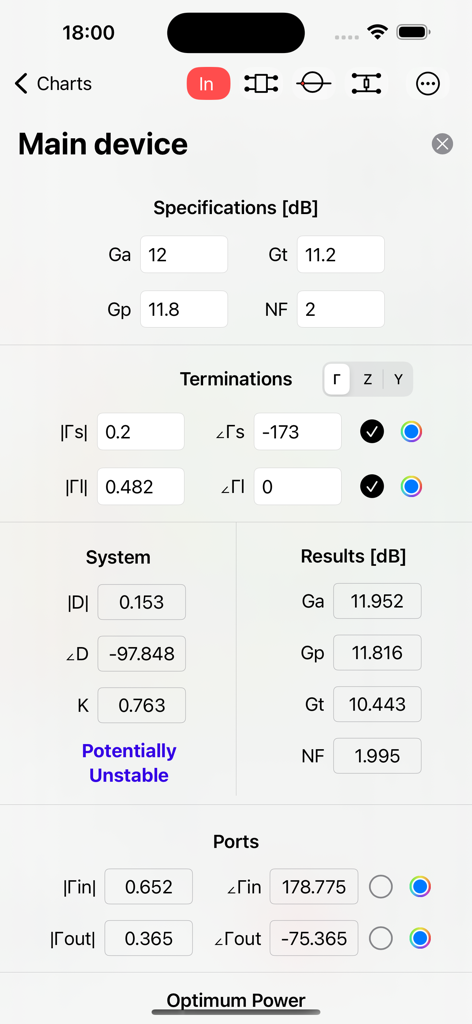
Smith Charts - Detailed view of RF device parameters including gain specifications and stability analysis in the Smith Charts app
Detailed view of RF device parameters including gain specifications and stability analysis in the Smith Charts app

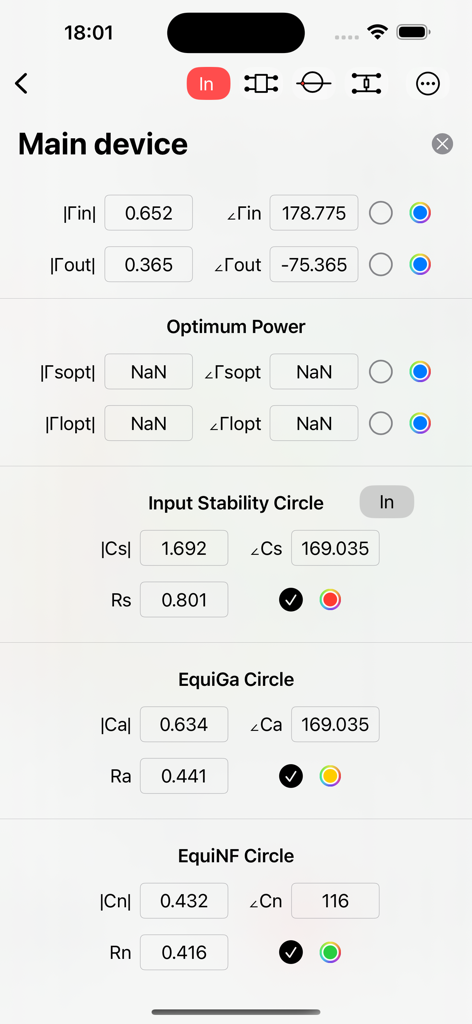
Smith Charts - Screenshot of the Smith Charts app showing numerical data for input stability and noise circles for RF engineering.
Screenshot of the Smith Charts app showing numerical data for input stability and noise circles for RF engineering.

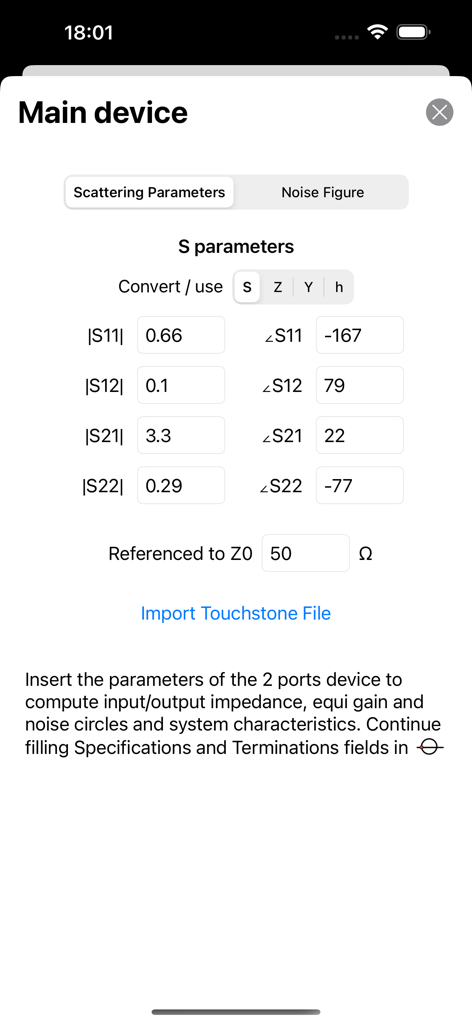
Smith Charts - Interface for entering scattering parameters and importing Touchstone files in the Smith Charts app
Interface for entering scattering parameters and importing Touchstone files in the Smith Charts app

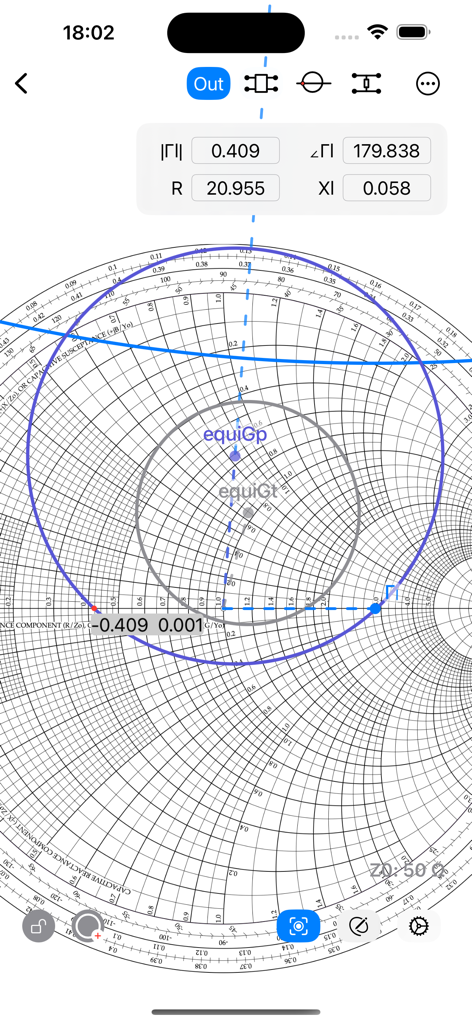
Smith Charts - Digital Smith chart interface showing complex impedance coordinates and power gain circles for RF engineering.

Digital Smith chart interface showing complex impedance coordinates and power gain circles for RF engineering.

Description

A great experience of the Smith chart. Also in dark mode. Design matching networks, insert S parameters and convert them, or import from touchstone file. Compute stability circles, equi gain and noise circles.  Easy interaction with the Smith chart. This chart can easily replace a physical one, making its use much faster. Smith chart interactivity: - Works on iPhone, iPad and Mac (on Apple Silicon). - Drag and zoom in the chart. - Create multiple Smith Charts and name them. - Switch easily between input and output planes. - Use a ruler and drag it to obtain the wavelength toward generator of a point on the chart, instantly. - Tap the chart to show the coordinates in algebraic notation, you will see also magnitude and phase of that location, and the corresponding impedance. - Insert circles by hand; modify the radius dragging a circle to keep the center in place, or press to translate them and modify the radius keeping the opposite side in place. Then use the padlock button to disable interaction of gestures with circles. - You can also insert a custom circle and a segment in the input and in the output plane, defining its center and radius in a textfield. - Export to file, image or PDF Advanced tools for engineering: Matching networks: - Choose electronic components to design a matching network for your device. - Available components are: L, C, R, Z and lines (transmission line, parallel or series stub, open or shorted). - For each component it is possible to specify the parasites. - For transmission lines, it is possible to choose between Z0, K or L, C representations, and converting between the two (also for parasites). - Tapping on a component it is added to the network and the impedance seen from your device toward the matching network is shown on the smith chart. - You can create a matching network both for input and output planes of the device. - Each network has its own termination (source or load), which can be a one port device or a two ports device where you can choose a termination for the second port. - Each termination can be defined by network parameters (S, Z, Y or h) and the parameters can be imported from a touchstone file. - Components supported: Resistor, Capacitor, Inductor, General impedance (R+jX), Transmission line, Parallel stub, series Stub (both shorted or open). - Each component can be cascaded in series or in parallel, no limits of components. - You can choose a frequency for the impedance calculation and a frequency span for the plot on the Smith Chart. - For S parameters, you can specify a dedicated characteristic impedance, the tool will renormalize the Γ of that termination to be correctly shown on the Smith chart, when the smith chart is defined on a different characteristic impedance. Device analysis: - You can insert the following parameters of a device: network parameters (S, Z, Y or h), specifications (Ga, Gp, Gt, NF), noise data (gamma s optimum noise, minimum NF, rn) and the input/output reflection coefficients. - You can convert network parameters (S, Z, Y, h), and the port type (Γ, Z, Y). - While you are inserting data, you will see the computed results appearing on the chart and on the relative fields. - Results representable on the smith chart: input/output stability circles, power gain and noise circles (equiGa, Gp, Gt, NF circles), reflection coefficients towards load and source and optimum power coefficients. - Other results: obtained power gains and noise (Ga, Gp, Gt, NF) and stability (D, K, kind of stability). - You can display on the Smith chart the input impedance of your component versus frequency (as a function of load impedance) when importing a touchstone file. - For S parameters, you can specify a different characteristic impedance and the tool will automatically convert it to the one defined for the Smith chart, it will let you know the new renormalized parameters.

Download

Download on App Store

This page is not an official page of the app or its developer, but an independent editorial publication created for informational and commentary purposes. Unless expressly stated otherwise, neither the app nor its developer is affiliated with, endorsed by, sponsored by, authorized by, or otherwise officially connected with MWM, Apple, Google Play, the app publisher, or the app's developer, and nothing on this page implies that the app was developed using MWM's services. Any trademarks, logos, screenshots, and other content remain the property of their respective owners.








