
This page is not an official page of the app or its developer, but an independent editorial publication created for informational and commentary purposes. Unless expressly stated otherwise, neither the app nor its developer is affiliated with, endorsed by, sponsored by, authorized by, or otherwise officially connected with MWM, Apple, Google Play, the app publisher, or the app's developer, and nothing on this page implies that the app was developed using MWM's services. Any trademarks, logos, screenshots, and other content remain the property of their respective owners.


Snag-App
Transform your site walks into professional PDF reports in seconds. Annotate photos, mark locations on plans, and delegate tasks instantly—all before you even leave the property.
Downloads
900User Rating
Total Ratings
0Publisher
Category
ProductivityLocales
1Latest Version
4.3Size
20.5 MBFirst Released
Jul 5, 2016Power Through Your Punch Lists
Replace your clipboard and spreadsheets with an intuitive tool designed for professionals who need to document, report, and resolve issues fast.
Visual Markup Tools
Pinpoint issues on floor plans and mark up photos with arrows or clouds for zero-confusion communication.
Instant PDF Reporting
Generate professional, branded reports with signatures and your company logo directly from your device.
Frequently Asked Questions
Everything you need to know about Snag-App
What is Snag-App?
Snag-App is a user-friendly punch/snag list creator. It enables marking inspection items on plans or photos, allocating responsibilities, generating professional PDF documents, and including signatures directly from your device.
Can Snag-App mark inspection items on floor plans?
Yes, Snag-App allows users to mark the exact location of inspection items directly on a plan, an aerial photo, or any uploaded image.
Does Snag-App allow users to assign tasks to specific roles?
Yes, Snag-App enables users to allocate responsibilities for items to specific parties or roles, such as Plumber, Electrician, or Tenant. Users can create new roles as needed.
Can I include signatures in documents generated by Snag-App?
Yes, Snag-App includes a feature to incorporate signatures directly into the generated punch/snag list documents, ensuring official sign-offs are captured.
What file format does Snag-App use for generated reports?
Snag-App generates professional punch/snag list documents in PDF format. These can be distributed directly from the user's device immediately after inspection completion.
Is there a free version of Snag-App available?
Yes, a free version of Snag-App is available. It supports up to 2 projects with a limited number of snags per project.
How do I get unlimited projects and snags in Snag-App?
Users can purchase the full version of Snag-App to unlock unlimited projects and an unlimited number of snags per project.
Can Snag-App be used by real estate agents?
Yes, Snag-App is used by various professionals, including real estate agents, landlords, property developers, and rental agents, for efficient property inspections and documentation.
Where can I find the privacy policy for Snag-App?
The privacy policy and terms of use for Snag-App are available on the official website at http://snag-app.com/privacy-policy.
Does Snag-App support adding multiple photos to an item?
Yes, Snag-App allows users to add and mark up photos with arrows, clouds, boxes, or text. Screenshot #4 displays 'Before' and 'After' sections, indicating multiple photo support for items.
Can Snag-App track the status of individual inspection items?
Yes, Snag-App tracks the status of individual inspection items. Status options include 'Complete,' 'In Progress,' and 'Over Due,' along with associated dates shown in the app.
Does Snag-App allow users to import contacts for responsible parties?
Yes, Snag-App allows importing responsible parties directly from a user's address book. Alternatively, new contacts can be created and managed within the app.
The following screenshots and description are sourced directly from the app's official store listing and are the property of the app developer.
App Store
Screenshots
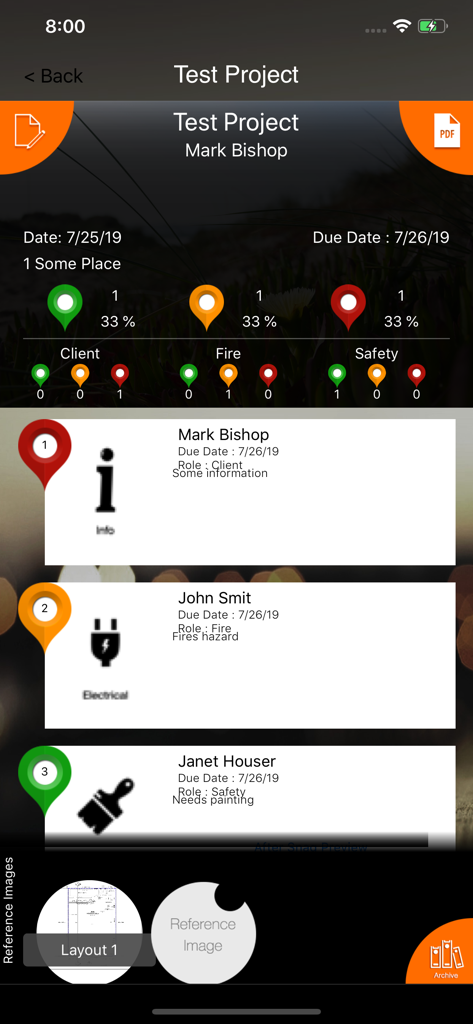
Snag-App interface showing a project summary with color-coded status pins and task details for site inspections
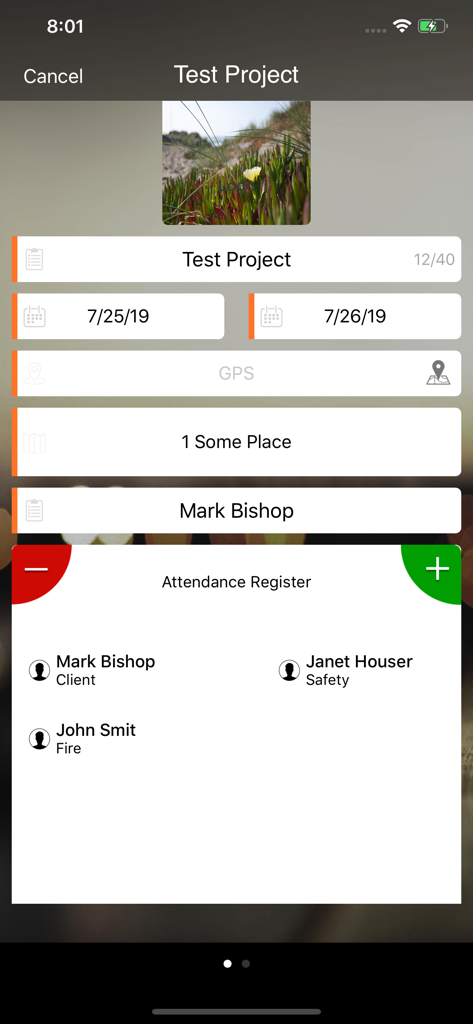
Snag-App interface showing project details and a site attendance register for an inspection.
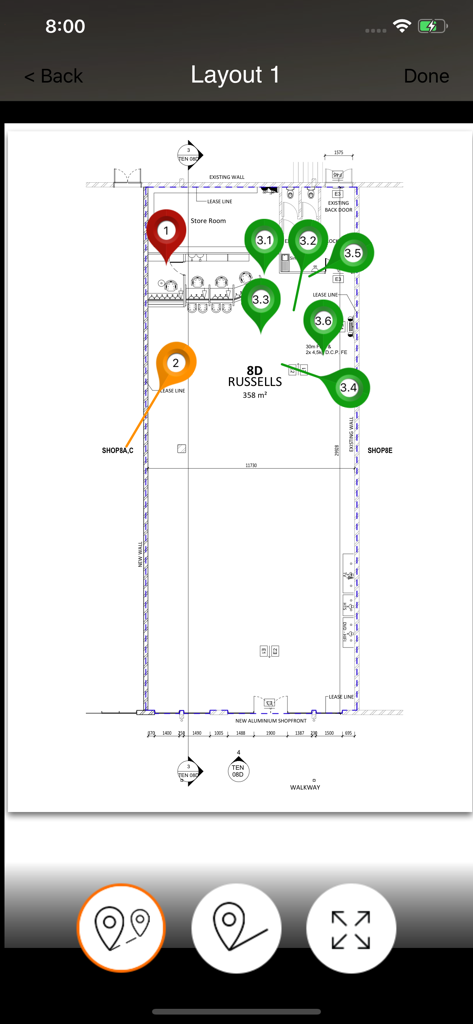
An architectural floor plan showing numbered color-coded pins for site inspection within the Snag-App interface.
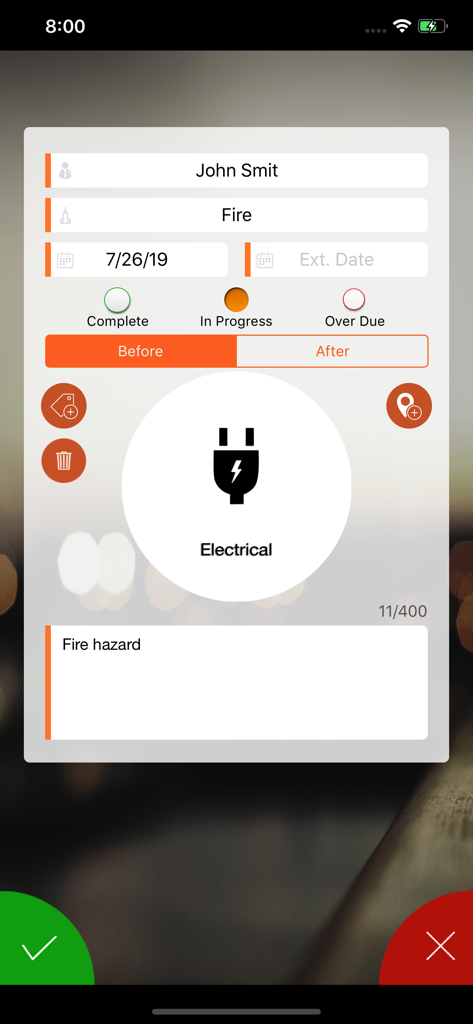
Snag-App interface documenting an electrical fire hazard during a property inspection.
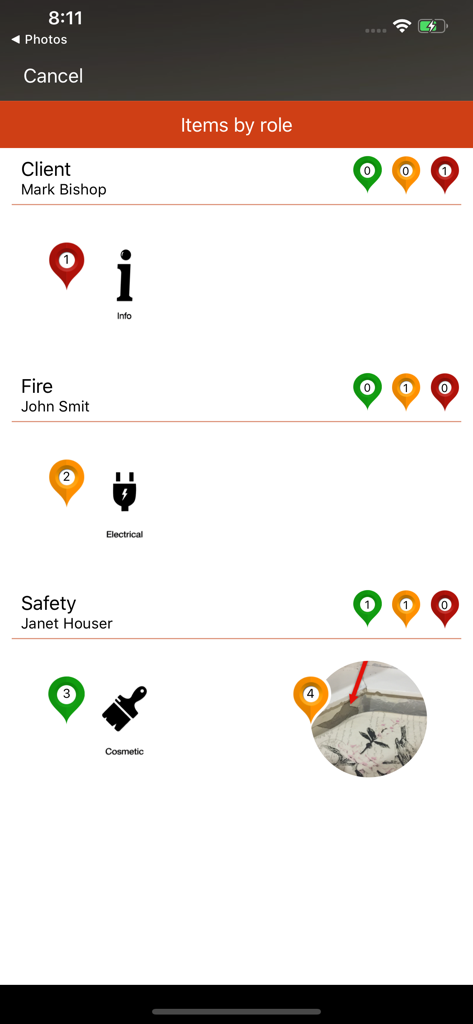
Snag-App interface showing inspection items categorized by professional roles including client, fire, and safety
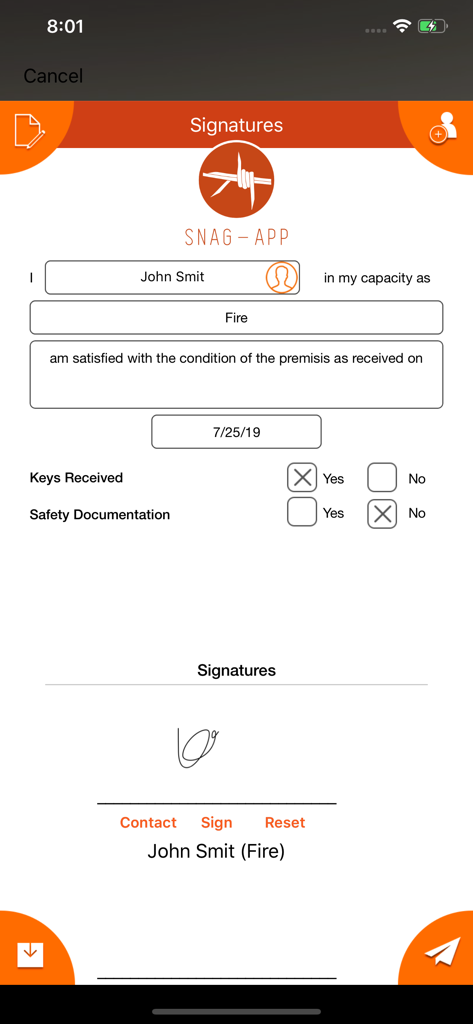
Digital signature screen in the Snag-App for property inspection reports
Description
Download
More Like This
Top-ranked apps in the same category

ChatGPT
OpenAI OpCo, LLC

Google Gemini
Google LLC

Grok
X.AI Corporation

Gmail - Email by Google
Google LLC

千问 - 阿里最强大模型官方AI助手
Shanghai Zhixin Puhui Technology Co., Ltd.

Google Drive
Google LLC

Microsoft Authenticator
Microsoft Corporation

Google Sheets
Google LLC

Google Docs
Google LLC
This page is not an official page of the app or its developer, but an independent editorial publication created for informational and commentary purposes. Unless expressly stated otherwise, neither the app nor its developer is affiliated with, endorsed by, sponsored by, authorized by, or otherwise officially connected with MWM, Apple, Google Play, the app publisher, or the app's developer, and nothing on this page implies that the app was developed using MWM's services. Any trademarks, logos, screenshots, and other content remain the property of their respective owners.