Snippety - Snippets Manager
Download on App Store

This page is not an official page of the app or its developer, but an independent editorial publication created for informational and commentary purposes. Unless expressly stated otherwise, neither the app nor its developer is affiliated with, endorsed by, sponsored by, authorized by, or otherwise officially connected with MWM, Apple, Google Play, the app publisher, or the app's developer, and nothing on this page implies that the app was developed using MWM's services. Any trademarks, logos, screenshots, and other content remain the property of their respective owners.


Logo of Snippety - Snippets Manager
Download on App Store

Snippety - Snippets Manager

Automate repetitive typing with smart placeholders and AI integration. Sync your personal library across iPhone, iPad, and Mac with a single, one-time purchase—no subscriptions required.

Key Figures

Downloads

5K+

User Rating

4.8/5

Total Ratings

100

Publisher

Wojciech Kulik

Category

Productivity

Locales

1

Latest Version

9.1.47

Size

28.0 MB

First Released

Sep 8, 2020
Features

Supercharge Your Efficiency

The ultimate toolkit for professionals who value their time. Automate repetitive typing, harness the power of AI, and sync your workflow across the entire Apple ecosystem.

Instant Text Expansion

Turn short keywords into full templates, code blocks, or emails instantly using the dedicated Snippety Keyboard.

Integrated AI Assistant

Draft professional replies, fix typos, and summarize text directly from any text field without switching apps.

The following screenshots and description are sourced directly from the app's official store listing and are the property of the app developer.

App Store

Screenshots
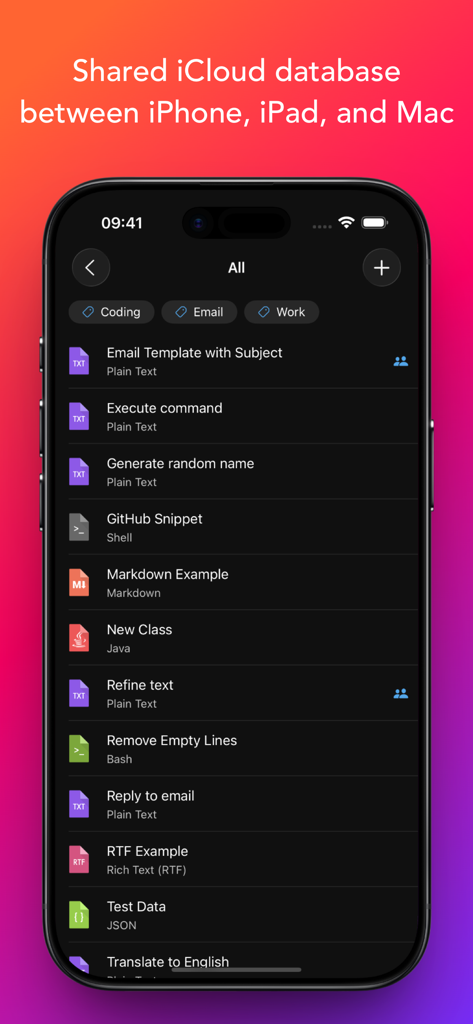
Snippety - Snippets Manager - Snippety app on an iPhone displaying a list of text and code snippets with an iCloud synchronization header.
Snippety app on an iPhone displaying a list of text and code snippets with an iCloud synchronization header.

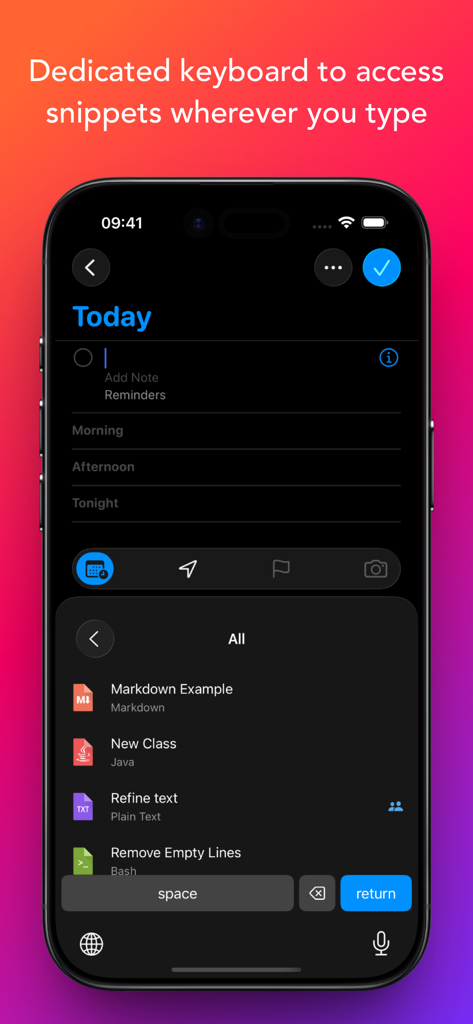
Snippety - Snippets Manager - iPhone screenshot showing the Snippety custom keyboard with a list of saved snippets for easy insertion
iPhone screenshot showing the Snippety custom keyboard with a list of saved snippets for easy insertion

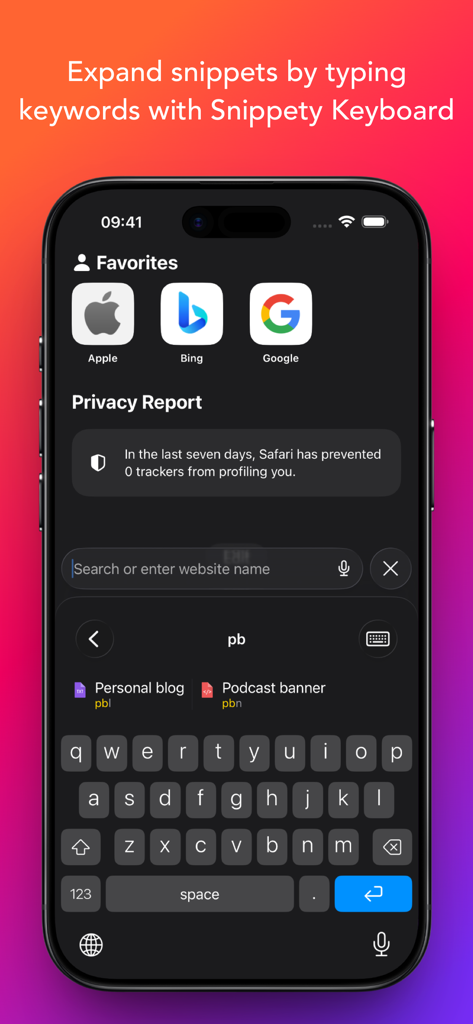
Snippety - Snippets Manager - iPhone screen showing the Snippety custom keyboard expanding snippets by typing a short keyword.
iPhone screen showing the Snippety custom keyboard expanding snippets by typing a short keyword.

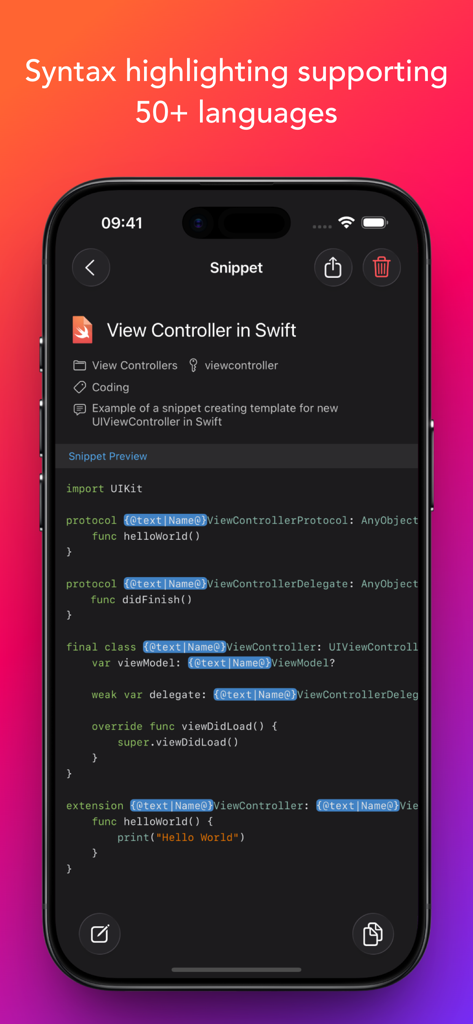
Snippety - Snippets Manager - Snippety app displaying a Swift code snippet with syntax highlighting on an iPhone.
Snippety app displaying a Swift code snippet with syntax highlighting on an iPhone.

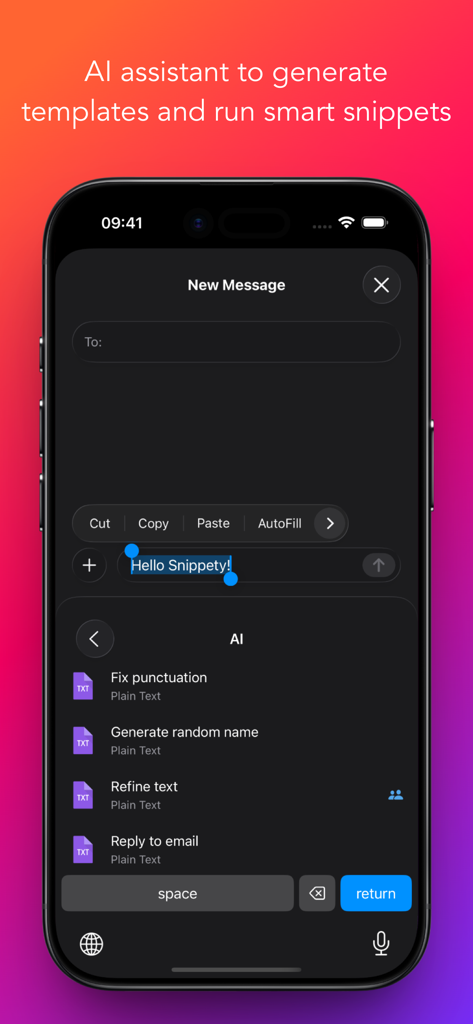
Snippety - Snippets Manager - Snippety keyboard on iPhone displaying AI assistant options like fix punctuation and refine text
Snippety keyboard on iPhone displaying AI assistant options like fix punctuation and refine text

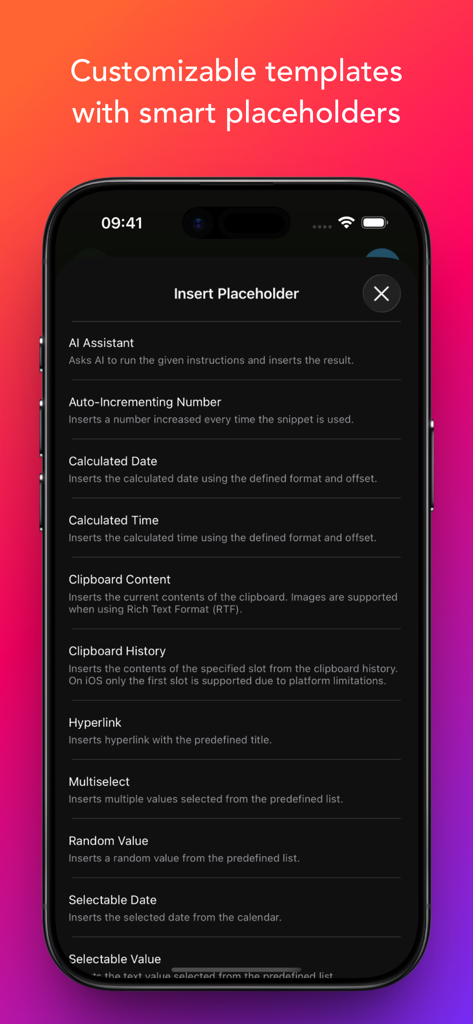
Snippety - Snippets Manager - A list of smart placeholder options in the Snippety app including AI Assistant and calculated date

A list of smart placeholder options in the Snippety app including AI Assistant and calculated date
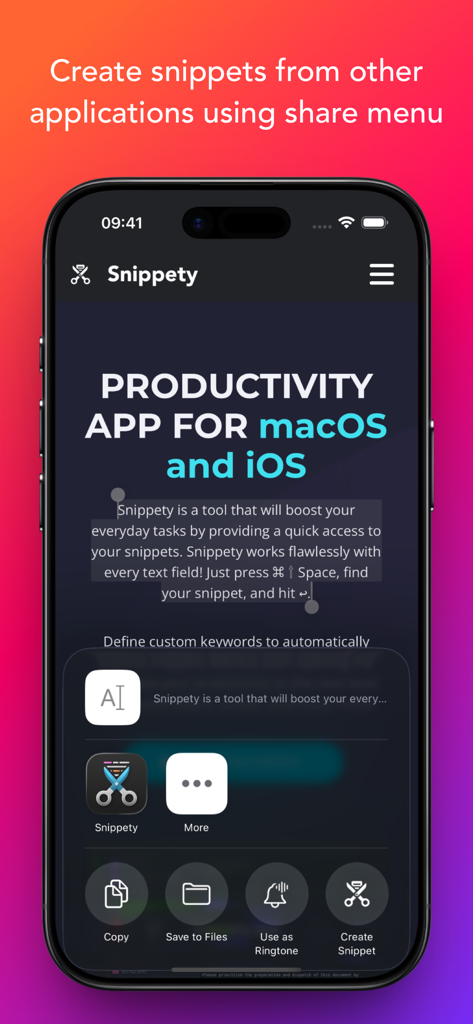
Snippety - Snippets Manager - Interface showing the Snippety app integration within the iOS share menu to create snippets from other applications.
Interface showing the Snippety app integration within the iOS share menu to create snippets from other applications.

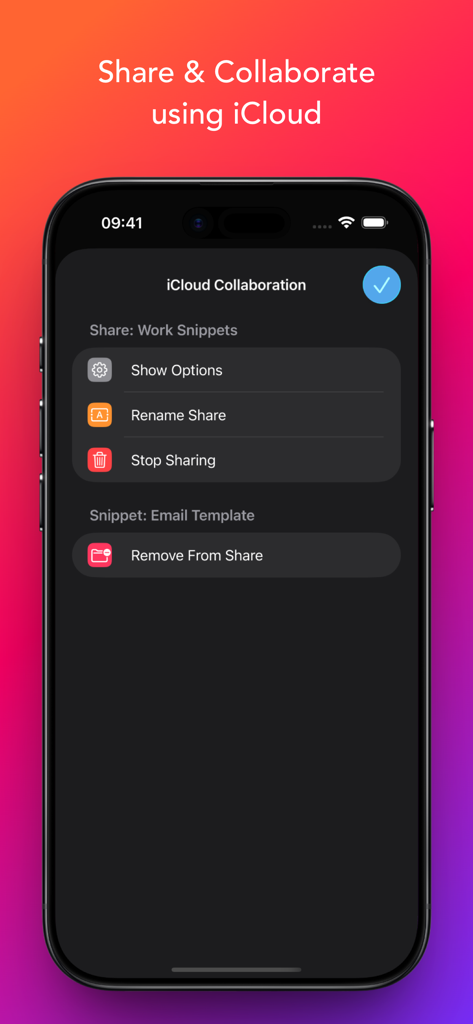
Snippety - Snippets Manager - Interface for sharing and collaborating on snippets using iCloud within the Snippety app.

Interface for sharing and collaborating on snippets using iCloud within the Snippety app.

Description

Snippety boosts productivity by providing instant access to your snippets. Create reusable templates from frequently used sentences, code fragments, email templates, test data, and more. Snippety integrates seamlessly with any text field. Simply install the Snippety Keyboard and switch to it while typing. You can also create snippets directly from selected text using the share menu. The app uses iCloud to synchronize your database across all devices: iPhone, iPad, and Mac. Install Snippety on all your devices and experience an immediate productivity boost! Instruct Snippety to generate templates or insert placeholders automatically. Create smart snippets with the AI Assistant, and have it fix typos, summarize text, translate, or even reply to emails. Soon, you won't be able to live without your personalized collection of smart snippets. NOTE: Snippety Keyboard works with snippets in any language, but the keyboard itself allows typing English letters only. Keyboard input is used to fill placeholders, search, or expand snippets by keyword, and these features are limited to the English alphabet. These limitations do NOT affect the app - only the Snippety Keyboard. Seamless Integration: • Dedicated Snippety Keyboard to let you access your snippets wherever you type. • Snippety Keyboard lets you easily switch between typing and expanding keywords. Select Snippet Expander, type a predefined keyword, and the snippet will expand automatically. • Snippety Keyboard supports QWERTY, QWERTZ, AZERTY, and Dvorak layouts, allowing you to search snippets and fill placeholders directly from the keyboard. • Share menu extension to create text snippets from any application. • Minimalistic and beautiful design adjusted to light and dark mode. Smart Placeholders: • Create reusable templates by replacing customizable parts with smart placeholders. • Take advantage of 19 smart placeholders: auto-incrementing number, AI assistant, calculated date, calculated time, clipboard content, random value, hyperlink, selectable date, selectable value, multiselect, selected text, snippet reference, text transformation, text variable, text variable reference, and multiline text variable. MacOS application supports also script, clipboard history, and file content placeholders. • Avoid repeating the same parameters, with Snippety you can insert the same value into multiple places of your template. User-friendly: • Snippety is always focused on its users. Many of the features that you can see in the application were suggested by users. Snippety is always open to great ideas! • No subscriptions and hidden fees! You pay once and you get Snippety for iOS, iPad, and Mac with lifetime access and updates! • Easy contact to provide feedback, ask questions, or share your ideas. Most emails are replied to within one day. AI Integration: • Enable AI features in all your applications by using AI placeholders. • Access AI directly from Snippety Keyboard without opening the app. • Ask Snippety to generate templates and insert placeholders using AI computing power. • Smart AI assistant placeholder is ready to perform any task for you using the selected text or clipboard content. iCloud Collaboration: • Share selected snippets with co-workers, friends, or across your personal devices, even if they use different Apple IDs. • The new collaboration is built using native Apple technologies, ensuring your data remains secure and never passes through third-party servers. • Control who can access each shared snippet and choose between read-only or write permissions. Flexible: • Syntax highlighting supporting 50+ formats. • Rich Text (RTF), HTML, and Markdown support (with images). Unlimited access: • Enable iCloud synchronization to share your snippets between Mac, iPhone, and iPad. • Share snippets using secure links.

Download

Download on App Store

This page is not an official page of the app or its developer, but an independent editorial publication created for informational and commentary purposes. Unless expressly stated otherwise, neither the app nor its developer is affiliated with, endorsed by, sponsored by, authorized by, or otherwise officially connected with MWM, Apple, Google Play, the app publisher, or the app's developer, and nothing on this page implies that the app was developed using MWM's services. Any trademarks, logos, screenshots, and other content remain the property of their respective owners.








