
This page is not an official page of the app or its developer, but an independent editorial publication created for informational and commentary purposes. Unless expressly stated otherwise, neither the app nor its developer is affiliated with, endorsed by, sponsored by, authorized by, or otherwise officially connected with MWM, Apple, Google Play, the app publisher, or the app's developer, and nothing on this page implies that the app was developed using MWM's services. Any trademarks, logos, screenshots, and other content remain the property of their respective owners.
SocketChat - TCP&UDP Debug
The ultimate TCP/UDP utility for developers and IoT engineers. Create servers, automate replies, and monitor packets in real-time with an intuitive, chat-style interface across iPhone, iPad, and Mac.
Downloads
100+User Rating
Total Ratings
0Publisher
Category
Developer ToolsLocales
2Latest Version
1.1Size
10.9 MBFirst Released
Dec 23, 2025Professional Networking Made Simple
Ditch the command line. SocketChat turns tedious TCP and UDP debugging into a visual, efficient workflow designed for modern developers and IoT engineers.
Chat-Style Visualization
Monitor data exchange through a familiar message-bubble interface. Read packet logs as easily as a text conversation to reduce cognitive load.
Automated Replay & Reply
Speed up your workflow with message replay and pattern-matched auto-responses. Perfect for stress-testing IoT devices and validating handshakes.
The following screenshots and description are sourced directly from the app's official store listing and are the property of the app developer.
App Store
Screenshots
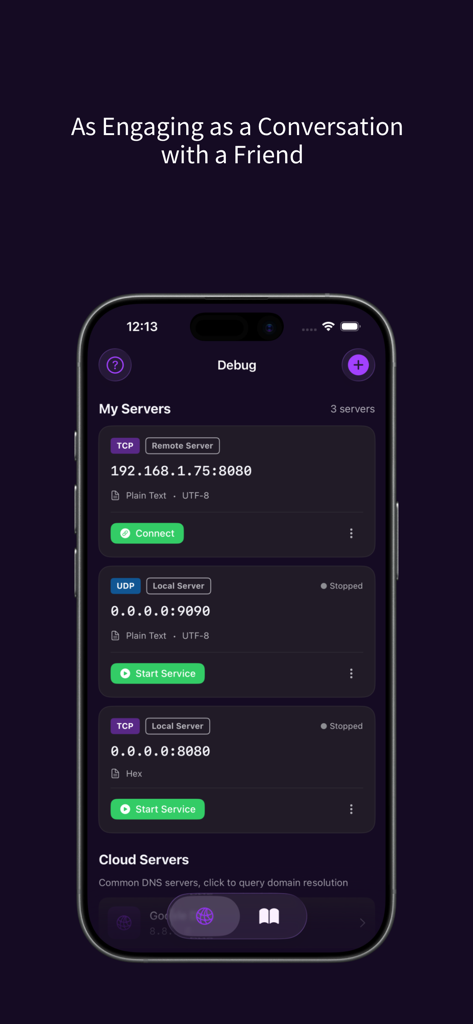
SocketChat app showing TCP and UDP server debugging interface on iPhone
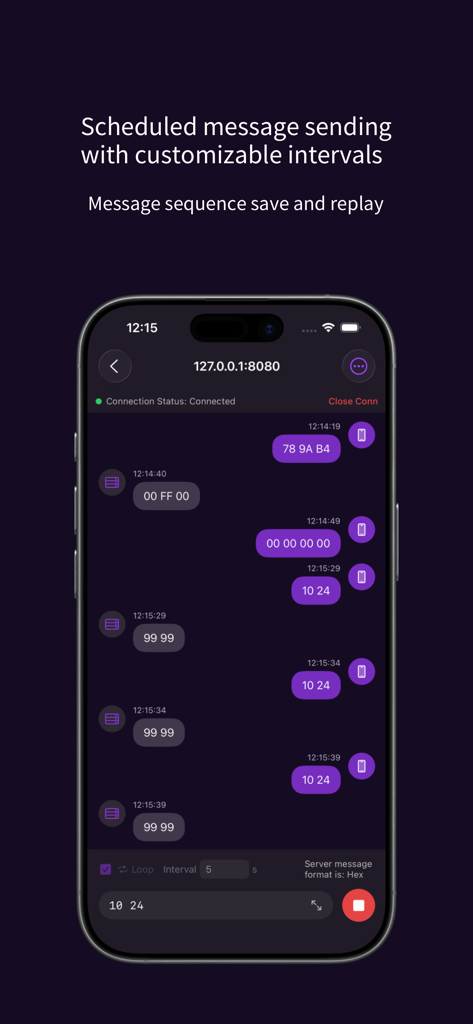
Interface of SocketChat app displaying scheduled message sending and hex data replay for TCP and UDP debugging
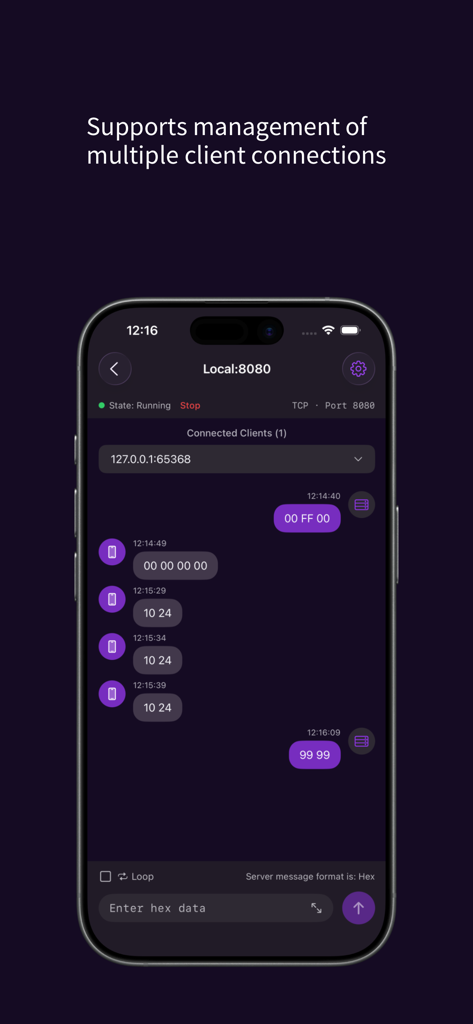
SocketChat app interface showing TCP UDP server managing multiple client connections with hex data packets.
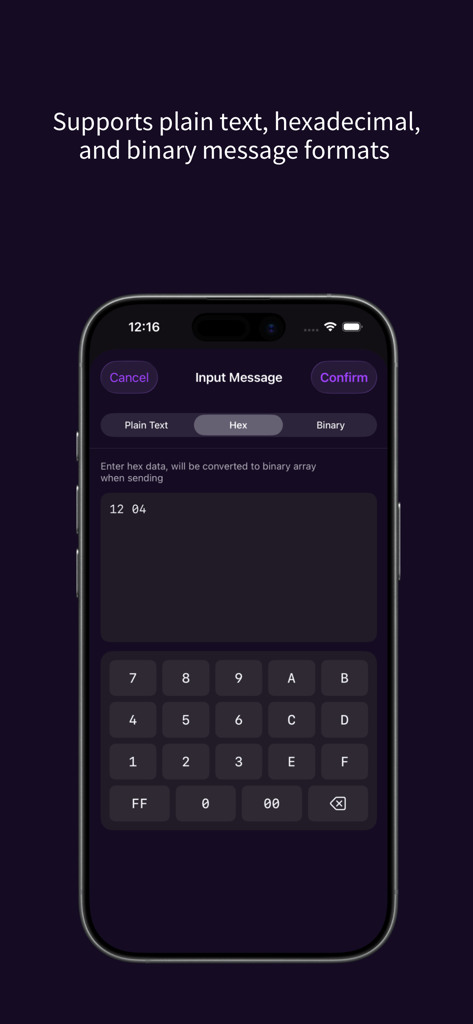
SocketChat app interface showing hexadecimal message input and a custom hex keyboard for network debugging.
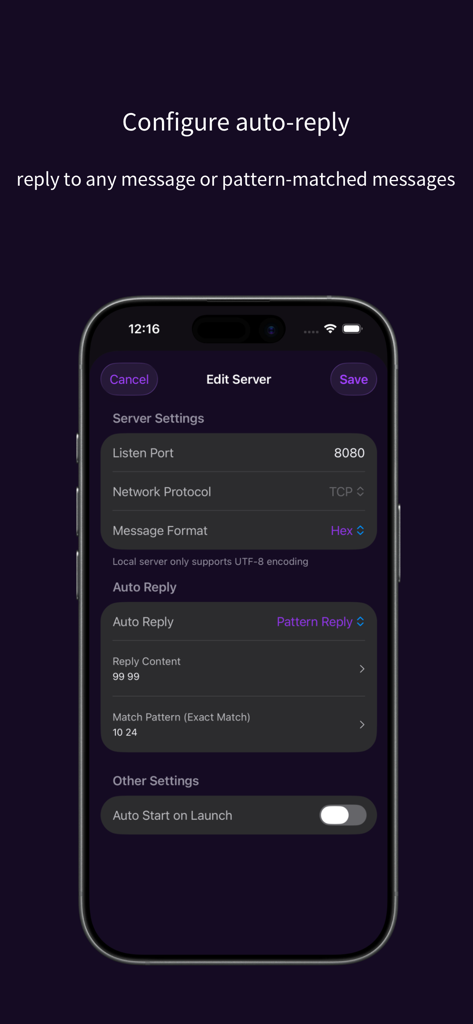
Screenshot of the SocketChat app showing the Edit Server screen where users can configure auto-reply and pattern-matched messages for TCP or UDP debugging.
Description
Download
More Like This
Top-ranked apps in the same category

TestFlight
Apple Inc.

Replit: Vibe Code Apps
Replit, Inc

GitHub
GitHub

O-KAM Pro
Shenzhen VeePai IoT Intelligent Technology LLC

Apple Developer
Apple Inc.

Emergent AI: Vibe Code Apps
Emergent Labs Inc

Expo Go
650 Industries, Inc.

App Store Connect
Apple Inc.

Stream - Network Debug Tool
Stream Lab Inc.
This page is not an official page of the app or its developer, but an independent editorial publication created for informational and commentary purposes. Unless expressly stated otherwise, neither the app nor its developer is affiliated with, endorsed by, sponsored by, authorized by, or otherwise officially connected with MWM, Apple, Google Play, the app publisher, or the app's developer, and nothing on this page implies that the app was developed using MWM's services. Any trademarks, logos, screenshots, and other content remain the property of their respective owners.