
This page is not an official page of the app or its developer, but an independent editorial publication created for informational and commentary purposes. Unless expressly stated otherwise, neither the app nor its developer is affiliated with, endorsed by, sponsored by, authorized by, or otherwise officially connected with MWM, Apple, Google Play, the app publisher, or the app's developer, and nothing on this page implies that the app was developed using MWM's services. Any trademarks, logos, screenshots, and other content remain the property of their respective owners.

Soft Focus Lite 〜beauty selfie
Join over 1 million creators using our effortless one-tap filters to turn every selfie into a dreamy, professional portrait. Skip the harshness of high-def cameras and embrace the aesthetic you love instantly.
Downloads
1M+User Rating
Total Ratings
49K+Publisher
Category
Photo & VideoLocales
2Latest Version
26.0.0Size
8.1 MBFirst Released
Aug 21, 2015Achieve That Ethereal Dreamy Glow
Ditch the harsh digital look and embrace a softer, more professional aesthetic. Soft Focus Lite provides effortless tools to create beautiful, film-like portraits in seconds.
Instant Soft-Focus Magic
Gently blur away imperfections and soften harsh lines to achieve the viral 'soft girl' aesthetic or a timeless, professional portrait look.
Live Beauty Filters
Stop guessing and start posing. Preview your soft-focus effects in real-time so you can see your perfect glow-up before you even tap the shutter.
Frequently Asked Questions
Everything you need to know about Soft Focus Lite 〜beauty selfie
What is the primary function of Soft Focus Lite 〜beauty selfie?
Soft Focus Lite 〜beauty selfie primarily adds a soft focus blur effect to portraits, making them appear more beautiful. It also provides live filters for enhanced editing capabilities.
Does Soft Focus Lite include live filters?
Yes, Soft Focus Lite includes live filters. Users can apply these directly to their photos to achieve various aesthetic results for their portraits.
How do you adjust effects in Soft Focus Lite?
Users adjust effects in Soft Focus Lite easily using dedicated sliders within the app interface. These controls manage Blur, Brightness, Temperature, Tint, and Saturation.
What specific effects can be adjusted in Soft Focus Lite?
Soft Focus Lite allows adjustment of Blur, Brightness, Temperature, Tint, and Saturation. These effects provide comprehensive control over the final appearance of portraits.
Can Soft Focus Lite improve the appearance of skin in photos?
Yes, Soft Focus Lite improves the appearance of skin in photos. It applies a soft focus blur effect that contributes to an "Easy Beautiful Skin Effect" as demonstrated in the app.
The following screenshots and description are sourced directly from the app's official store listing and are the property of the app developer.
App Store
Screenshots

Portrait of a woman with a dreamy soft focus blur effect
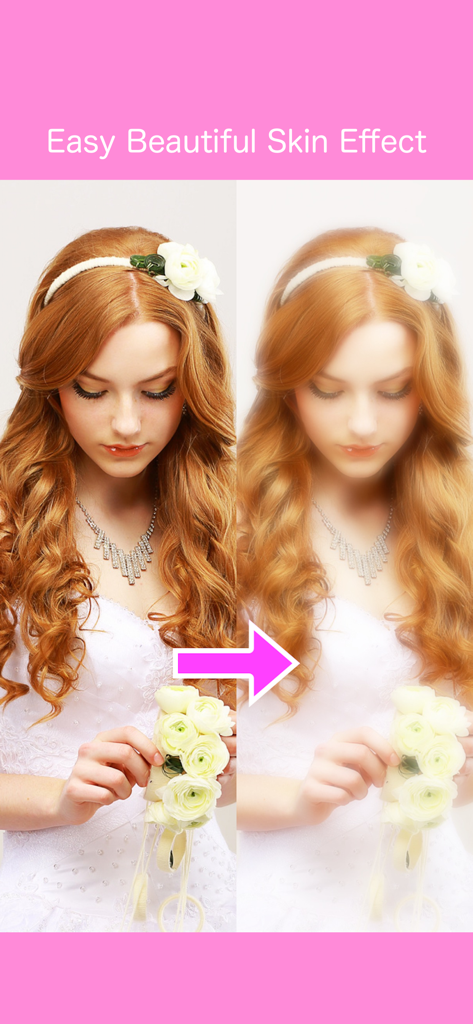
Before and after comparison of a portrait showing the soft focus beauty skin effect on a woman
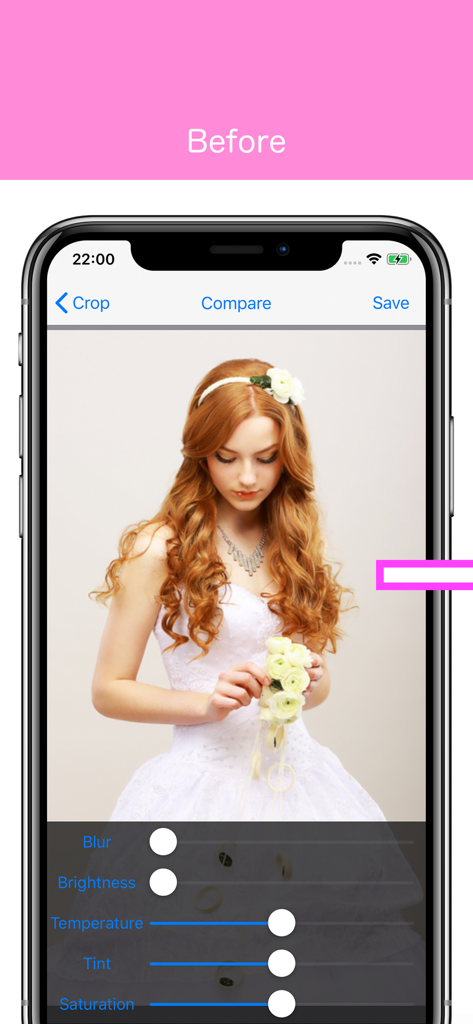
Interface of the Soft Focus Lite app showing a portrait of a woman before applying soft focus blur effects
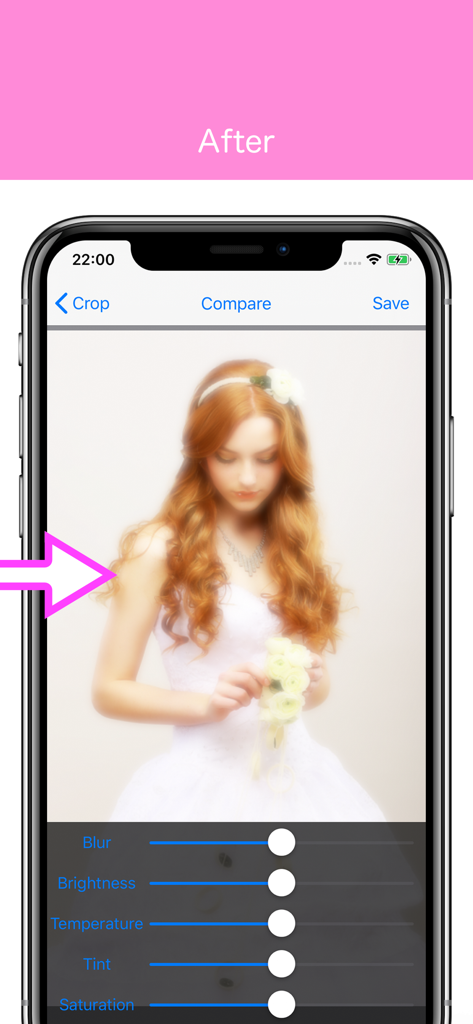
Mobile app interface showing a portrait with soft focus and brightness editing sliders
Description
Download
More Like This
Apps with similar features and user experience

Lightroom: AI Photo Editor
Adobe Inc.

MIX-Photo Editor & Filters
灏 徐

Presets for Lightroom - FLTR
Onelight Apps CY Ltd

Colorby: AI Photo Color Editor
Zhanghan Ke

PRESETS: Filters for Pictures
Gustas Brazaitis

Edith: Presets for Lightroom
MWM

BerryFilm - Korean Style Cam
Seungyun Kim

Presets for Lightroom: Filters
Alenrom sp. z o.o.

Video Filters Photo Editor TON
Onelight Apps CY Ltd
This page is not an official page of the app or its developer, but an independent editorial publication created for informational and commentary purposes. Unless expressly stated otherwise, neither the app nor its developer is affiliated with, endorsed by, sponsored by, authorized by, or otherwise officially connected with MWM, Apple, Google Play, the app publisher, or the app's developer, and nothing on this page implies that the app was developed using MWM's services. Any trademarks, logos, screenshots, and other content remain the property of their respective owners.