SoftMaker Presentations
Download on App Store

This page is not an official page of the app or its developer, but an independent editorial publication created for informational and commentary purposes. Unless expressly stated otherwise, neither the app nor its developer is affiliated with, endorsed by, sponsored by, authorized by, or otherwise officially connected with MWM, Apple, Google Play, the app publisher, or the app's developer, and nothing on this page implies that the app was developed using MWM's services. Any trademarks, logos, screenshots, and other content remain the property of their respective owners.


Logo of SoftMaker Presentations
Download on App Store

SoftMaker Presentations

Stop settling for "lite" mobile apps. Design, edit, and deliver pixel-perfect .pptx files with full desktop features, seamless cloud integration, and zero formatting loss—wherever your office happens to be.

Key Figures

Downloads

40K+

User Rating

4.7/5

Total Ratings

0

Publisher

SoftMaker Software GmbH

Category

Productivity

Locales

28

Latest Version

1229.0909

Size

79.7 MB

First Released

Jun 6, 2022
Features

Uncompromising Presentation Power for Professionals

Experience the full suite of desktop tools on your mobile device. From high-fidelity PPTX editing to breathtaking animations, create and present without limits.

Seamless PowerPoint Compatibility

Open and save .pptx files with 100% fidelity. No broken layouts or missing fonts—just perfect presentations that work across all your devices.

Desktop Power, Mobile Agility

Leverage the full ribbon interface on iPad and optimized toolbars on iPhone. Master slides, AutoShapes, and advanced graphics are now in your pocket.

The following screenshots and description are sourced directly from the app's official store listing and are the property of the app developer.

App Store

Screenshots
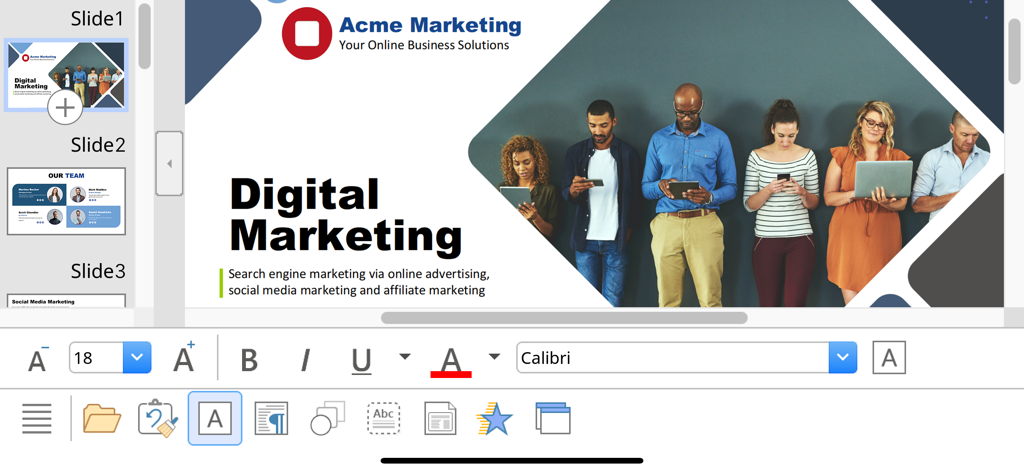
SoftMaker Presentations - SoftMaker Presentations mobile interface showing a digital marketing slide with text editing and formatting tools.
SoftMaker Presentations mobile interface showing a digital marketing slide with text editing and formatting tools.

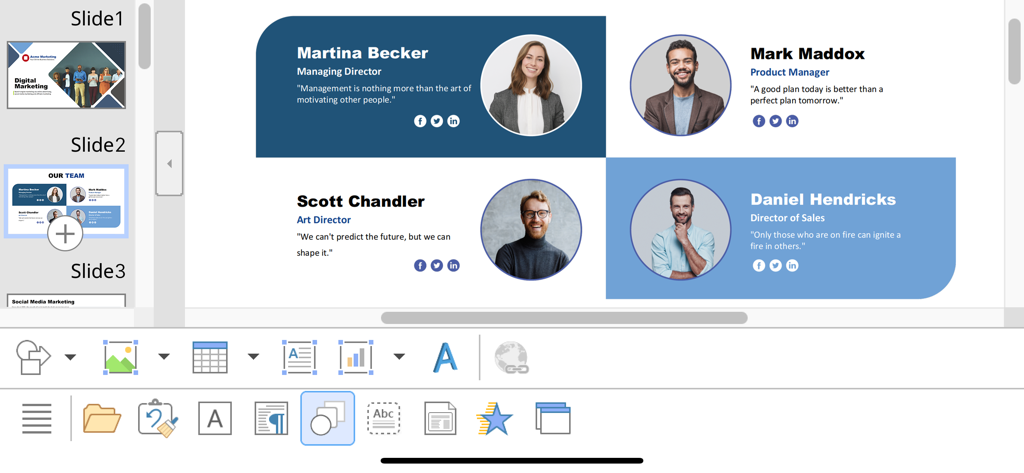
SoftMaker Presentations - Editing a team profile slide in the SoftMaker Presentations app on iOS
Editing a team profile slide in the SoftMaker Presentations app on iOS

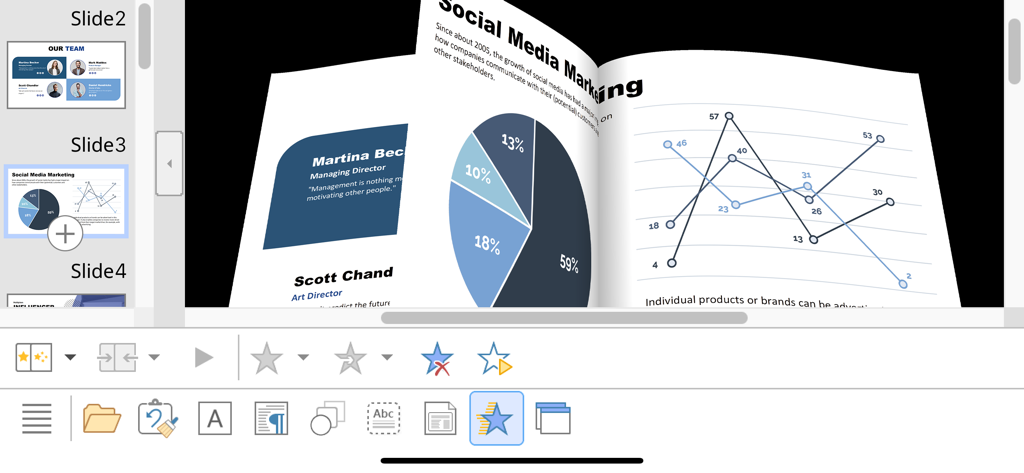
SoftMaker Presentations - 3D slide transition animation in SoftMaker Presentations on iPhone showing marketing charts and data graphs
3D slide transition animation in SoftMaker Presentations on iPhone showing marketing charts and data graphs

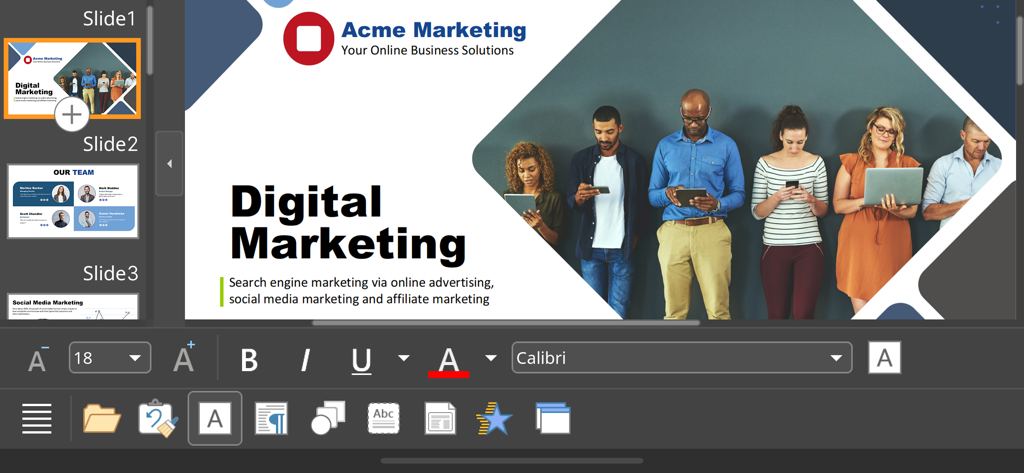
SoftMaker Presentations - SoftMaker Presentations mobile app interface editing a digital marketing presentation slide

SoftMaker Presentations mobile app interface editing a digital marketing presentation slide

Description

■ Presentations ► The only complete Office presentation program for your PowerPoint files ► Work on your PowerPoint presentations wherever and whenever you want. ► When working on the go, take advantage of a feature set that you would otherwise only know from your PC or Mac. ► Almost all features can be used permanently free of charge. The complete set of features that you know from Microsoft PowerPoint or Presentations on your Mac or PC is now offered by Presentations on your iPhone and iPad. Compatibility without compromise: Presentations uses the Microsoft Office PPTX format as its native format. This guarantees seamless data exchange. You can open your presentations directly in Microsoft PowerPoint without having to convert them. Intuitive operation on iPhone and iPad: Presentations always provides an ideal user experience, regardless of whether you're using it on your iPhone or an iPad. On an iPhone, you can use the practical toolbars with just one finger. On an iPad, you work with ribbons similar to those on your Mac or PC. Save locally or in the cloud: Presentations not only enables you to open and save documents stored on your device, but it also allows you to access your files in iCloud, Dropbox, OneDrive and all other cloud storage services. The Presentations user interface is available in English, German, French, Spanish, Italian and more than 20 other languages. Presentations brings the features of a desktop presentation program to your iPhone and iPad. You shouldn't settle for less. ■ Working with files ► Presentation files can be losslessly exchanged with Presentations for Mac, Windows and Linux. ► Open and save PPTX and PPT files with full fidelity from PowerPoint 97 to 2021 and PowerPoint 365 ► Export complete presentations as picture files or HTML web pages ■ Designing ► Numerous attractive design templates do the design work for you. ► Each template includes many matching color schemes. ► Slide layouts and slide masters ■ Comprehensive graphics functions ► Draw and design directly in the presentation ► PowerPoint-compatible AutoShapes ► Insert pictures in a range of file formats ► Great graphics functions such as mirror effects, soft shadows and transparencies ► Crop pictures, change brightness, contrast and gamma ► Drawings can be filled with colors, patterns, pictures and gradients. ► TextArt function for striking font effects ■ Animations and slide transitions ► Hundreds of different object and text animations ► Numerous breathtaking animations and slide transitions based on OpenGL ■ Flexible slide shows ► Both user-controlled and automatic slide shows without presenters (kiosk function) ► Interaction with the presentation via a virtual pen and highlighter ► Handouts for the audience ► Integrated slide sorter for managing and reordering slides ■ Other features Almost all features of Presentations for iOS can be used free of charge. The following additional features are available to you via an inexpensive subscription: ► Printing ► Export to PDF and PDF/A ► Sharing documents directly from Presentations ► Charts ► Photo albums ► Summary slides ► Free customer support A single subscription unlocks these features simultaneously in Presentations, TextMaker and PlanMaker for iOS. License agreement: https://www.apple.com/legal/internet-services/itunes/dev/stdeula/

Download

Download on App Store

This page is not an official page of the app or its developer, but an independent editorial publication created for informational and commentary purposes. Unless expressly stated otherwise, neither the app nor its developer is affiliated with, endorsed by, sponsored by, authorized by, or otherwise officially connected with MWM, Apple, Google Play, the app publisher, or the app's developer, and nothing on this page implies that the app was developed using MWM's services. Any trademarks, logos, screenshots, and other content remain the property of their respective owners.








