Sony | Creators' App for ENT
Download on App Store

This page is not an official page of the app or its developer, but an independent editorial publication created for informational and commentary purposes. Unless expressly stated otherwise, neither the app nor its developer is affiliated with, endorsed by, sponsored by, authorized by, or otherwise officially connected with MWM, Apple, Google Play, the app publisher, or the app's developer, and nothing on this page implies that the app was developed using MWM's services. Any trademarks, logos, screenshots, and other content remain the property of their respective owners.


Logo of Sony | Creators' App for ENT
Download on App Store

Sony | Creators' App for ENT

Streamline your broadcast production with high-speed camera-to-mobile transfers, enterprise-grade metadata management, and direct integration with Sony C3 Portal and Ci Media Cloud.

Key Figures

Downloads

1K+

User Rating

1.1/5

Total Ratings

100

Publisher

Sony Corporation

Category

Utilities

Locales

6

Latest Version

2025.2

Size

57.0 MB

First Released

Dec 2, 2021
Features

Accelerate Your Production Workflow

The essential bridge between your professional Sony cameras and the cloud. Designed specifically for ENG crews, sports broadcasters, and enterprise media teams to deliver content in real-time.

Instant Speed-to-Air

Bypass the physical hand-off. Upload high-quality video clips directly from your camera to C3 Portal or Ci Media Cloud via 5G, ensuring your newsroom or editors get the footage while it's still breaking.

Automated Story Metadata

Eliminate post-production confusion. Automatically assign story metadata and tags during the transfer process so your team can search, filter, and start editing the moment the upload completes.

The following screenshots and description are sourced directly from the app's official store listing and are the property of the app developer.

App Store

Screenshots
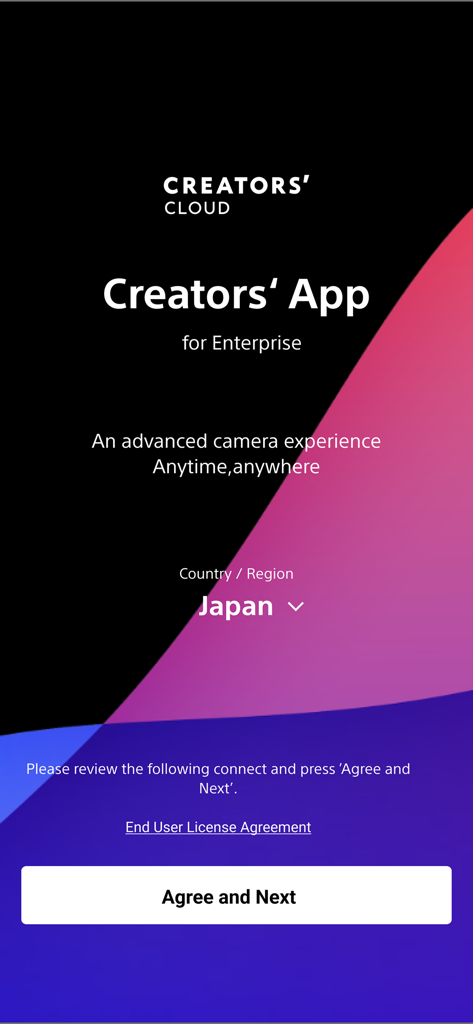
Sony | Creators' App for ENT - Welcome screen for the Sony Creators App for Enterprise showing the region selection and agreement button
Welcome screen for the Sony Creators App for Enterprise showing the region selection and agreement button

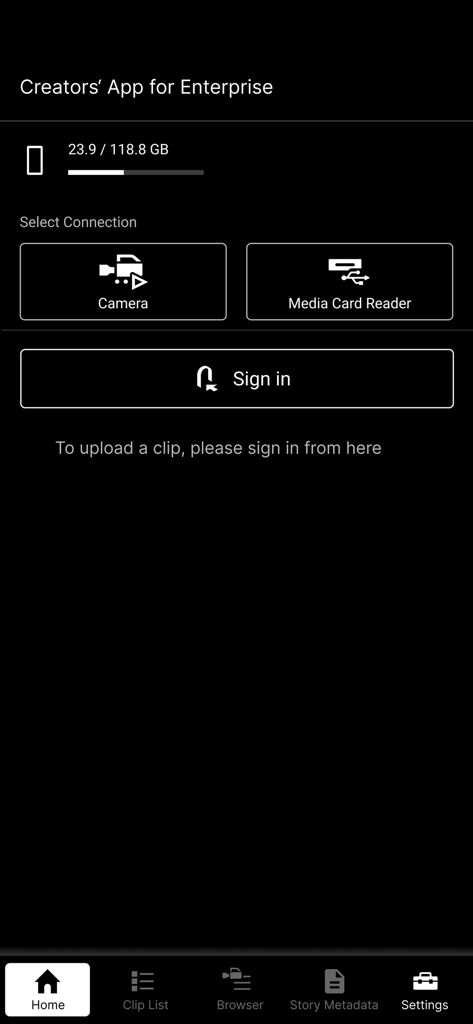
Sony | Creators' App for ENT - Home screen of the Sony Creators' App for Enterprise featuring connection options for cameras and media card readers.
Home screen of the Sony Creators' App for Enterprise featuring connection options for cameras and media card readers.

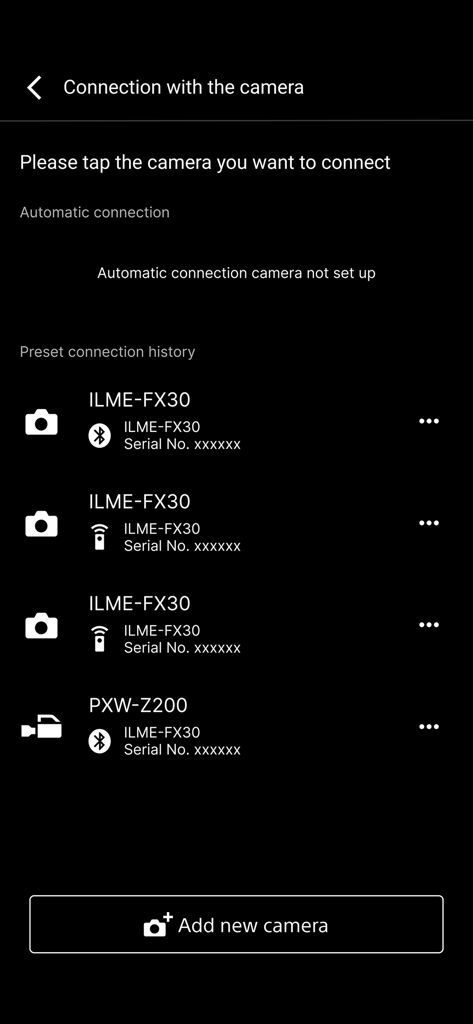
Sony | Creators' App for ENT - A list of paired Sony professional cameras in the Creators App for Enterprise connection menu
A list of paired Sony professional cameras in the Creators App for Enterprise connection menu

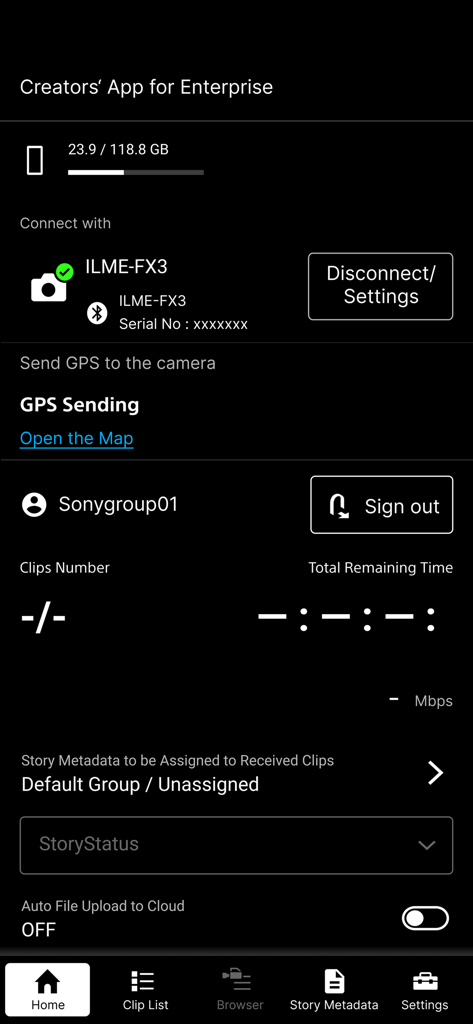
Sony | Creators' App for ENT - Sony Creators App for Enterprise home screen showing connected camera and cloud upload options
Sony Creators App for Enterprise home screen showing connected camera and cloud upload options

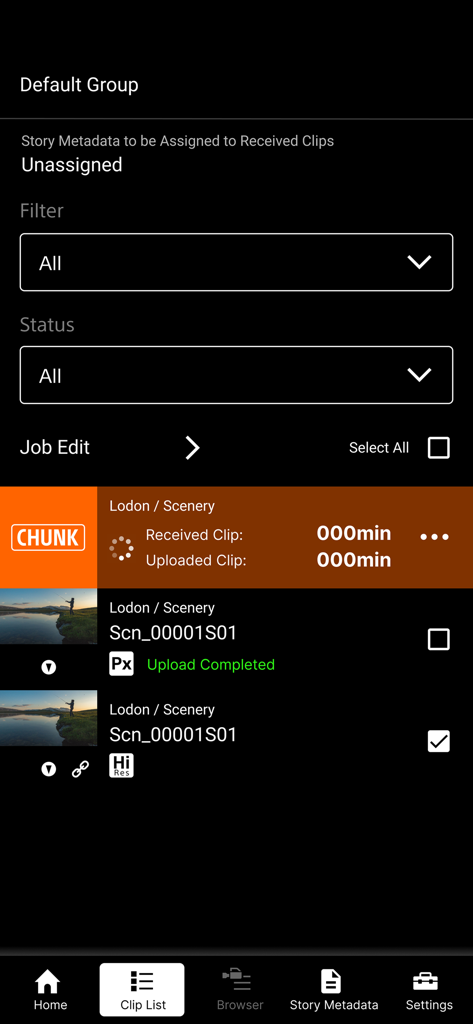
Sony | Creators' App for ENT - Sony Creators App for ENT clip list interface showing video upload status and hi-res file management.
Sony Creators App for ENT clip list interface showing video upload status and hi-res file management.

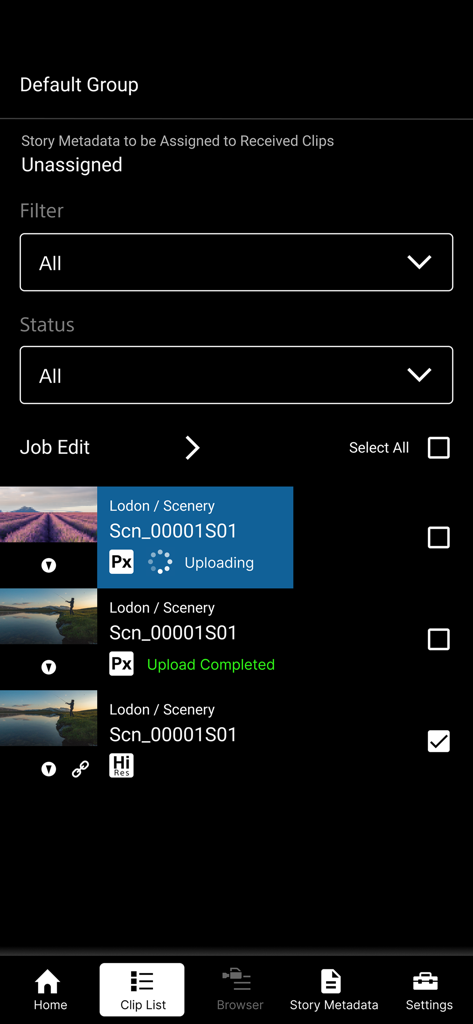
Sony | Creators' App for ENT - Sony Creators App for Enterprise showing video clip list and upload status

Sony Creators App for Enterprise showing video clip list and upload status

Description

※ Important Update Notice After this update, you will need to sign in to the service to display video clips that were saved prior to this update (including those imported in offline mode). "Creators' App for Enterprise (Abbreviation: C'App for ENT)" is an app for uploading video clips by connecting cameras to Sony’s C3 Portal and Ci Media Cloud (both are cloud services) via a smartphone. For details about C3 Portal, refer to the following. https://pro.sony/en_GB/technology/wireless-workflow/c3-portal For details about Ci Media Cloud, refer to the following. https://www.cimediacloud.com/ New features in version 2025.2 ■ Support for Sony camera model PXW-Z300/Z380. ■ Support for feature that send GPS information to the supported camera. ■ Enhanced user experience (UX). Existing features ■ Simple Camera Connection + Simple connection (via USB) to camera by scanning QR code displayed on the camera *1 + Simple connection (via USB) to camera by bluetooth pairing with the camera *8 + Simple connection (via USB) to camera by using Remote Shooting feature *9 ■ Transfer Video Clips from Camera to Smartphone ■ Upload Video Clips from Smartphone to cloud services ■ Load from Card Reader *2*3 ■ Auto Upload and Assign + Auto upload clips to cloud services when transferring clips to the smartphone (ON/OFF selectable) + Assign story metadata automatically when transferring clips to the smartphone (C3 Portal only) ■ Display Video Clip List + Play video clips *4 + Edit essence marks *5 ■ Camera Browser + List video clips saved on Sony camera + Transfer video clips from Sony camera to smartphone via this app + Play video clips saved on Sony camera *4 ■ Upload Job Edit + Editable video clip upload order + Can change upload status while viewing video clips Features for C3 Portal ■ Manage Story Metadata + Create and edit story metadata *6 + Display and assign story metadata allocated to groups, as well as the logged in user + Supports file attachments *7 Feature for Ci Media Cloud ■ Support File Request Code + Upload video clips to Ci Media Cloud using file request codes without Ci user account + Edit metadata information of file request *1 Refer to the Web Help for information about supported cameras. *2 Refer to the Web Help for information about verified card readers. *3 Media formatted in exFAT format may not be recognized, depending on the device. *4 Thumbnail image or playback image of interlaced proxy clips may not be displayed properly, depending on the device. *5 Video clips recorded by cameras other than Sony cameras (not all models) are not supported. *6 Items that can be edited will vary depending on the user. *7 Restricted to files that can be recognized by the smartphone. *8 Refer to the Web Help for information about supported cameras. *9 Refer to the Web Help for information about supported cameras. ■ Operating Environment iOS 16 to 18 ■ Web Help Page For details about usage, refer to the following help pages. https://helpguide.sony.net/promobile/c3p_app/v2/en/index.html ■ Other This application is not guaranteed to work on all smartphones and tablets. Note that we do not respond individually to inquiries from customers about this application and its services. You can report vulnerabilities related to this application and service via the “SECURE @ SONY” website. URL: https://secure.sony.net/

Download

Download on App Store

This page is not an official page of the app or its developer, but an independent editorial publication created for informational and commentary purposes. Unless expressly stated otherwise, neither the app nor its developer is affiliated with, endorsed by, sponsored by, authorized by, or otherwise officially connected with MWM, Apple, Google Play, the app publisher, or the app's developer, and nothing on this page implies that the app was developed using MWM's services. Any trademarks, logos, screenshots, and other content remain the property of their respective owners.








