Sound Level Analyzer PRO
Download on App Store

This page is not an official page of the app or its developer, but an independent editorial publication created for informational and commentary purposes. Unless expressly stated otherwise, neither the app nor its developer is affiliated with, endorsed by, sponsored by, authorized by, or otherwise officially connected with MWM, Apple, Google Play, the app publisher, or the app's developer, and nothing on this page implies that the app was developed using MWM's services. Any trademarks, logos, screenshots, and other content remain the property of their respective owners.

Logo of Sound Level Analyzer PRO
Download on App Store

Sound Level Analyzer PRO

Empower your professional projects with real-time FFT spectrum analysis, 1/3-octave band data, and comprehensive noise statistics—precision sound engineering in the palm of your hand.

Key Figures

Downloads

3K+

User Rating

1.0/5

Total Ratings

0

Publisher

TOON,LLC

Category

Utilities

Locales

1

Latest Version

8.0

Size

0.7 MB

First Released

Dec 12, 2017
Features

Professional-Grade Acoustic Intelligence

From identifying low-frequency hums to documenting environmental noise, turn your iPhone into a precision measurement tool with lab-quality data analysis.

Evidence-Based Data Logging

Capture up to 8 hours of time-history and statistical histograms to provide objective, hard evidence for noise complaints or workplace safety audits.

Real-Time Spectrum Insights

Analyze sound sources using professional FFT and 1/3-octave band response to optimize high-end audio systems and isolate specific frequency culprits.

The following screenshots and description are sourced directly from the app's official store listing and are the property of the app developer.

App Store

Screenshots
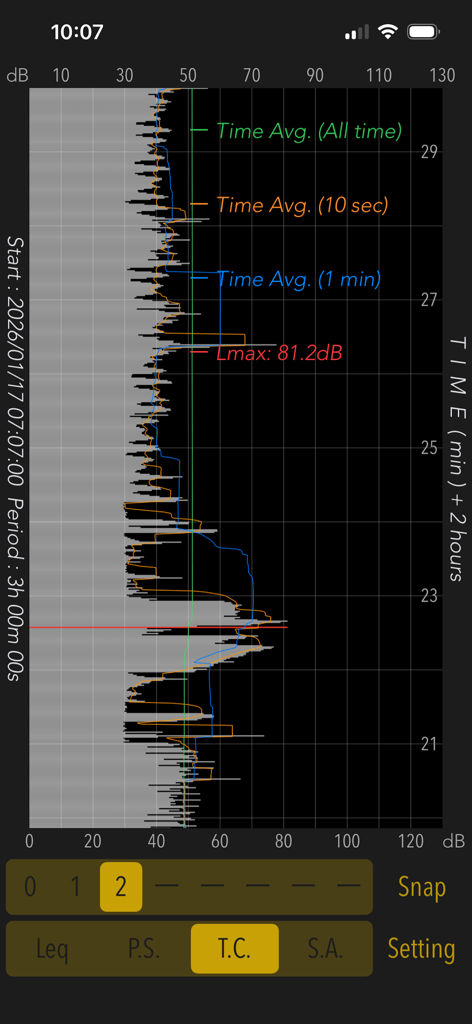
Sound Level Analyzer PRO - Sound Level Analyzer PRO app displaying a time history graph of sound levels over a three hour period
Sound Level Analyzer PRO app displaying a time history graph of sound levels over a three hour period

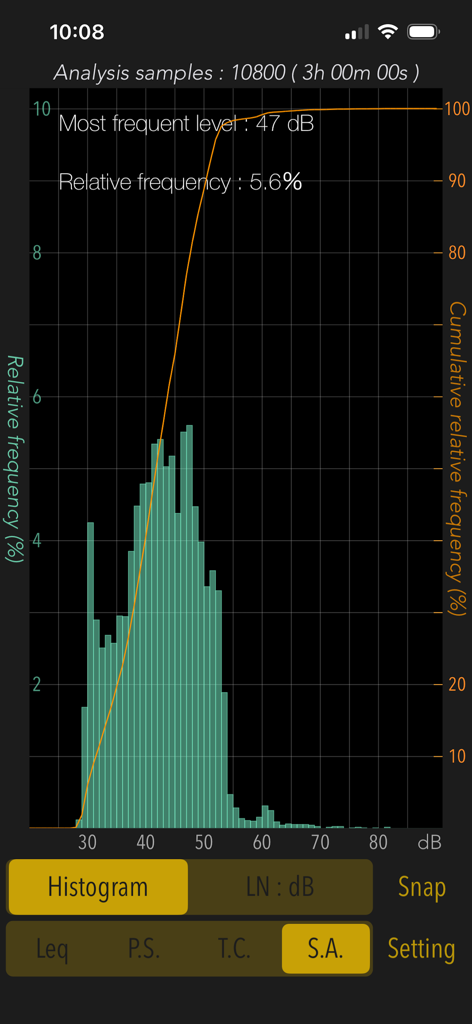
Sound Level Analyzer PRO - Statistical analysis histogram in Sound Level Analyzer PRO showing noise level distribution over three hours
Statistical analysis histogram in Sound Level Analyzer PRO showing noise level distribution over three hours

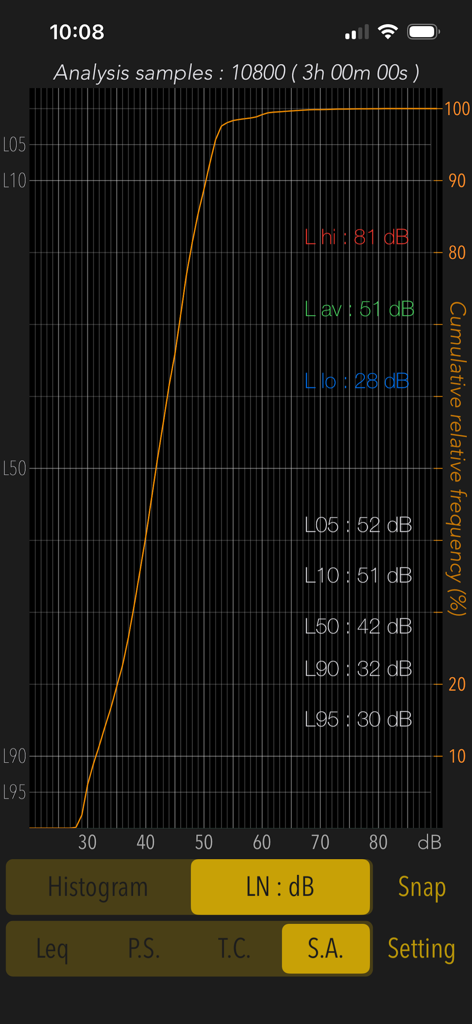
Sound Level Analyzer PRO - Statistical analysis screen displaying cumulative relative frequency and decibel percentile levels over three hours
Statistical analysis screen displaying cumulative relative frequency and decibel percentile levels over three hours

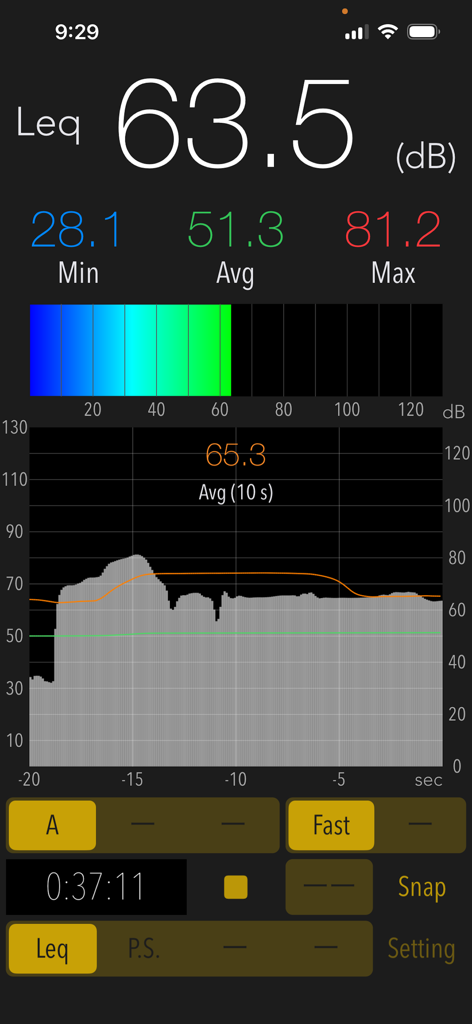
Sound Level Analyzer PRO - Real-time decibel measurement interface of Sound Level Analyzer PRO app showing current, min, max, and average sound levels.
Real-time decibel measurement interface of Sound Level Analyzer PRO app showing current, min, max, and average sound levels.

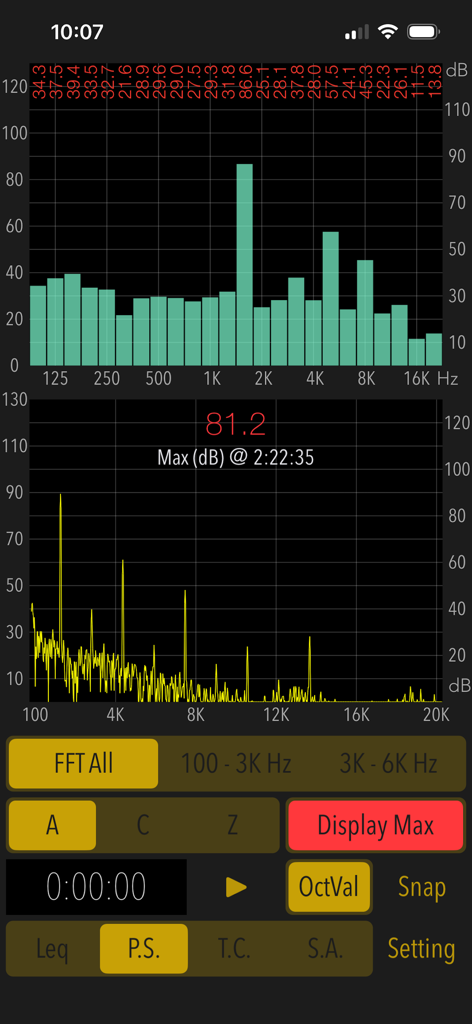
Sound Level Analyzer PRO - Power spectrum and FFT frequency analysis screen on Sound Level Analyzer PRO app
Power spectrum and FFT frequency analysis screen on Sound Level Analyzer PRO app

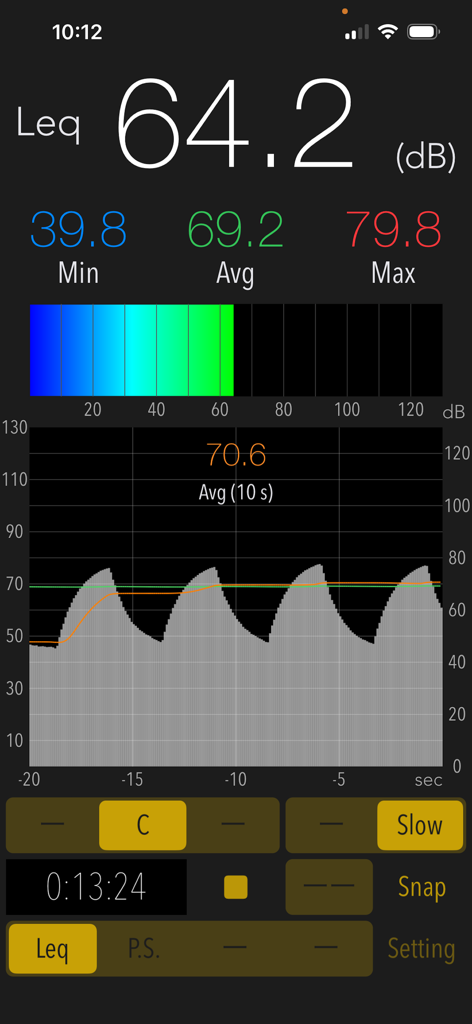
Sound Level Analyzer PRO - Interface of Sound Level Analyzer PRO app showing a real time decibel measurement of 64.2 dB with a sound history graph and statistics
Interface of Sound Level Analyzer PRO app showing a real time decibel measurement of 64.2 dB with a sound history graph and statistics

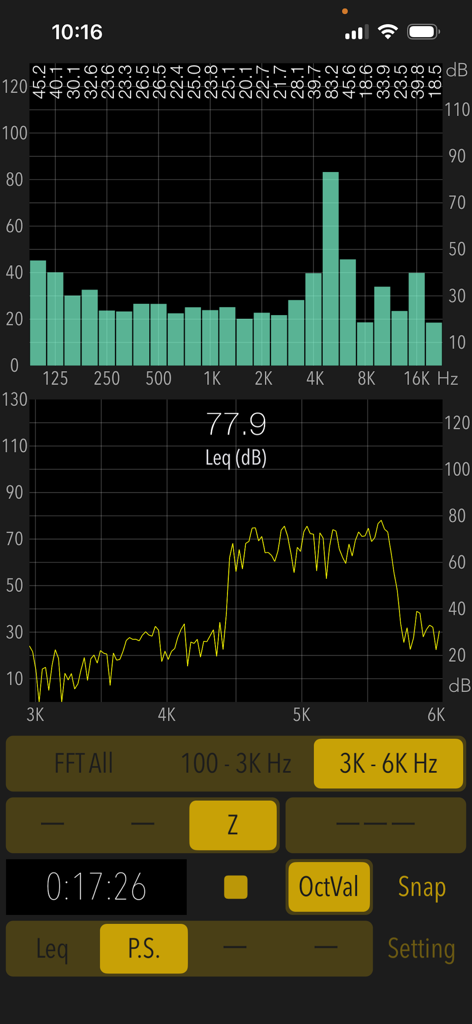
Sound Level Analyzer PRO - Interface of Sound Level Analyzer PRO showing real-time frequency spectrum analysis and decibel levels
Interface of Sound Level Analyzer PRO showing real-time frequency spectrum analysis and decibel levels

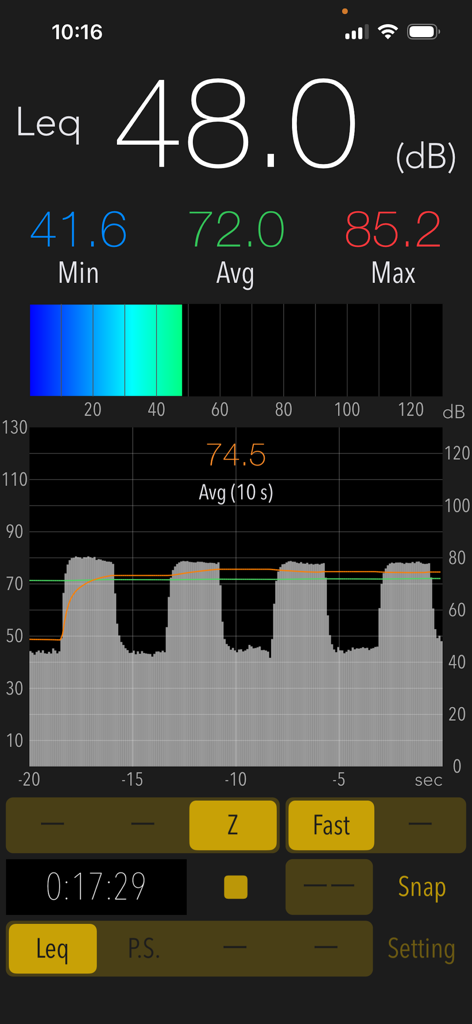
Sound Level Analyzer PRO - Interface of Sound Level Analyzer PRO showing real-time decibel measurements and noise level history graph
Interface of Sound Level Analyzer PRO showing real-time decibel measurements and noise level history graph

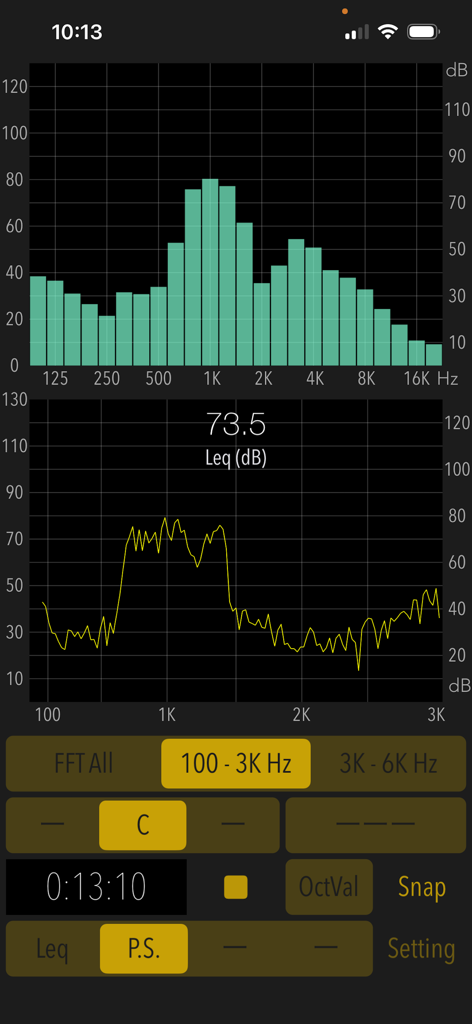
Sound Level Analyzer PRO - Interface of Sound Level Analyzer PRO app showing real-time FFT spectrum and 1/3-octave band analysis graphs.
Interface of Sound Level Analyzer PRO app showing real-time FFT spectrum and 1/3-octave band analysis graphs.

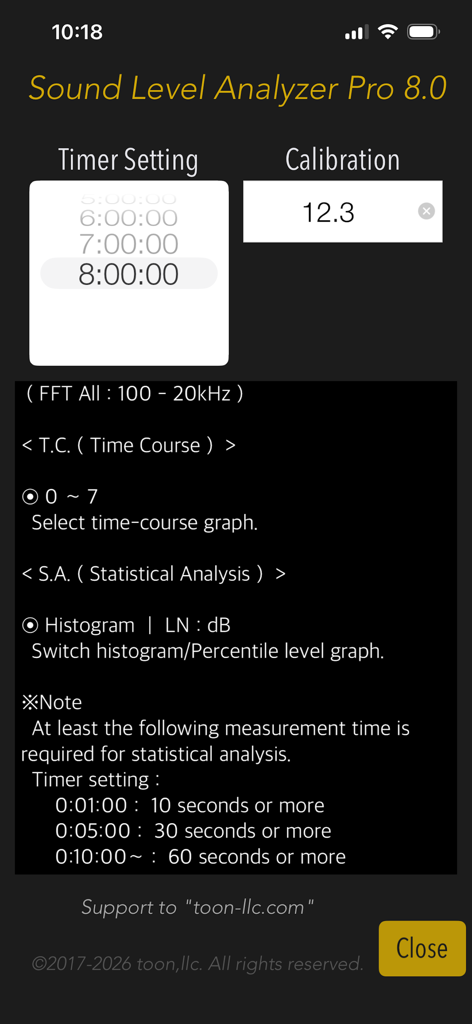
Sound Level Analyzer PRO - Sound Level Analyzer PRO configuration screen showing timer and calibration settings

Sound Level Analyzer PRO configuration screen showing timer and calibration settings

Description

"Sound Level Analyzer PRO" is an integrated sound measurement app featuring a sound level meter and powerful acoustic analysis tools. It is available for a wide variety of applications, such as measuring ambient noise in neighborhoods, testing audio systems, checking interior noise in vehicles, checking sound at live events, and much more. Its advanced sound analysis capabilities allow you to perform real-time frequency spectrum analysis, time-varying level measurement, and in-depth statistical analysis of sound levels. It can also be used to analyze the multifaceted characteristics and trends in the occurrence frequency of any sound source. # Measurement functions Main (Leq): Sound level measurement in real-time. - Sound level measurement (dB): Leq (equivalent sound level), Min (minimum value), Max (maximum value), Avg (time-averaged equivalent sound level) - Frequency weighting correction characteristics: A (general sound level measurement with auditory correction), C (sound level measurement with almost flatter correction than A correction, e.g. peak evaluation at high volume), Z (flat characteristics without auditory correction, physical sound level measurement) - Time weighting characteristics: Fast=0.125 sec, Slow=1.0 sec Power Spectrum (P.S.): View of frequency spectrum analysis in real-time. - Spectrum analyzer function: FFT analysis, 1/3-octave band response analysis. - FFT frequency range settings: 100Hz - 20kHz (FFT All) / 100Hz - 3kHz / 3kHz - 6kHz - Measured value display function in 1/3 oct band response analysis. (OctVal) - Power spectrum display function at the occurrence time of maximum level. (Display Max) Time Course (T.C.): View of time-history of the sound level. (Graphical representation after measuring completion.) - Time-domain fluctuation level display function: up to 8 hours linked on a timer. Statistical Analysis (S.A.): Statistical analysis of sound level at A-weighting and Fast. (Analysis display after measuring completion.) - Histogram: Displays all detected sound level distribution as a percentage. - Percentile Level (LN:dB): Display the levels of L05 / L10 / L50 / L90 / L95 on the percentile level graph. # Control functions - Calibration function: level correction value setting, -20 to +20dB - Measurement timer function: 1 minute / 5 minutes / 10 minutes / 15 minutes / 20 minutes / 30 minutes / 1 - 8 hours (1 hour unit) - Snapshot: Save measurement display with time stamp to Photos. # Examples of usage scenes: - Measure the noise situation in the workplace. - Examine the frequency component and time variation of noise target. - Check the sound level and background noise level during music performance. - To know the sound volume of snoring at sleep. - Measure the quiet characteristics of electric products for the judgment of purchase. - To know the noise level of the car. Also, as a purchase consideration material for automobiles, measure the in-car noise level at the test drive and compare it. - To know the noise situation in my home. Also, when buying a house, knowing the noise situation of the surrounding environment. # Example of the noise level situation: - 130dB: Engine sound of Airplane - 110dB: Horn of Car - 100dB: Noise of passing train - 90dB: In loud factory - 80dB: In the train, Vacuum cleaner - 70dB: Noisy office, Noisy Street - 60dB: Quiet Car, Normal conversation - 50dB: Quiet office - 40dB: In the library, Quiet residential area - 30dB: Outskirts of midnight, Whisper - 20dB: Sounds of rubbing leaves # Note: At the time of the first access to Microphone and Photos after installing the app, you will be asked authorization to access them by the iOS system. If you have not enabled this setting, the app cannot access them by privacy restrictions of the iOS system. Please enable the access permission on the iOS setting, "Settings > Privacy & Security > Photos or Microphone". Please visit our iOS App support page for more information on this app.

Download

Download on App Store

This page is not an official page of the app or its developer, but an independent editorial publication created for informational and commentary purposes. Unless expressly stated otherwise, neither the app nor its developer is affiliated with, endorsed by, sponsored by, authorized by, or otherwise officially connected with MWM, Apple, Google Play, the app publisher, or the app's developer, and nothing on this page implies that the app was developed using MWM's services. Any trademarks, logos, screenshots, and other content remain the property of their respective owners.








