SP Camera
SP Camera
Download on App Store

This page is not an official page of the app or its developer, but an independent editorial publication created for informational and commentary purposes. Unless expressly stated otherwise, neither the app nor its developer is affiliated with, endorsed by, sponsored by, authorized by, or otherwise officially connected with MWM, Apple, Google Play, the app publisher, or the app's developer, and nothing on this page implies that the app was developed using MWM's services. Any trademarks, logos, screenshots, and other content remain the property of their respective owners.


Logo of SP Camera
Download on App Store

SP Camera

Capture high-definition evidence and photos without being noticed. Use fake backgrounds, motion detection, and a password-protected vault to ensure your recording remains private and secure.

Key Figures

Downloads

309K+

User Rating

4.5/5

Total Ratings

3K+

Publisher

Ratha Sou

Category

Photo & Video

Locales

1

Latest Version

7.7.5

Size

34.0 MB

First Released

Feb 20, 2013
Features

Advanced Tools for Professional Discretion

Capture high-resolution evidence and monitor your surroundings with a suite of features designed for high-stakes security, privacy, and complete invisibility.

Stealth Mode Interface

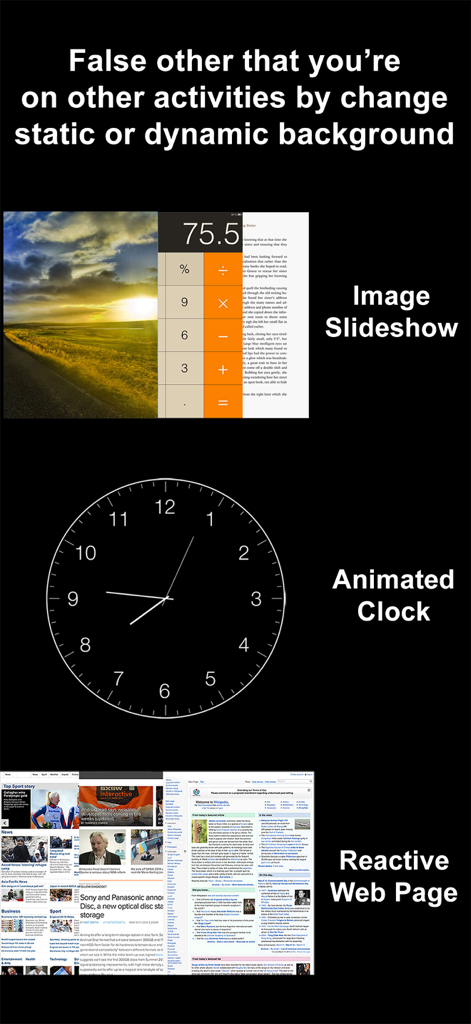
Blend into any environment using fake backgrounds like a web browser or clock, or record with a completely black screen to capture footage without drawing attention.

Automated Evidence Capture

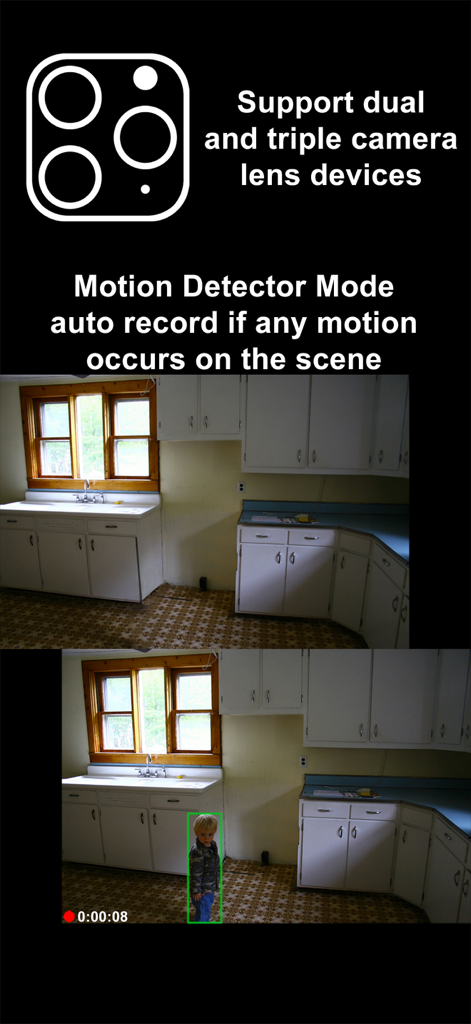
Leverage built-in motion detection sensors and customizable photo timers to monitor spaces and document events automatically without ever touching your device.

The following screenshots and description are sourced directly from the app's official store listing and are the property of the app developer.

App Store

Screenshots
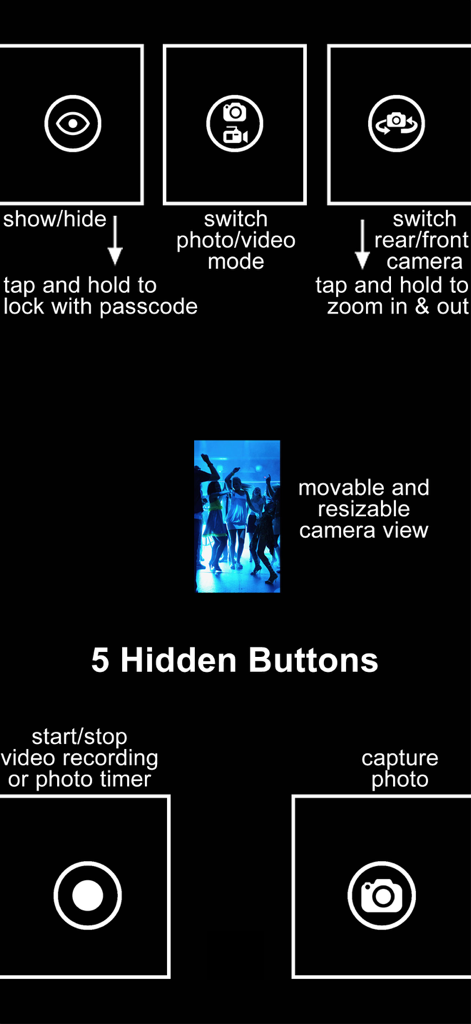
SP Camera - A diagram of the SP Camera interface showing five hidden control buttons and a movable preview window for discreet recording.
A diagram of the SP Camera interface showing five hidden control buttons and a movable preview window for discreet recording.

SP Camera - SP Camera app interface showing fake background options like an animated clock and web browser for stealth recording
SP Camera app interface showing fake background options like an animated clock and web browser for stealth recording

SP Camera - SP Camera app screenshot demonstrating motion detector mode with auto recording and triple lens support.
SP Camera app screenshot demonstrating motion detector mode with auto recording and triple lens support.

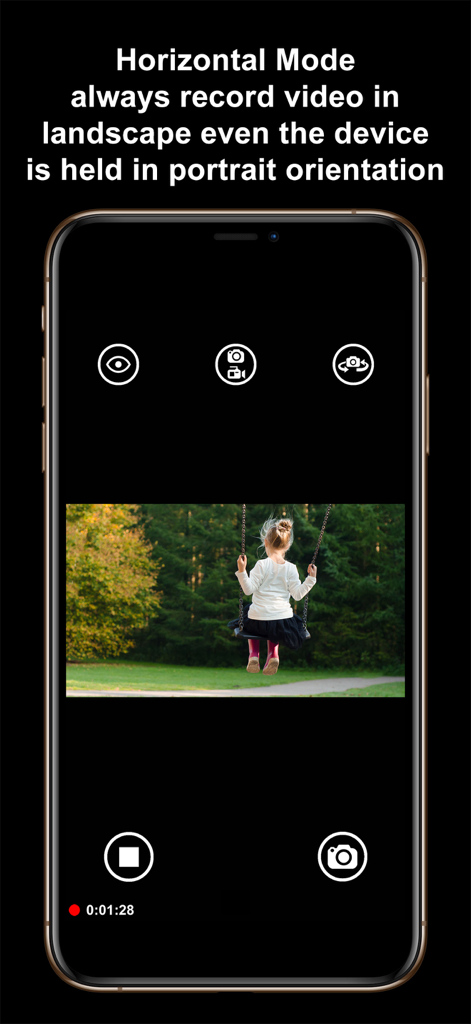
SP Camera - SP Camera app interface demonstrating Horizontal Mode capturing landscape video while the phone is held vertically
SP Camera app interface demonstrating Horizontal Mode capturing landscape video while the phone is held vertically

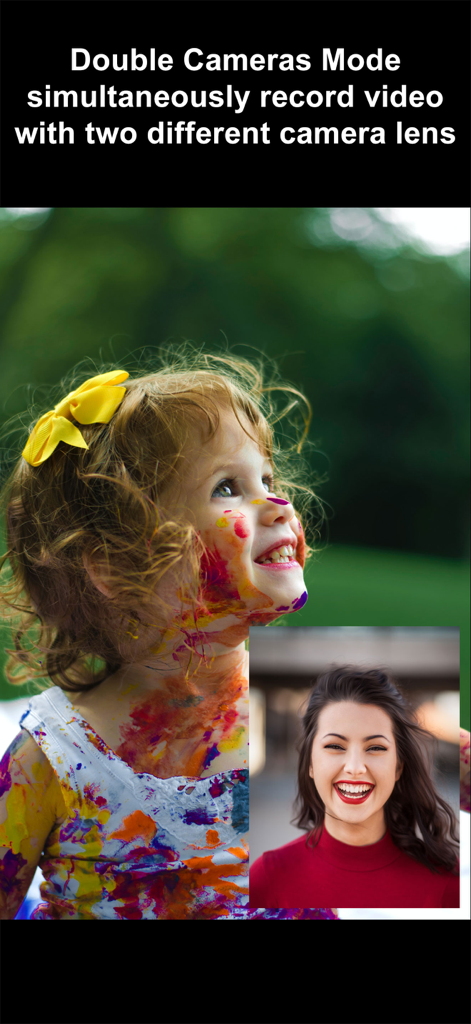
SP Camera - SP Camera app interface showing simultaneous dual lens video recording in picture in picture mode

SP Camera app interface showing simultaneous dual lens video recording in picture in picture mode
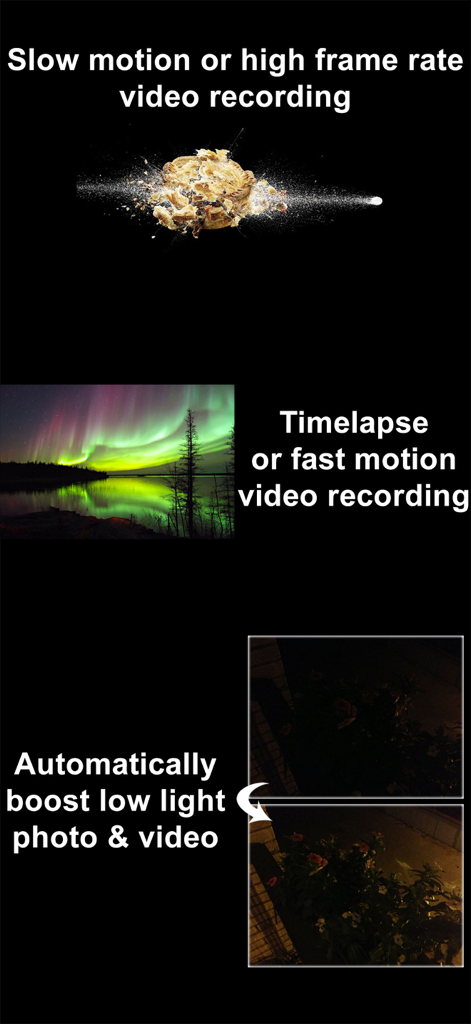
SP Camera - Overview of SP Camera features including slow motion video, timelapse, and automatic low light enhancement.
Overview of SP Camera features including slow motion video, timelapse, and automatic low light enhancement.

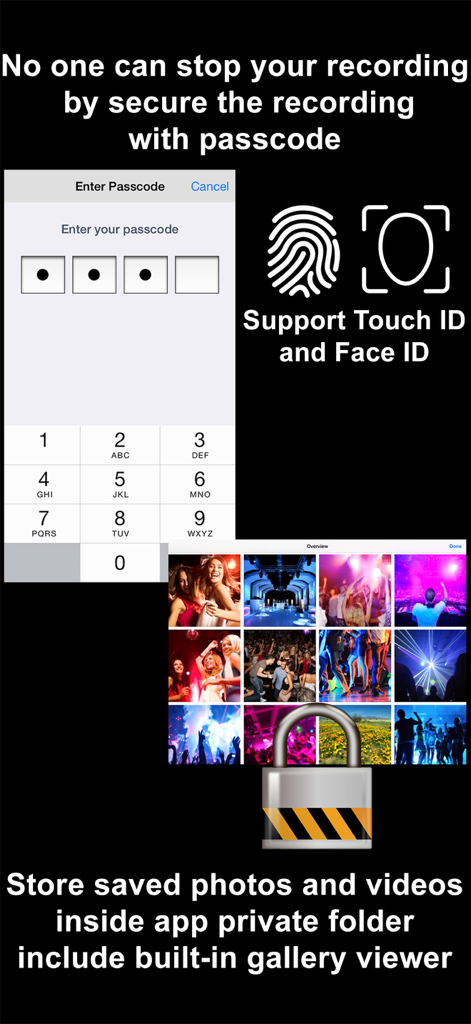
SP Camera - Security features of SP Camera showing a passcode entry screen, Touch ID and Face ID support, and a locked private gallery folder.
Security features of SP Camera showing a passcode entry screen, Touch ID and Face ID support, and a locked private gallery folder.

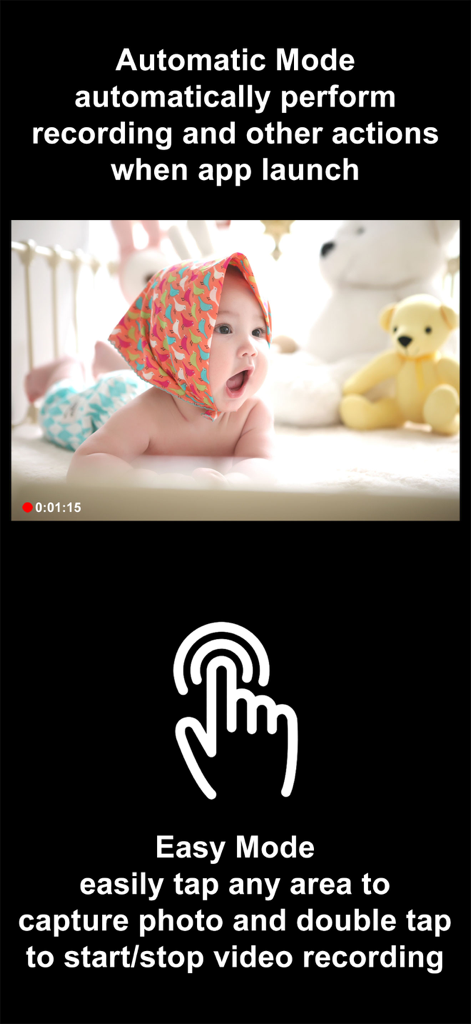
SP Camera - SP Camera app interface showing Automatic Mode for instant recording on launch and Easy Mode for one-tap photo capture and double-tap video recording.
SP Camera app interface showing Automatic Mode for instant recording on launch and Easy Mode for one-tap photo capture and double-tap video recording.

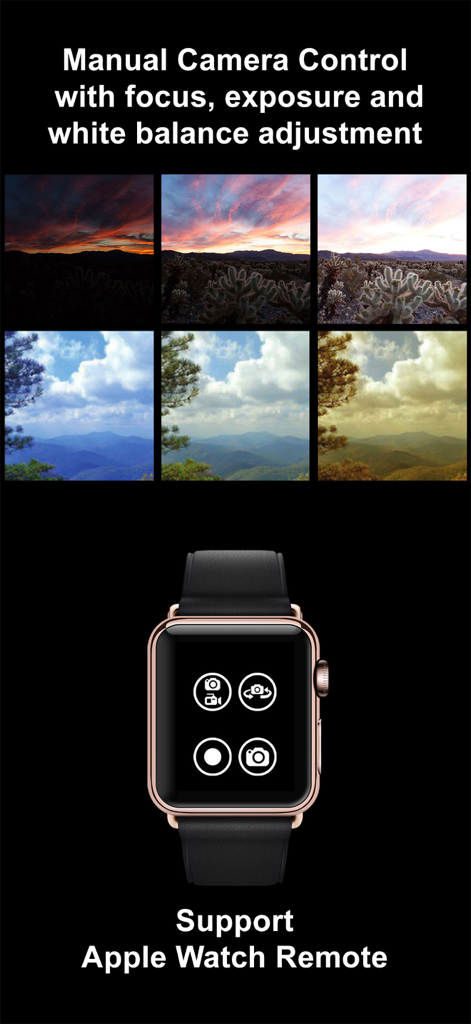
SP Camera - SP Camera app interface showing manual adjustment comparisons for focus and exposure alongside the Apple Watch remote control interface.
SP Camera app interface showing manual adjustment comparisons for focus and exposure alongside the Apple Watch remote control interface.

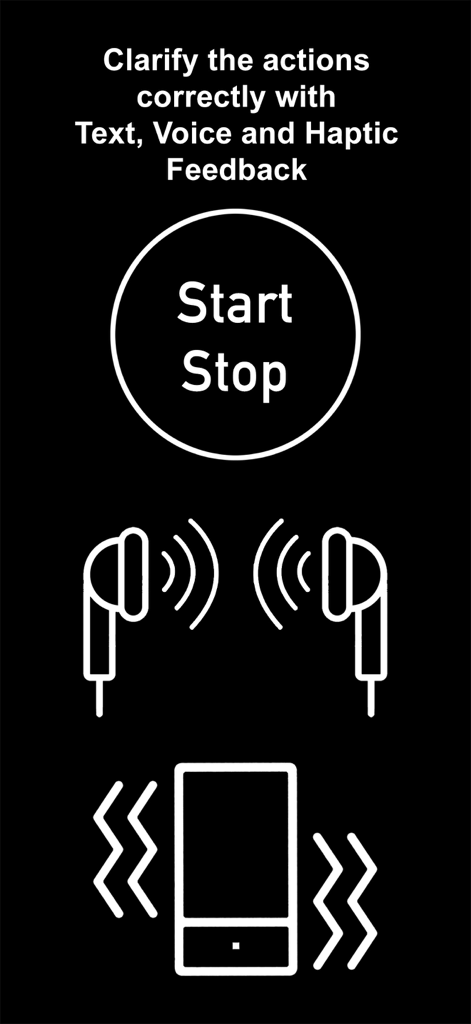
SP Camera - SP Camera app interface showing icons for text voice and haptic feedback during discreet recording

SP Camera app interface showing icons for text voice and haptic feedback during discreet recording

Description

Want to secretly capture photos and videos without anyone notices, here is the app that you need: SP Camera. With SP Camera, you can record video, or take pictures without being seen while the device shows one of fake backgrounds. Simulate that you are browsing the web, a blog or leave the device on a table showing a still image or a time clock while recording. Automatically record and save video if any motion occurs on the scene with Motion Detector Sensor. With built-in Photo Timer, this app automatically captures photos every few seconds without touching the capture button again. Save your photos and videos in the password protected private folder. Moreover, you can hide all the UI control buttons to simulate a real spy experience. MODE * Photo: automatically capture photo without tap any buttons with Photo Timer up to 48MP * Video: record video and capture still photo at the same time (snap 8MP photo while recording 4K video) * Motion Detector: automatically record only if any motion occurs on the scene * Slow Motion: support high frame rate or slow motion video recording on both front and rear camera * Timelapse: record video in fast motion action up to 32x * Horizontal: always record video in landscape even the device is held in portrait orientation * Double Cameras: simultaneously record video with two different camera lens CAMERA • Manual camera control with focus, exposure, ISO, and white balance adjustment • Ability for photo capturing & video recording at the same time for all video modes • Save more storage with changeable video recording resolution between QVGA 240p, VGA 480p, HD 720p, FullHD 1080p or 4K 2160p • Ability to zoom in & zoom out up to 10x • Support dual and triple rear camera lens devices • Automatically boost low light photo & video visibility and quality • Limitable video recording duration and numbers of Photo Timer photos • Cinematic video stabilization support for shake-free video recording • Tap on camera view area to focus and adjust exposure • Adjustable auto or manual focus and exposure • Ability to record silent video (without sound) • Support volume buttons actions for photo capturing and video recording • Save photo and video in passcode protected private app folder or save to camera roll • Ability to add date and time stamp when capturing photo or recording motion detector video • Choose different styles of Double Cameras mode recording including Picture-in-Picture, Split View, and Dual Files INTERFACE • Automatic Mode: auto perform record action and other actions when app launch • Easy Mode: easily tap any area to take photo and double tap to start/stop video recording • Screen is completely black simulate the device is turned off • No camera flash or on-screen flash is appeared • Fake other people that you're on other activities by using fake backgrounds • Alternative image slideshow or animated clock or reactive web browsing fake backgrounds • Ability to your own image fake backgrounds • Dimmed screen with zero brightness in black background • Adjustable the visibilty of the UI transparency • Movable and resizable camera preview • Clarify the actions correctly with Text, Voice, and Haptic Feedback PASSCODE • No one can stop your recording by secure the recording and lock UI buttons with passcode • Advanced passcode system can lock app startup, lock camera UI buttons, or lock gallery viewing • Hide App Folder private photos and videos with failed passcode input GALLERY • Built-in gallery for viewing photos and videos and easy sharing • Recover deleted photos and videos within 7 days with Trash Folder REMOTE • Wireless Apple Watch Remote supported for recording control NOTES: • Built-in Gallery Viewer unable to play slow-mo video in slow motion action. • Double Cameras mode required iPhone or iPad with A12 or A12X chipset or later. • 48MP photos capturing required iPhone 14 Pro series or iPhone 15 series or later. • 4K 120fps recording required iPhone 16 Pro series or later.

Download

Download on App Store

This page is not an official page of the app or its developer, but an independent editorial publication created for informational and commentary purposes. Unless expressly stated otherwise, neither the app nor its developer is affiliated with, endorsed by, sponsored by, authorized by, or otherwise officially connected with MWM, Apple, Google Play, the app publisher, or the app's developer, and nothing on this page implies that the app was developed using MWM's services. Any trademarks, logos, screenshots, and other content remain the property of their respective owners.








