
This page is not an official page of the app or its developer, but an independent editorial publication created for informational and commentary purposes. Unless expressly stated otherwise, neither the app nor its developer is affiliated with, endorsed by, sponsored by, authorized by, or otherwise officially connected with MWM, Apple, Google Play, the app publisher, or the app's developer, and nothing on this page implies that the app was developed using MWM's services. Any trademarks, logos, screenshots, and other content remain the property of their respective owners.


Spark AI Email & Calendar
Email is a chore. This app makes it a weapon. It turns your inbox into a productivity command center, leveraging AI to cut through the noise and deliver absolute control.
Downloads
5M+User Rating
Total Ratings
298.6KPublisher
Category
ProductivityLocales
10Latest Version
3.19.10Size
583.0 MBFirst Released
May 29, 2015An analysis of essential functionalities for efficient communication and workflow management.
Spark AI Email & Calendar: Key Productivity Features
AI-Powered Email Assistant
The app provides advanced AI capabilities to summarize long email threads, draft replies, rephrase messages, adjust tone, translate emails, and manage inbox tasks, significantly enhancing productivity.
Team Collaboration Features
It allows users to create teams, co-author emails, discuss content in private comments, share secure email links, and track read receipts, fostering seamless teamwork.
Robust Security and Privacy
This tool ensures data security through encryption, leverages Google Cloud’s secure infrastructure, and maintains full GDPR compliance, safeguarding user information.
Integrated Calendar Management
The app enables users to connect their calendars directly within the interface, providing an integrated view of their schedule and meetings for better time management.
Smart Inbox Organization
It intelligently organizes emails, surfacing personal and high-priority messages while neatly grouping newsletters and notifications to reduce clutter and improve focus.
Advanced Email Management Tools
This tool features essential functionalities such as marking emails as done or for later, muting unwanted threads, scheduling emails, and robust filtering options like Smart Search and Smart Folders.
Third-Party App Integrations
The app provides seamless connections to popular productivity and project management tools, including Notion, Asana, and Things, allowing users to take action directly from their inbox.
Unified Inbox for Multiple Accounts
It allows users to consolidate all their email accounts, including various providers like Gmail, Outlook, and iCloud, into a single, unified inbox for streamlined management.
Frequently Asked Questions
Everything you need to know about Spark AI Email & Calendar
What is Spark AI Email & Calendar?
Spark AI Email & Calendar is a cross-platform, AI-powered email client designed for individuals and teams. It provides smart tools to manage inboxes and calendars efficiently across all devices.
Does Spark AI Email & Calendar support multiple email accounts?
Yes, Spark AI Email & Calendar connects all email accounts, including Gmail, Microsoft Outlook, AOL, Yahoo, Hotmail, IMAP, GMX, and iCloud, into one unified inbox.
Can Spark AI Email & Calendar summarize emails?
Yes, Spark AI Email & Calendar includes Spark +AI features that allow users to summarize long email threads, draft replies, rephrase messages, and adjust the tone using an AI Assistant.
How does Spark AI Email & Calendar protect against unwanted senders?
Spark AI Email & Calendar protects your inbox using Gatekeeper, which pre-screens new senders. It enables users to block unwanted contacts instantly, ensuring a cleaner inbox.
Is Spark AI Email & Calendar GDPR compliant?
Yes, Spark AI Email & Calendar is fully GDPR compliant. It encrypts user data and utilizes Google Cloud’s secure infrastructure to maintain privacy and security.
Can I manage my calendar within the Spark AI Email & Calendar app?
Yes, Spark AI Email & Calendar allows users to connect and manage their calendars. This feature helps users view and create events to stay on top of their daily schedule and meetings.
Does Spark AI Email & Calendar offer features for team collaboration?
Yes, Spark AI Email & Calendar provides team collaboration features, including creating a team, co-authoring emails, discussing content in private comments, sharing links, and tracking read receipts.
Are there free features available in Spark AI Email & Calendar?
Yes, Spark AI Email & Calendar offers essential features for free. Users can also try Spark Plus or Spark Pro with a 7-day free trial to access advanced functionalities.
Does Spark AI Email & Calendar allow scheduling emails for later delivery?
Yes, Spark AI Email & Calendar includes an email essential feature that allows users to schedule emails to send later. This function works even if your device is off.
Who is Spark AI Email & Calendar designed for?
Spark AI Email & Calendar is suitable for busy professionals, freelancers, and teams who need efficient email and calendar management. It also benefits individuals with multiple personal and work accounts.
The following screenshots and description are sourced directly from the app's official store listing and are the property of the app developer.
App Store
Screenshots
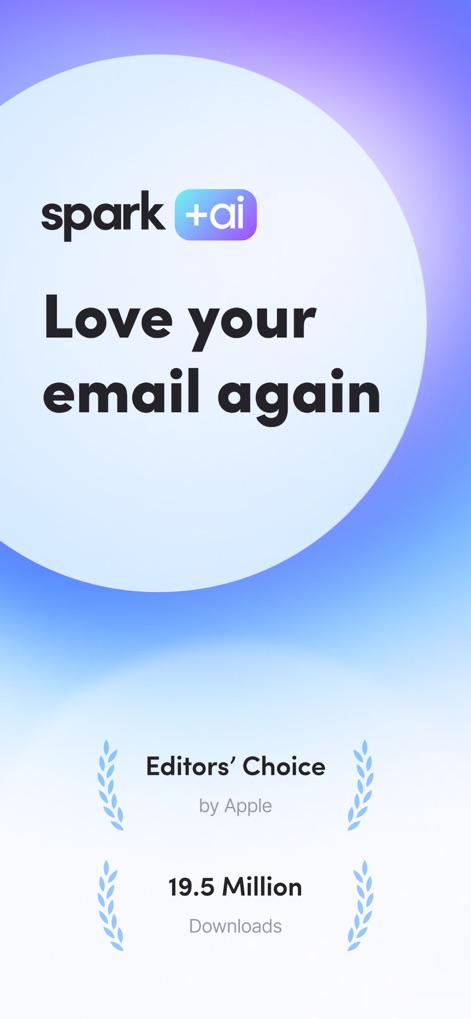
See the app's recognition as "Editors' Choice by Apple" and its impressive "19.5 Million Downloads" by users.
Welcome to Spark
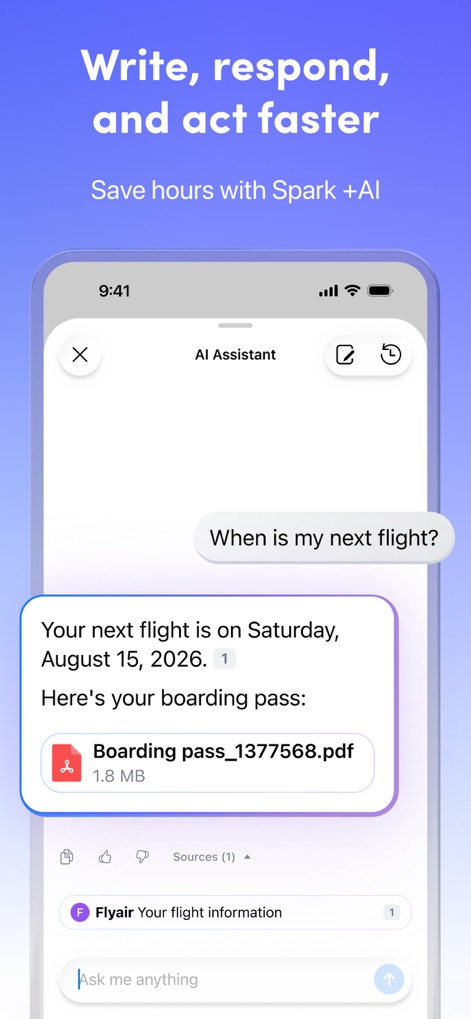
This tool showcases its "AI Assistant" providing instant answers and attachments like a "boarding pass.pdf" for quick information retrieval.
AI Assistant
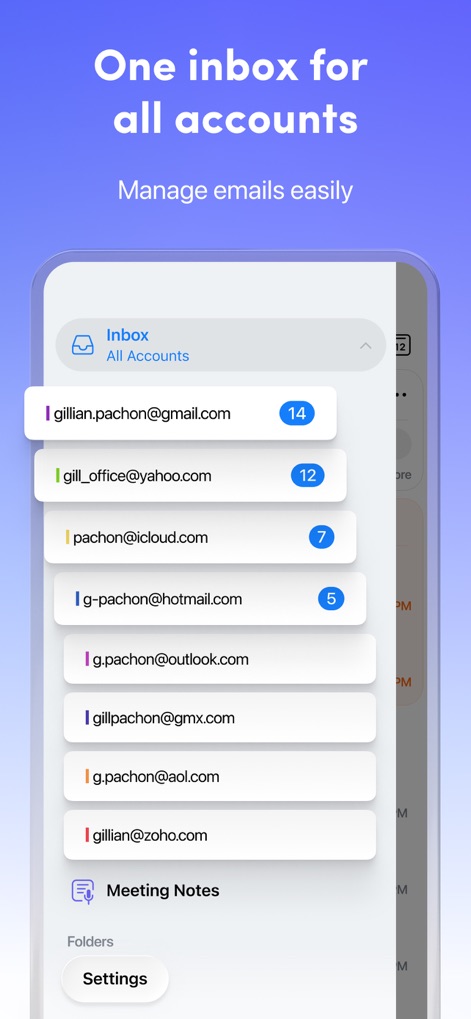
Users can manage diverse accounts like "Gmail" and "Outlook" within a single, integrated "Inbox All Accounts" view.
Unified Inbox

This tool demonstrates its "Smart notifications" feature with a prominent alert from "Nathan Holmes" and multiple "email alerts" from various senders.
Smart Notifications
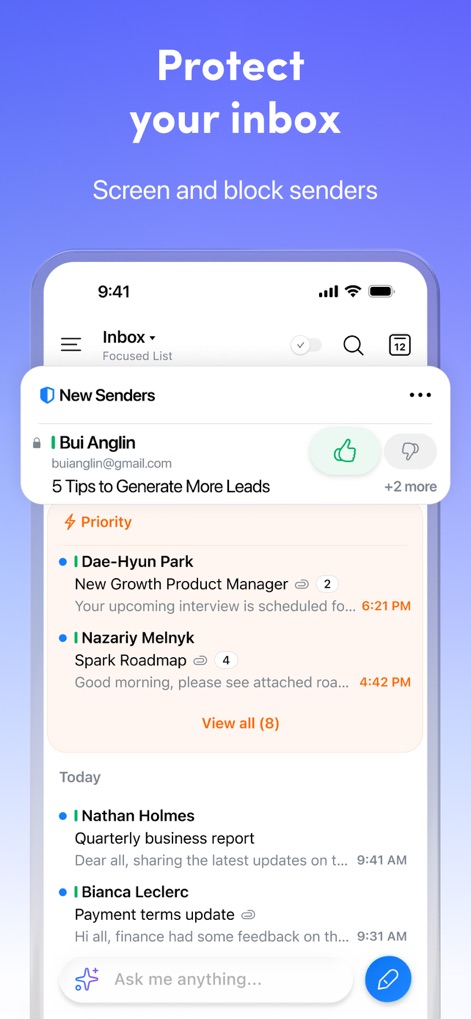
Users can effectively screen "New Senders" like "Bui Anglin" and view their most crucial communications within the designated "Priority" section.
Inbox Protection
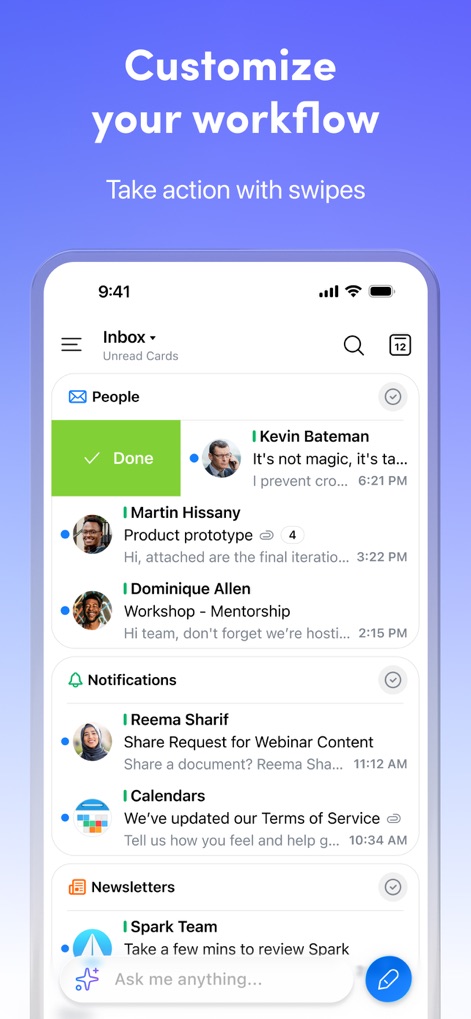
The app enables a customized workflow through intuitive "swipe actions" to mark emails as "Done" and intelligently categorizes incoming messages into sections like "People" and "Notifications."
Custom Workflow
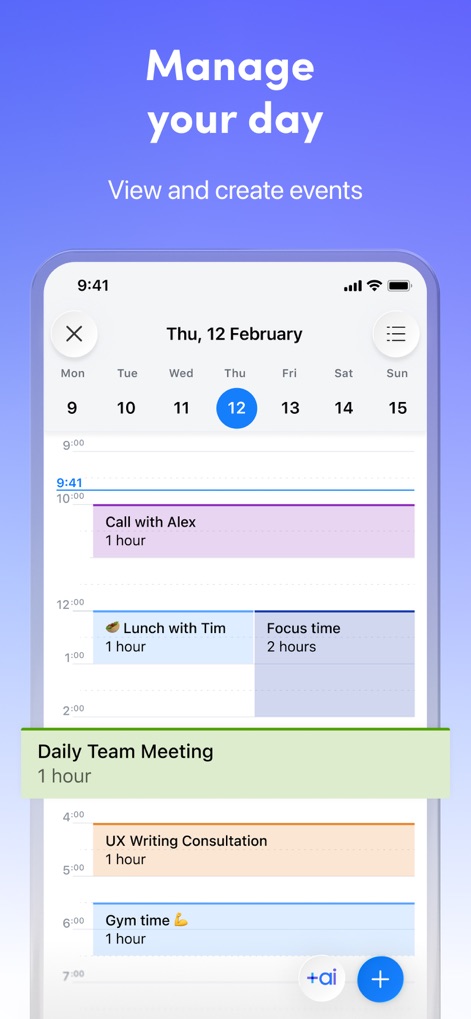
This tool offers seamless "Calendar Integration" to help users visualize their schedule with events like "Daily Team Meeting" and individual "Focus time" blocks.
Calendar Integration
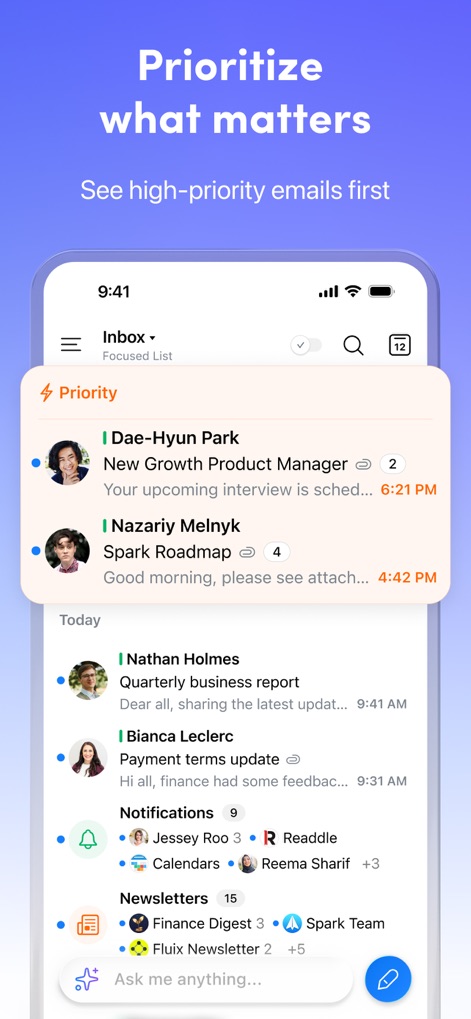
The "Priority" section intelligently surfaces critical communications from senders like "Dae-Hyun Park," ensuring users see their most important emails before other categories such as "Notifications" and "Newsletters."
Smart Prioritization
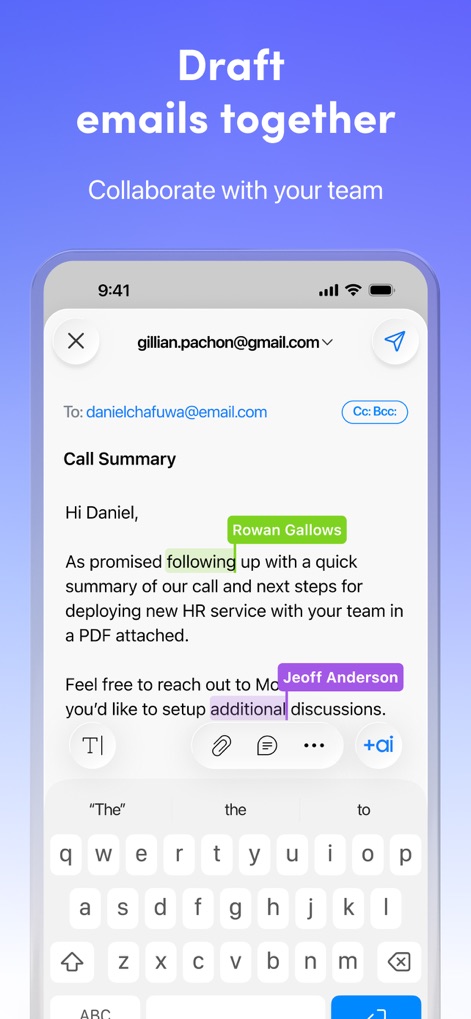
Teams can co-author emails with real-time feedback from collaborators like "Rowan Gallows" and leverage the "+ai" assistant for drafting assistance.
Collaborative Drafting

This tool facilitates team collaboration through in-line "comments" and reactions within email threads, allowing discussions like that with "@Maria Karpenko" alongside file attachments such as a "voicememo-342.mp3."
Team Discussion
Description
Download
More Like This
Apps with similar features and user experience

Microsoft Outlook
Microsoft Corporation

Mail: Email, Cloud, Calendar
V Kontakte OOO

Yandex Mail: Email & Cloud
DIRECT CURSUS COMPUTER SYSTEMS TRADING LLC

Gmail - Email by Google
Google LLC

Yahoo Mail
Yahoo Inc.

Proton Mail - Encrypted Email
Proton AG

Email - Edison Mail
Edison Software Inc.

Zoho Mail - Email and Calendar
Zoho Corporation

GMX - Mail & Cloud
1&1 Mail & Media GmbH
This page is not an official page of the app or its developer, but an independent editorial publication created for informational and commentary purposes. Unless expressly stated otherwise, neither the app nor its developer is affiliated with, endorsed by, sponsored by, authorized by, or otherwise officially connected with MWM, Apple, Google Play, the app publisher, or the app's developer, and nothing on this page implies that the app was developed using MWM's services. Any trademarks, logos, screenshots, and other content remain the property of their respective owners.