This page is not an official page of the app or its developer, but an independent editorial publication created for informational and commentary purposes. Unless expressly stated otherwise, neither the app nor its developer is affiliated with, endorsed by, sponsored by, authorized by, or otherwise officially connected with MWM, Apple, Google Play, the app publisher, or the app's developer, and nothing on this page implies that the app was developed using MWM's services. Any trademarks, logos, screenshots, and other content remain the property of their respective owners.

Speed Reader!
Master the information deluge using RSVP technology and privacy-first AI. Process articles, PDFs, and books at up to 1500 WPM with the ultimate focus tool designed for high-performance professionals and students.
Key Figures
Downloads
100+
User Rating
1.0/5
Total Ratings
0
Publisher
Arthur de Rijke
Category
Productivity
Locales
9
Latest Version
1.4.1
Size
11.5 MB
First Released
Jan 28, 2026
Features
Master Your Information Overload
Experience the future of reading with science-backed RSVP technology designed for high-performance professionals and students who need to stay ahead.
Flash-Speed Focus
Eliminate eye movement and regression with RSVP technology. Use Optimal Recognition Point (ORP) highlighting to absorb up to 1500 words per minute.
Frictionless Workflow
Instantly transform web articles, PDFs, or physical documents into high-speed content using the iOS Share Extension and built-in camera scanner.
The following screenshots and description are sourced directly from the app's official store listing and are the property of the app developer.
App Store
Screenshots
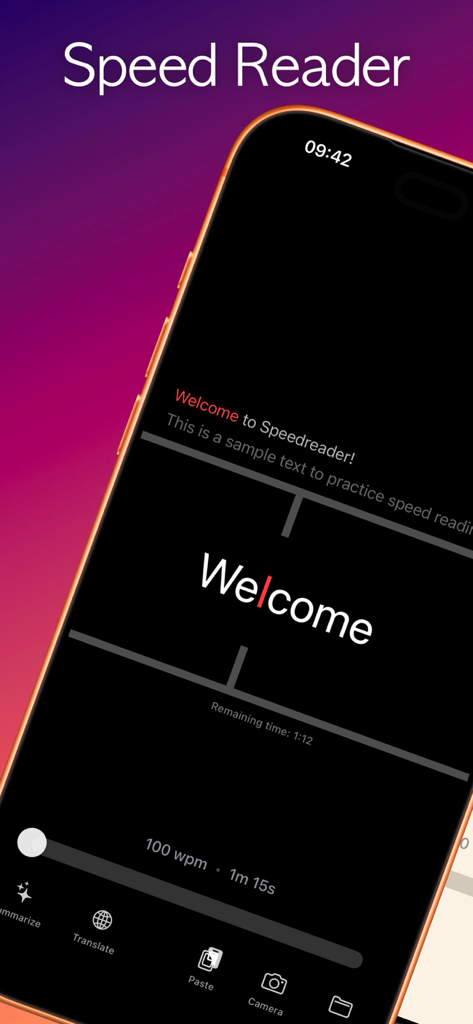
Speed Reader app interface showing flash reading mode with a single word and speed controls
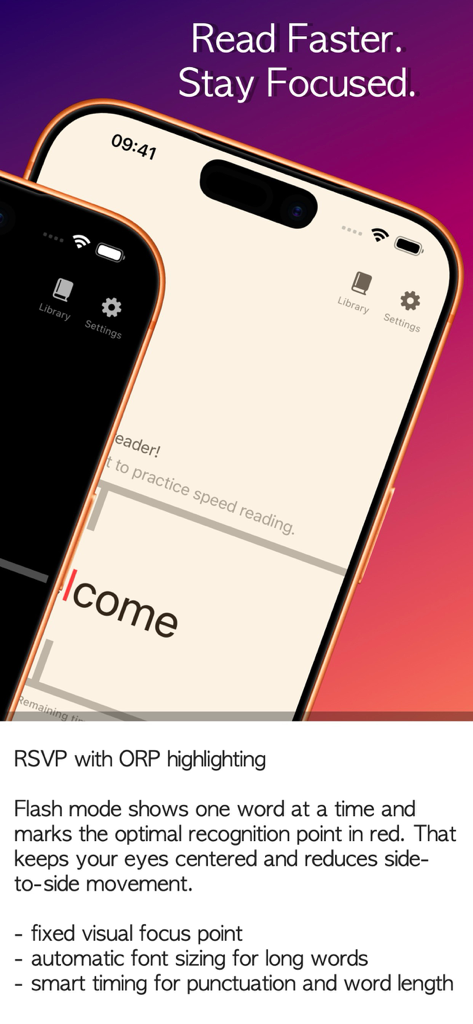
Speed Reader app interface showing RSVP technology and Flash Mode with ORP highlighting for faster reading
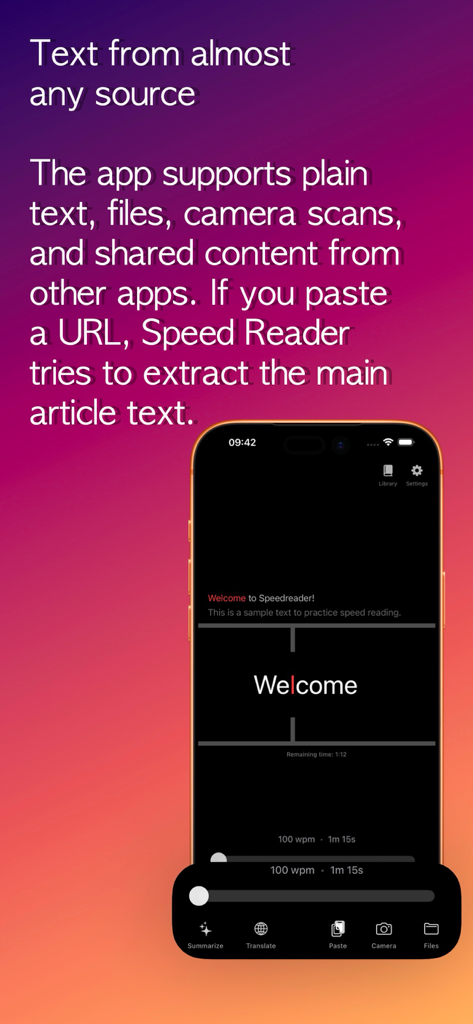
Speed Reader mobile app interface showing various text import options including camera scans, files, and URL extraction.
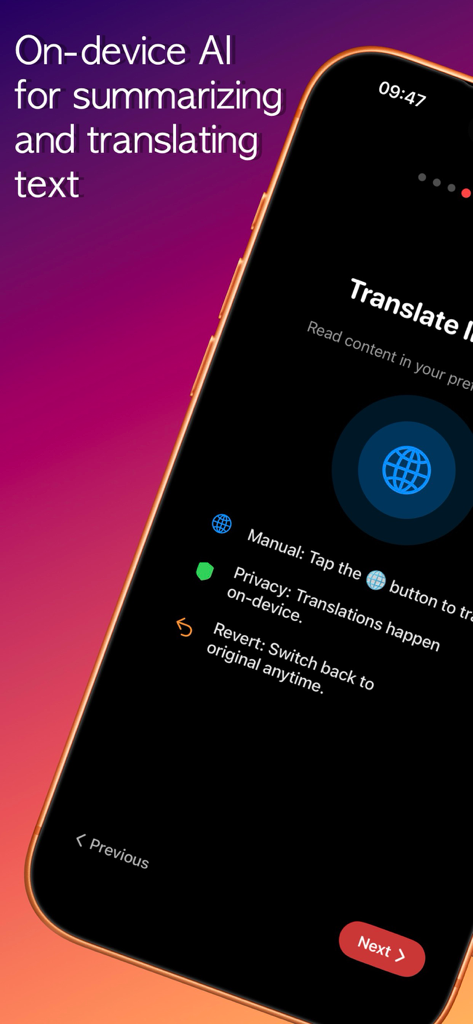
Screenshot showing Speed Reader app's on-device AI for text translation and summarization on a dark interface.
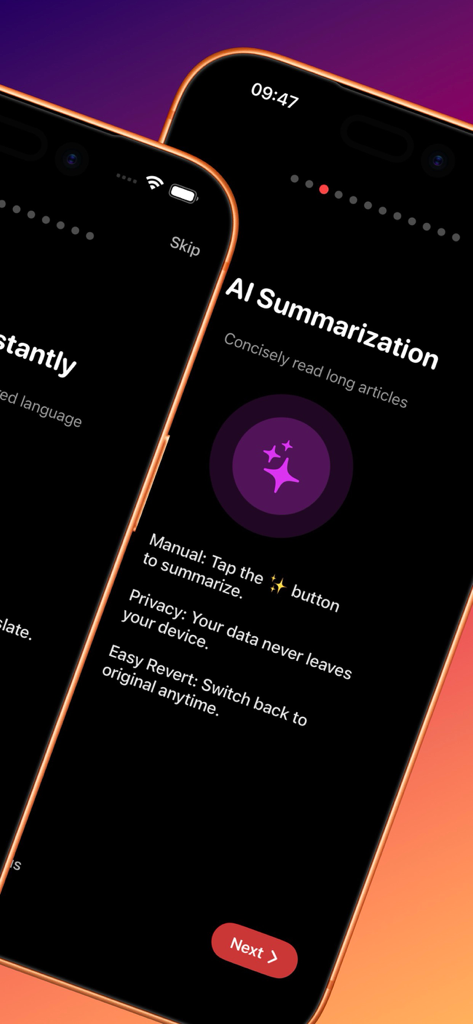
iPhone screenshot showing the AI Summarization feature of the Speed Reader app for processing long articles
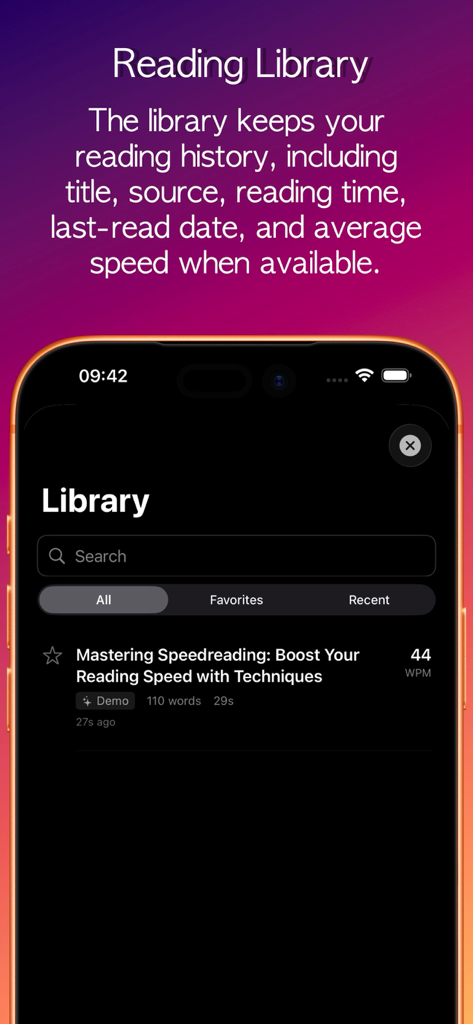
The library view of the Speed Reader app displaying reading history and words per minute speed stats.
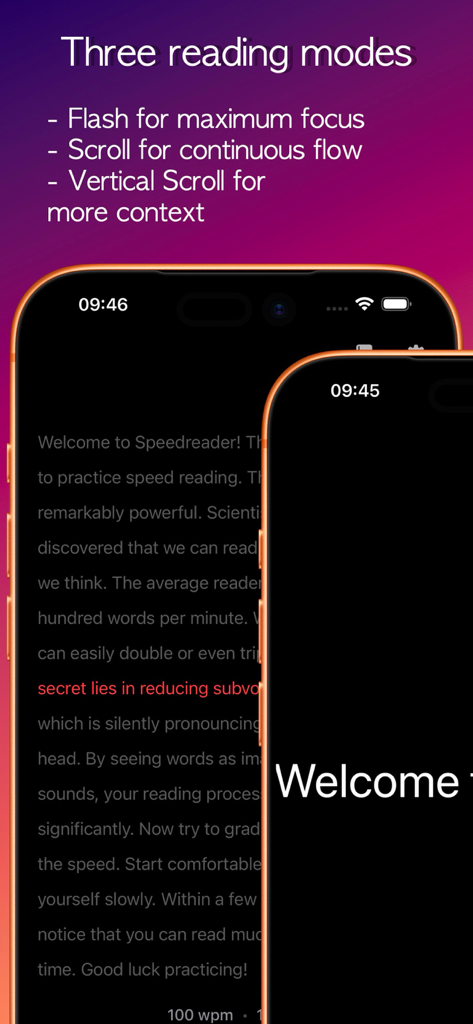
Speed Reader app interface highlighting three reading modes on iPhone screens
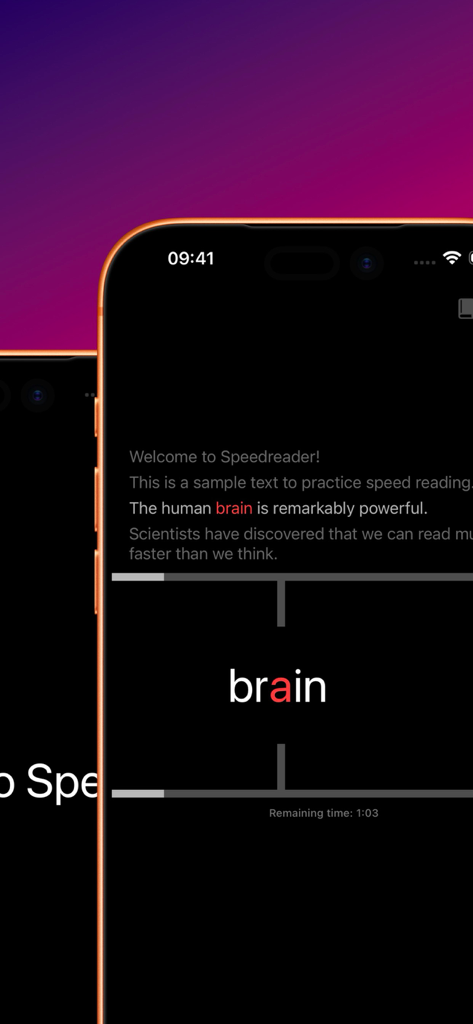
Speed Reader app interface showing Flash Mode with Optimal Recognition Point highlighting on a single word.
Description
Read faster with focus
Built around RSVP reading, flexible imports, privacy-friendly AI, and a clean library for saved texts.
- Paste text, import files, scan with the camera, or use the share extension to import text from other apps (like news apps).
- Switch between Flash, Scroll, and Vertical Scroll depending on the material.
- Use summarization and translation when Apple Intelligence is available.
- Save reading history, organize favorites, and reopen recent texts quickly.
Transform Your Reading Experience with Science-Backed Speed Reading
Speed Reader revolutionizes how you consume text using RSVP (Rapid Serial Visual Presentation) technology, a scientifically proven method that helps you read faster while maintaining comprehension.
Why Speed Reader?
Whether you're a student tackling dense textbooks, a professional keeping up with industry articles, or an avid reader devouring books, Speed Reader helps you read more in less time. Our app uses cutting-edge RSVP technology with Optimal Recognition Point (ORP) highlighting to guide your eyes naturally through text, eliminating the need for eye movement and reducing reading fatigue.
Key Features:
Three Reading Modes
• Flash Mode: Word-by-word display with ORP highlighting for maximum focus
• Scroll Mode: Continuous horizontal scrolling for traditional reading flow
• Vertical Scroll Mode: Line-by-line display with word highlighting
Science-Backed RSVP Technology
• Optimal Recognition Point (ORP) highlighting guides your eyes to the perfect focus point in each word
• Fixed focus position eliminates eye movement, reducing fatigue
• Automatic font sizing ensures every word fits perfectly on screen
Flexible Speed Control
• Adjust reading speed from 100 to 1500 words per minute (WPM)
• Smart pause system: longer pauses after periods and commas for natural reading rhythm
• Customizable pause multipliers for periods and long words
Multiple Text Sources
• Paste text directly from clipboard
• Import PDF, DOCX, and DOC files
• Share Extension: share content from Safari, Notes, Mail, and any other app
• Automatic text filtering for clean, readable content
Beautiful, Distraction-Free Interface
• Three elegant themes: Dark, Light, and Sepia
• Minimalist UI that hides during reading for complete focus
• Visual guide lines help maintain reading position
• Custom fonts: System, Serif, Monospaced, and Rounded
Intuitive Controls
• Tap to start/pause reading
• Swipe left/right to navigate through words
• Hold screen to pause and review
• Progress bar shows reading time and completion
Fully Customizable
• Choose your preferred display mode
• Adjust theme and font to match your style
• Fine-tune reading preferences for optimal experience
• Multi-language support: English, Dutch, German, French, Spanish, Italian, Japanese, Korean, Chinese
Smart Features
• Automatic font recalculation on orientation change
• Reading progress tracking
• Estimated reading time calculation
• Interactive tutorial for first-time users
Perfect For:
• Students reading textbooks and research papers
• Professionals staying current with industry news
• Book lovers who want to read more books
• Anyone looking to improve reading speed and efficiency
How It Works:
1. Load your text: paste from clipboard, import a file, or share from another app
2. Choose your reading mode and adjust speed to your comfort level
3. Tap to start reading and watch as words appear one at a time with perfect focus
4. Swipe to navigate, tap to pause, and customize your experience
Technical Excellence:
Built with SwiftUI for iOS 17.0+, Speed Reader delivers a smooth, native experience. The app uses advanced text processing to handle various file formats and automatically optimizes display settings for your device and orientation.
Privacy & Data:
Speed Reader respects your privacy. All text processing happens locally on your device. We don't collect, store, or transmit your reading content. Your reading data stays private and secure.
This page is not an official page of the app or its developer, but an independent editorial publication created for informational and commentary purposes. Unless expressly stated otherwise, neither the app nor its developer is affiliated with, endorsed by, sponsored by, authorized by, or otherwise officially connected with MWM, Apple, Google Play, the app publisher, or the app's developer, and nothing on this page implies that the app was developed using MWM's services. Any trademarks, logos, screenshots, and other content remain the property of their respective owners.