
This page is not an official page of the app or its developer, but an independent editorial publication created for informational and commentary purposes. Unless expressly stated otherwise, neither the app nor its developer is affiliated with, endorsed by, sponsored by, authorized by, or otherwise officially connected with MWM, Apple, Google Play, the app publisher, or the app's developer, and nothing on this page implies that the app was developed using MWM's services. Any trademarks, logos, screenshots, and other content remain the property of their respective owners.


Speedtest by Ookla
Internet speeds are rarely what they seem. This tool provides the indisputable facts, arming users to demand the performance they pay for.
Downloads
50M+User Rating
Total Ratings
271.4KPublisher
Category
UtilitiesLocales
17Latest Version
7.0.0Size
155.4 MBFirst Released
Jan 4, 2009Key Features of Speedtest by Ookla
An Analytical Overview of Core Functionalities
Comprehensive Internet Speed Test
The app provides a robust one-tap internet speed test, meticulously measuring download, upload, and jitter, along with multi-stage ping, to assess connection performance accurately.
Video Streaming Quality Assessment
It allows users to conduct a real-time video test, providing actionable insights into network streaming quality, maximum resolution, load time, and buffering to optimize their online video experience.
Mobile Network Coverage Maps
This tool features Speedtest Maps, allowing users to explore mobile network coverage based on real-world data, compare provider performance, and identify areas with strong connectivity.
Integrated VPN for Privacy
The app offers an integrated Speedtest VPN, enabling users to keep their online connection private and secure, with a free tier of 2GB data per month and an optional premium for unlimited usage.
Frequently Asked Questions
Everything you need to know about Speedtest by Ookla
What is Speedtest by Ookla?
Speedtest by Ookla is an application for a quick, easy, one-tap internet speed test. It accurately measures download, upload, ping, and jitter using a global server network.
How does Speedtest by Ookla measure internet speed?
Speedtest by Ookla measures internet speed by calculating your download, upload, and jitter. It also measures ping at idle, download, and upload stages using its global server network.
Does Speedtest by Ookla offer mobile network coverage maps?
Yes, Speedtest by Ookla offers Speedtest Maps. These maps display mobile network coverage based on real-world data, allowing users to compare performance by provider and region.
Can I test my network's video streaming quality with Speedtest by Ookla?
Yes, Speedtest by Ookla provides video testing. This feature offers a real-time assessment of your network’s current streaming quality to help optimize your online video experience.
Does Speedtest by Ookla include a VPN service?
Yes, Speedtest by Ookla includes Speedtest VPN™ to keep your online connection private and secure. Users receive up to 2GB of VPN data per month for free.
How much does Speedtest VPN Premium cost?
Speedtest VPN Premium costs $4.99 monthly for unlimited usage. Premium users also receive an ad-free experience while their subscription is active.
Can I remove ads from the Speedtest by Ookla app?
Yes, you can remove ads from the Speedtest by Ookla app. The option to remove ads from Speedtest costs $0.99.
Does Speedtest by Ookla track past internet speed tests?
Yes, Speedtest by Ookla tracks past tests. Users can view their detailed reporting and historical results, including download, upload, and ping information.
What is Downdetector in Speedtest by Ookla?
Speedtest by Ookla now includes Downdetector, which provides real-time performance tracking of thousands of apps and services. This helps users monitor popular apps and troubleshoot connectivity issues.
Does Speedtest by Ookla support 5G testing?
Yes, Speedtest by Ookla is capable of accurately measuring 5G connections. It identifies the network type during the speed test.
How many servers does Speedtest by Ookla use for testing?
Speedtest by Ookla utilizes over 18,000 testing servers located globally. Users can also change their testing server manually.
Can I get detailed results for my Speedtest by Ookla tests?
Yes, Speedtest by Ookla provides detailed results for each test. These include download and upload speeds, ping (idle, download, upload), jitter, and packet loss percentages.
The following screenshots and description are sourced directly from the app's official store listing and are the property of the app developer.
App Store
Screenshots

Instant Speed Metrics
The app provides a clear, real-time speed dial display alongside detailed metrics for download, upload, ping, and jitter.
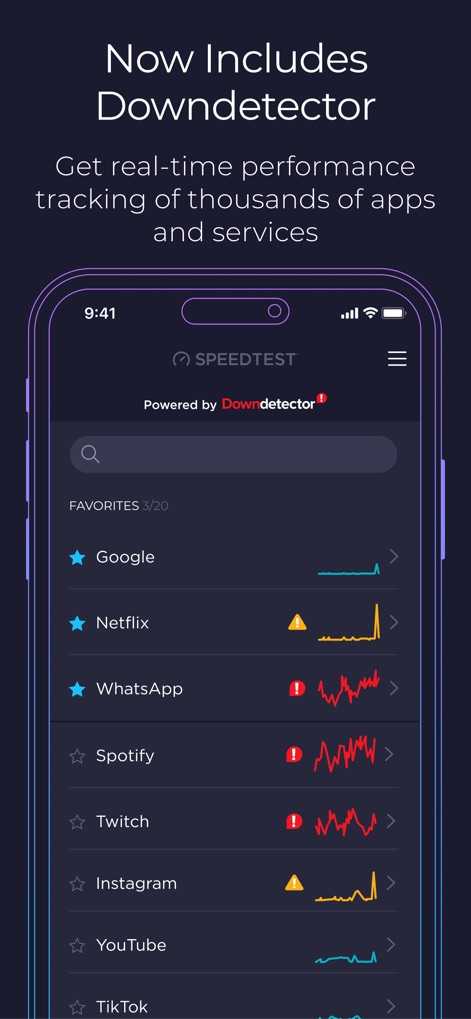
App Performance Insight
This tool integrates with Downdetector, showcasing real-time performance graphs for various popular apps and services.
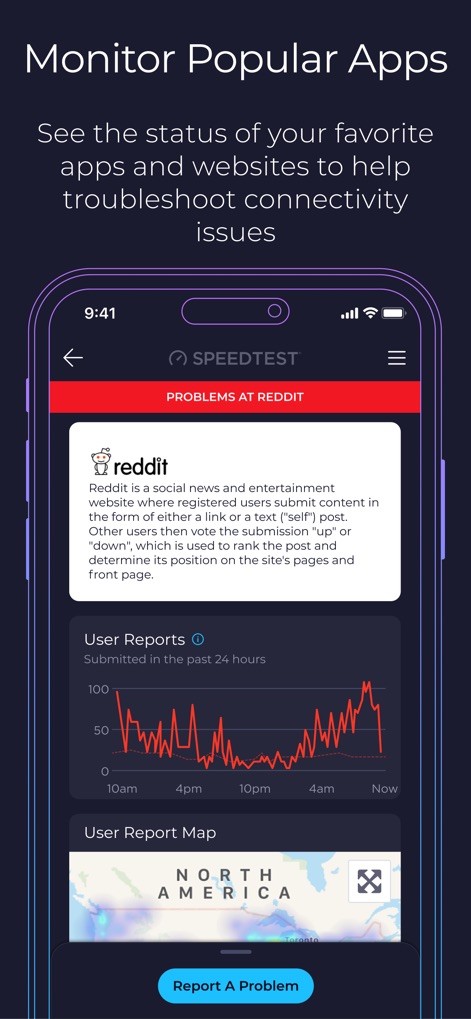
Detailed App Monitoring
Users can view a detailed user report graph showing reported issues over time and a geographical user report map for specific services like Reddit.

Comprehensive Test History
The app displays a historical test results graph, allowing users to compare performance across devices, alongside a comprehensive table of past test data.

In-Depth Performance Analysis
This tool offers an in-depth breakdown of download and upload speeds, complemented by detailed responsiveness metrics such as ping and jitter for comprehensive analysis.

Streaming Quality Test
The app conducts a video test with engaging visual feedback, explicitly showing the resolution being tested, such as 4K streaming capability.
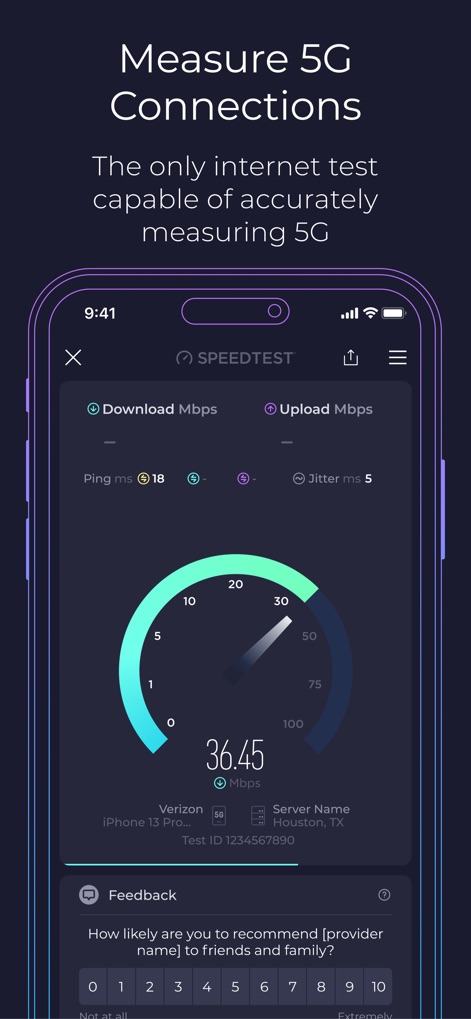
5G Connectivity Insights
Users can evaluate their 5G network performance through the familiar speed dial display, with the app clearly indicating the detected 5G connection type.
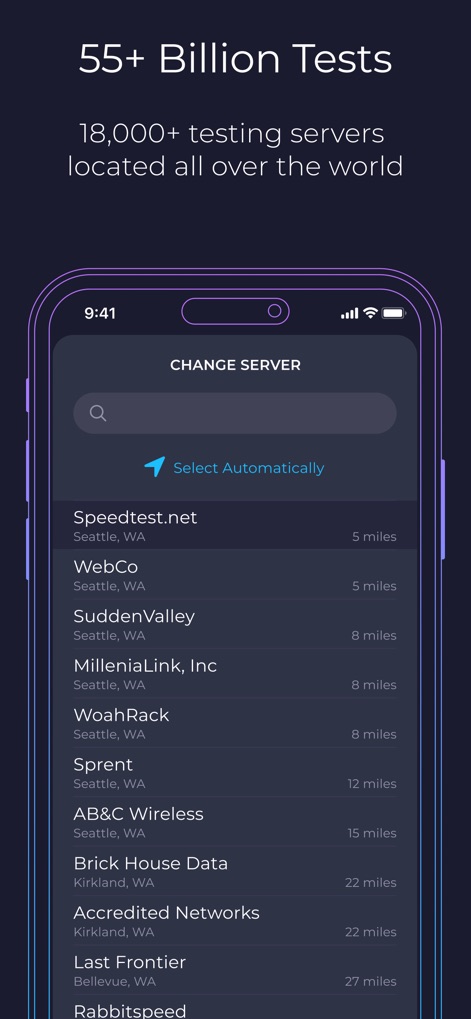
Global Server Network
The app provides access to a global server network, presenting a list of available testing servers and the option to select automatically or choose by proximity.
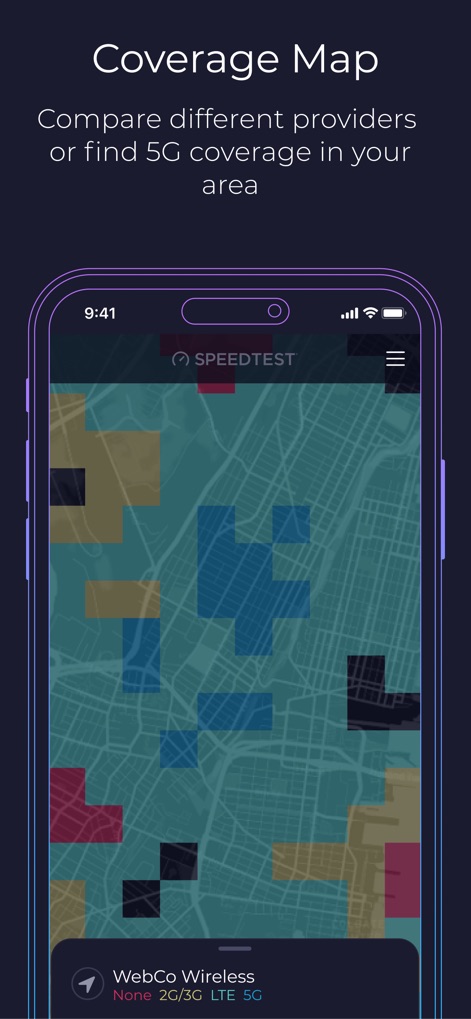
Network Coverage Mapping
Users can explore an interactive coverage map, utilizing a color-coded legend to visualize and compare different network technologies like 5G and LTE in their area.
Description
Download
More Like This
Apps with similar features and user experience

Ubiquiti WiFiman
Ubiquiti Inc.

Fing - Network Scanner
Fing Limited

SPEED TEST MASTER: Wifi Tester
Spring Tech Co., Ltd.

Internet Speed Test Master App
Huacen Co., LTD

NetClash-Network's Vital Signs
Mattis Knutsson

Network Analyzer Pro
Jiri Techet

Network Analyzer: net tools
Jiri Techet

Speed Test - WiFi Analyzer +
方勇 侯

Ping - network utility
Iurii Mozharovskyi
This page is not an official page of the app or its developer, but an independent editorial publication created for informational and commentary purposes. Unless expressly stated otherwise, neither the app nor its developer is affiliated with, endorsed by, sponsored by, authorized by, or otherwise officially connected with MWM, Apple, Google Play, the app publisher, or the app's developer, and nothing on this page implies that the app was developed using MWM's services. Any trademarks, logos, screenshots, and other content remain the property of their respective owners.