
This page is not an official page of the app or its developer, but an independent editorial publication created for informational and commentary purposes. Unless expressly stated otherwise, neither the app nor its developer is affiliated with, endorsed by, sponsored by, authorized by, or otherwise officially connected with MWM, Apple, Google Play, the app publisher, or the app's developer, and nothing on this page implies that the app was developed using MWM's services. Any trademarks, logos, screenshots, and other content remain the property of their respective owners.

SpeedyBee App
Ditch the laptop and configure your FPV fleet anywhere. Seamlessly tune Betaflight, iNav, and Butterflight parameters via Bluetooth for professional performance at the flying field.
Downloads
10K+User Rating
Total Ratings
0Publisher
Category
UtilitiesLocales
2Latest Version
3.0.3Size
305.1 MBFirst Released
Sep 21, 2016Precision Control, Anywhere
The ultimate wireless toolkit for FPV pilots. Experience full flight controller configuration without the bulk of a laptop.
Seamless Wireless Tuning
Connect via Bluetooth to adjust PIDs, rates, and filters instantly at the field. No cables, no laptop, just more airtime.
Smart Flight Safety
Automatic Bluetooth deactivation when your drone is armed ensures zero signal interference for a safe, locked-in flight.
Frequently Asked Questions
Everything you need to know about SpeedyBee App
What is the SpeedyBee app used for?
The SpeedyBee app is for setting flight controller parameters. It allows mobile devices to communicate with flight control boards via Bluetooth to adjust settings.
How does the SpeedyBee app connect to a flight controller?
The SpeedyBee app connects to a flight controller via Bluetooth. Users can utilize any compatible Bluetooth module or the SpeedyBee Bluetooth-UART Adapter for communication.
What flight controller firmware versions are compatible with SpeedyBee?
SpeedyBee is compatible with Betaflight firmware version ≥ 3.1.0, iNav FC version ≥ 1.8.1, and Butterflight firmware version ≥ 3.1.0.
Does the SpeedyBee app support iOS devices?
Yes, the SpeedyBee app supports iOS devices. The system requirement for the app is iOS 13.0 or higher.
Can I configure flight controller ports using the SpeedyBee app?
Yes, the SpeedyBee app allows configuration of flight controller ports. Users can adjust settings for USB VCP, UART1, UART2, and UART3, including MSP and Serial Rx.
How do I enable motor testing in the SpeedyBee app?
To enable motor testing in the SpeedyBee app, navigate to the 'Motors' section. Check "I understand the risks, propellers are removed" to enable motor control and arming.
Can I adjust OSD elements in the SpeedyBee app?
Yes, the SpeedyBee app allows OSD element adjustment. Users can enable or disable elements like RSSI Value, Main Batt Voltage, Crosshairs, Artificial Horizon, and Timers for display.
What PID tuning parameters are adjustable in the SpeedyBee app?
The SpeedyBee app allows adjustment of PID tuning parameters including Proportional, Integral, and Derivative values for Roll, Pitch, and Yaw. It also features profile and filter settings.
Does SpeedyBee prevent Bluetooth interference during flight?
Yes, when using the SpeedyBee Bluetooth-UART Adapter, the module automatically deactivates during flight (armed) and reactivates when disarmed, preventing Bluetooth signal interference.
Can the SpeedyBee app configure VTX settings?
Yes, the SpeedyBee app can configure VTX settings. Users can adjust IRC Tramp VTX frequencies across different channels and bands, and set power levels like 25mW.
What baud rate is recommended for BLE4.0 Bluetooth modules with SpeedyBee?
The recommended baud rate for BLE4.0 Bluetooth modules when setting up with the SpeedyBee app is 19200. This is configured in the Betaflight Configurator Ports tab.
The following screenshots and description are sourced directly from the app's official store listing and are the property of the app developer.
App Store
Screenshots
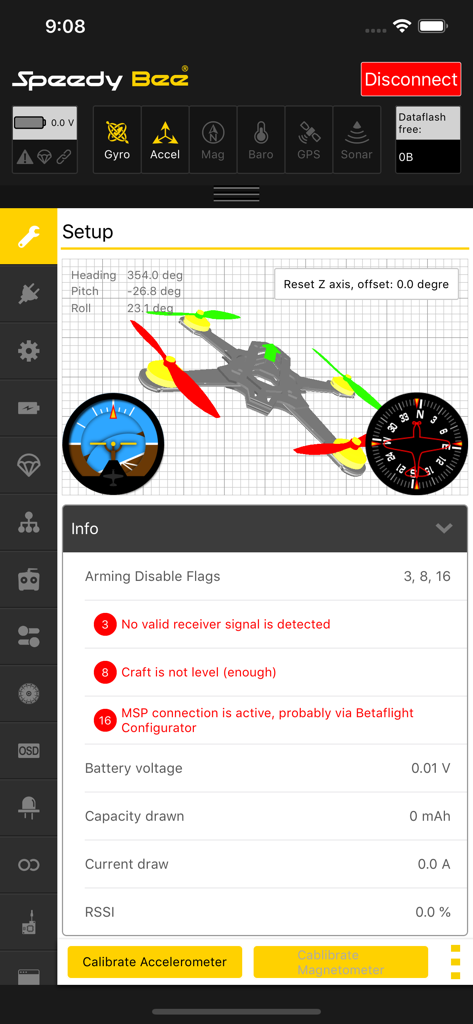
SpeedyBee app interface displaying drone setup parameters with a 3D model and flight controller diagnostics
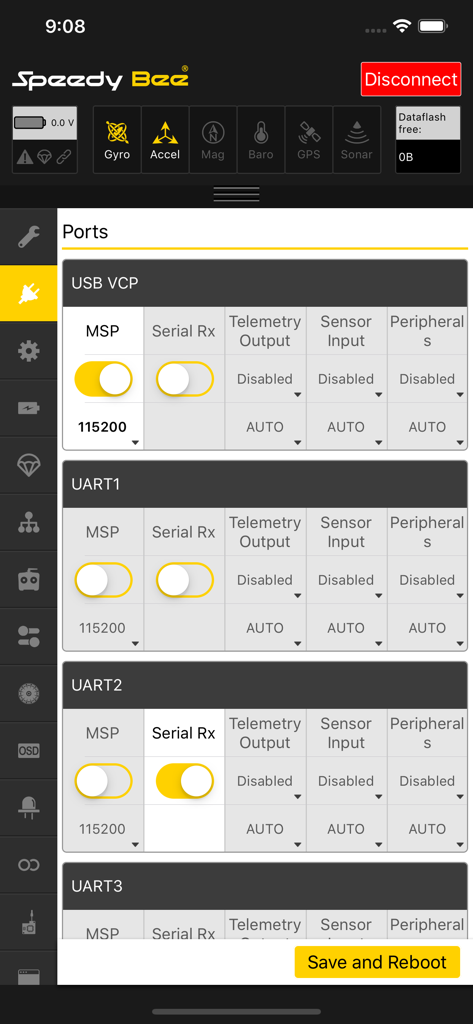
SpeedyBee app interface displaying UART and USB port settings for FPV drone flight controllers
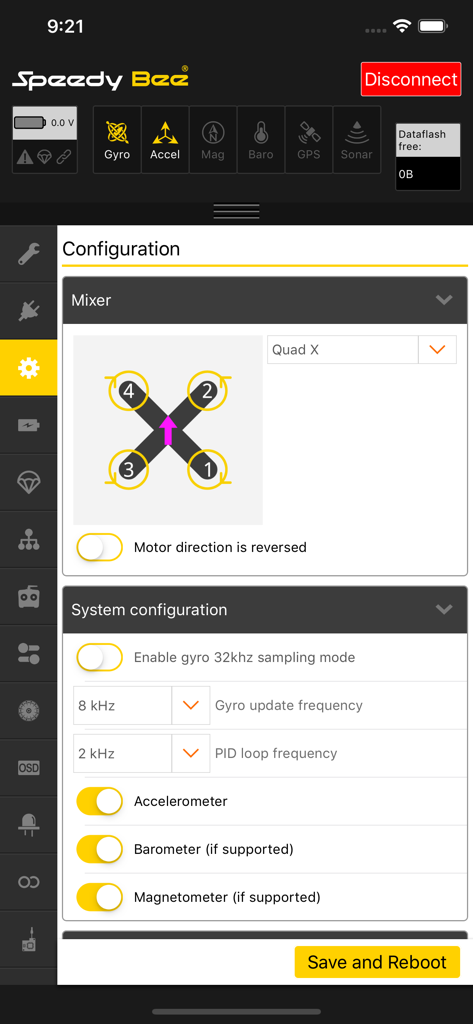
SpeedyBee App interface showing FPV drone motor mixer and system configuration settings
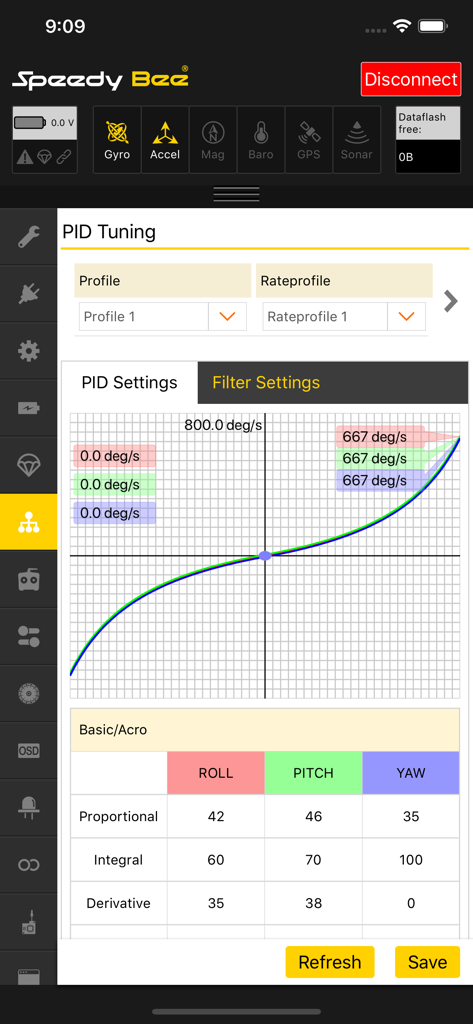
SpeedyBee App PID tuning interface showing rate curves and flight controller settings for FPV drones
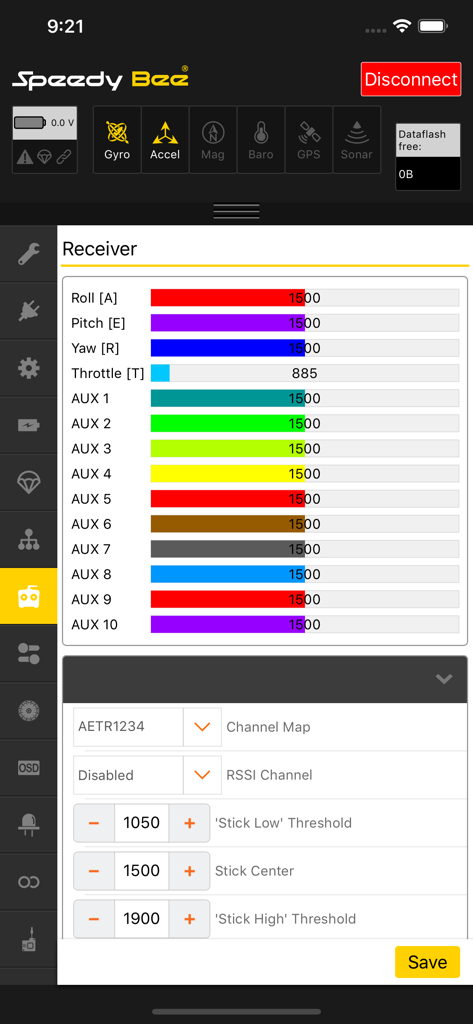
SpeedyBee app interface for drone receiver configuration showing real time channel inputs
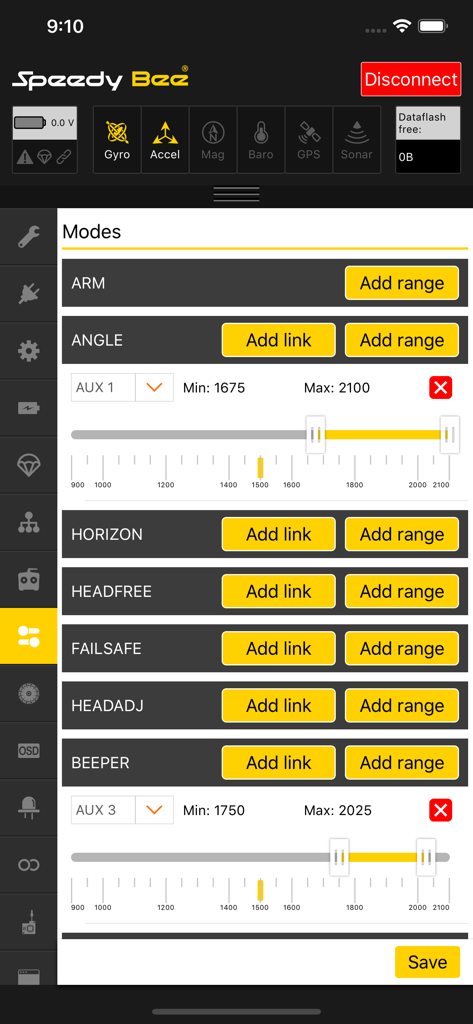
Configuring drone flight modes and auxiliary channel ranges in the SpeedyBee app
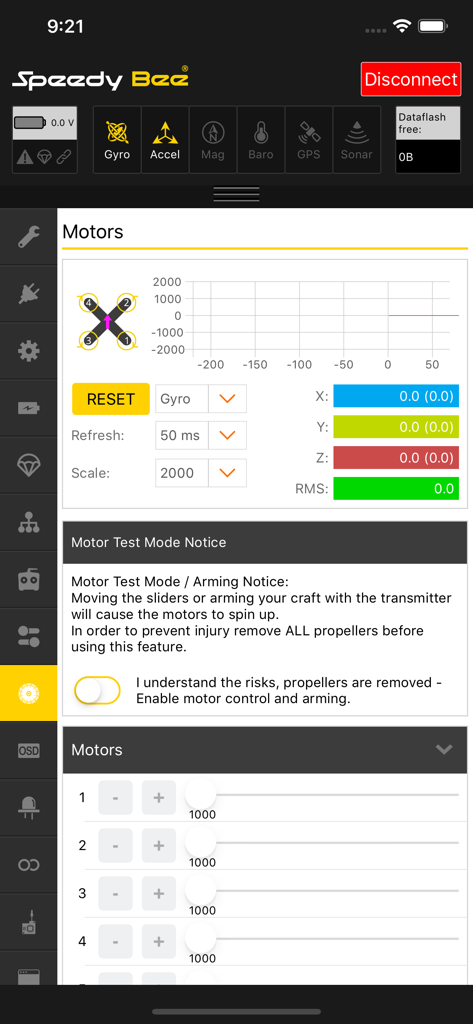
SpeedyBee app interface showing drone motor configuration settings, gyro telemetry graphs, and safety warnings for motor testing.
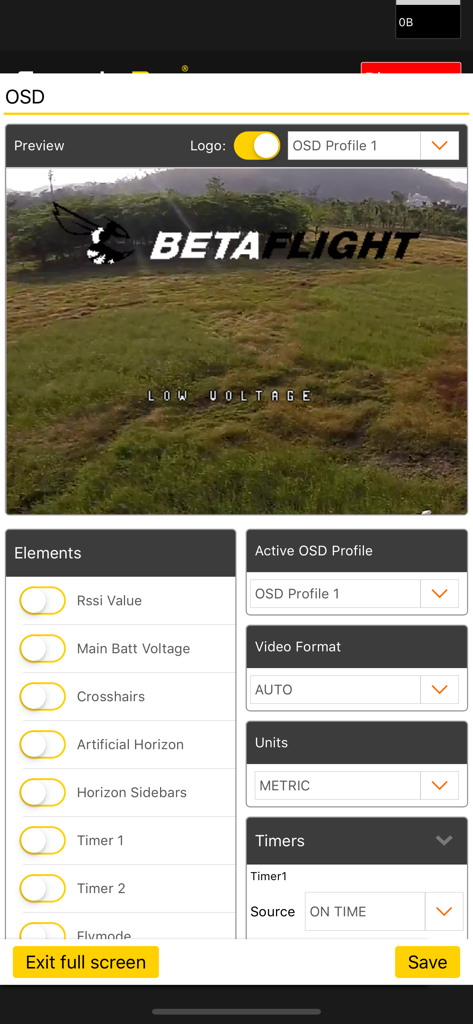
SpeedyBee App OSD configuration screen for adjusting Betaflight drone display elements
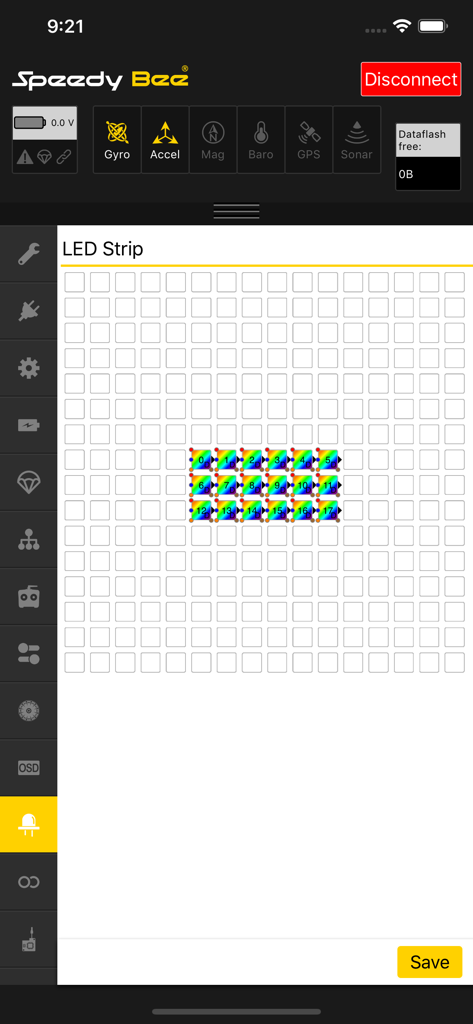
SpeedyBee app LED strip configuration interface for drone customization
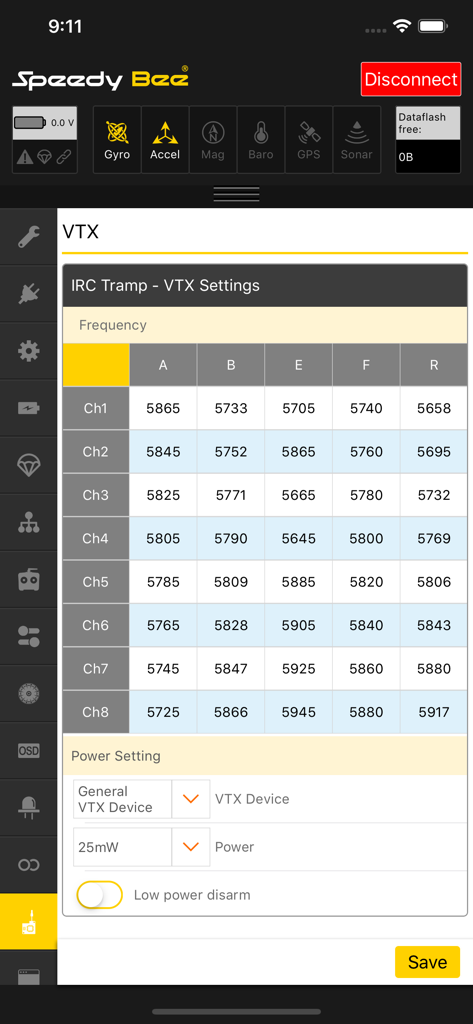
SpeedyBee app VTX frequency table and power settings for drone tuning
Description
Download
More Like This
Top-ranked apps in the same category

Google LLC

Google Chrome
Google LLC

中国移动(手机营业厅)
China Mobile Online Services Co., Ltd.

Google Authenticator
Google LLC

CNH do Brasil
Servicos e Informacoes do Brasil

Cleanup: Phone Storage Cleaner
DEEP FLOW SOFTWARE SERVICES - FZCO

gov.br
Servicos e Informacoes do Brasil

Microsoft Edge: AI Browser
Microsoft Corporation

Super VPN Fly 2026
YUNFAN TECHNOLOGY CO., LIMITED
This page is not an official page of the app or its developer, but an independent editorial publication created for informational and commentary purposes. Unless expressly stated otherwise, neither the app nor its developer is affiliated with, endorsed by, sponsored by, authorized by, or otherwise officially connected with MWM, Apple, Google Play, the app publisher, or the app's developer, and nothing on this page implies that the app was developed using MWM's services. Any trademarks, logos, screenshots, and other content remain the property of their respective owners.