Spider Proxy - HTTP(S) Catcher
Download on App Store

This page is not an official page of the app or its developer, but an independent editorial publication created for informational and commentary purposes. Unless expressly stated otherwise, neither the app nor its developer is affiliated with, endorsed by, sponsored by, authorized by, or otherwise officially connected with MWM, Apple, Google Play, the app publisher, or the app's developer, and nothing on this page implies that the app was developed using MWM's services. Any trademarks, logos, screenshots, and other content remain the property of their respective owners.


Logo of Spider Proxy - HTTP(S) Catcher
Download on App Store

Spider Proxy - HTTP(S) Catcher

Inspect, rewrite, and analyze mobile traffic directly on your device without a computer. The ultimate on-the-go toolkit for developers, QA engineers, and security researchers.

Key Figures

Downloads

79K+

User Rating

3.8/5

Total Ratings

100

Publisher

Nanjing Zhuge Culture Media Co., Ltd

Category

Developer Tools

Locales

15

Latest Version

4.7.3

Size

78.4 MB

First Released

Jul 31, 2023
Features

Professional-Grade Network Insights

A comprehensive toolkit designed for mobile developers and security researchers to inspect, modify, and master network traffic directly on iOS.

On-Device Packet Capture

Analyze HTTP/HTTPS traffic in real-time without a desktop tether. View headers, bodies, and cookies directly on your device via a local VPN proxy.

Dynamic Rule Rewriting

Intercept and modify requests or responses on the fly. Mock API responses and test edge cases without changing a single line of backend code.

The following screenshots and description are sourced directly from the app's official store listing and are the property of the app developer.

App Store

Screenshots
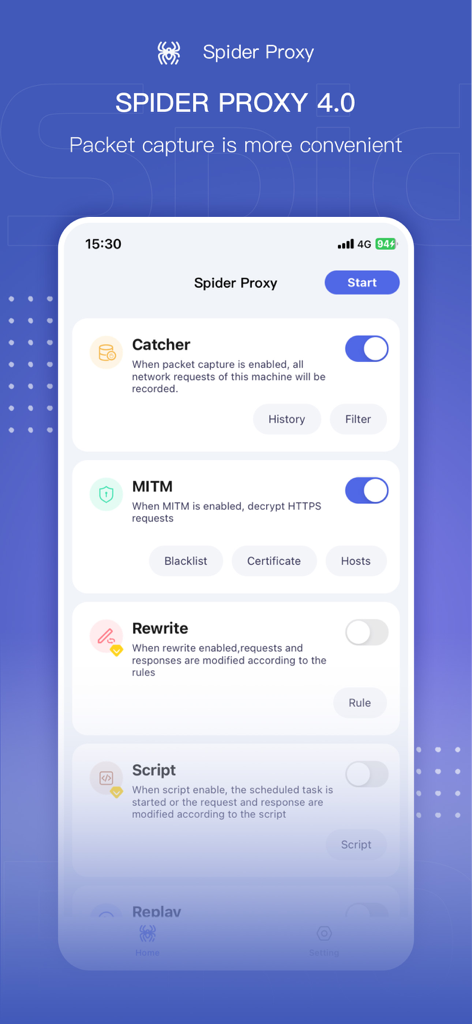
Spider Proxy - HTTP(S) Catcher - Spider Proxy app interface showing network packet capture and MITM settings
Spider Proxy app interface showing network packet capture and MITM settings

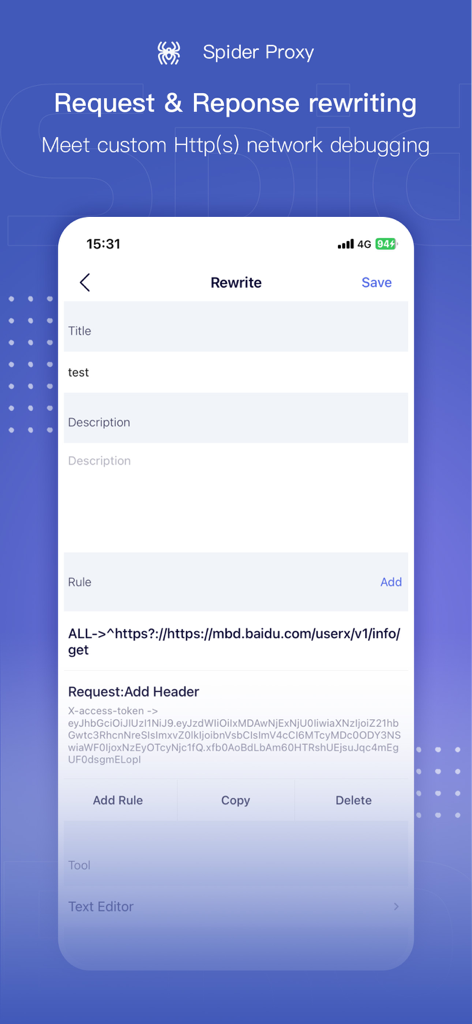
Spider Proxy - HTTP(S) Catcher - Spider Proxy app interface for custom HTTP request and response rewriting and network debugging.
Spider Proxy app interface for custom HTTP request and response rewriting and network debugging.

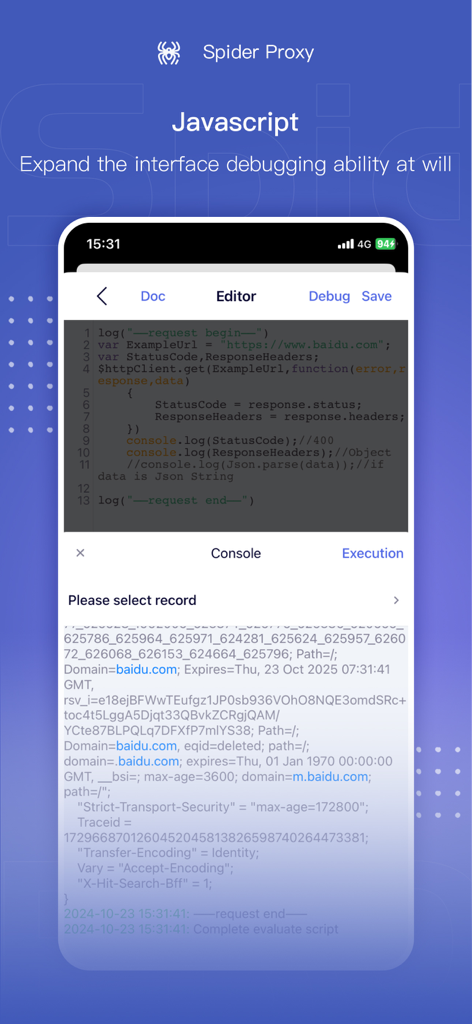
Spider Proxy - HTTP(S) Catcher - Spider Proxy app interface showing a JavaScript code editor and console for custom mobile network debugging.
Spider Proxy app interface showing a JavaScript code editor and console for custom mobile network debugging.

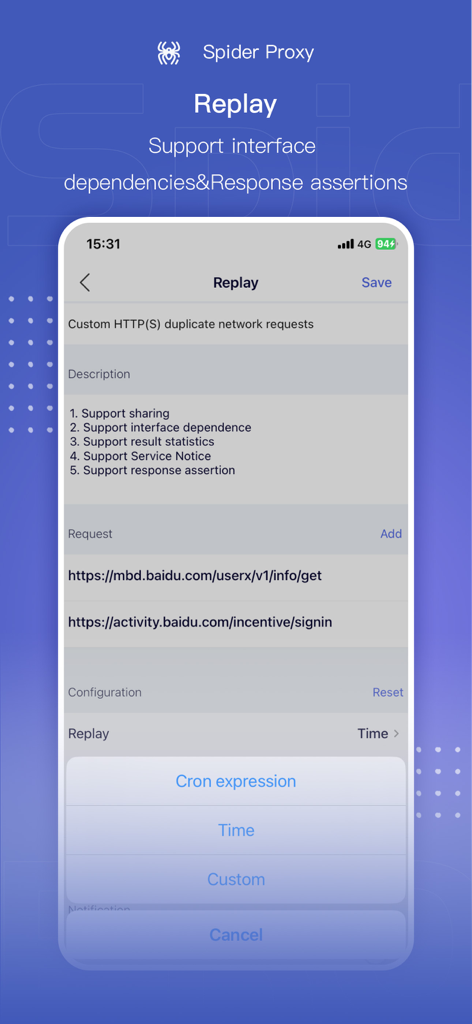
Spider Proxy - HTTP(S) Catcher - Screenshot of the Spider Proxy Replay feature for duplicating network requests and setting response assertions
Screenshot of the Spider Proxy Replay feature for duplicating network requests and setting response assertions

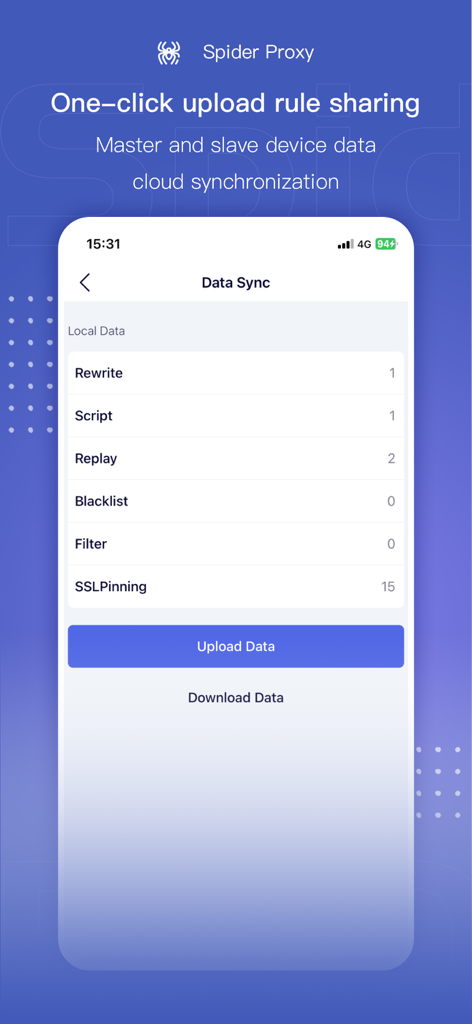
Spider Proxy - HTTP(S) Catcher - Spider Proxy app screen showing data synchronization options for cloud sharing between devices

Spider Proxy app screen showing data synchronization options for cloud sharing between devices

Spider Proxy - HTTP(S) Catcher - Spider Proxy account page showing VIP sharing and membership status
Spider Proxy account page showing VIP sharing and membership status

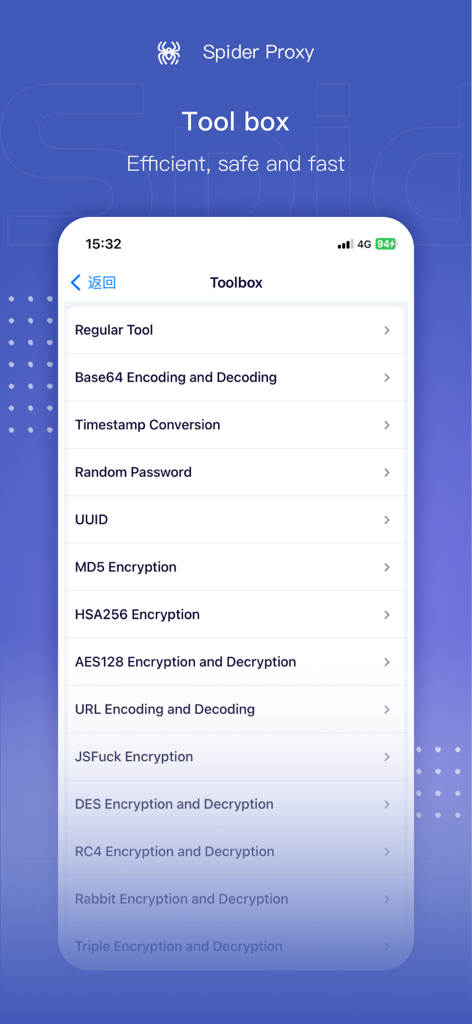
Spider Proxy - HTTP(S) Catcher - Spider Proxy app screen displaying a toolbox of developer utilities including Base64 encoding and MD5 encryption.

Spider Proxy app screen displaying a toolbox of developer utilities including Base64 encoding and MD5 encryption.

Description

Spider Proxy is a mobile HTTP/HTTPS packet capture and network debugging tool which supports directly viewing/modifying the HTTP (S) requests and responses of the iOS system without connecting to a computer. Spider Proxy supports the export of network request records and can also perform custom HTTP (S) network debugging, including URL redirection, custom header, etc. Upgrade to Spider Proxy VIP and support 4 secondary devices simultaneously, along with one click data upload and sharing between devices. VIP also allows the user to set separate authorization rules for devices as needed and revoke authorization at any time. How it works Spider Proxy will create a VPN configuration on the device. When packet capture is enabled, the Spider Proxy will start a local HTTP proxy in the VPN process, and all HTTP traffic will be forwarded to this local proxy through the VPN, enabling all network access requests on the local machine to be completed through it, thereby hijacking and analyzing all HTTP (S) requests and responses. FEATURES 1.HTTPS traffic analysis 2.HTML, JSON, CSS formatting preview 3.Rule rewrites: modify HTTP (S) requests and responses in real time 4.Equipment authorization and data sharing 5.Rule encryption authorization or cancellation of authorization 6.Data backup and recovery 7.Script: Using JavaScript to extend write for interface 8.Replay:Support for custom HTTP(S) network requests with interface dependencies and assertions 9.Tools: Base64 encoding and decoding, timestamp conversion, random password generation, UUID generation, MD5 encryption, HSA256 encryption, AES128 encoding and decoding, URL encoding and decoding, jsfuck encryption, DES encryption and decryption, RC4 encryption and decryption, Rabbit encryption and decryption, Triple/DES encryption and decryption, UTF8 encoding converter, ASCII conversion, jjencode encryption, color conversion, number to Chinese conversion, JSON formatting, JSON comparison, etc Disclaimers Do not use this software to engage in activities that violate national laws, such as pornography, gambling, illegal computer network intrusion, tampering, etc. All consequences caused by it are not related to the author. Please consciously create a harmonious and benign online marketing environment. Once illegal behavior is discovered, the author has the right to ban the account and pursue legal responsibility. If any relevant illegal activities are found, please contact spider@zhugeculture.com We will collect evidence to ban the account and transfer it to the public security organs for handling.

Download

Download on App Store

This page is not an official page of the app or its developer, but an independent editorial publication created for informational and commentary purposes. Unless expressly stated otherwise, neither the app nor its developer is affiliated with, endorsed by, sponsored by, authorized by, or otherwise officially connected with MWM, Apple, Google Play, the app publisher, or the app's developer, and nothing on this page implies that the app was developed using MWM's services. Any trademarks, logos, screenshots, and other content remain the property of their respective owners.








