SSH Term X

SSH Term X

Logo of SSH Term X

SSH Term X: The Pro Mobile Terminal for AI Coding Agents

Run Claude Code and CLI tools seamlessly from your iPhone or iPad. Experience rock-solid background connectivity, SFTP file browsing, and specialized Japanese IME support for developers on the move.

Publisher

Haga Kunihiko

Category

Developer Tools

Downloads

0

User Rating

1.0/5

Total Ratings

0

Locales

1

Your Mobile Command Center

Discover the interface used by 0 users.

SSH Term X settings interface displaying terminal themes and Japanese font settings.
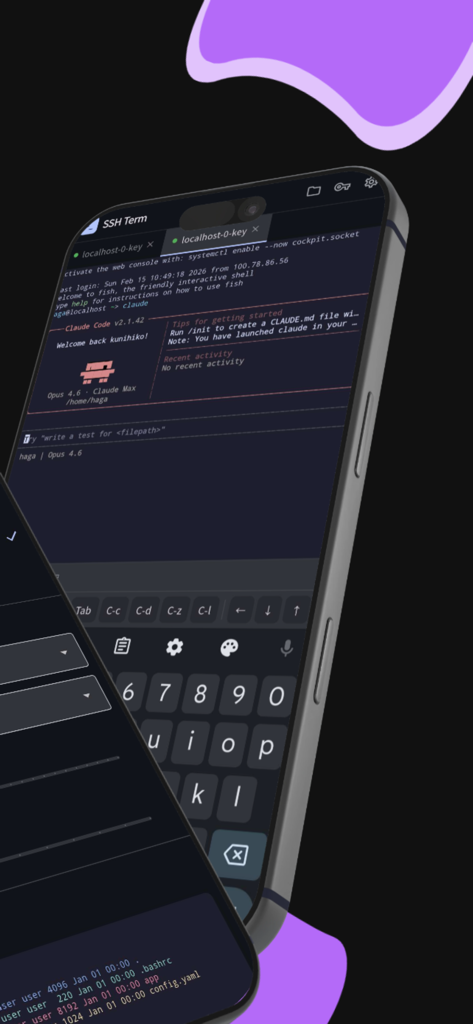
SSH Term X settings interface displaying terminal themes and Japanese font settings.

SSH Term X mobile app interface showing a terminal session with Claude Code and custom developer keyboard on an iPhone
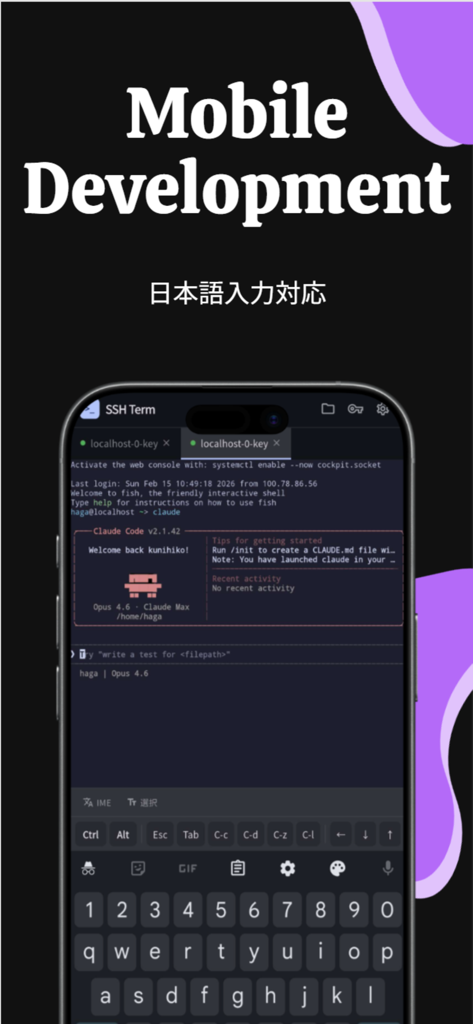
SSH Term X mobile app interface showing a terminal session with Claude Code and custom developer keyboard on an iPhone

SSH Term X mobile terminal interface running Claude Code with Japanese input support
SSH Term X mobile terminal interface running Claude Code with Japanese input support

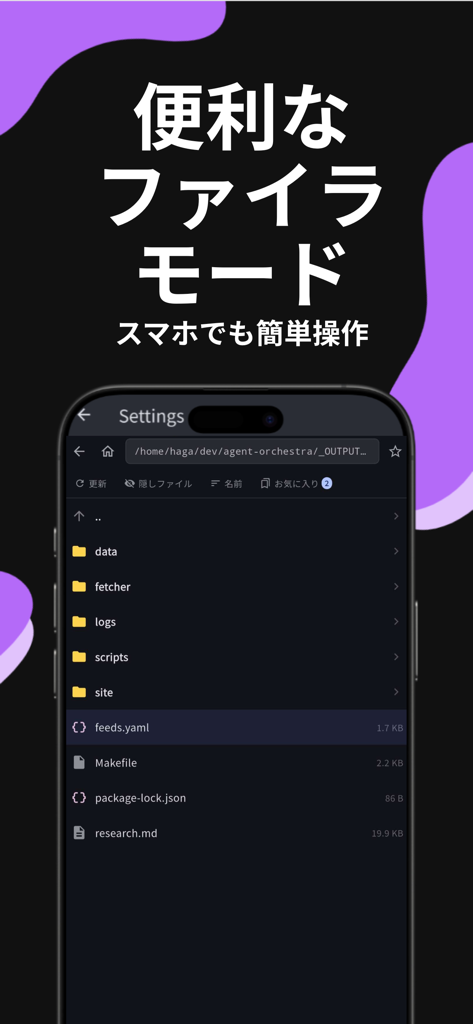
SSH Term X SFTP file browser interface showing server directories and project files on a smartphone screen.
SSH Term X SFTP file browser interface showing server directories and project files on a smartphone screen.

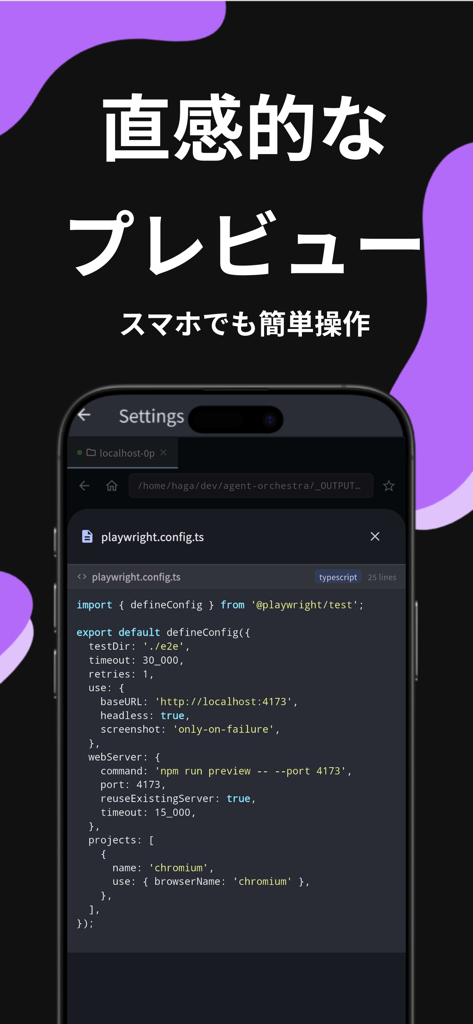
SSH Term X mobile app showing a code preview of a TypeScript file with syntax highlighting.
SSH Term X mobile app showing a code preview of a TypeScript file with syntax highlighting.

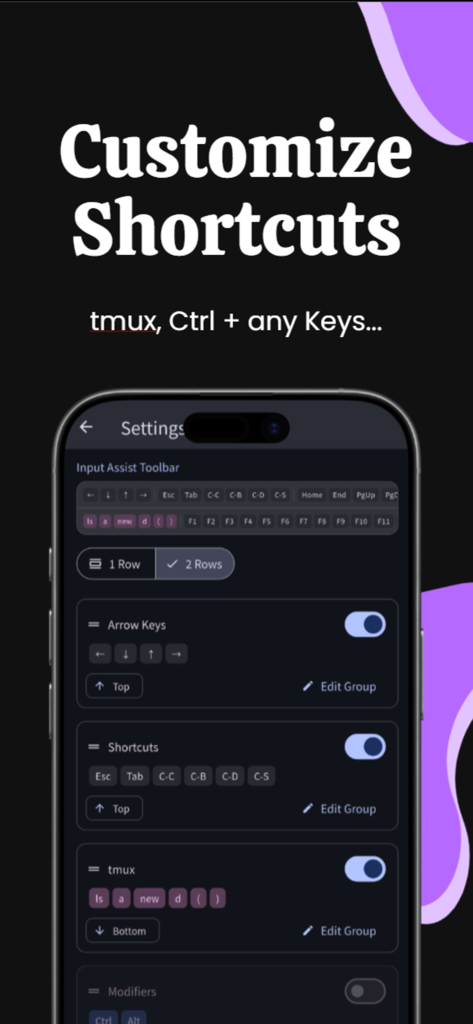
SSH Term X terminal shortcut customization settings and input assist toolbar configuration
SSH Term X terminal shortcut customization settings and input assist toolbar configuration

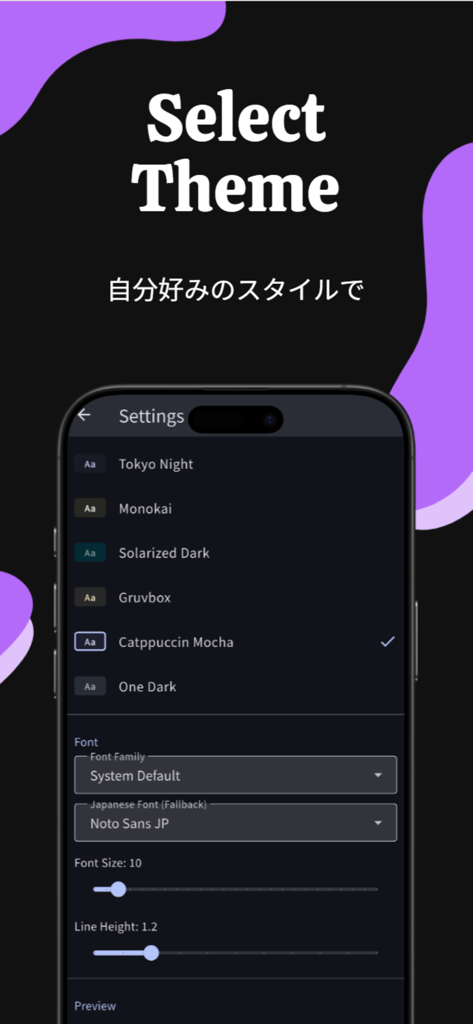
SSH Term X app interface showing a list of terminal themes like Tokyo Night and Catppuccin Mocha along with font customization options

SSH Term X app interface showing a list of terminal themes like Tokyo Night and Catppuccin Mocha along with font customization options

Your AI Command Center on the Go

The tools that make this app stand out, trusted by 0 users.

🔄

Rock-Solid Background Sessions

Keep your AI agents running. Our background keep-alive ensures Claude Code finishes complex tasks even when you switch apps.

🌐

Bilingual Prompt Precision

The only mobile terminal with dedicated Japanese IME support, perfect for providing complex instructions to AI in your native language.

💻

Desktop-Class Code Inspection

Verify AI-generated code instantly with a built-in SFTP filer and syntax highlighting for over 40 programming languages.

About the app

Everything you need to know about SSH Term X.

Description

Run AI coding agents from your phone. SSH Term is an SSH terminal client built for operating Claude Code and other CLI tools comfortably from your iPhone or iPad. HOW PEOPLE USE IT - Connect to Claude Code running on your home PC and give instructions in Japanese - SSH into a remote server on the go and let AI write code for you - Browse AI-generated files with the built-in filer and preview code with syntax highlighting - Check project progress on the train and send follow-up instructions Most mobile SSH apps don't handle Japanese input well. SSH Term has a dedicated IME mode that lets you type Japanese prompts and instructions directly into the terminal. If you use Claude Code in Japanese, this is the best mobile client for the job. SFTP FILE BROWSER Browse your remote server's files without leaving the app. Check code that Claude Code generated or edited right from the filer. Sort by name, size, or date. Toggle hidden files. Rename or delete files directly. FILE PREVIEW WITH SYNTAX HIGHLIGHTING Preview 40+ languages — Dart, Python, JavaScript/TypeScript, Go, Rust, Shell, and more — with full syntax highlighting. Read Claude Code's output on the spot and copy any section to clipboard with one tap. On iPad, a two-pane layout shows the file list and preview side by side. BOOKMARKS Bookmark frequently visited directories and files per host. Jump to your project's src folder or log directory with a single tap. JAPANESE INPUT (IME MODE) Switch to IME mode to type Japanese text directly into the terminal. Give instructions to Claude Code, write git commit messages, or edit Japanese text in files — all in your native language. BACKGROUND KEEP-ALIVE Claude Code tasks can take minutes to complete. SSH Term keeps your connection alive in the background. Switch to other apps without losing your session. AUTO-RECONNECT Automatically reconnects on network loss (up to 3 attempts with exponential backoff). Handles Wi-Fi transitions seamlessly while you're on the move. MULTI-TAB SESSIONS Run multiple SSH connections side by side. Monitor Claude Code output in one tab while checking server logs or working on another project in another. INPUT ASSIST TOOLBAR One-tap special keys: Ctrl+C, Tab, Escape, arrow keys, F1-F12, Home/End/PageUp/PageDown. Full terminal control without a physical keyboard. THREE AUTH METHODS - Password authentication - Public key authentication (file-based or in-app generated) - Keyboard-interactive authentication IN-APP KEY GENERATION — SET UP IN SECONDS Generate Ed25519 (recommended), RSA 2048, or RSA 4096 key pairs directly in the app. Copy the public key to clipboard with one tap and paste it into your server's authorized_keys. No PC needed — complete the entire public key auth setup from your phone. 8 TERMINAL THEMES Dracula, Nord, Tokyo Night, Monokai, Solarized Dark, Gruvbox, Catppuccin Mocha, and One Dark. Pick one that's easy on the eyes for long sessions. RICH FONT SELECTION 10 monospace fonts including Fira Code, JetBrains Mono, and Source Code Pro. 6 Japanese CJK fonts including Noto Sans JP and M PLUS 1 Code. Adjustable font size and line height. TEXT SELECTION & CLIPBOARD Drag to select, double-tap for word selection, long-press for word boundary selection. Copy Claude Code's output and share it with other apps. CONNECTION PROFILES Save frequently used server credentials. Connect with a single tap. All credentials are encrypted via iOS Keychain and stored securely. SECURITY - Encrypted credential storage (iOS Keychain) - Secure SSH key management - Protected sensitive data via secure storage Secure connections via the SSH protocol. A practical mobile terminal for Claude Code users, server administrators, developers, and infrastructure engineers.

Latest Version

1.13.0

Size

45.4 MB

First Released

Feb 24, 2026

Turn Your Phone Into a Professional AI Command Center

Keep Claude Code running in the background, type prompts in Japanese, and manage files with syntax highlighting. Download SSH Term X and take your workflow mobile.

App information, icons, screenshots, and descriptions displayed on this page are sourced from the Apple App Store and are the property of their respective developers. Download estimates and rankings are based on MWM's proprietary models and may not reflect actual figures. This page is provided for informational and analytical purposes only.

Believe this page infringes your intellectual property? File a dispute