
This page is not an official page of the app or its developer, but an independent editorial publication created for informational and commentary purposes. Unless expressly stated otherwise, neither the app nor its developer is affiliated with, endorsed by, sponsored by, authorized by, or otherwise officially connected with MWM, Apple, Google Play, the app publisher, or the app's developer, and nothing on this page implies that the app was developed using MWM's services. Any trademarks, logos, screenshots, and other content remain the property of their respective owners.

Sticky Notes & Color Widget
Transform your home screen into a vibrant productivity hub. Create custom, color-coded memos and checklists that keep your ideas and to-dos right where you can see them, synced across all your devices.
Downloads
1M+User Rating
Total Ratings
19K+Publisher
Category
UtilitiesLocales
10Latest Version
3.7.2Size
178.7 MBFirst Released
Jan 12, 2020Master Your Day with Style
Combine powerful productivity tools with aesthetic home screen customization to keep your ideas organized and your mind clear.
Aesthetic Home Screen Widgets
Transform your phone into a visual dashboard that matches your vibe while keeping your top tasks front and center.
Capture Ideas Instantly
Use voice-to-note or your Apple Watch to jot down thoughts on the go, making sure no flash of inspiration is ever lost.
Frequently Asked Questions
Everything you need to know about Sticky Notes & Color Widget
What is Sticky Notes & Color Widget used for?
Sticky Notes & Color Widget is an app for creating quick memos, ideas, to-dos, and brainstorming notes. It allows organization by color, pictures, typing, or voice.
Can I add Sticky Notes & Color Widget notes to my homescreen?
Yes, the Sticky Notes & Color Widget allows users to add their notes directly to the homescreen as widgets for convenient access and visibility.
Does Sticky Notes & Color Widget support iCloud synchronization?
Yes, Sticky Notes & Color Widget supports iCloud synchronization. Users can sync their notes with iCloud to access them anytime and anywhere across devices.
How do I create a checklist in Sticky Notes & Color Widget?
Sticky Notes & Color Widget includes a feature for creating checklists. Users can easily organize tasks and items within the app, as demonstrated by the 'Groceries' example.
Can I lock Sticky Notes & Color Widget for privacy?
Yes, users can lock the Sticky Notes & Color Widget app to prevent any unauthorized access. This feature helps ensure the privacy and security of your notes.
Does Sticky Notes & Color Widget offer a free trial?
Yes, Sticky Notes & Color Widget offers a 1-week free trial for its subscription plan. This trial allows users to experience all the pro features before committing.
How much does a 1-month subscription for Sticky Notes & Color Widget cost?
A 1-month subscription for Sticky Notes & Color Widget costs $2.99. This price includes a 7-day free trial period before the paid subscription begins.
Does Sticky Notes & Color Widget subscription auto-renew?
Yes, the Sticky Notes & Color Widget subscription automatically renews. Users must turn off auto-renewal at least 24 hours before the current subscription ends to prevent charges.
How can I manage my Sticky Notes & Color Widget subscription?
Users can manage their Sticky Notes & Color Widget subscription and switch off auto-renewal by accessing their iTunes account settings after the purchase.
Can users customize their notes in Sticky Notes & Color Widget?
Yes, Sticky Notes & Color Widget allows extensive note customization. Users can personalize their ideas and notes by color, pictures, and various text styles.
Does Sticky Notes & Color Widget offer reminder functionality?
Yes, Sticky Notes & Color Widget includes a reminder feature. Users can set specific times and dates to be reminded about their important notes and tasks.
Can I draw notes in Sticky Notes & Color Widget?
Yes, Sticky Notes & Color Widget includes a drawing feature. Users can create visual notes or sketches directly within the app using various drawing tools.
Does Sticky Notes & Color Widget allow saving bookmarks?
Yes, Sticky Notes & Color Widget features a bookmark function. Users can save website links with titles and previews, directly accessing them from the app.
Can Sticky Notes & Color Widget scan text from images?
Yes, Sticky Notes & Color Widget includes a 'Scan Text' feature. This allows users to extract and convert text from images or documents using OCR technology into editable notes.
Can I create notes using my voice in Sticky Notes & Color Widget?
Yes, Sticky Notes & Color Widget supports creating notes by using your voice. This feature offers a convenient way to capture ideas quickly within the app.
The following screenshots and description are sourced directly from the app's official store listing and are the property of the app developer.
App Store
Screenshots
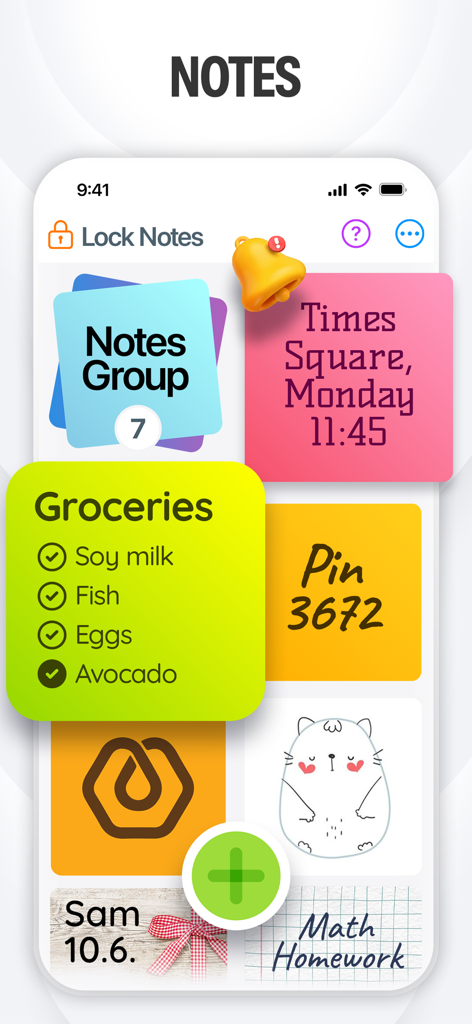
Interface of a sticky notes app displaying colorful digital memos and a grocery checklist
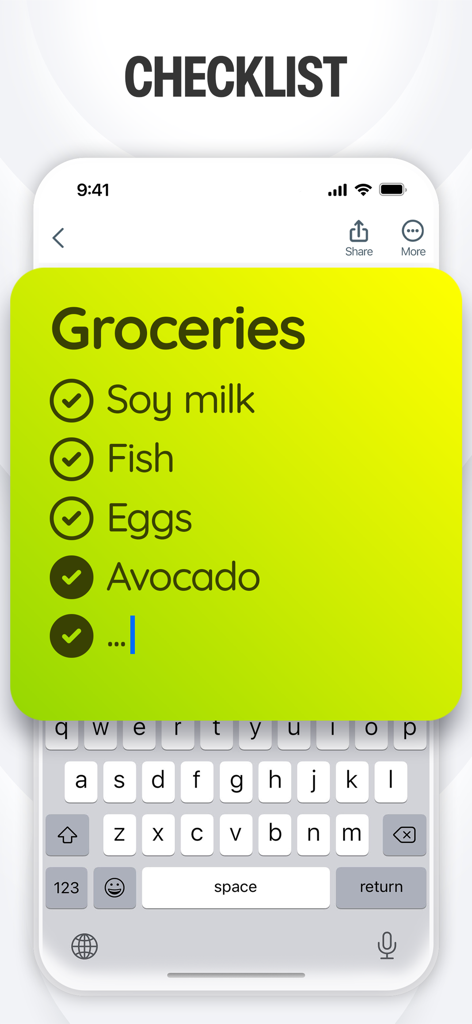
A digital yellow sticky note showing a grocery checklist with checkmarks on an iPhone screen
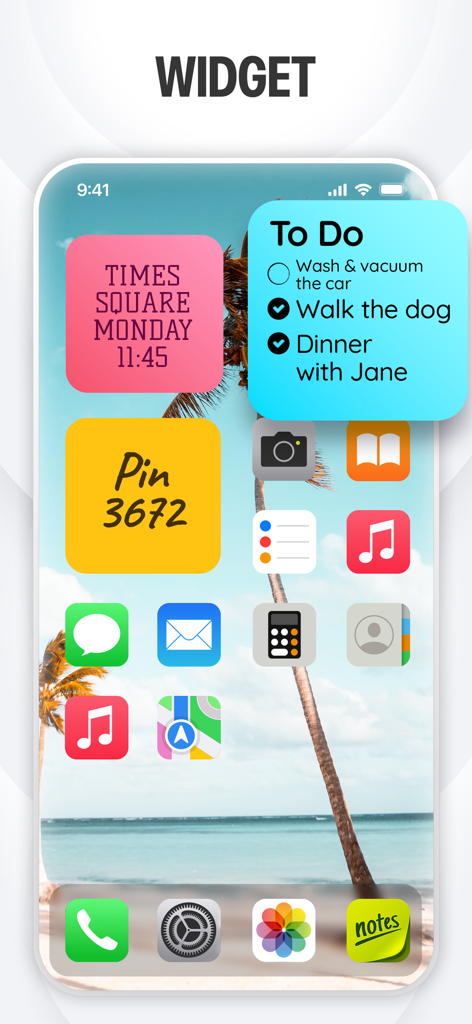
iPhone home screen displaying colorful sticky note widgets with a to-do list and personalized memos
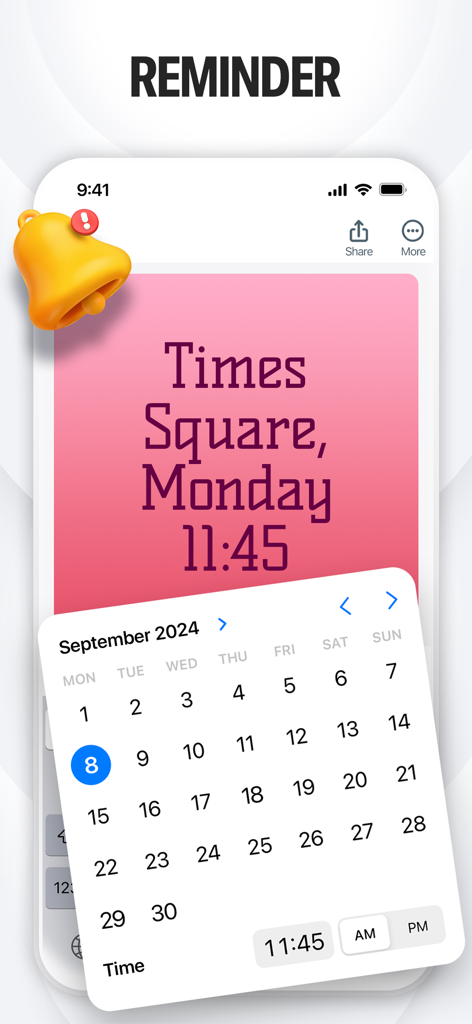
Sticky Notes app screen showing a reminder setting with a pink note and a date picker
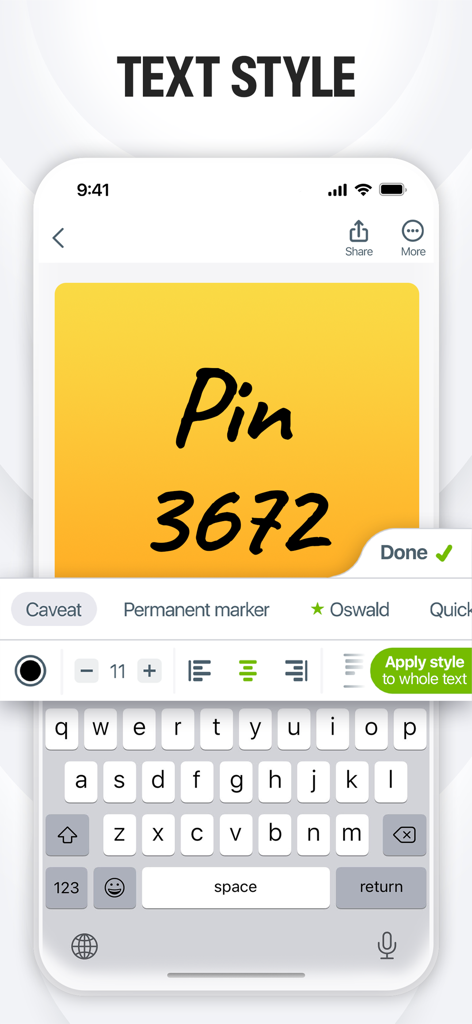
Interface of the Sticky Notes app showing font style and text formatting options for a yellow digital note.
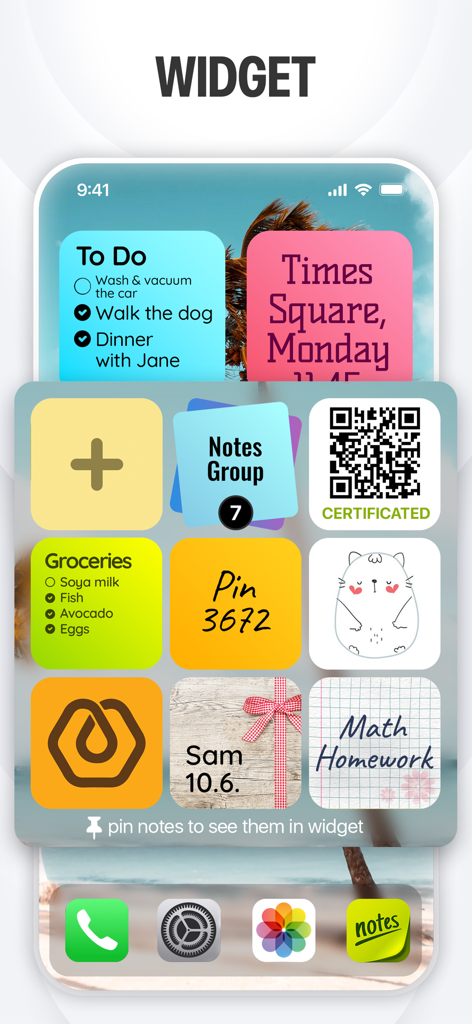
Colorful sticky note widgets on an iPhone home screen including a to do list and grocery list
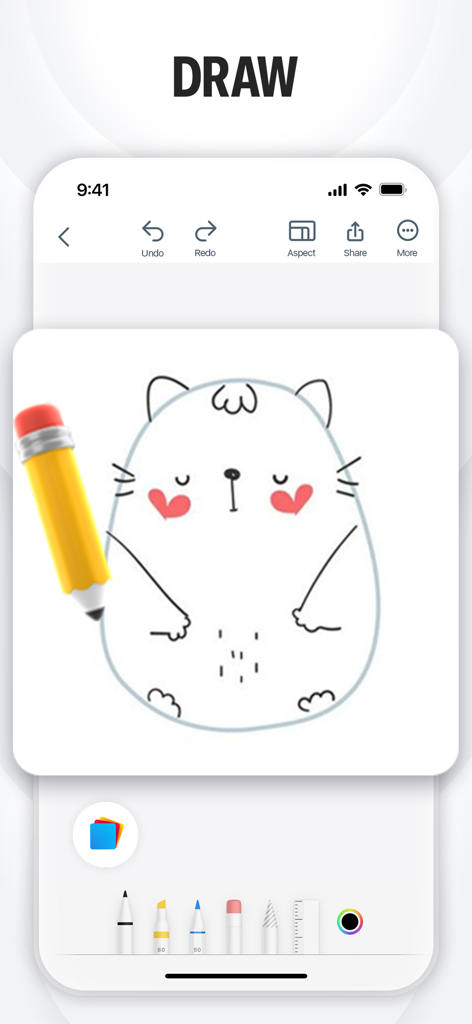
A drawing interface in the Sticky Notes app showing a cartoon cat sketch and various digital pens and tools.
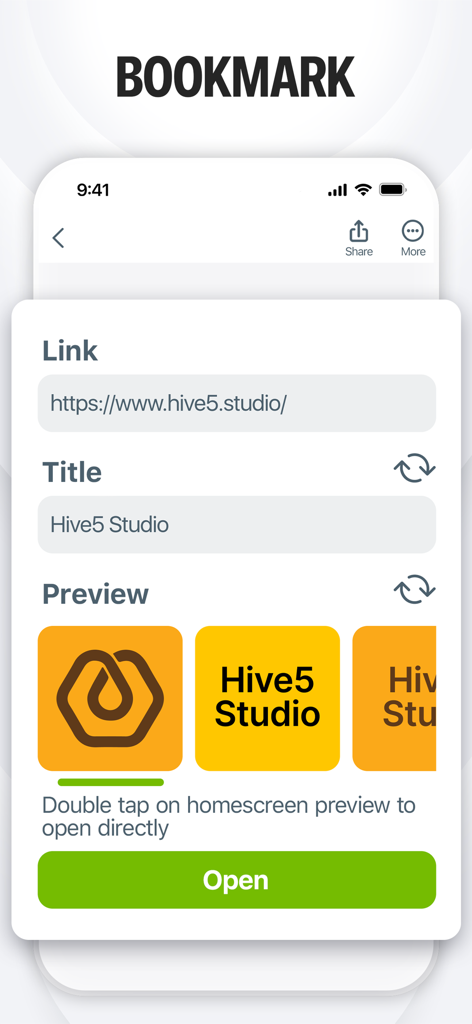
Interface for creating a visual bookmark widget with link and title fields
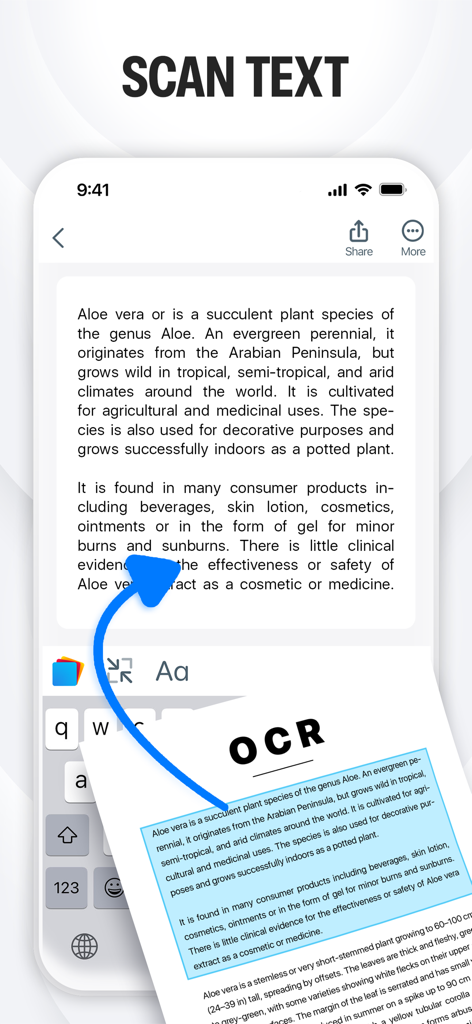
Scan Text feature using OCR to convert physical documents into digital sticky notes
Description
Download
More Like This
Apps with similar features and user experience

Notion: Notes, Tasks, AI
Notion Labs, Incorporated

Freenotes®: AI Notes Taking
Hangzhou Free Notes Technology Co., Ltd

Structured - Daily Planner
unorderly GmbH

Google Tasks: Get Things Done
Google LLC

TickTick:To-Do List & Calendar
Appest Limited

Noteful: Notes & PDF Markup
Noteful Technologies Ltd

Todoist: To Do List & Calendar
Doist Inc.

To do list MinimaList & Widget
Inner Grow Limited

monday.com - Work Platform
monday.com Ltd.
This page is not an official page of the app or its developer, but an independent editorial publication created for informational and commentary purposes. Unless expressly stated otherwise, neither the app nor its developer is affiliated with, endorsed by, sponsored by, authorized by, or otherwise officially connected with MWM, Apple, Google Play, the app publisher, or the app's developer, and nothing on this page implies that the app was developed using MWM's services. Any trademarks, logos, screenshots, and other content remain the property of their respective owners.