Stud Framing Layout Calculator

This page is not an official page of the app or its developer, but an independent editorial publication created for informational and commentary purposes. Unless expressly stated otherwise, neither the app nor its developer is affiliated with, endorsed by, sponsored by, authorized by, or otherwise officially connected with MWM, Apple, Google Play, the app publisher, or the app's developer, and nothing on this page implies that the app was developed using MWM's services. Any trademarks, logos, screenshots, and other content remain the property of their respective owners.

Logo of Stud Framing Layout Calculator

Stud Framing Layout Calculator

Eliminate manual framing math with instant stud positioning, material counts, and cost estimates. Plan wall layouts with color-coded diagrams and professional PDF exports—built for the job site and the DIY enthusiast alike.

Key Figures

Downloads

0

User Rating

1.0/5

Total Ratings

0

Publisher

Vladislav Zhirnov

Category

Utilities

Locales

33

Latest Version

1.0

Size

5.1 MB

First Released

Apr 7, 2026
Features

Precision Framing, Zero Guesswork

The ultimate job-site companion for builders and DIYers to calculate layouts, minimize waste, and frame walls with professional accuracy.

Smart Layout Calculations

Instantly handle complex fractional math for studs, headers, and openings. Optimized for standard 12", 16", or 24" on-center spacing to meet any code.

Visual Wall Blueprints

See your project come to life with interactive, color-coded diagrams. Visualize plates, studs, and sheathing to catch mistakes before you ever touch a saw.

The following screenshots and description are sourced directly from the app's official store listing and are the property of the app developer.

App Store

Screenshots
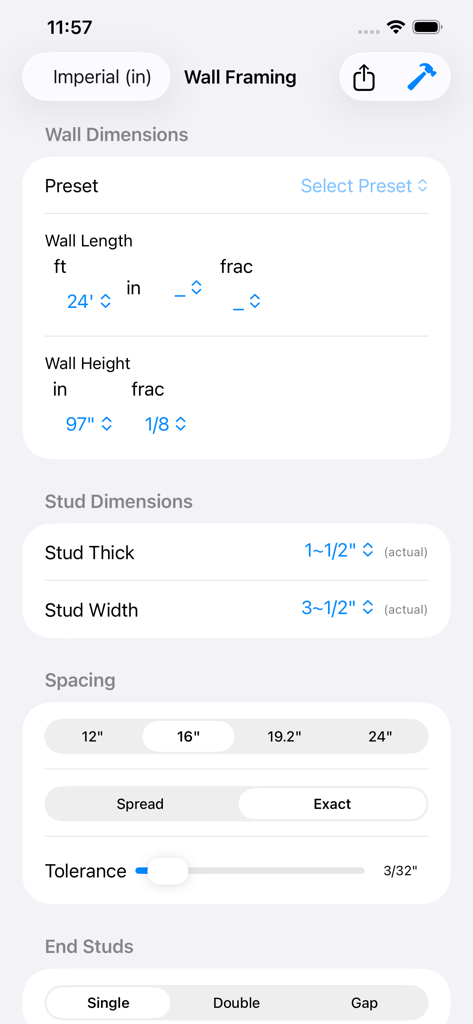
Stud Framing Layout Calculator - Input screen for wall dimensions and stud spacing configuration
Input screen for wall dimensions and stud spacing configuration

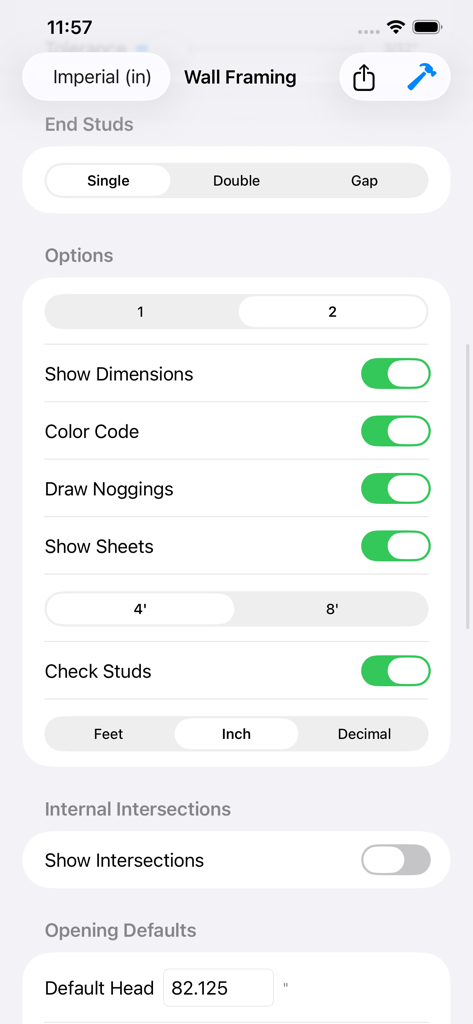
Stud Framing Layout Calculator - Wall framing settings screen with options for end studs and dimensions
Wall framing settings screen with options for end studs and dimensions

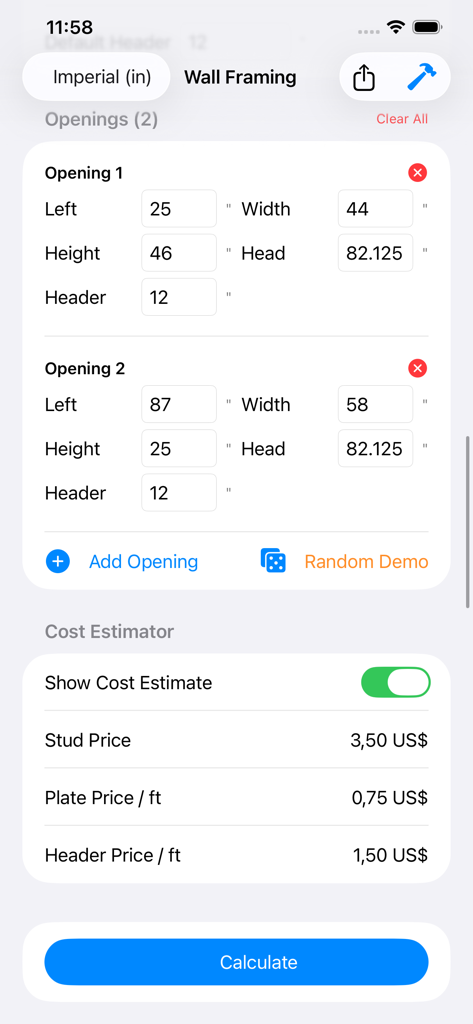
Stud Framing Layout Calculator - Interface of the Stud Framing Layout Calculator app showing wall opening dimensions and material cost estimator settings.
Interface of the Stud Framing Layout Calculator app showing wall opening dimensions and material cost estimator settings.

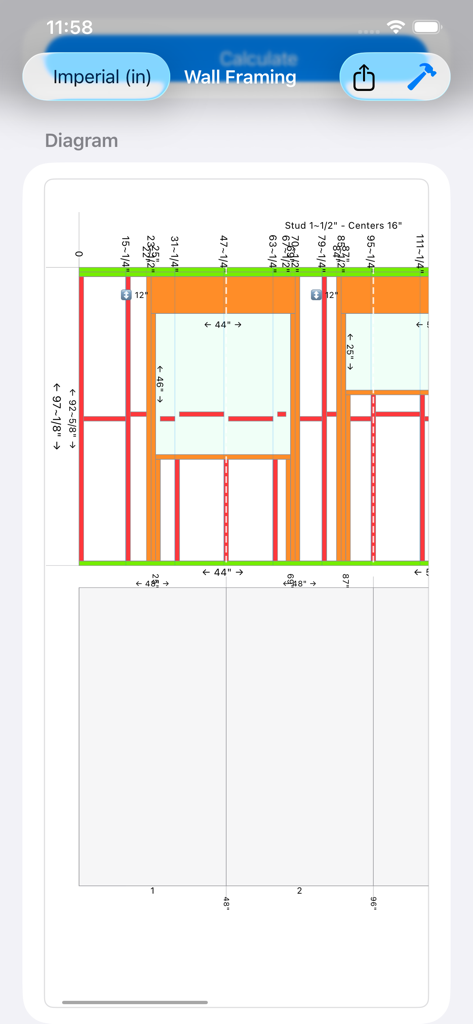
Stud Framing Layout Calculator - Interactive wall framing diagram with imperial measurements and sheet layout planning
Interactive wall framing diagram with imperial measurements and sheet layout planning

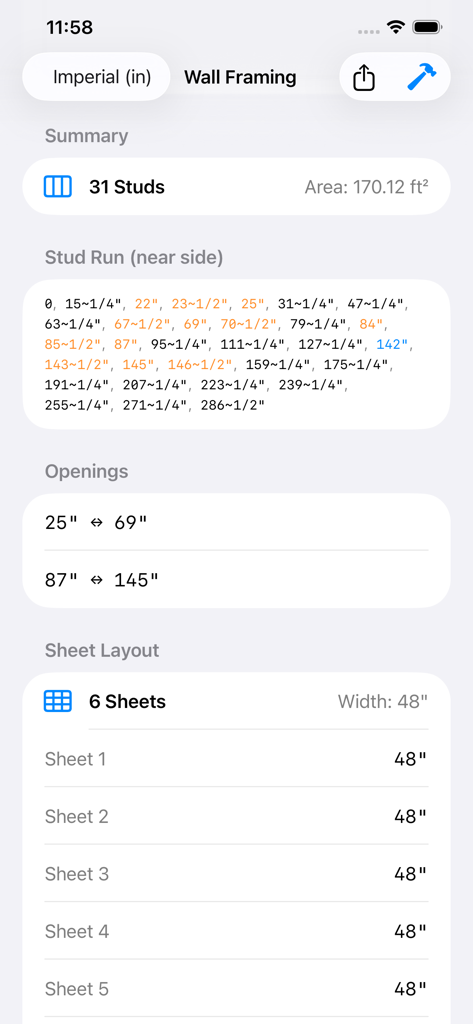
Stud Framing Layout Calculator - Summary screen of a framing calculator showing stud count measurements and sheet layout
Summary screen of a framing calculator showing stud count measurements and sheet layout

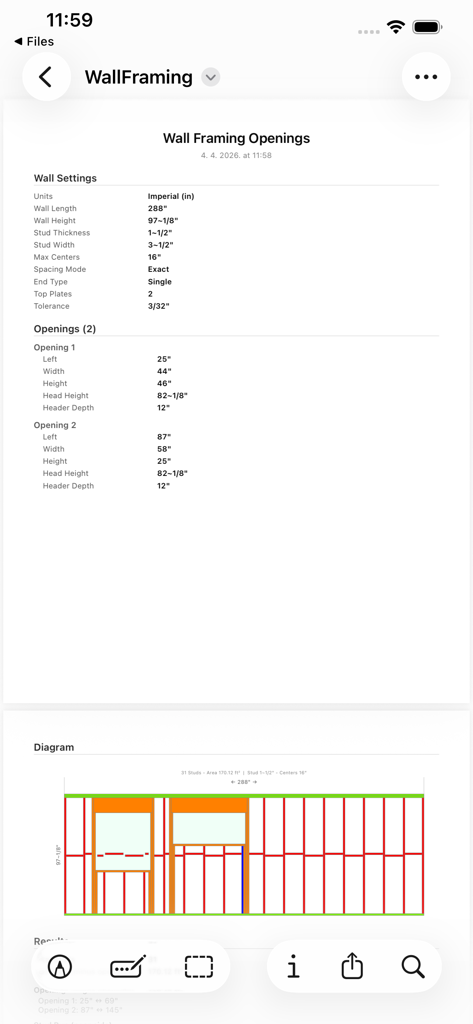
Stud Framing Layout Calculator - Detailed technical report and color-coded layout diagram from the Stud Framing Layout Calculator app
Detailed technical report and color-coded layout diagram from the Stud Framing Layout Calculator app

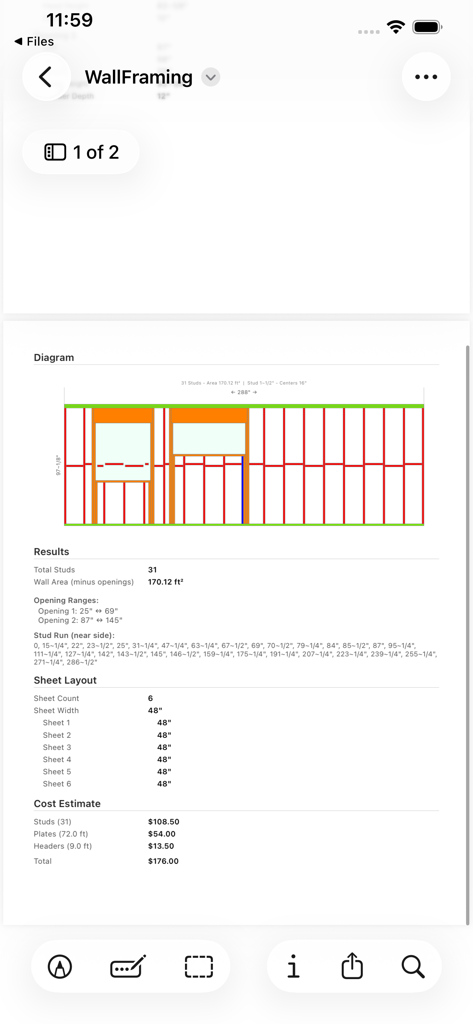
Stud Framing Layout Calculator - A detailed wall framing report showing a color-coded diagram, material results, and cost estimation.

A detailed wall framing report showing a color-coded diagram, material results, and cost estimation.

Description

Plan wall framing with precision — right from your phone. Stud Framing Layout Calculator is the go-to tool for carpenters, builders, and DIY enthusiasts who need accurate stud positioning, material counts, and cost estimates on the job site or at the planning desk. Enter your wall dimensions and openings (doors, windows, pass-throughs), and the app instantly calculates every stud position, adjusting for headers, cripple studs, king studs, and jack studs. The interactive color-coded diagram shows exactly where each piece goes, so you can visualize the entire wall before cutting a single board. KEY FEATURES • Exact & Spread Spacing Modes — choose fixed on-center spacing (12", 16", 19.2", 24") or let the app spread studs evenly across panels for optimal material use. • Imperial & Metric Units — switch seamlessly between inches/feet and millimeters. Fractional inch display, decimal inch, and feet-inch modes are all supported. • Multiple Openings — add unlimited door and window openings with individual left position, width, height, head height, and header depth. The app validates each one and warns if dimensions collide or fall out of range. • Interactive Diagram — pinch to zoom into a full color-coded wall diagram showing plates, studs, headers, sills, and cripples. Dimension labels update in real time. • Sheet Layout Planner — toggle sheathing visualization to see where plywood or OSB sheets land on your wall. Join lines, sheet numbers, and cut lengths are displayed so you can plan your sheathing before you start. • Cost Estimator — enter your local prices for studs, plate lumber, and header material. The app multiplies quantities by price and gives you a total material cost breakdown instantly. • Quick Presets — one tap loads common wall configurations: Standard 8' Interior, 9' Interior, Exterior 2x6, Garage Door Wall, or Basement 2x4. Customize from there. • Internal Intersections — mark where interior walls tie in and the calculator adjusts stud positions around the intersection automatically. • Noggings / Blocking — toggle horizontal blocking visualization to plan fire stops or mid-height bracing. • PDF Export & Share — generate a professional PDF report containing all input settings, the wall diagram, stud run positions, opening ranges, sheet layout, and cost breakdown. Share it with your crew, email it to a client, or save it for your records. • Single & Double End Studs — configure single, double, or gap end stud configurations to match your local building code requirements. Whether you are framing a single partition wall or planning an entire house, this calculator saves hours of manual layout math and helps you order the right amount of lumber — no more, no less. Built for iPhone and iPad. Works offline. No account required.

Download

This page is not an official page of the app or its developer, but an independent editorial publication created for informational and commentary purposes. Unless expressly stated otherwise, neither the app nor its developer is affiliated with, endorsed by, sponsored by, authorized by, or otherwise officially connected with MWM, Apple, Google Play, the app publisher, or the app's developer, and nothing on this page implies that the app was developed using MWM's services. Any trademarks, logos, screenshots, and other content remain the property of their respective owners.