
This page is not an official page of the app or its developer, but an independent editorial publication created for informational and commentary purposes. Unless expressly stated otherwise, neither the app nor its developer is affiliated with, endorsed by, sponsored by, authorized by, or otherwise officially connected with MWM, Apple, Google Play, the app publisher, or the app's developer, and nothing on this page implies that the app was developed using MWM's services. Any trademarks, logos, screenshots, and other content remain the property of their respective owners.


Suto: Share Your Prompt Art
The intuitive AI playground for digital storytellers. Transform your thoughts into unique, expressive visuals in a focused, privacy-conscious environment.
Downloads
13K+User Rating
Total Ratings
100Publisher
Category
UtilitiesLocales
1Latest Version
1.0.1Size
31.2 MBFirst Released
Jan 9, 2026Visualize Your Imagination Instantly
Suto removes the technical barriers of AI art, giving you a calm and intuitive space to turn your creative thoughts into striking visual realities.
Intuitive Prompting
Skip the complex settings. Simply describe your thoughts in plain language and watch them transform into art in seconds.
Reflect Your Intent
Move beyond presets. Suto focuses on your unique vision, ensuring every image is a personal and expressive reflection of your ideas.
Frequently Asked Questions
Everything you need to know about Suto: Share Your Prompt Art
What is Suto: Share Your Prompt Art?
Suto is an AI-powered image-making tool. It transforms text prompts, descriptions, or concepts into striking visuals within seconds, focusing on intuitive and expressive creation.
How does Suto: Share Your Prompt Art function?
Suto works by allowing users to enter text prompts or ideas. Its advanced AI technology then processes these inputs to generate unique images based on the user's intent.
What kind of images can Suto generate?
Suto can create a wide range of unique images from text prompts. It supports exploring artistic styles, visual storytelling, and abstract concepts, reflecting the user's input.
Does Suto prioritize user privacy?
Yes, Suto is built with privacy and control in mind. It offers a focused environment for creativity without distractions, emphasizing responsible use.
Is Suto: Share Your Prompt Art suitable for all ages?
No, Suto is intended for users aged 18 and above. It focuses on responsible use and provides a calm creative environment for adult users.
Can users adjust the canvas size in Suto?
Yes, Suto allows users to customize the canvas ratio for their art. Available options include 1:1, 2:3, and 3:4 for image generation in the AI Creator.
How do I save images created with Suto?
Users can save their generated images in Suto by tapping the "Save to Photos" button after a creation is complete. This action stores the image directly to their device.
Does Suto keep a history of past art creations?
Yes, Suto allows users to look back at their creations. The "My Studio" section displays previously generated images and their corresponding text prompts.
Does Suto use a credit system for generating art?
Yes, Suto requires points for image generation. For instance, creating one image costs 10 points, as indicated within the AI Creator interface.
The following screenshots and description are sourced directly from the app's official store listing and are the property of the app developer.
App Store
Screenshots
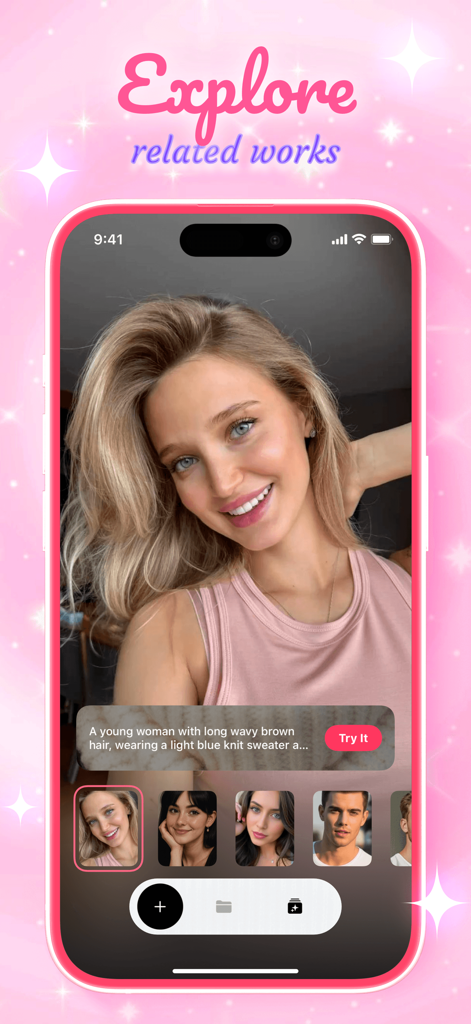
Suto app interface showing AI generated portraits and the explore related works feature
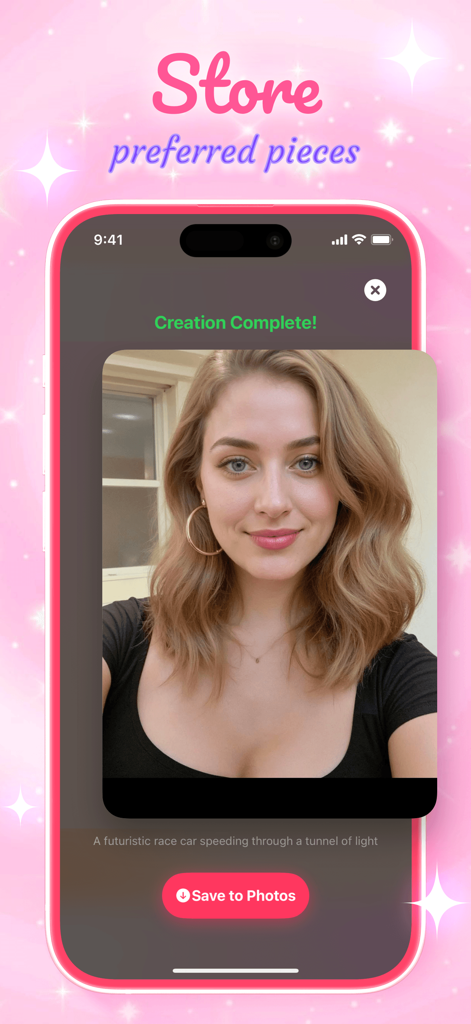
Suto app interface showing a generated AI portrait of a woman with a Save to Photos button
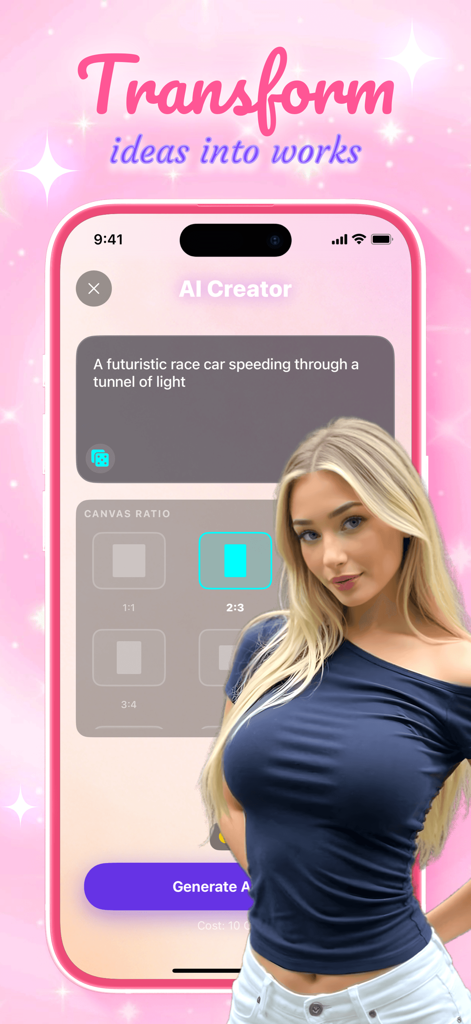
Suto app AI Creator interface showing a text prompt input for a futuristic race car and canvas aspect ratio options
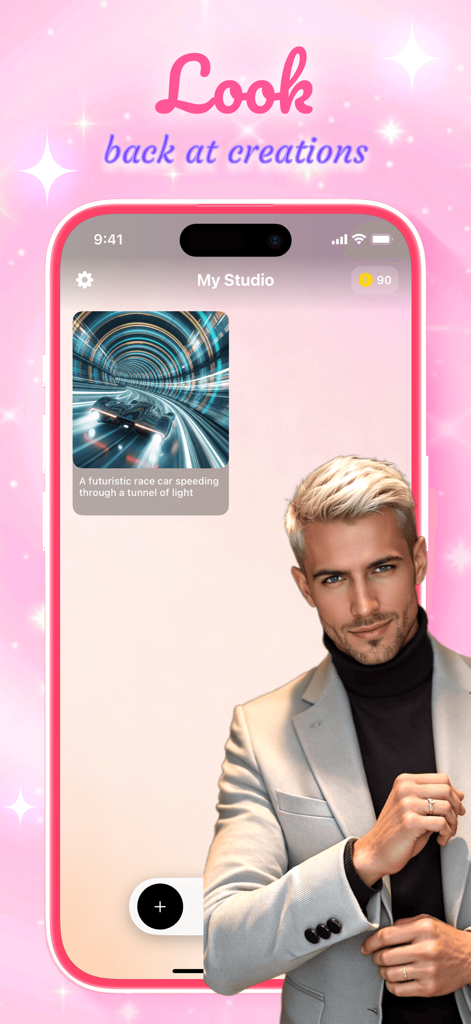
Suto app screen showing a saved AI image of a futuristic car in the My Studio gallery
Description
Download
More Like This
Top-ranked apps in the same category

Google LLC

Google Chrome
Google LLC

中国移动(手机营业厅)
China Mobile Online Services Co., Ltd.

Google Authenticator
Google LLC

CNH do Brasil
Servicos e Informacoes do Brasil

Cleanup: Phone Storage Cleaner
DEEP FLOW SOFTWARE SERVICES - FZCO

gov.br
Servicos e Informacoes do Brasil

中国电信-全国统一官方服务平台
CHINA TELECOM Corporation Ltd.

Microsoft Edge: AI Browser
Microsoft Corporation
This page is not an official page of the app or its developer, but an independent editorial publication created for informational and commentary purposes. Unless expressly stated otherwise, neither the app nor its developer is affiliated with, endorsed by, sponsored by, authorized by, or otherwise officially connected with MWM, Apple, Google Play, the app publisher, or the app's developer, and nothing on this page implies that the app was developed using MWM's services. Any trademarks, logos, screenshots, and other content remain the property of their respective owners.