SymPlayer - Master Movement -
Download on App Store

This page is not an official page of the app or its developer, but an independent editorial publication created for informational and commentary purposes. Unless expressly stated otherwise, neither the app nor its developer is affiliated with, endorsed by, sponsored by, authorized by, or otherwise officially connected with MWM, Apple, Google Play, the app publisher, or the app's developer, and nothing on this page implies that the app was developed using MWM's services. Any trademarks, logos, screenshots, and other content remain the property of their respective owners.

Logo of SymPlayer - Master Movement -
Download on App Store

SymPlayer - Master Movement -

The ultimate video tool for dancers, athletes, and creators. Flip, loop, and slow down tutorials to mimic every move perfectly and learn faster than ever.

Key Figures

Downloads

537K+

User Rating

4.5/5

Total Ratings

3K+

Publisher

Masakiyo Tachikawa

Category

Photo & Video

Locales

2

Latest Version

3.14.3

Size

67.9 MB

First Released

Nov 13, 2015
Features

Master Every Movement with Precision

From viral dance routines to professional sports forms, SymPlayer provides the essential tools to help you mimic, analyze, and perfect any skill with ease.

Natural Mirror Playback

Stop struggling with left and right. Flip any video horizontally to follow movements as if you were looking in a practice mirror.

Precision Looping & Slow-Mo

Master the hardest parts by slowing down the tempo and setting custom loops to repeat tricky footwork until it becomes muscle memory.

The following screenshots and description are sourced directly from the app's official store listing and are the property of the app developer.

App Store

Screenshots
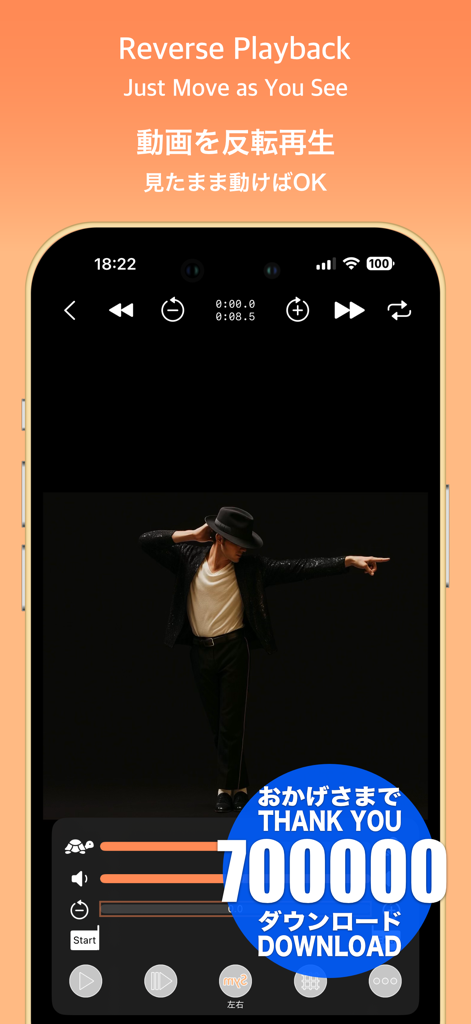
SymPlayer - Master Movement - - SymPlayer app interface showing reverse video playback of a dancer with controls for speed and mirroring
SymPlayer app interface showing reverse video playback of a dancer with controls for speed and mirroring

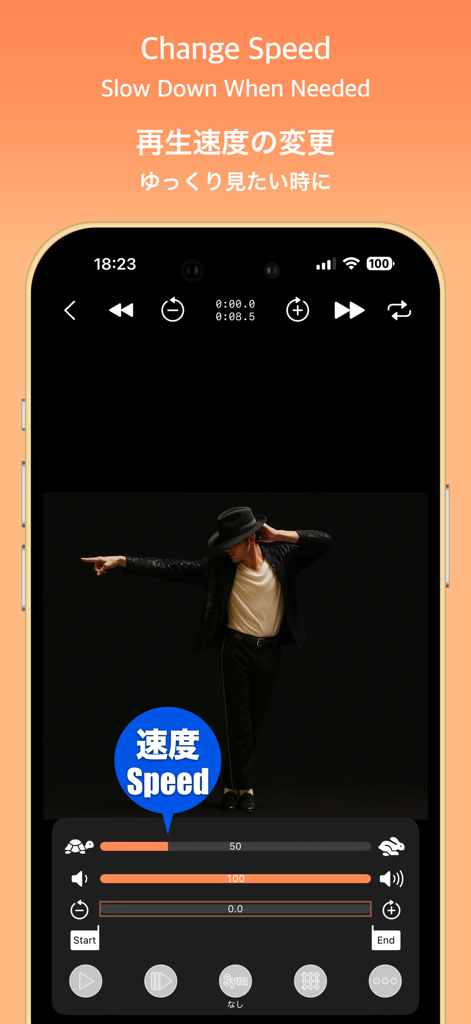
SymPlayer - Master Movement - - SymPlayer app interface showing a dancer with playback speed adjustment sliders for slow motion practice
SymPlayer app interface showing a dancer with playback speed adjustment sliders for slow motion practice

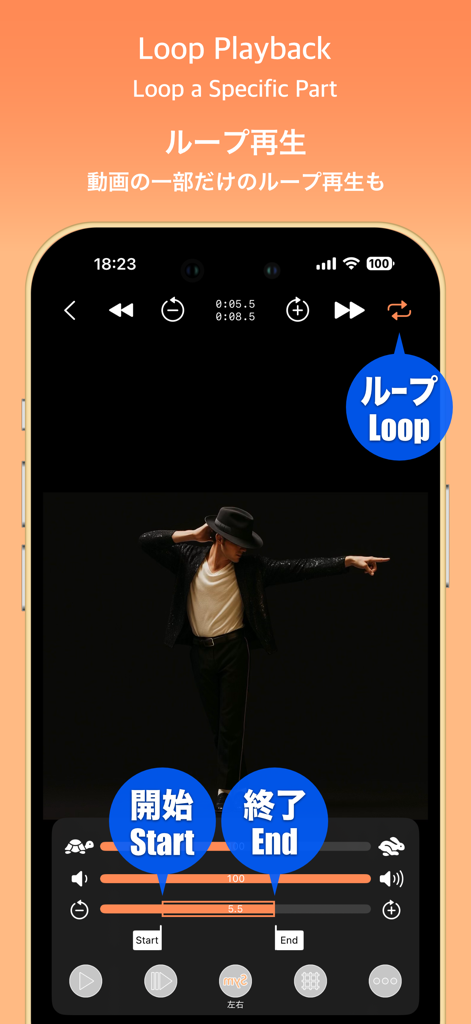
SymPlayer - Master Movement - - SymPlayer app interface showing loop playback controls with start and end markers for practicing dance moves.
SymPlayer app interface showing loop playback controls with start and end markers for practicing dance moves.

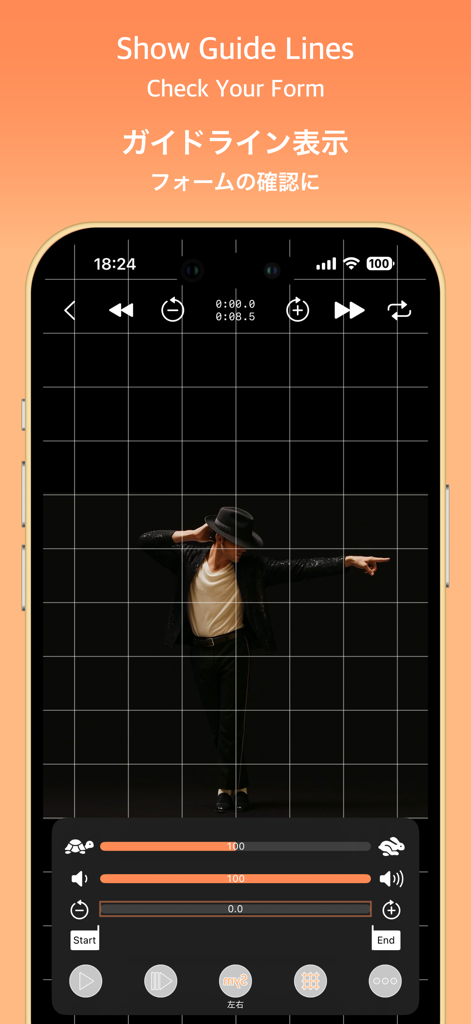
SymPlayer - Master Movement - - SymPlayer app screenshot showing grid lines overlay on a dancer for posture and movement analysis

SymPlayer app screenshot showing grid lines overlay on a dancer for posture and movement analysis
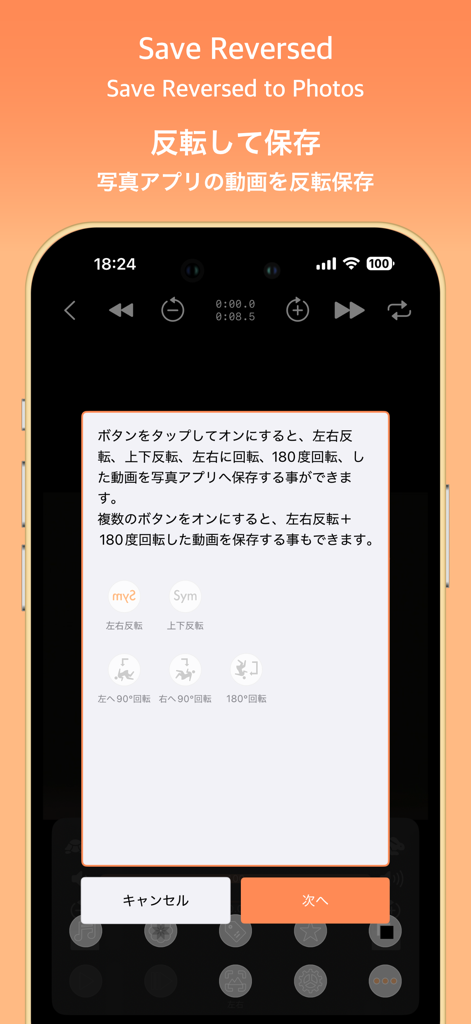
SymPlayer - Master Movement - - SymPlayer app interface showing video flip and rotation options for saving to photos
SymPlayer app interface showing video flip and rotation options for saving to photos

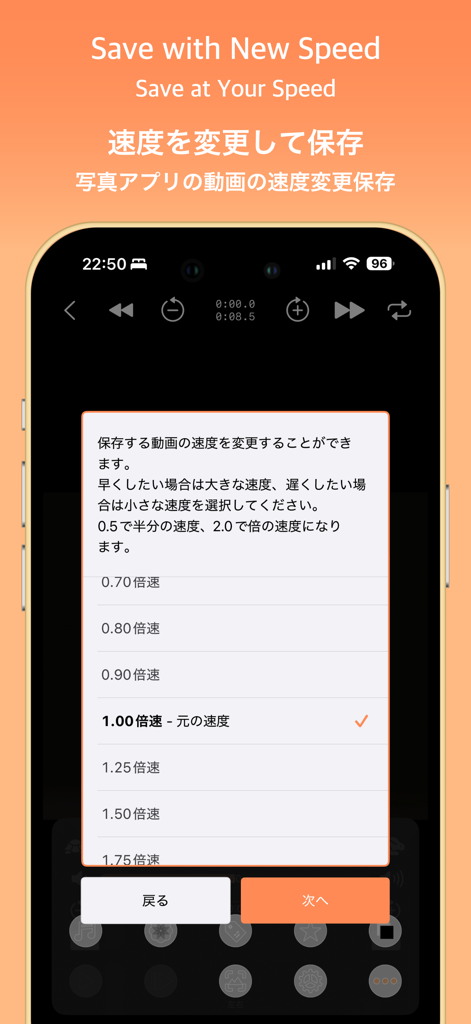
SymPlayer - Master Movement - - SymPlayer mobile app screen showing options to change and save video playback speed
SymPlayer mobile app screen showing options to change and save video playback speed

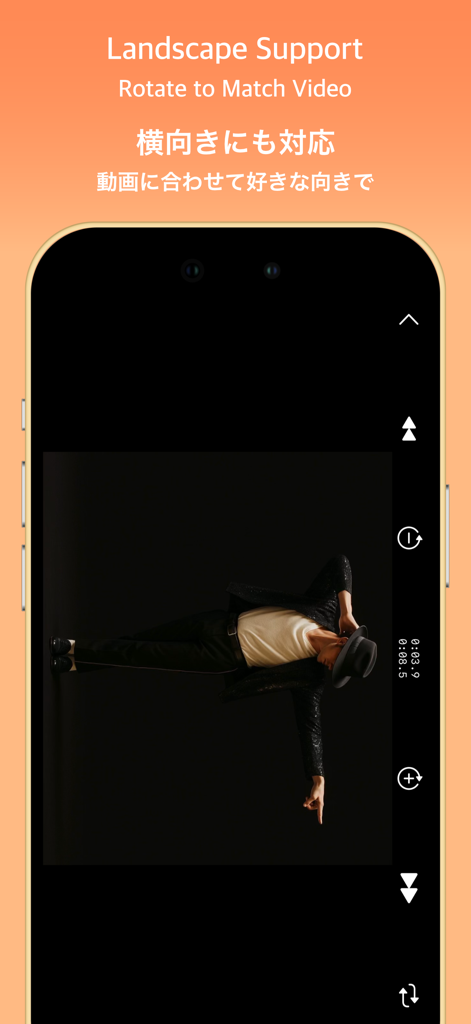
SymPlayer - Master Movement - - SymPlayer app demonstrating landscape video support and rotation for dance practice
SymPlayer app demonstrating landscape video support and rotation for dance practice

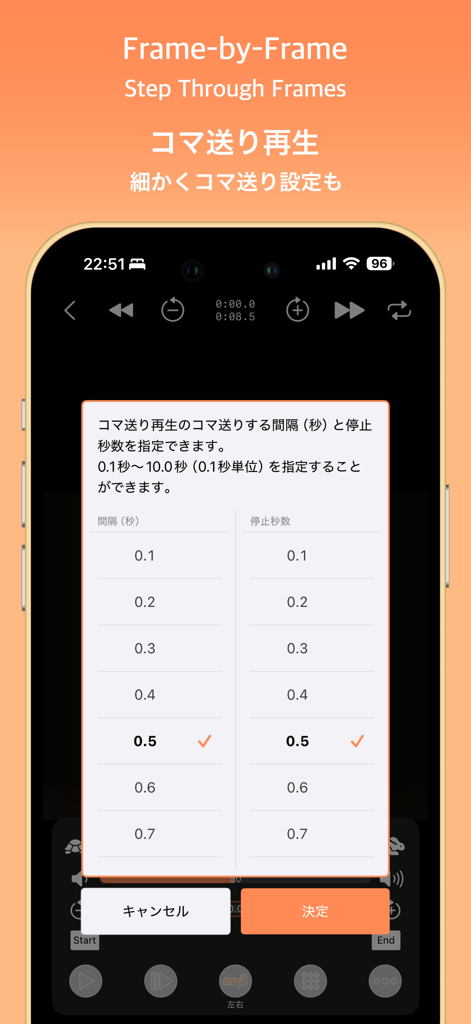
SymPlayer - Master Movement - - A smartphone screen showing the SymPlayer app with a frame by frame playback settings menu.
A smartphone screen showing the SymPlayer app with a frame by frame playback settings menu.

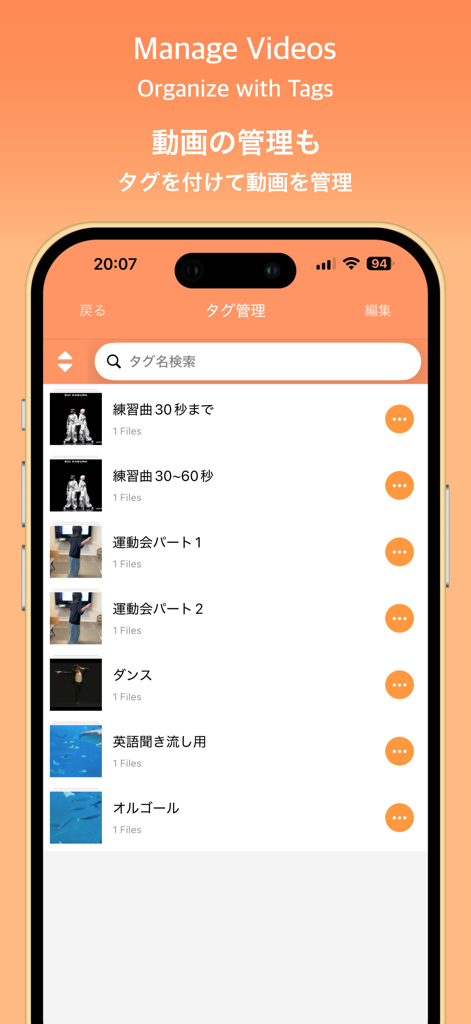
SymPlayer - Master Movement - - Interface of the SymPlayer app showing a list of videos organized by custom tags.
Interface of the SymPlayer app showing a list of videos organized by custom tags.

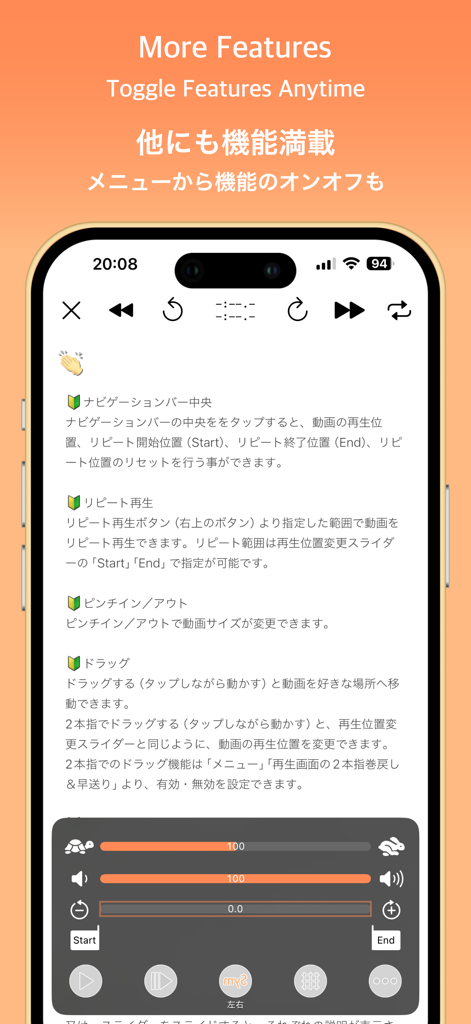
SymPlayer - Master Movement - - SymPlayer app interface showing video playback controls for speed adjustment and looping

SymPlayer app interface showing video playback controls for speed adjustment and looping

Description

Master Professional Moves with Mirrored Playback! This app lets you play videos flipped left-to-right, making it easier to mimic movements without getting confused about direction. Just follow what you see as if looking in a mirror! You can also flip or rotate videos from your camera roll and save them as new files. Perfect for people who: - Need to learn idol group dances for a wedding or performance - Want to copy professional dance moves - Want to study a pro athlete’s form (like pitching) This app is made for anyone who wants to learn by watching and repeating. Give it a try — it’s free! [Features] ■ Adjustable Playback Speed Freely change video speed — slow motion or double speed are both supported. You can also adjust speed in 5-step increments, as requested by users. Perfect for dance practice, form checks, and more. Caution: Due to iOS limitations, available speeds are limited to 0.5, 0.666..., 0.8, 1.0, 1.25, 1.5, and 2.0. SymPlayer’s speed display is approximate and for reference only. ■ Loop Specific Ranges Set custom start and end points to loop only the section you want to repeat. Ideal for practicing tricky parts like guitar fingering or a swing. ■ Show/Hide Guide Lines Display vertical and horizontal guides over the video. Useful for checking positions in formation dances or comparing symmetry. ■ Zoom & Fit Screen Pinch to zoom in/out. Double-tap to fit the video to your screen. Watch movements in detail or full view — your choice. ■ Play from Google Drive & Dropbox Play videos stored in Google Drive or Dropbox. Mark favorites for offline playback (requires ad viewing). You can also play from a shared video URL. Note: Long videos may take time to load. A shared link is required for access. ■ Tag Your Videos Organize your videos with tags. You can assign multiple tags to a single video for better group management. [About in-app purchases] Please read before purchasing in-app purchases. After purchase, no matter what reason, refund can not be canceled. If you purchase, please confirm the above contents and purchase only if agreed. [About purchasing automatic subscription] As with music players, sound will be able to play even in the background. Also, all ads will be removed during the automatic subscription period. When purchasing, please confirm the following "Terms of service" and "Privacy policy" and purchase only if you agree. Terms of service) https://faboll.tattin.com/terms/symplayer/terms.html Privacy policy) https://faboll.tattin.com/terms/symplayer/privacy.html [Duration and amount of automatic subscription] - Extension 1 month ¥100(JPY) - Extension 3 month ¥280(JPY) - Extension 12 months ¥1000(JPY) [About auto-renewable] Subscription automatically renews unless auto-renew is turned off at least 24-hours before the end of the current period. Account will be charged for renewal within 24-hours prior to the end of the current period, and identify the cost of the renewal. Payment will be charged to iTunes Account at confirmation of purchase. Subscriptions may be managed by the user and auto-renewal may be turned off by going to the user's Account Settings after purchase. Any unused portion of a free trial period, if offered, will be forfeited when the user purchases a subscription to that publication, where applicable. [About the Dance Video] The dance video featured in the App Store preview was graciously provided by SUI Kagura. SUI Kagura — A Super Synchronized Dance Duo with Sincerity to Music — Formed in 2022 by choreographer Upolu and former idol Sayakichi Hanashiro, SUI Kagura is dedicated to their motto: “Sincere to the music.” They create performances that amplify sound and lyrics, shared seamlessly through stage and video. https://www.dignitive.jp/suikagura

Download

Download on App Store

This page is not an official page of the app or its developer, but an independent editorial publication created for informational and commentary purposes. Unless expressly stated otherwise, neither the app nor its developer is affiliated with, endorsed by, sponsored by, authorized by, or otherwise officially connected with MWM, Apple, Google Play, the app publisher, or the app's developer, and nothing on this page implies that the app was developed using MWM's services. Any trademarks, logos, screenshots, and other content remain the property of their respective owners.








