System Activity Monitors
Download on App Store

This page is not an official page of the app or its developer, but an independent editorial publication created for informational and commentary purposes. Unless expressly stated otherwise, neither the app nor its developer is affiliated with, endorsed by, sponsored by, authorized by, or otherwise officially connected with MWM, Apple, Google Play, the app publisher, or the app's developer, and nothing on this page implies that the app was developed using MWM's services. Any trademarks, logos, screenshots, and other content remain the property of their respective owners.

Logo of System Activity Monitors
Download on App Store

System Activity Monitors

Take full control of your device with real-time insights. Monitor memory reclamation, optimize battery longevity, and access deep hardware specs through a professional-grade interface designed for power users.

Key Figures

Downloads

182K+

User Rating

4.2/5

Total Ratings

1K+

Publisher

Tekton Technologies (P) Ltd.

Category

Productivity

Locales

1

Latest Version

4.0.9

Size

28.2 MB

First Released

Nov 1, 2010
Features

Professional-Grade System Visibility

Stop guessing why your device feels slow. System Activity Monitors provides the transparency you need to optimize performance, monitor battery health, and master your hardware.

Real-Time Memory Tracking

Visualize RAM usage with our signature speedometer animation. Identify resource-heavy background apps and reclaim memory to keep your device running at peak performance.

Precision Battery Analytics

Go beyond a simple percentage. Get detailed breakdowns of remaining time for gaming, browsing, and video, plus expert tips to extend your hardware’s long-term lifespan.

The following screenshots and description are sourced directly from the app's official store listing and are the property of the app developer.

App Store

Screenshots
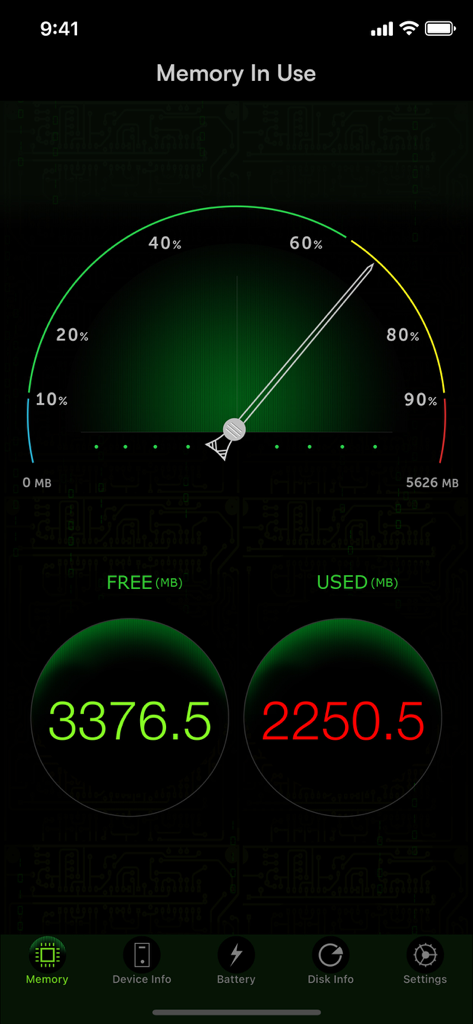
System Activity Monitors - System Activity Monitors app displaying real-time memory usage with a speedometer gauge and detailed RAM statistics.
System Activity Monitors app displaying real-time memory usage with a speedometer gauge and detailed RAM statistics.

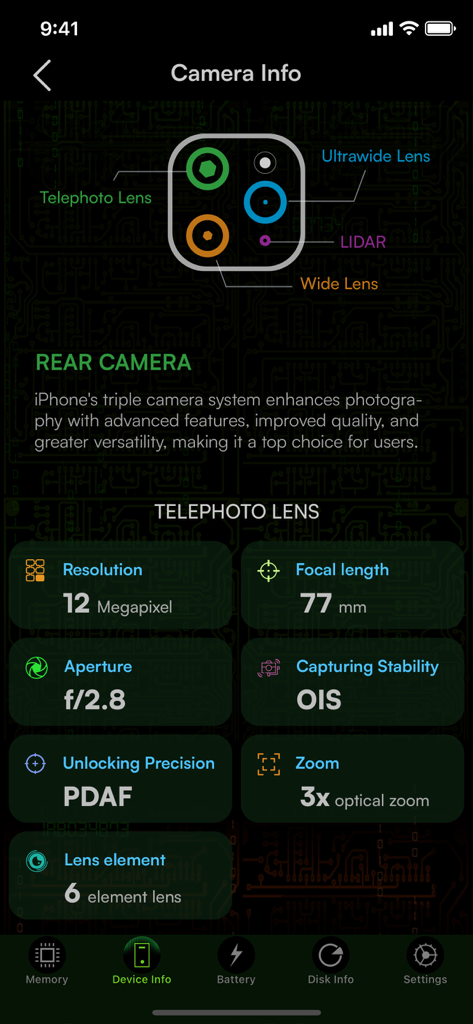
System Activity Monitors - Detailed technical hardware specifications for the iPhone telephoto lens including resolution focal length and aperture information.
Detailed technical hardware specifications for the iPhone telephoto lens including resolution focal length and aperture information.

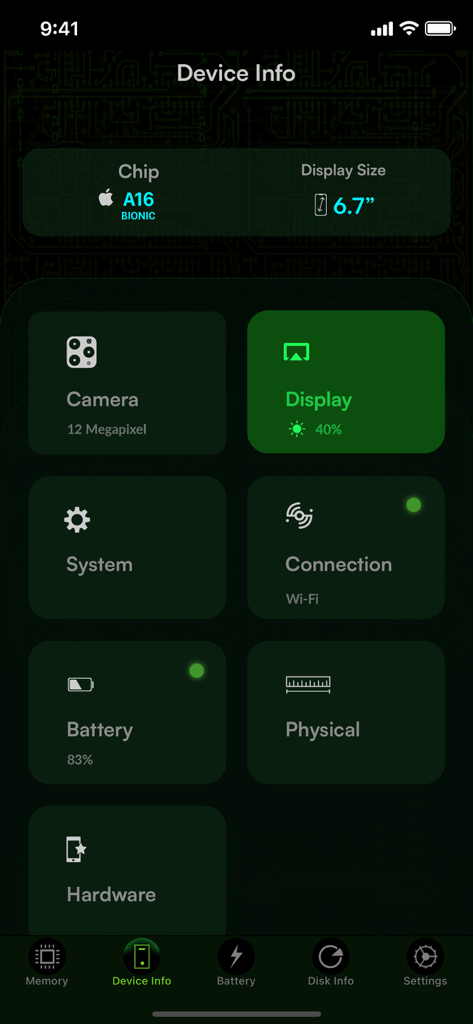
System Activity Monitors - Dashboard showing iPhone device information including chip specs display size and battery status
Dashboard showing iPhone device information including chip specs display size and battery status

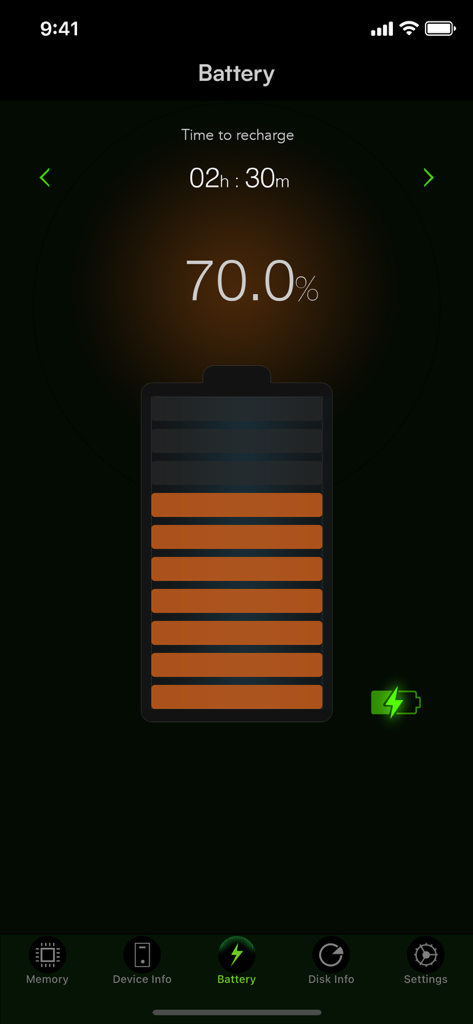
System Activity Monitors - System Activity Monitors battery interface showing seventy percent charge and estimated recharge time
System Activity Monitors battery interface showing seventy percent charge and estimated recharge time

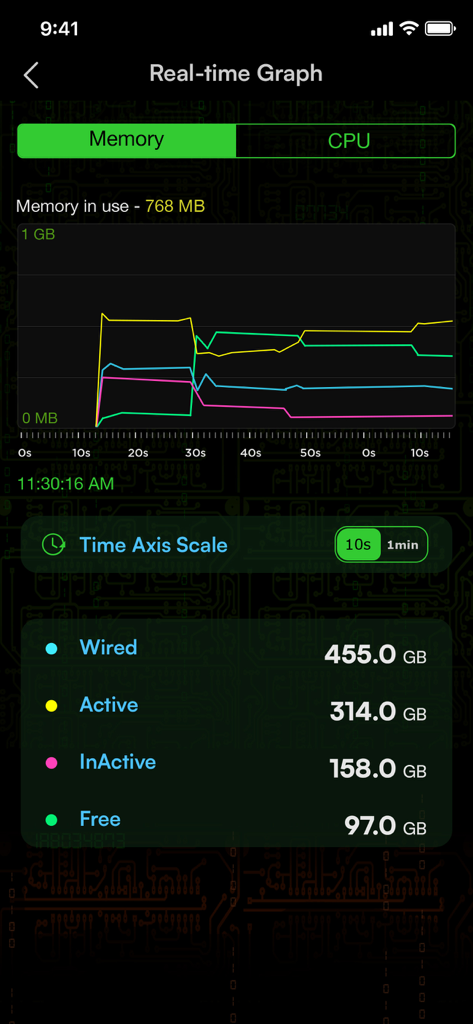
System Activity Monitors - A real-time memory usage graph in the System Activity Monitors app showing wired active inactive and free memory statistics.
A real-time memory usage graph in the System Activity Monitors app showing wired active inactive and free memory statistics.

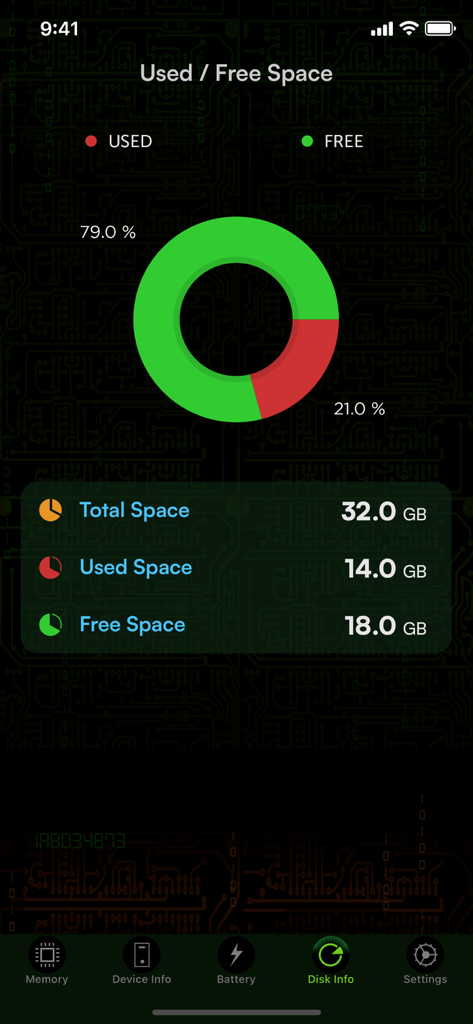
System Activity Monitors - Disk usage dashboard showing free and used storage space with a donut chart

Disk usage dashboard showing free and used storage space with a donut chart

Description

The System Activity Monitor stands out as the most inclusive health check application available on the App Store. It diligently tracks memory usage, battery performance, device details such as IP address and hardware address, provides battery tips, furnishes comprehensive system information, and indicates used space on your iOS device. Now, it comes with enhanced camera information, offering detailed insights into your iPhone camera system, covering telephoto, wide, and ultra-wide lenses. This app serves as a precise tool to monitor battery life, delivering timely tips that maximize your battery usage for an optimal and prolonged battery life. KEY FEATURES: 1. Battery tips are shown to help save battery life while using the iPhone. 2. Tap battery to see the battery capacity for your favorite apps. 3. Shows the used and free space on your iPhone/iPod. 4. Shows the IP address acquired, and hardware address of your device. 5. Displays a long list of device information, like physical specs, hardware info, and many more. These are the different views on the App. Memory view: Shows the used and free iPhone memory available as used by other apps. This is shown in an excellent speedometer animation view. Close out the other apps, and see the memory being reclaimed in this app, when the speedometer shows the free memory available increase. This has an LED indicator with blue, green, yellow and red colors indicating the amount of memory being used. Battery view: This view shows the battery available for discharge, how much time to recharge to make it full, and when it is charged to FULL, displays an indication, as "FULLY CHARGED", as opposed to quick charge. It has glow panels on the top to let you know, how much battery is available. Tap the battery on the fill, to show the detailed break up of battery availability for 3G talk time, browsing, videos, games etc. Animated battery charging with current flashes inside the battery. Space used view: This is shown as a pie-chart that presents the used and free space available on your iOS device. Info view: Now it shows a lot more device information, like system information, camera information, display, hardware and physical characteristics. It shows whether you device is connected to Wi-Fi or cellular and its IP address. ## Few of our user TESTIMONIALS ## $ Way cool This is a terrific system tracker. - Macquest $ Definitely get this App.! Love the cool dashboard. Tells you what's going on in the Apple brain in your iPad or iPhone. This App rules. - Battyguy $ Simple App ! Great tool! Helps to keep your standby time ridiculously long and device running smoothly. - Spader1969. $ I have tried many products like this one and so far I keep coming back to this one. - Markeith3000 Subscription Info Sysmon, our paid subscription product, is paid per year for annual subscriptions, per month for monthly subscriptions, and per week for weekly subscriptions. Payment will be charged to iTunes Account at confirmation of purchase. Subscription automatically renews unless auto-renew is turned off at least 24 hours before the end of the current period. Account will be charged for renewal within 24 hours prior to the end of the current period an annual subscription, monthly subscription, and weekly subscription, as the case may be. Subscriptions may be managed by the user and auto-renewal may be turned off by going to the user's Account Settings after purchase Any unused portion of a free trial period, if offered, will be forfeited when the user purchases a subscription, where applicable.” Privacy policy and terms of use https://tektontek.com/termsofuse.php STAY UPDATED - Website - https://sysmon.tektontek.com Twitter - @AppLifeStyle Facebook - facebook.com/tektontek

Download

Download on App Store

This page is not an official page of the app or its developer, but an independent editorial publication created for informational and commentary purposes. Unless expressly stated otherwise, neither the app nor its developer is affiliated with, endorsed by, sponsored by, authorized by, or otherwise officially connected with MWM, Apple, Google Play, the app publisher, or the app's developer, and nothing on this page implies that the app was developed using MWM's services. Any trademarks, logos, screenshots, and other content remain the property of their respective owners.








