TapShift - Shift manager
Download on App Store

This page is not an official page of the app or its developer, but an independent editorial publication created for informational and commentary purposes. Unless expressly stated otherwise, neither the app nor its developer is affiliated with, endorsed by, sponsored by, authorized by, or otherwise officially connected with MWM, Apple, Google Play, the app publisher, or the app's developer, and nothing on this page implies that the app was developed using MWM's services. Any trademarks, logos, screenshots, and other content remain the property of their respective owners.


Logo of TapShift - Shift manager
Download on App Store

TapShift - Shift manager

Stop struggling with paper and clunky Excel sheets. TapShift is the intuitive, mobile-first solution for small business owners to create visual schedules, automate payroll calculations, and text shifts to their team in minutes.

Key Figures

Downloads

13K+

User Rating

4.3/5

Total Ratings

500

Publisher

Kazumasa Shimomura

Category

Productivity

Locales

5

Latest Version

1.26.0

Size

23.2 MB

First Released

Nov 21, 2020
Features

Master Your Schedule Without the Stress

Stop wasting hours on spreadsheets and manual math. TapShift gives small business owners a professional, mobile-first toolkit to handle scheduling and payroll in minutes.

Visual Tap-to-Shift Calendar

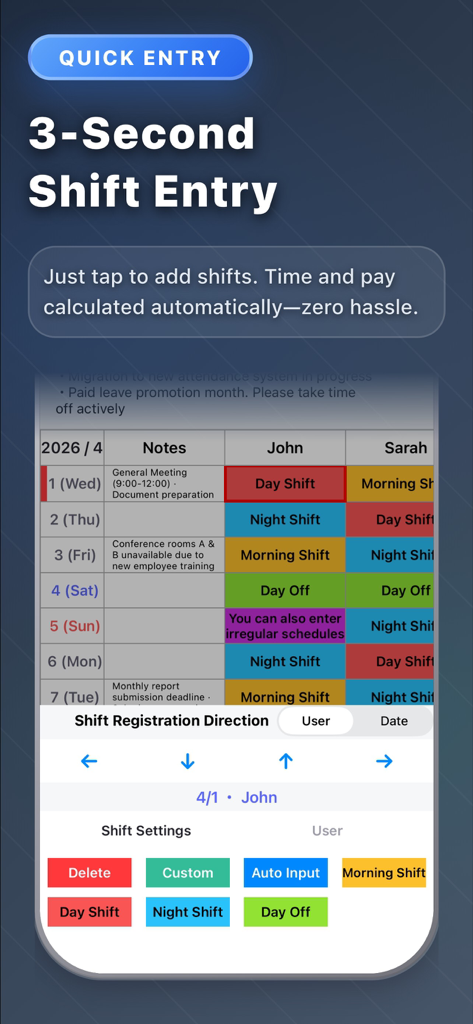
Build your entire week in minutes. Use color-coded templates to organize roles and staff members with a simple tap, keeping your floor coverage clear and organized.

Automated Payroll Logic

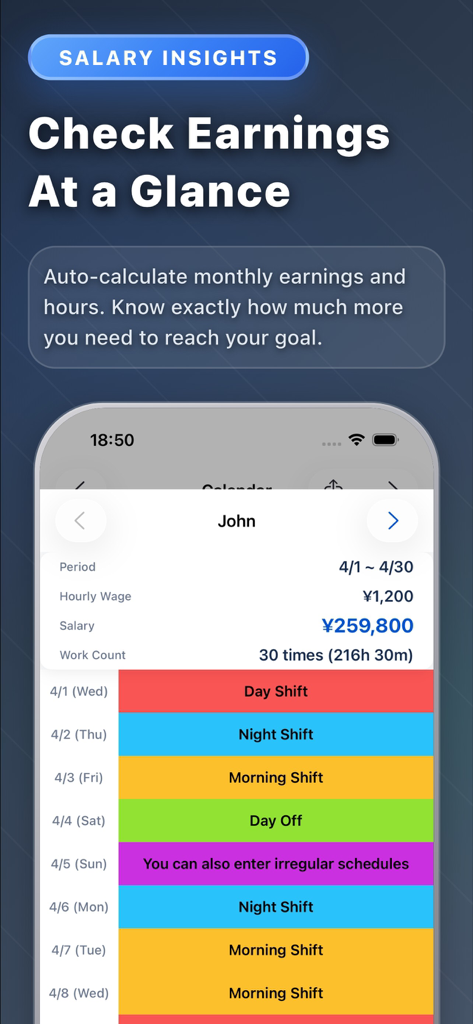
Let the app do the math for you. As you assign shifts, TapShift automatically calculates total work hours and monthly wages for every team member based on their hourly rate.

The following screenshots and description are sourced directly from the app's official store listing and are the property of the app developer.

App Store

Screenshots
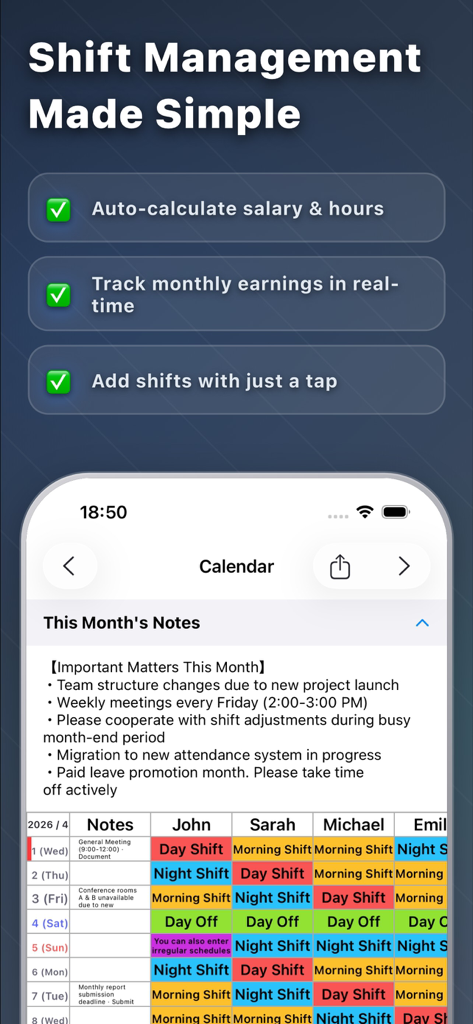
TapShift - Shift manager - TapShift app screenshot showing shift management features and a color coded staff schedule calendar with auto payroll calculation
TapShift app screenshot showing shift management features and a color coded staff schedule calendar with auto payroll calculation

TapShift - Shift manager - Mobile interface of TapShift app featuring a color-coded shift schedule and a quick entry tool for managing employee work hours.
Mobile interface of TapShift app featuring a color-coded shift schedule and a quick entry tool for managing employee work hours.

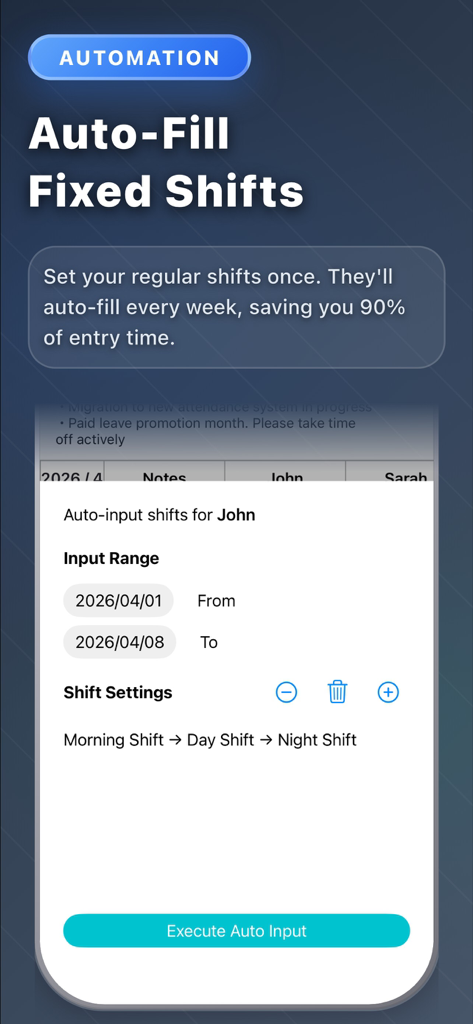
TapShift - Shift manager - TapShift app screen showing the auto-fill fixed shifts feature for employee scheduling
TapShift app screen showing the auto-fill fixed shifts feature for employee scheduling

TapShift - Shift manager - A mobile dashboard showing monthly earnings calculations and color coded shift schedules for employees
A mobile dashboard showing monthly earnings calculations and color coded shift schedules for employees

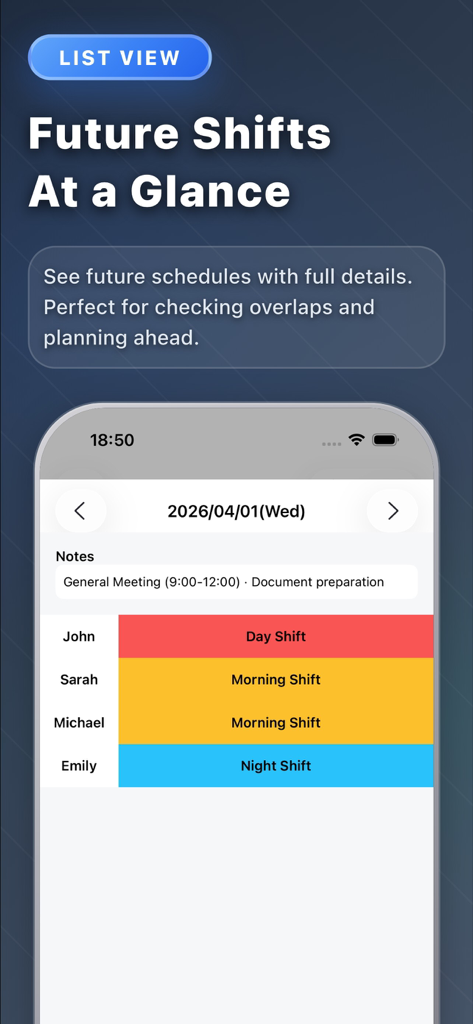
TapShift - Shift manager - TapShift app interface showing a color-coded daily shift list for staff members including notes for a general meeting.
TapShift app interface showing a color-coded daily shift list for staff members including notes for a general meeting.

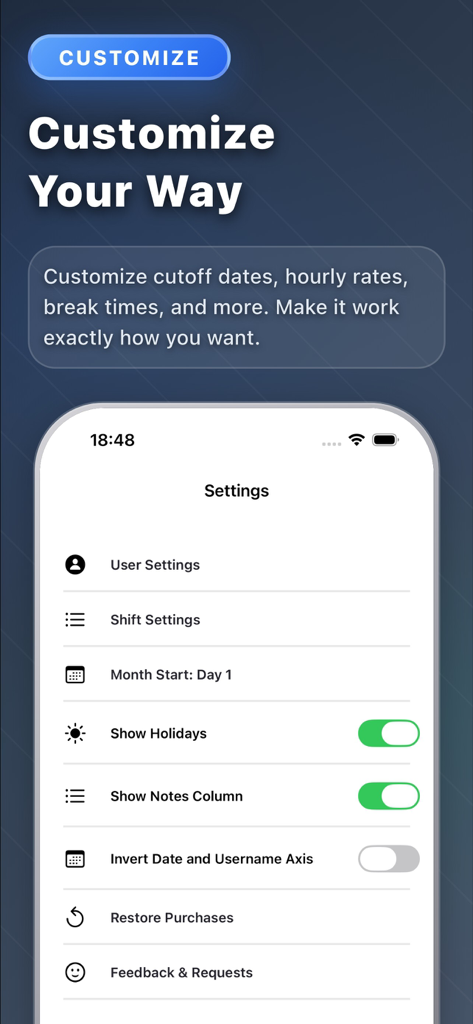
TapShift - Shift manager - TapShift app settings screen showing customization options for shift schedules and display preferences.
TapShift app settings screen showing customization options for shift schedules and display preferences.

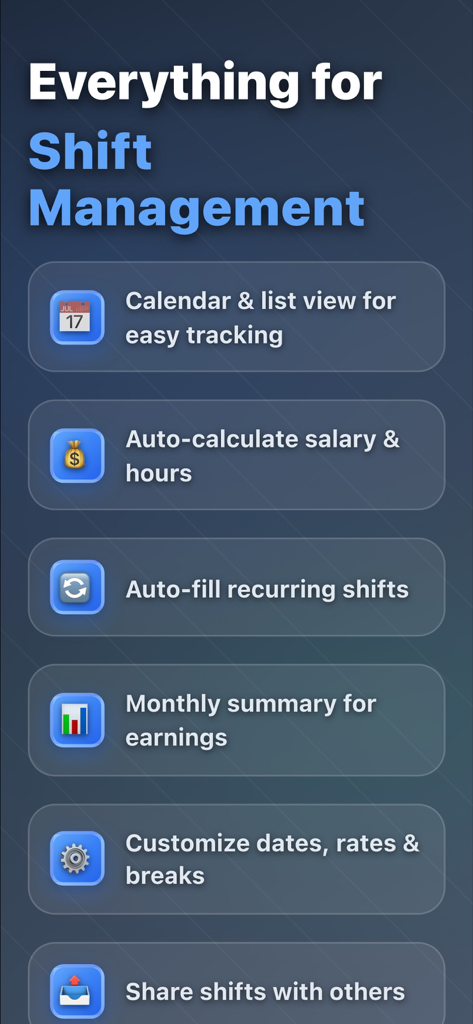
TapShift - Shift manager - A list of key features for TapShift shift manager including scheduling payroll calculation and shift sharing

A list of key features for TapShift shift manager including scheduling payroll calculation and shift sharing

Description

Still managing shifts with paper or Excel? Spending hours every month creating schedules, calculating payroll, and dealing with last-minute changes? TapShift solves these problems. From shift scheduling to payroll calculation, everything is done on your iPhone. 【KEY FEATURES】 ■ Calendar-Style Shift Schedule Create shifts intuitively with just a tap. Select a shift template, assign staff, and choose dates. Color-coded display makes it easy to see who works when at a glance. ■ Shift List View View shifts by date in a list format. Details that are hard to see in calendar view are displayed clearly. Add, edit, and delete shifts easily from this screen. ■ Staff Management Register staff with names and hourly rates. Assign colors to each staff member to quickly identify them on the shift calendar. Hourly rates automatically reflect in payroll calculations. ■ Monthly Summary & Payroll Calculation Automatically calculate monthly work hours and wages for each staff member. Instantly see "How many hours this month?" and "How much is the salary?" ■ Save & Reuse Shift Settings Register frequently used shifts (name, color, work hours) for unlimited reuse. Once configured, just tap to input shifts next time. ■ Auto-Fill by Day of Week For recurring weekly shift patterns, set shifts by day of week for bulk auto-fill. Complete a month's schedule in seconds. ■ Shift Copy Function Copy past shift patterns to different periods. Useful when "I want next week same as last week" or "use last month's shifts as a base for this month." ■ Export & Share Shifts Export shift schedules as PDF or JPEG images. Print for store display or share via email and messaging apps with staff. ■ Note Function Record monthly memos and date-specific notes. Keep reminders like "Busy season on X day" or "Event on Y day" to help with shift adjustments. 【BENEFITS OF TAPSHIFT】 ■ Drastically Reduce Shift Creation Time Tasks that took 1 hour with handwriting or Excel now take just minutes. ■ Automated Payroll Calculation Automatic calculation from work hours and hourly rates. No calculator needed. ■ Check & Edit Anytime, Anywhere With your iPhone, handle urgent changes even when out of the office. ■ Visually Clear Color-coded display makes shift balance obvious at a glance. ■ All Data Stored on Device No cloud sync required. Use with confidence while protecting privacy. 【PRICING PLANS】 ■ Free Version • Shift registration: Up to 50 entries • Staff registration: Up to 3 people • All basic features available ■ Premium Version (Subscription) • Shift registration: Unlimited • Staff registration: Unlimited • Ad-free • 2-month free trial included 【IDEAL FOR】 • Restaurant, cafe, convenience store, retail store managers • Those coordinating part-time and hourly worker shifts • Cram schools, event management staff coordinators • Those managing shifts across multiple sites or projects • Those wanting to reduce shift creation time • Those wanting easier payroll calculation 【FAQ】 Q. Is my data safe? A. All data is stored on your device. No external server transmission. Q. Can I manage shifts for multiple workplaces? A. Currently designed for one workplace, but you can manage by separating staff per workplace. Q. Can I share shifts with other staff? A. PDF and image export features allow sharing via email or messaging apps. Download TapShift now for smarter shift management. Share feedback anytime through the settings screen. We continuously improve based on user input.

Download

Download on App Store

This page is not an official page of the app or its developer, but an independent editorial publication created for informational and commentary purposes. Unless expressly stated otherwise, neither the app nor its developer is affiliated with, endorsed by, sponsored by, authorized by, or otherwise officially connected with MWM, Apple, Google Play, the app publisher, or the app's developer, and nothing on this page implies that the app was developed using MWM's services. Any trademarks, logos, screenshots, and other content remain the property of their respective owners.








