TaskForge - Obsidian Tasks
Download on App Store

This page is not an official page of the app or its developer, but an independent editorial publication created for informational and commentary purposes. Unless expressly stated otherwise, neither the app nor its developer is affiliated with, endorsed by, sponsored by, authorized by, or otherwise officially connected with MWM, Apple, Google Play, the app publisher, or the app's developer, and nothing on this page implies that the app was developed using MWM's services. Any trademarks, logos, screenshots, and other content remain the property of their respective owners.

Logo of TaskForge - Obsidian Tasks
Download on App Store

TaskForge - Obsidian Tasks

Bridge the gap between your vault and your iPhone. Get the push notifications and interactive widgets your Second Brain has been missing—privacy-first and fully Markdown-compatible.

Key Figures

Downloads

100

User Rating

4.6/5

Total Ratings

100

Publisher

Azhar Dewji

Category

Productivity

Locales

1

Latest Version

2.2.1

Size

60.4 MB

First Released

May 14, 2025
Features

Master Your Workflow on the Go

TaskForge bridges the gap between your Obsidian vault and your iPhone. Stay productive with native mobile performance, real-time alerts, and deep Markdown integration.

Actionable Notifications

Never miss a deadline again with native push alerts and interactive widgets that let you check off tasks directly from your Home Screen without opening the app.

Privacy-First Sync

Your data stays yours. TaskForge reads and writes directly to your local Markdown files using your existing sync solution, ensuring total data sovereignty.

The following screenshots and description are sourced directly from the app's official store listing and are the property of the app developer.

App Store

Screenshots
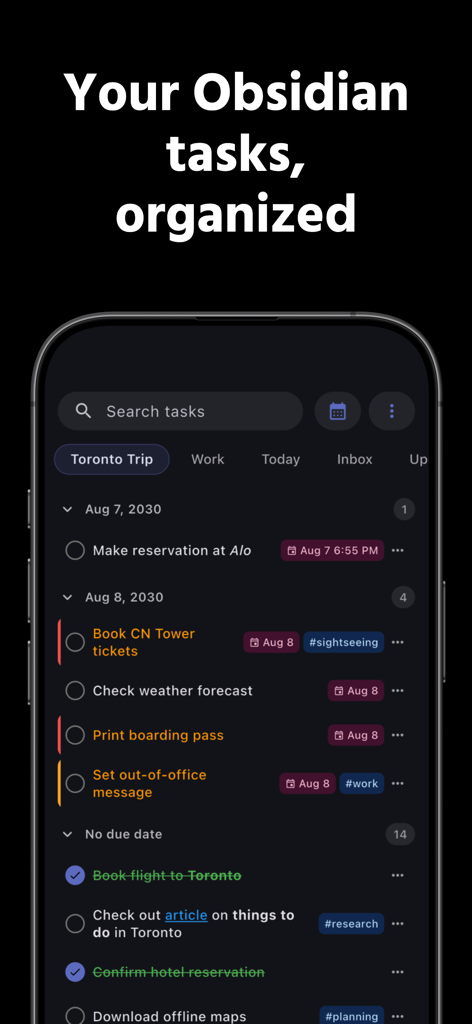
TaskForge - Obsidian Tasks - A screenshot of the TaskForge app showing a list of organized tasks with dates and tags
A screenshot of the TaskForge app showing a list of organized tasks with dates and tags

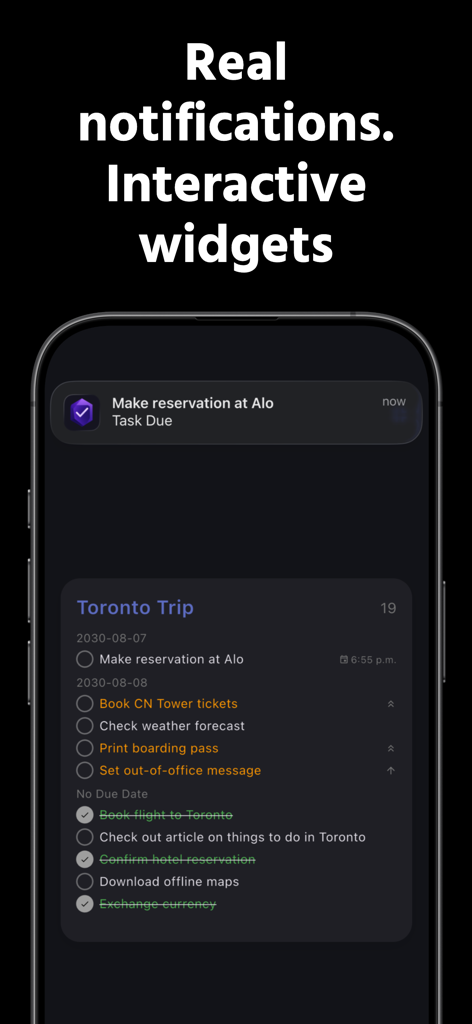
TaskForge - Obsidian Tasks - TaskForge app interface showing a task notification and an interactive home screen widget for obsidian tasks
TaskForge app interface showing a task notification and an interactive home screen widget for obsidian tasks

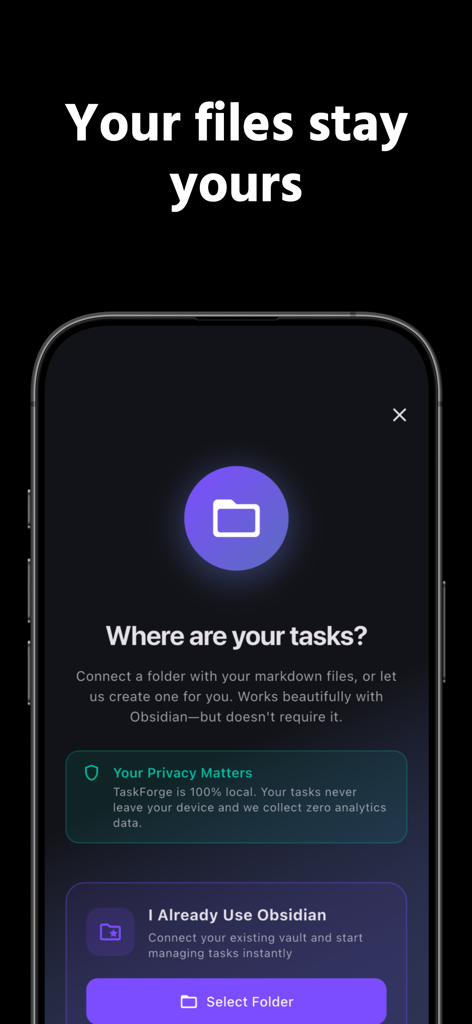
TaskForge - Obsidian Tasks - TaskForge setup screen emphasizing data privacy and local file control for Obsidian tasks

TaskForge setup screen emphasizing data privacy and local file control for Obsidian tasks
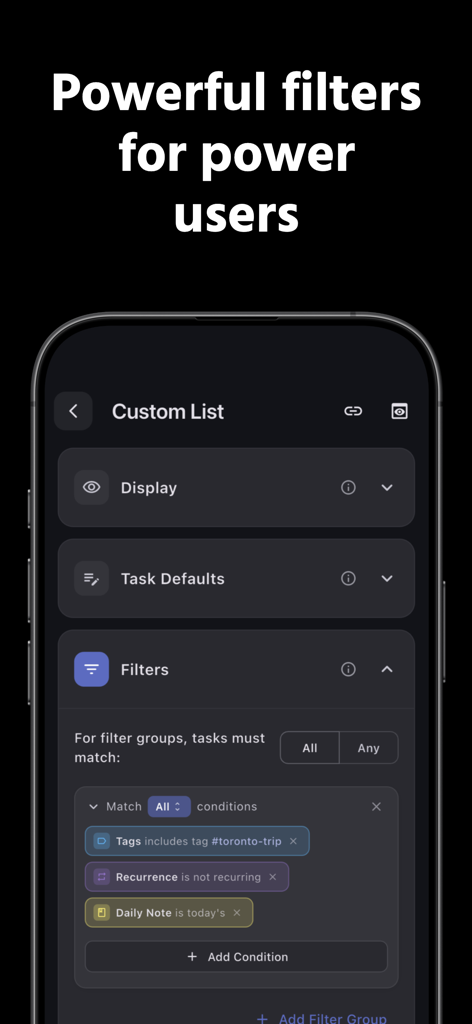
TaskForge - Obsidian Tasks - Screenshot of the TaskForge app showing advanced filtering options for organizing Obsidian tasks

Screenshot of the TaskForge app showing advanced filtering options for organizing Obsidian tasks
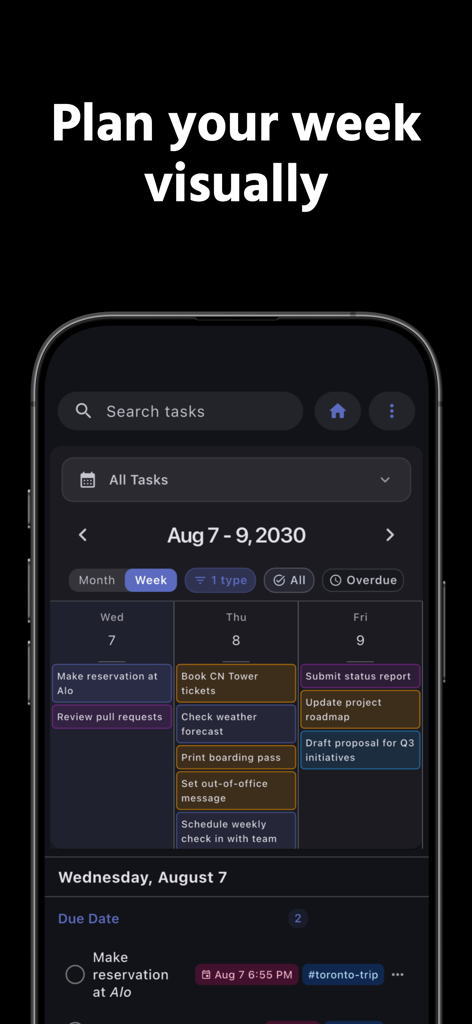
TaskForge - Obsidian Tasks - TaskForge mobile app displaying a weekly calendar view with color-coded tasks for visual planning.

TaskForge mobile app displaying a weekly calendar view with color-coded tasks for visual planning.
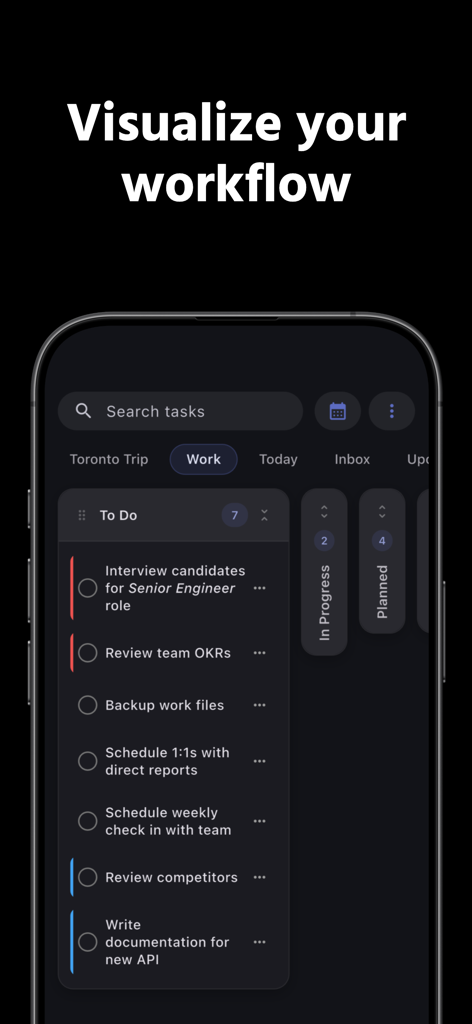
TaskForge - Obsidian Tasks - TaskForge mobile app interface showing a workflow view with professional tasks like interviewing candidates and reviewing OKRs
TaskForge mobile app interface showing a workflow view with professional tasks like interviewing candidates and reviewing OKRs

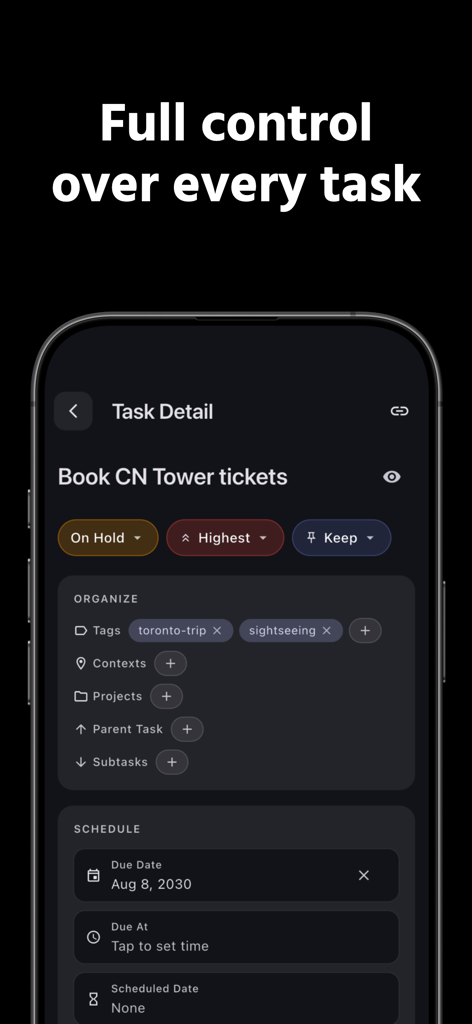
TaskForge - Obsidian Tasks - Mobile app interface showing detailed task management options including tags priority status and due dates

Mobile app interface showing detailed task management options including tags priority status and due dates

Description

See your Obsidian Tasks on your Home Screen and get real mobile notifications for due & scheduled work. TaskForge reads & writes Markdown tasks in your vault, is privacy-first, and fully compatible with common Tasks syntax. -------------------- KEY FEATURES -------------------- ◆ REAL NOTIFICATIONS Get push notifications for due and scheduled tasks. Set multiple reminders per task. Never miss a deadline again. ◆ HOME SCREEN WIDGETS See your tasks at a glance. Check them off without opening the app. Available on iPhone, iPad, and Mac. ◆ DEEP OBSIDIAN INTEGRATION Connect directly to your vault and manage tasks within your notes with real-time sync. Works with the Obsidian Tasks plugin format you already use. ◆ TASKNOTES PLUGIN SUPPORT Automatic import of TaskNotes settings, custom field mapping, and support for YAML frontmatter format. ◆ POWERFUL ORGANIZATION Custom lists, tags, due dates with time, priorities, recurring tasks, and multiple reminders per task. ◆ CALENDAR & KANBAN VIEWS Visualize your tasks by date or status. Drag and drop to reschedule or change status. Weekly and monthly views included. ◆ ADVANCED SEARCH & FILTERING Quickly find tasks with comprehensive search and multi-condition filtering across your entire vault. ◆ MARKDOWN-POWERED Create and edit tasks using familiar markdown syntax. Natural language parsing for fast task creation. ◆ WIDGETS & CROSS-PLATFORM SYNC Access tasks and your settings on iPhone, iPad, and Mac with iCloud sync. ◆ TASK ARCHIVE Archive completed tasks instead of deleting them. -------------------- PRIVACY & COMPATIBILITY -------------------- • No data collected; works offline after setup • Works alongside your sync solution (iCloud Drive, Dropbox, etc.) • Your files remain plain-text Markdown and fully portable • Not affiliated with or endorsed by Obsidian.md Whether you're an Obsidian power user or managing personal projects, TaskForge provides the tools you need to stay organized and productive. -------------------- TASKFORGE PREMIUM -------------------- Upgrade to TaskForge Premium to unlock advanced features including push notifications, home screen widgets, unlimited custom task lists, calendar navigation, kanban boards, and enhanced productivity tools. Premium Options: • Monthly Subscription (includes 7-day free trial) • Lifetime Purchase (one-time, forever) Monthly subscriptions automatically renew unless canceled at least 24 hours before the current period ends. Manage your subscription in your Apple ID settings. Terms of Use: https://www.apple.com/legal/internet-services/itunes/dev/stdeula/

Download

Download on App Store

This page is not an official page of the app or its developer, but an independent editorial publication created for informational and commentary purposes. Unless expressly stated otherwise, neither the app nor its developer is affiliated with, endorsed by, sponsored by, authorized by, or otherwise officially connected with MWM, Apple, Google Play, the app publisher, or the app's developer, and nothing on this page implies that the app was developed using MWM's services. Any trademarks, logos, screenshots, and other content remain the property of their respective owners.








