
This page is not an official page of the app or its developer, but an independent editorial publication created for informational and commentary purposes. Unless expressly stated otherwise, neither the app nor its developer is affiliated with, endorsed by, sponsored by, authorized by, or otherwise officially connected with MWM, Apple, Google Play, the app publisher, or the app's developer, and nothing on this page implies that the app was developed using MWM's services. Any trademarks, logos, screenshots, and other content remain the property of their respective owners.


Tezza: Aesthetic Photo Editor
It stamps every image with a signature aesthetic. This editor offers the power to instantly curate a distinct, trend-setting visual brand.
Downloads
25M+User Rating
Total Ratings
115.2KPublisher
Category
Photo & VideoLocales
2Latest Version
8.17.5Size
472.8 MBFirst Released
Jul 7, 2018Tezza: Key Feature Analysis for Aesthetic Content Creation
An evaluation of core functionalities empowering visually-driven social media users to achieve a polished online presence.
Vintage-Inspired Effects
This tool features unique, vintage-inspired effects to add distinct character and nostalgic charm to visual content.
Curated Presets
The app provides a diverse collection of over 40 on-trend presets, allowing for quick and effortless aesthetic transformation of photos and videos.
Feed Planner
It allows users to visually plan and arrange their social media feeds using a drag-and-drop interface, ensuring a cohesive and aesthetic online presence.
Story Templates
This tool offers over 150 pre-designed templates for stories, simplifying content creation and helping users maintain brand consistency.
Artistic Overlays
The app provides a variety of overlays to add artistic textures and dimensions, enhancing the visual depth and uniqueness of images.
Batch Editing
It allows users to efficiently apply a consistent edit across multiple photos and videos, streamlining the workflow and maintaining visual uniformity.
Frequently Asked Questions
Everything you need to know about Tezza: Aesthetic Photo Editor
What is the Tezza app?
The Tezza app is a photo and video editing application co-founded by creators, offering a one-stop shop for creating aesthetic content. It provides various tools like presets, effects, templates, and adjustments for users.
Does the Tezza app offer photo and video presets?
Yes, the Tezza app provides over 40 presets for both photos and videos, crafted by its founder. These range in style, including vintage, dark, minimal, and bright aesthetics, to easily enhance content.
What types of effects are available in the Tezza app?
The Tezza app offers vintage-inspired effects like Stop Motion, Subtitles, and retro film Frames such as Super 8, VHS, 8mm, Kodak, and VCR. These effects help set content apart.
Can users create stories with templates in the Tezza app?
Yes, the Tezza app provides over 150 word-class story templates, including film, editorial, and Y2K styles. Users can add text and change template colors to fit their brand.
Does the Tezza app include a feed planner?
Yes, the Tezza app features a drag-and-drop feed planner for curating content. It also supports adding and managing multiple accounts, helping users organize their aesthetic.
How much does a Tezza Pro subscription cost?
A Tezza Pro subscription costs $6.99 per month or $39.99 per year. This subscription provides access to all current and future features, filters, and editing tools within the app.
What is the price for Tezza Luxe?
A Tezza Luxe subscription costs $9.99 per month or $59.99 per year. Subscribers gain access to all existing and upcoming features, filters, effects, and guides available in the Tezza app.
How do Tezza app subscriptions work?
Tezza app subscriptions renew automatically through your iTunes Account unless turned off 24 hours before the current period ends. Users can manage subscriptions and auto-renewal in their account settings after purchase.
Can users apply the same edit to multiple photos in the Tezza app?
Yes, the Tezza app supports batch editing. Users can copy an exact edit from one photo or video and paste it onto as many other photos and videos as desired.
Does Tezza provide professional adjustment tools?
Yes, the Tezza app includes 14 professional adjustment tools. These include HSL, Blur, and Grain, which are popular for achieving an effortless film look in edits.
Where can I find the terms of use for the Tezza app?
The terms of use for the Tezza app are available on the website: https://www.shoptezza.com/pages/terms-of-use. This link provides detailed information on usage policies.
How can I contact support for the Tezza app?
Users can contact support for the Tezza app via email at help@bytezza.com. This address is for questions, concerns, feedback, or general inquiries.
The following screenshots and description are sourced directly from the app's official store listing and are the property of the app developer.
App Store
Screenshots

Classic Film Filters
Explore how this tool instantly applies vintage aesthetics using iconic film effects like Kodak Gold and Polaroid.
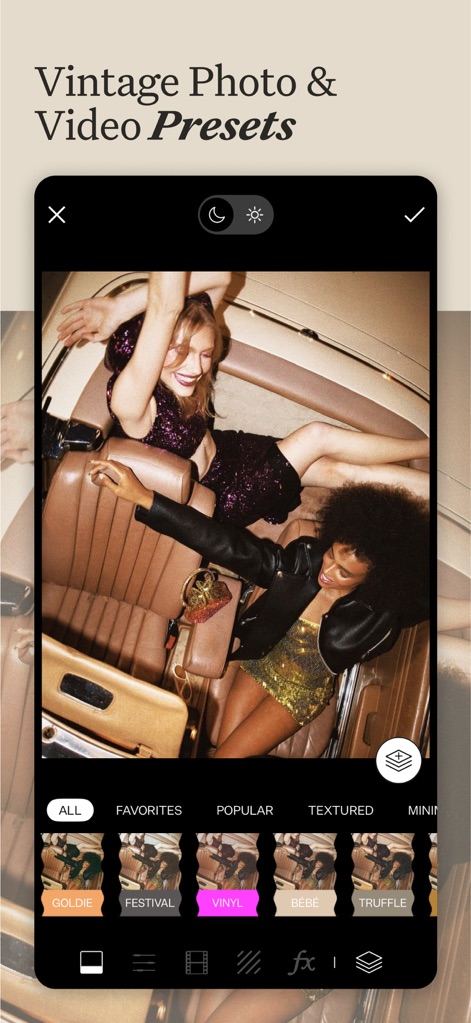
Curated Preset Collections
Discover how users can effortlessly apply unique vintage vibes to their content with various preset categories and options like 'Vinyl' and 'Goldie'.
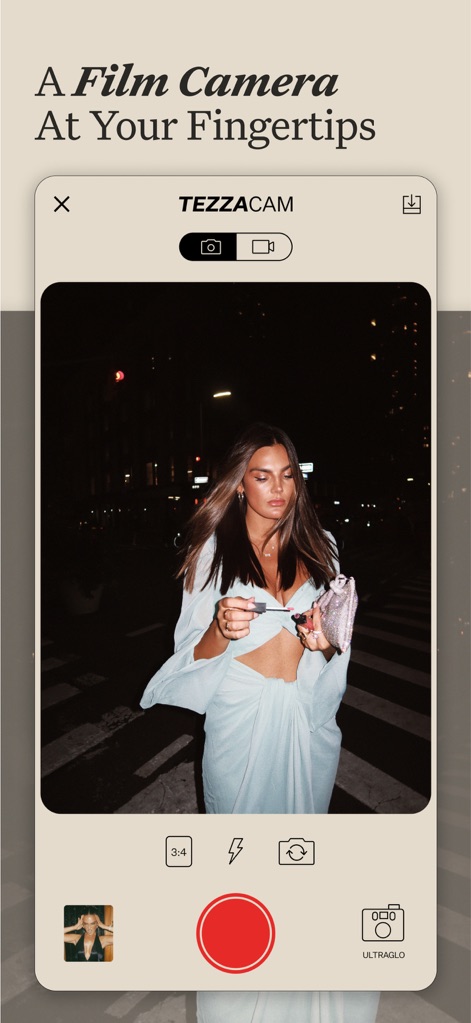
Integrated Camera Experience
Observe how the app offers a built-in camera with customizable aspect ratios and specialized features like 'TezzaCam' and 'Ultranglo' for authentic film-like captures.
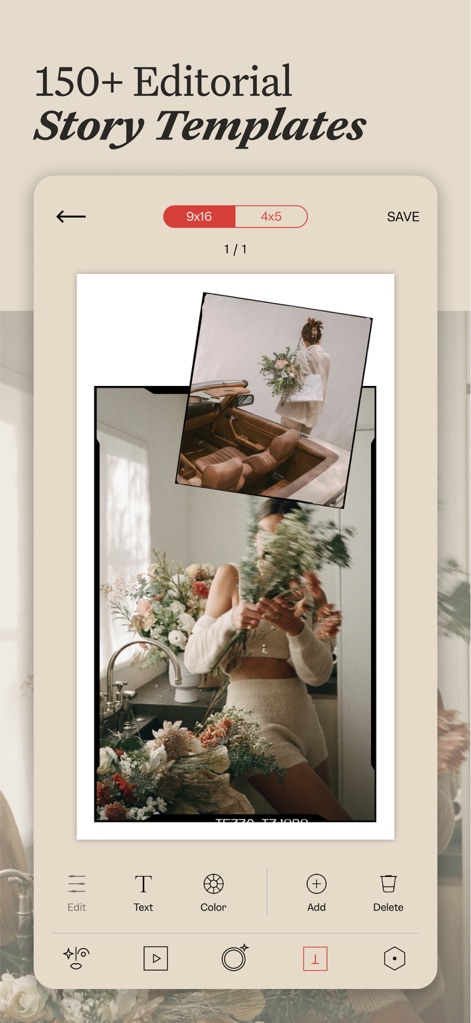
Dynamic Story Layouts
See how users can elevate their social media presence with 150+ editorial story templates, featuring customizable text and adaptable aspect ratios.
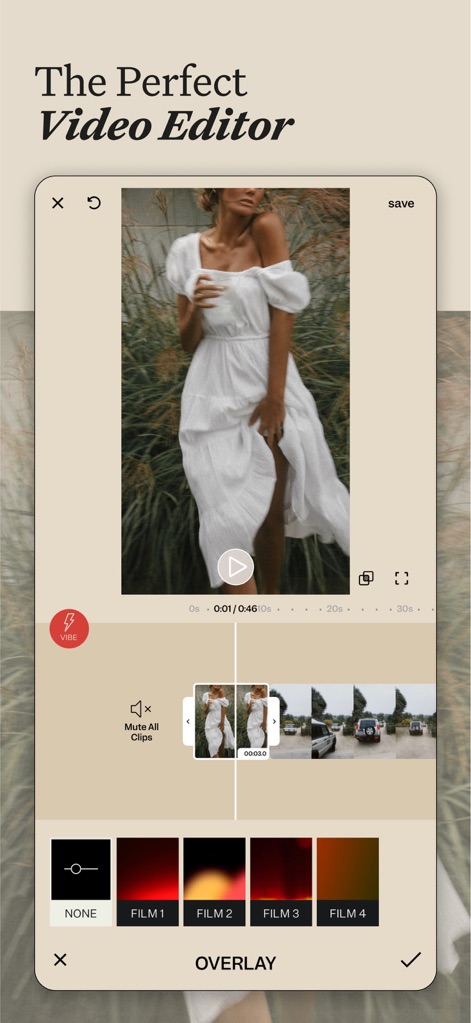
Seamless Video Production
Examine how this tool provides intuitive video editing capabilities, including a detailed timeline and vintage film overlay effects.
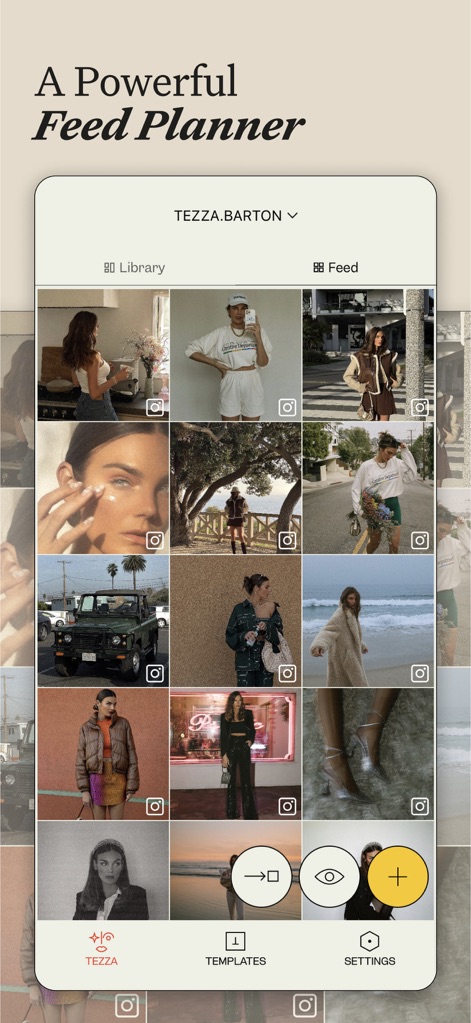
Strategic Content Planning
Understand how users can meticulously organize their social media aesthetic using the drag-and-drop feed planner and library view.
Description
Download
More Like This
Apps with similar features and user experience

Lightroom: AI Photo Editor
Adobe Inc.

MIX-Photo Editor & Filters
灏 徐

Presets for Lightroom - FLTR
Onelight Apps CY Ltd

Colorby: AI Photo Color Editor
Zhanghan Ke

PRESETS: Filters for Pictures
Gustas Brazaitis

Edith: Presets for Lightroom
MWM

Soft Focus Lite 〜beauty selfie
handyCloset Inc.

BerryFilm - Korean Style Cam
Seungyun Kim

Presets for Lightroom: Filters
Alenrom sp. z o.o.
This page is not an official page of the app or its developer, but an independent editorial publication created for informational and commentary purposes. Unless expressly stated otherwise, neither the app nor its developer is affiliated with, endorsed by, sponsored by, authorized by, or otherwise officially connected with MWM, Apple, Google Play, the app publisher, or the app's developer, and nothing on this page implies that the app was developed using MWM's services. Any trademarks, logos, screenshots, and other content remain the property of their respective owners.