
This page is not an official page of the app or its developer, but an independent editorial publication created for informational and commentary purposes. Unless expressly stated otherwise, neither the app nor its developer is affiliated with, endorsed by, sponsored by, authorized by, or otherwise officially connected with MWM, Apple, Google Play, the app publisher, or the app's developer, and nothing on this page implies that the app was developed using MWM's services. Any trademarks, logos, screenshots, and other content remain the property of their respective owners.

Things 3
From routine tasks to your biggest life goals, organize every sphere of your life with an interface designed for beauty, simplicity, and flow.
Downloads
832K+User Rating
Total Ratings
48K+Publisher
Category
ProductivityLocales
9Latest Version
3.22.6Size
124.9 MBFirst Released
May 18, 2017Master your day with effortless organization
Designed for those who value clarity and craft, Things 3 combines award-winning aesthetics with powerful features to help you achieve your biggest goals.
Your Day, Simplified
See your calendar events and to-dos together in a clean Today list that helps you focus on what is next without the clutter.
Structure for Every Area
Organize your world into distinct Areas like Career or Home, and use Projects to turn big ambitions into actionable steps.
Frequently Asked Questions
Everything you need to know about Things 3
What is the Things 3 app?
Things 3 is an award-winning to-do app that helps users plan their day, manage projects, and make progress toward goals. It offers an easy-to-use interface for organizing tasks and life areas.
Can I organize my tasks into projects with Things 3?
Yes, Things 3 allows you to create Projects for any big goal. You can add to-dos to reach it, use headings to structure your list, jot down notes, and set deadlines.
Does Things 3 support recurring tasks?
Yes, Things 3 supports recurring tasks through its "Repeaters" feature. This automatically repeats to-dos on a schedule that you set within the app.
How does Things 3 help organize different areas of my life?
Things 3 allows users to create "Areas" for each sphere of life, such as Work, Family, or Finance. This keeps everything organized and provides an overview of your plans.
Can I add notes and checklists to my to-dos in Things 3?
Yes, Things 3 allows users to add notes, tag, schedule, and break down to-dos into smaller steps. You can also create checklists within tasks, as shown in the app.
Does Things 3 integrate with my calendar?
Yes, Things 3 offers calendar integration. It displays your calendar events alongside your to-dos in the Today and Upcoming lists for a combined view of your schedule.
Is Things 3 available on other Apple devices like Mac or Apple Watch?
Yes, Things 3 is available for Mac, iPad, and Apple Vision Pro, which are sold separately. It also provides a dedicated app for Apple Watch, offering instant synchronization.
How does Things 3 handle task reminders?
Things 3 provides a Reminders feature. Users can set a specific time, and the app will notify them about their to-do, ensuring tasks are not missed.
Does Things 3 offer a dark mode?
Yes, Things 3 features a beautiful dark mode. It is tailored for iPhone and integrates with system features, including automatic dark mode at sunset, enhancing visual comfort.
Can I use widgets with Things 3?
Yes, Things 3 includes widgets. These allow you to see your task lists directly on your home and lock screens, providing quick access and an immediate overview of your outstanding tasks.
How can I quickly find specific to-dos in Things 3?
Things 3 features "Quick Find." This functionality enables you to instantly locate specific to-dos or efficiently switch between different lists directly within the application interface.
Does Things 3 offer cloud synchronization for tasks?
Yes, Things 3 provides free synchronization across all your Apple devices through its proprietary Things Cloud service. This ensures your tasks and data are always up to date and consistent.
Is there a free trial for Things 3?
Yes, a free trial for Things 3 is available specifically for Mac users. You can download and evaluate the application by visiting www.things.app before purchase.
How can I create a to-do from an email using Things 3?
Things 3 allows you to forward an email to the app, which then converts the email's content into a new to-do. This feature is known as "Mail to Things."
Does Things 3 support Markdown formatting for notes?
Yes, Things 3 supports Markdown formatting. Users can structure and style their notes within the app, allowing for organized and visually enhanced text entries.
The following screenshots and description are sourced directly from the app's official store listing and are the property of the app developer.
App Store
Screenshots
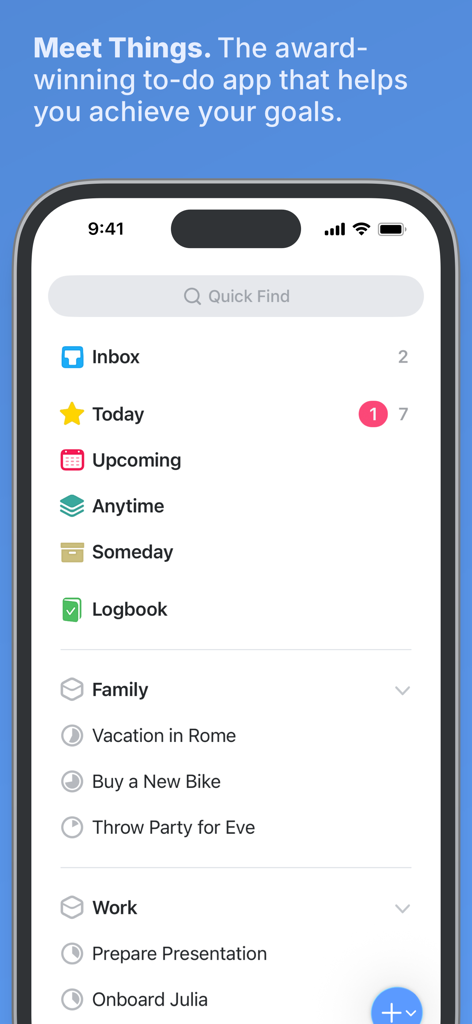
Main dashboard of the Things 3 task manager app on iPhone with organized project lists and a minimalist design.
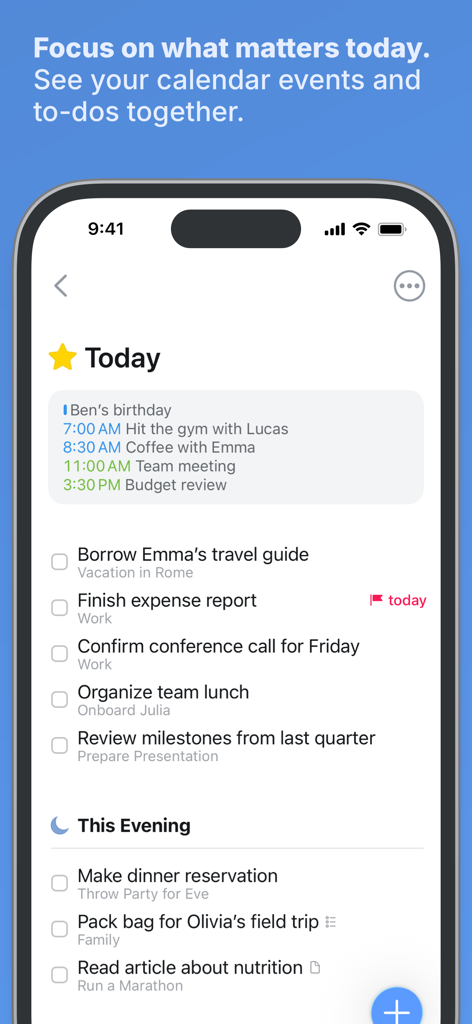
Things 3 app on iPhone displaying the Today list with calendar events and organized to-dos
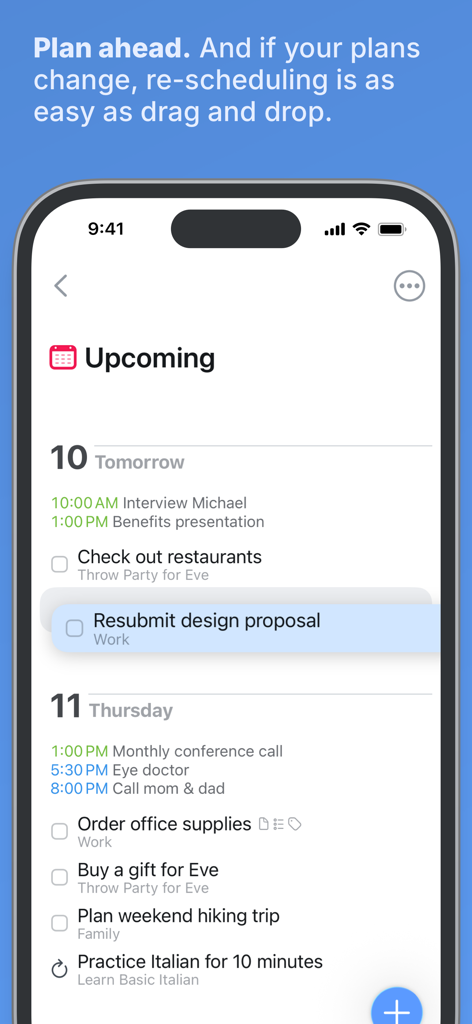
Screenshot of Things 3 app showing the upcoming tasks list and drag and drop rescheduling feature
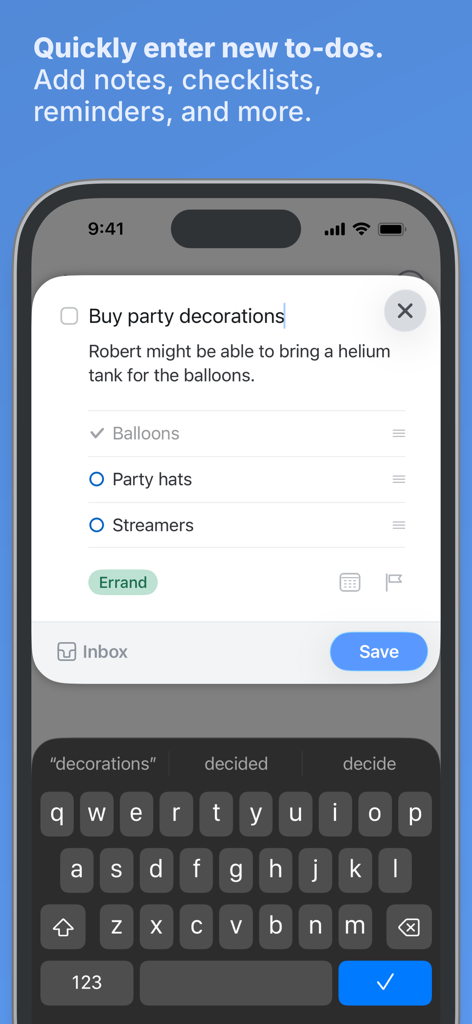
iPhone screenshot showing the Things 3 quick entry interface for creating a new task with notes and a checklist
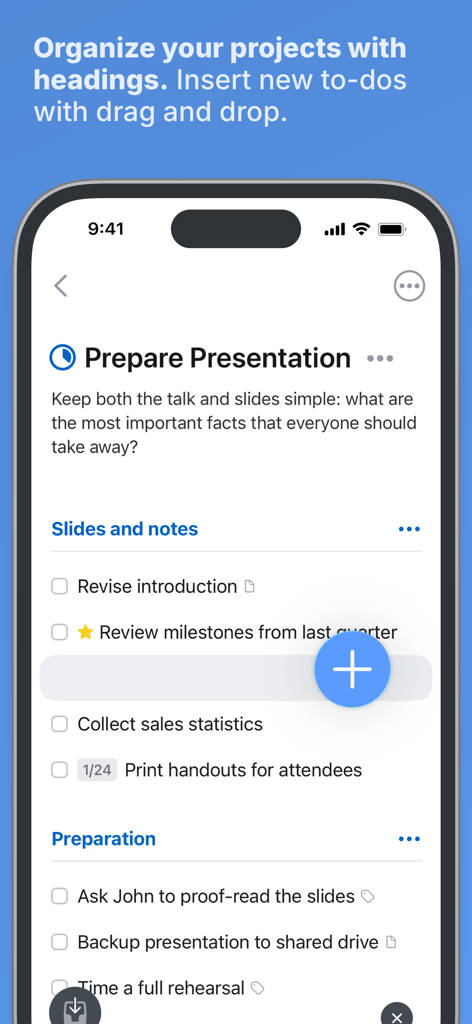
Interface of Things 3 showing project organization with headings and a drag and drop feature for to-dos
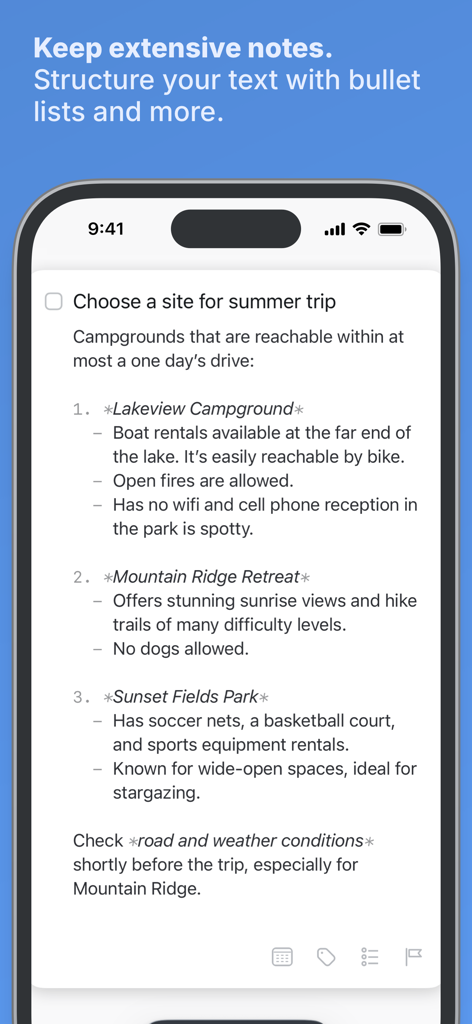
A task in Things 3 showing structured notes with bullet points and markdown formatting
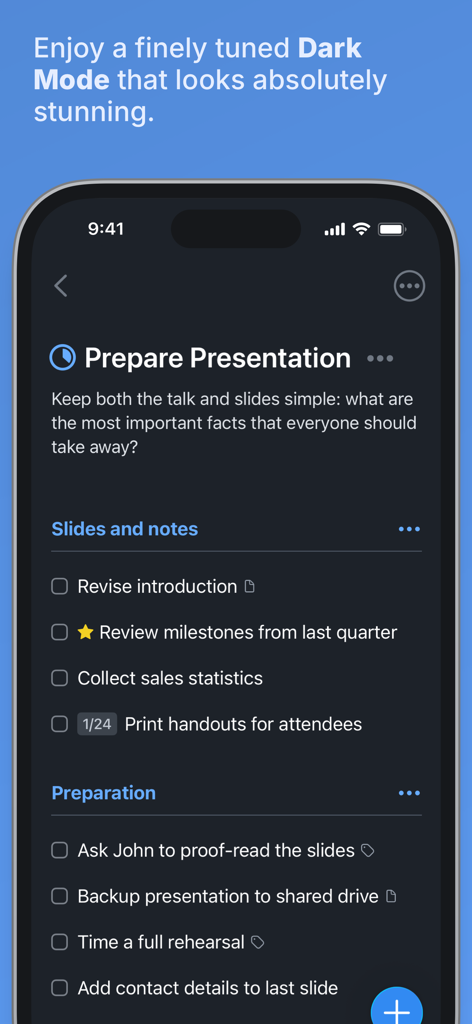
Things 3 task manager app interface in dark mode on iPhone showing a project list
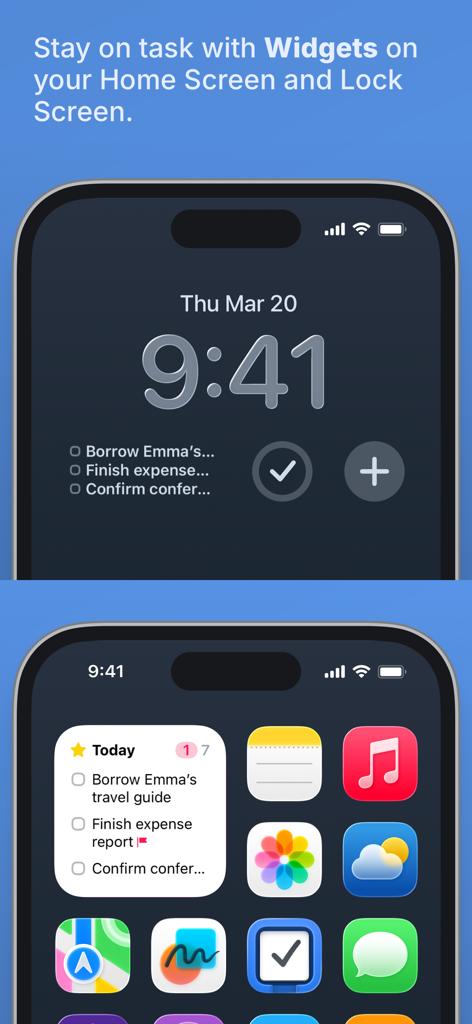
Things 3 app widgets displayed on iPhone home screen and lock screen.
Description
Download
More Like This
Apps with similar features and user experience

Notion: Notes, Tasks, AI
Notion Labs, Incorporated

Freenotes®: AI Notes Taking
Hangzhou Free Notes Technology Co., Ltd

Structured - Daily Planner
unorderly GmbH

Google Tasks: Get Things Done
Google LLC

TickTick:To-Do List & Calendar
Appest Limited

Noteful: Notes & PDF Markup
Noteful Technologies Ltd

Todoist: To Do List & Calendar
Doist Inc.

To do list MinimaList & Widget
Inner Grow Limited

monday.com - Work Platform
monday.com Ltd.
This page is not an official page of the app or its developer, but an independent editorial publication created for informational and commentary purposes. Unless expressly stated otherwise, neither the app nor its developer is affiliated with, endorsed by, sponsored by, authorized by, or otherwise officially connected with MWM, Apple, Google Play, the app publisher, or the app's developer, and nothing on this page implies that the app was developed using MWM's services. Any trademarks, logos, screenshots, and other content remain the property of their respective owners.