
This page is not an official page of the app or its developer, but an independent editorial publication created for informational and commentary purposes. Unless expressly stated otherwise, neither the app nor its developer is affiliated with, endorsed by, sponsored by, authorized by, or otherwise officially connected with MWM, Apple, Google Play, the app publisher, or the app's developer, and nothing on this page implies that the app was developed using MWM's services. Any trademarks, logos, screenshots, and other content remain the property of their respective owners.


Timey – Work Management
The ultimate frictionless tool for freelancers and small teams to master productivity. One-tap clocking, automated timesheets, and PTO tracking—all in the palm of your hand.
Downloads
600User Rating
Total Ratings
0Publisher
Category
ProductivityLocales
1Latest Version
2.9.5Size
13.8 MBFirst Released
Feb 19, 2022Maximize Every Minute of Your Workday
A powerful, intuitive suite designed to help freelancers and small teams track billable hours, manage time off, and unlock growth through data-driven insights.
One-Tap Time Tracking
Start your timer or log hours manually with a single click. Eliminate 'timesheet panic' and ensure every billable second is captured accurately.
Team & PTO Management
Streamline employee clock-ins, breaks, and paid time off in one place. Perfect for boutique agencies needing accountability without the enterprise bloat.
The following screenshots and description are sourced directly from the app's official store listing and are the property of the app developer.
App Store
Screenshots
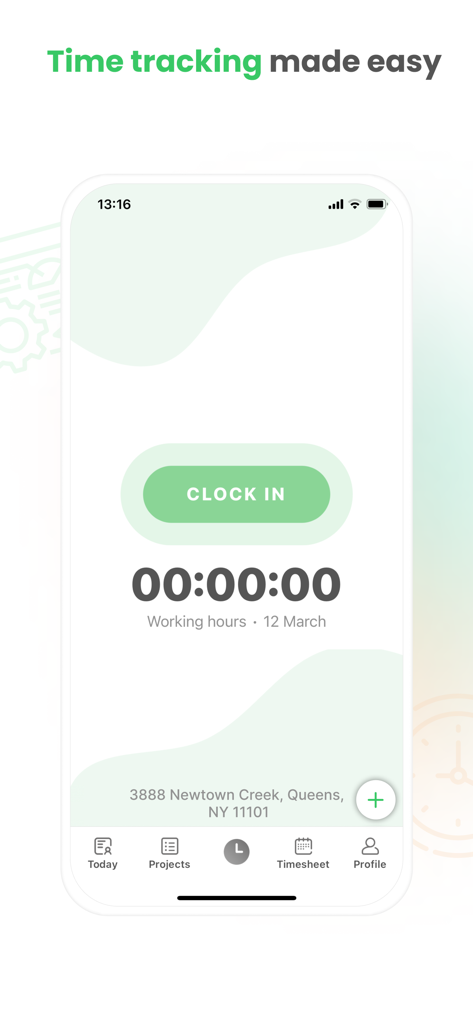
Main dashboard of the Timey app featuring a large green Clock In button and a digital timer for tracking working hours.
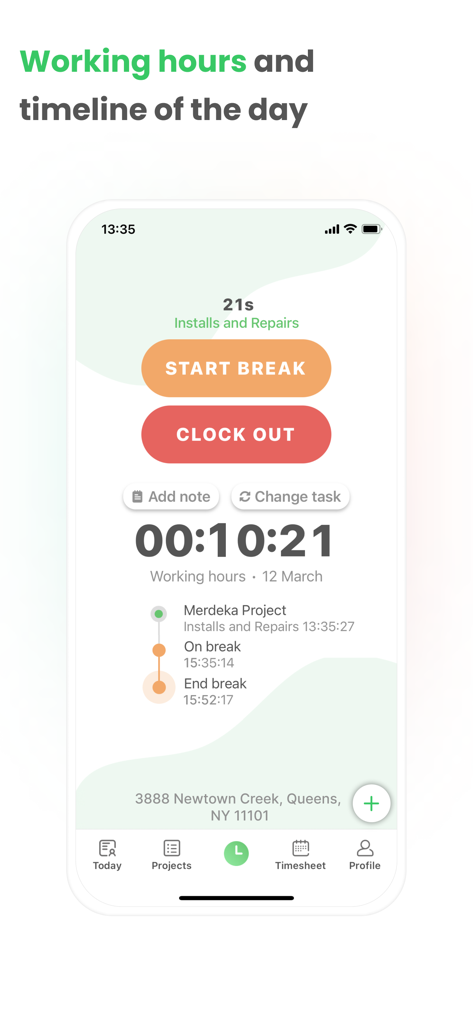
Interface of Timey app showing working hours timer, start break and clock out buttons, and a daily activity timeline.
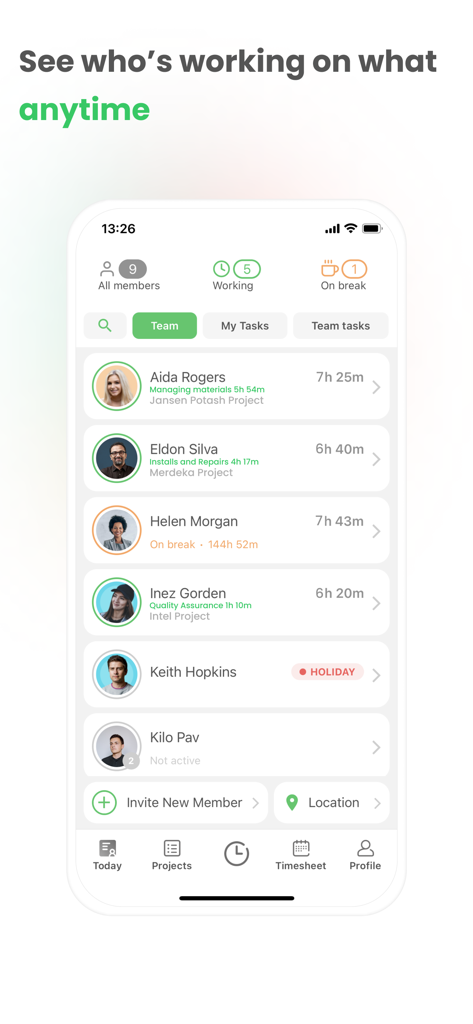
A real-time team dashboard in the Timey app showing employee status, current projects, and daily tracked hours.
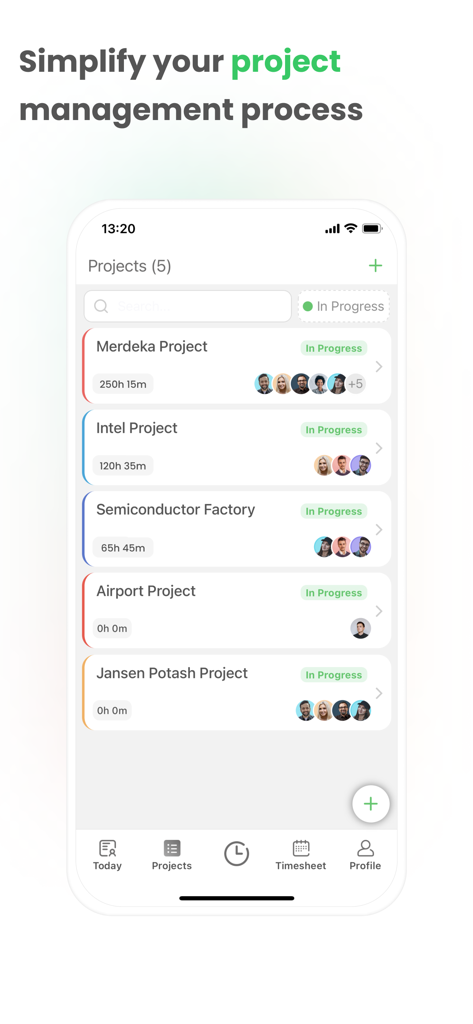
A project management dashboard in the Timey app showing a list of active projects with tracked time and team members
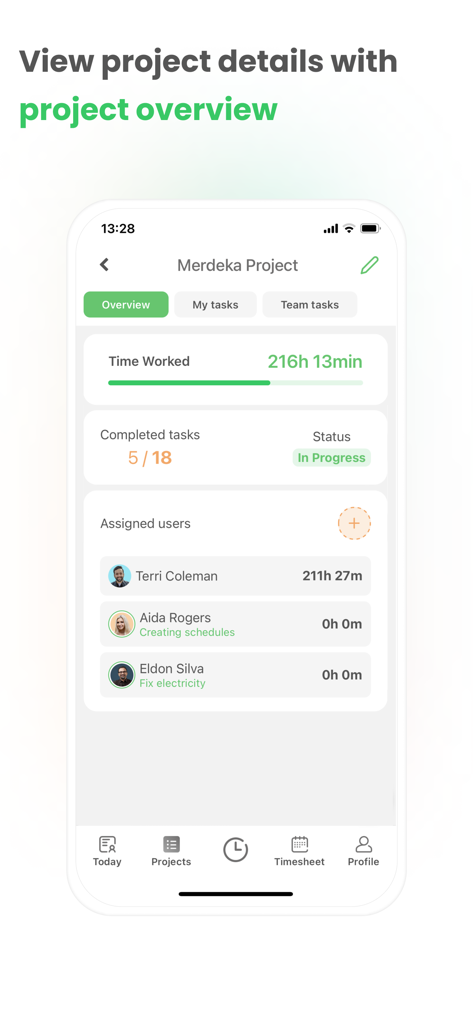
Timey app project overview screen showing total time worked, task completion status, and assigned users with individual time logs
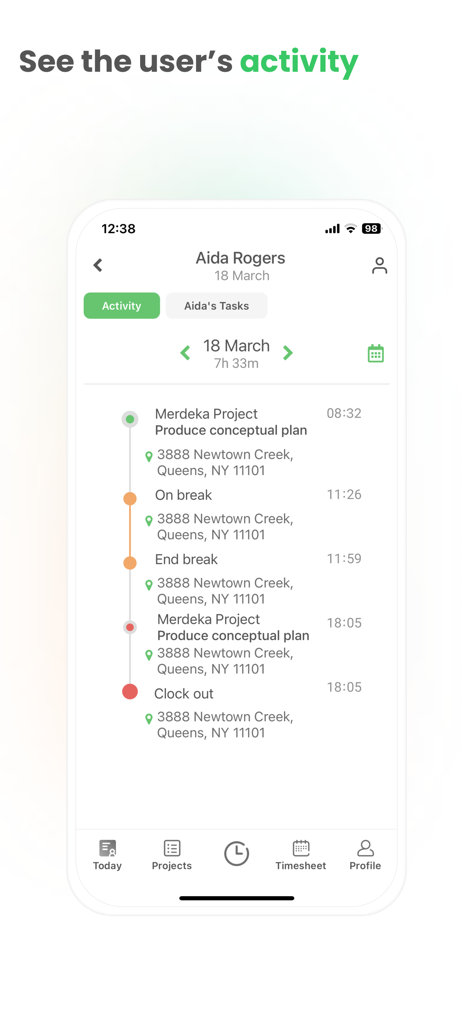
A mobile app screenshot showing a detailed daily activity log with project tasks and location tracking for an employee
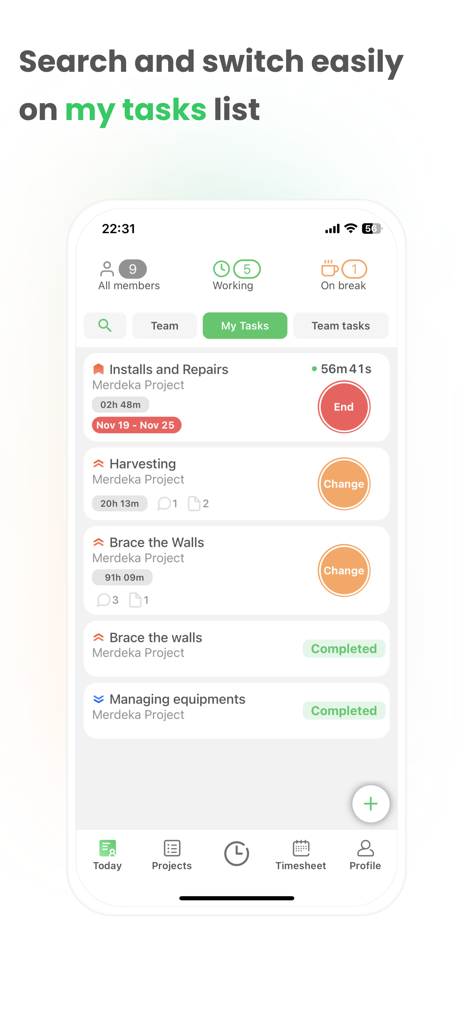
Timey app My Tasks screen displaying project time tracking and task status
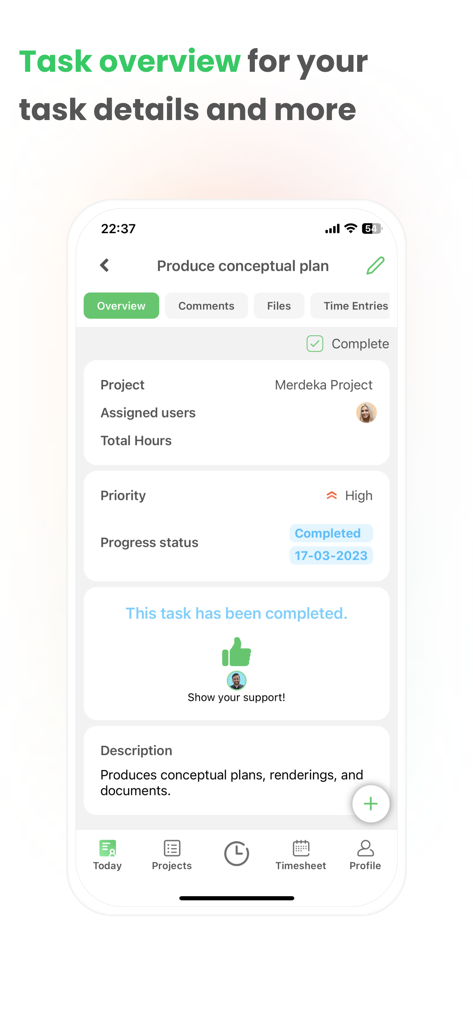
Screenshot of Timey app showing a completed task overview with project details priority and progress status.
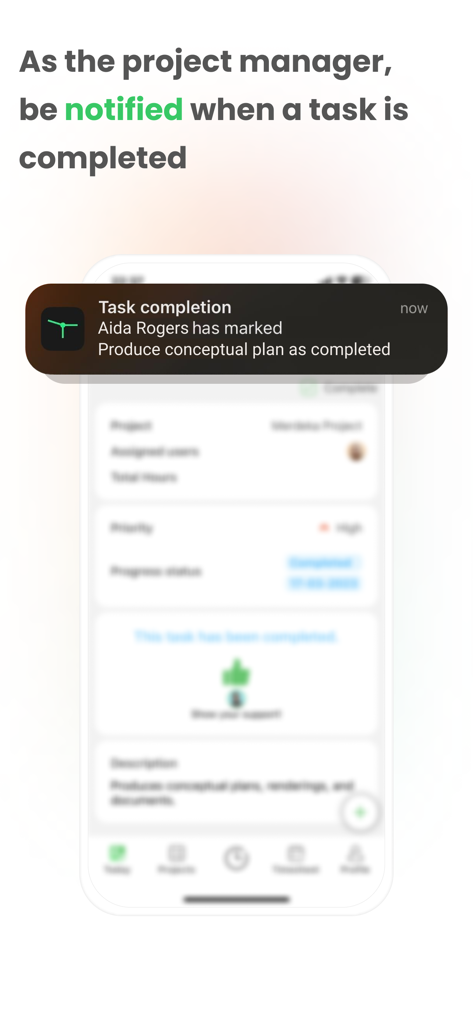
Mobile notification showing a task completed by an employee in Timey work management app
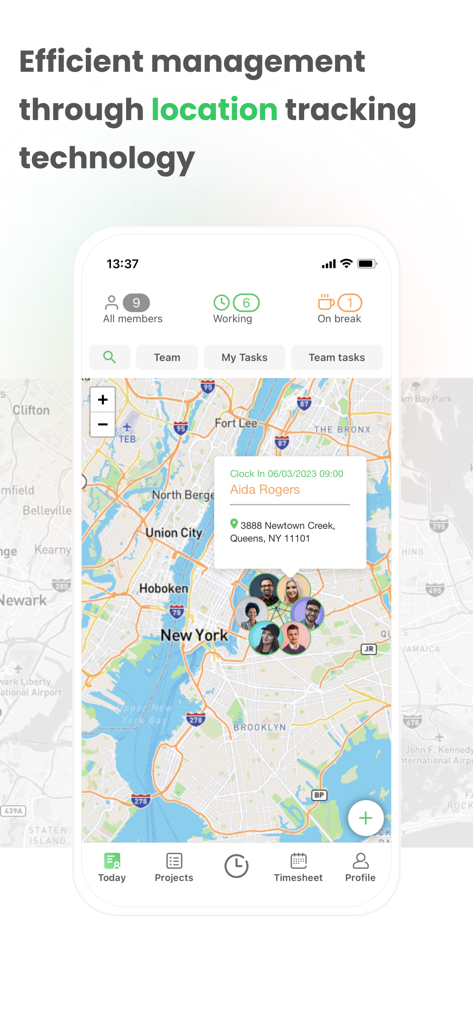
Timey app screenshot showing real-time employee location tracking on a New York City map with clock-in details
Description
Download
More Like This
Top-ranked apps in the same category

ChatGPT
OpenAI OpCo, LLC

Google Gemini
Google LLC

Grok
X.AI Corporation

Gmail - Email by Google
Google LLC

千问 - 阿里最强大模型官方AI助手
Shanghai Zhixin Puhui Technology Co., Ltd.

Google Drive
Google LLC

Microsoft Authenticator
Microsoft Corporation

Google Sheets
Google LLC

Google Docs
Google LLC
This page is not an official page of the app or its developer, but an independent editorial publication created for informational and commentary purposes. Unless expressly stated otherwise, neither the app nor its developer is affiliated with, endorsed by, sponsored by, authorized by, or otherwise officially connected with MWM, Apple, Google Play, the app publisher, or the app's developer, and nothing on this page implies that the app was developed using MWM's services. Any trademarks, logos, screenshots, and other content remain the property of their respective owners.