
This page is not an official page of the app or its developer, but an independent editorial publication created for informational and commentary purposes. Unless expressly stated otherwise, neither the app nor its developer is affiliated with, endorsed by, sponsored by, authorized by, or otherwise officially connected with MWM, Apple, Google Play, the app publisher, or the app's developer, and nothing on this page implies that the app was developed using MWM's services. Any trademarks, logos, screenshots, and other content remain the property of their respective owners.


Tiny Print
Digital art is dead. This app resurrects it, turning pixels into print with shocking clarity.
Downloads
750k+User Rating
Total Ratings
539Publisher
Category
UtilitiesLocales
27Latest Version
1.5.0Size
92.2 MBFirst Released
Sep 16, 2021An Analytical Overview for Creative Individuals, Parents, and Educators
Key Features of Tiny Print
Versatile Printing Toolbox
The app provides access to a vast collection of printing materials, rich templates, and fun frames. It also includes practical functions such as web page printing, banner printing, and text extraction, simplifying the creation of diverse tangible items for home or educational use.
AI-Powered Creative Image Tools
This tool features a suite of AI-driven applications, allowing users to effortlessly generate artistic photos, cartoonize portraits into various styles, and create child-friendly images from text descriptions, fostering imaginative expression and fun learning.
Super-Resolution Grayscale Printing
It incorporates an industry-first Super-Resolution Grayscale Algorithm, enhancing image details for more refined and high-quality grayscale prints, which is beneficial for reproducing artwork or educational materials with precision.
Interactive Drawing & Line Art Utilities
The app provides functionalities for doodle practice by generating image outlines and allowing sticker additions. It also transforms complex images into simple line drawings, offering engaging tools for artistic learning and minimalist creative projects.
The following screenshots and description are sourced directly from the app's official store listing and are the property of the app developer.
App Store
Screenshots
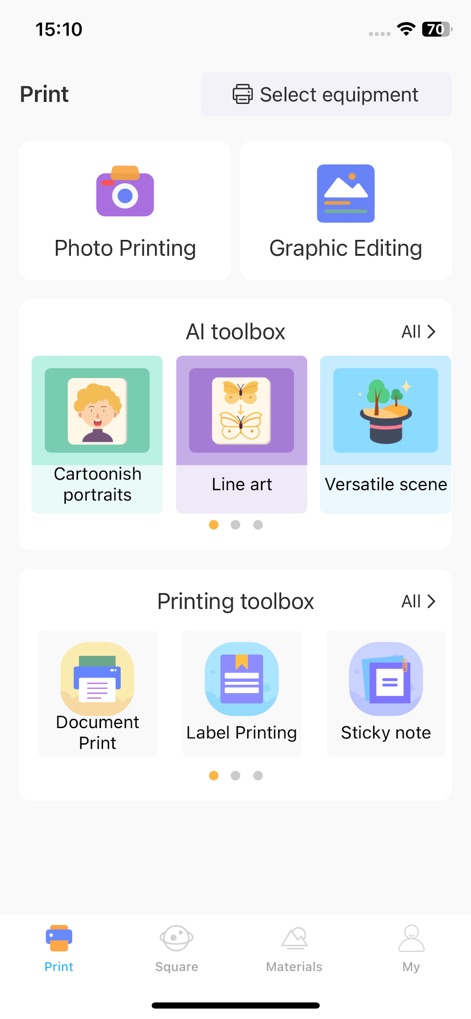
The app's main dashboard efficiently organizes powerful features, from the 'AI toolbox' for artistic image applications to the 'Printing toolbox' for practical document tasks.
Creative Workflow Hub
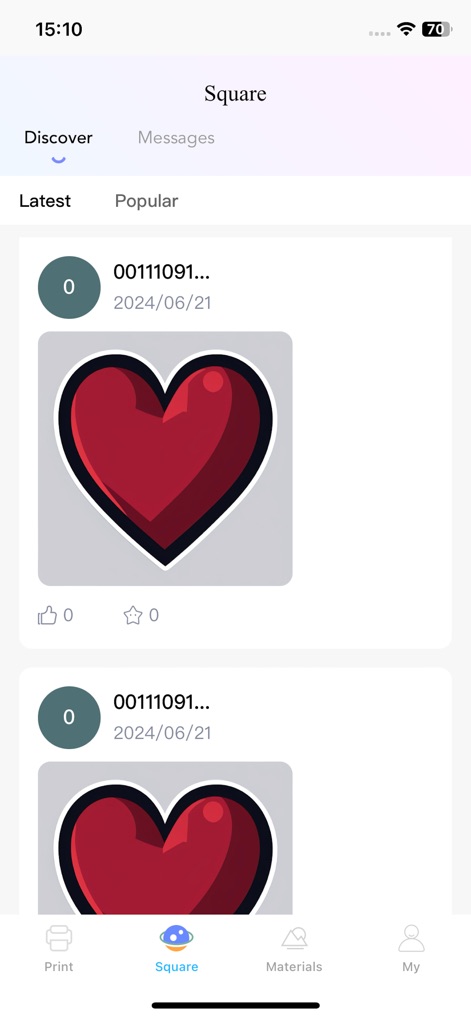
Explore a dynamic 'Community Showcase' where users share their artistic endeavors, featuring popular designs like the vibrant heart graphic and fostering global creative exchange.
Community Creations
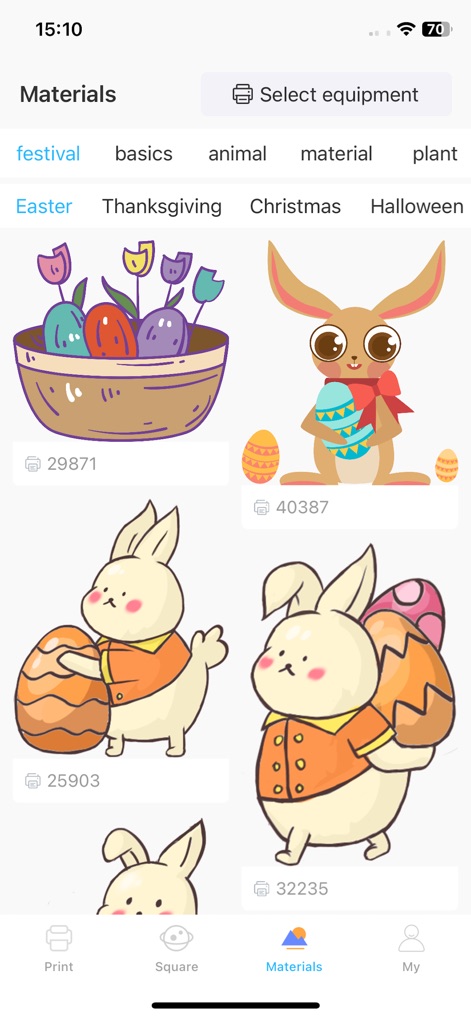
Access a rich 'Design Resource Library' filled with categorized graphic elements, such as festive Easter bunnies and decorative baskets, for enhancing projects.
Design Resource Library

Users manage their creative journey from the 'Personalized Experience' hub, tracking 'My AI Works' and accessing crucial account settings like 'My device' and print history.
Personalized Experience
Description
Download
More Like This
Apps with similar features and user experience

Fonts & Designs For DIY Space
UN Global

iShaper: Custom Surfboards
Ryan Kotzebue

Cricut Design Space
Cricut, Inc.
Creality Cloud - 3D Printing
CREALITY 3D HK TECHNOLOGY LIMITED

Tinkercad
Autodesk

Easy-PhotoPrint Editor
Canon Inc.

HelloBlink
Shenzhen Yihengke Electronic Technology Co.,Ltd.

Gzzx
康宁 唐

Dot Lab - Perler beads pattern
桂华 冉
This page is not an official page of the app or its developer, but an independent editorial publication created for informational and commentary purposes. Unless expressly stated otherwise, neither the app nor its developer is affiliated with, endorsed by, sponsored by, authorized by, or otherwise officially connected with MWM, Apple, Google Play, the app publisher, or the app's developer, and nothing on this page implies that the app was developed using MWM's services. Any trademarks, logos, screenshots, and other content remain the property of their respective owners.