
This page is not an official page of the app or its developer, but an independent editorial publication created for informational and commentary purposes. Unless expressly stated otherwise, neither the app nor its developer is affiliated with, endorsed by, sponsored by, authorized by, or otherwise officially connected with MWM, Apple, Google Play, the app publisher, or the app's developer, and nothing on this page implies that the app was developed using MWM's services. Any trademarks, logos, screenshots, and other content remain the property of their respective owners.


Todoery - Todo List & Reminder
No more missed deadlines or forgotten anniversaries. This app delivers the mental freedom to conquer your day, every day.
Downloads
1M+User Rating
Total Ratings
24.8KPublisher
Category
ProductivityLocales
18Latest Version
3.7.3Size
165.9 MBFirst Released
Sep 2, 2022An in-depth evaluation of essential functionalities driving user productivity and organization.
Key Features Analysis: Todoery - Todo List & Reminder
Advanced Reminder System
The app provides comprehensive reminder functionalities, including alarms for important tasks and customizable repetitive reminders, ensuring users never miss deadlines or recurring commitments.
Versatile Planning & Life Management
It allows users to manage diverse planning needs, encompassing life, work, study, and personal events like birthdays, consolidating all organizational efforts into a single, integrated platform.
Comprehensive Task Organization & Prioritization
This tool features robust options for categorizing tasks, setting priorities, adding sub-tasks, and marking progress, enabling users to structure their to-do lists efficiently and manage complex projects with clarity.
Visual Calendar Integration
The app offers a clear calendar perspective, allowing users to easily visualize their daily, weekly, and monthly schedules, which aids in better planning and time allocation.
Intuitive User Interface & Customization
It boasts a simple and efficient interface that facilitates quick task creation, complemented by theme colors and a Dark Mode option to personalize the user experience.
Accessible Core Functionality (Freemium Model)
The app provides most of its powerful organizational features for free, making essential productivity tools accessible to a wider audience, with optional premium upgrades for advanced functionalities.
Frequently Asked Questions
Everything you need to know about Todoery - Todo List & Reminder
Is "To Do List - Todo Reminders" a free app?
Yes, "To Do List - Todo Reminders" is a free productivity application. Most of its features are available for free, helping users organize their work, life, and study effectively.
What features does "To Do List - Todo Reminders" offer?
"To Do List - Todo Reminders" offers task management, daily planning, reminders with alarms, task categorization, sub-tasks, priority marking, progress tracking, and a clear calendar view.
Can I set reminders in the "To Do List - Todo Reminders" app?
Yes, you can set daily task reminders with alarms in "To Do List - Todo Reminders" to avoid forgetting. It also supports repetitive reminders for recurring activities.
Does "To Do List - Todo Reminders" support dark mode and themes?
Yes, "To Do List - Todo Reminders" supports dark mode and offers a variety of theme colors. Some advanced themes are available with a premium membership.
How do I manage tasks using categories in "To Do List - Todo Reminders"?
"To Do List - Todo Reminders" allows you to set categories like work, personal, or wishlist. You can mark priorities, track progress, star tasks, and add sub-tasks within these categories.
Does the "To Do List - Todo Reminders" app have a calendar view?
Yes, "To Do List - Todo Reminders" provides a clear calendar view. This feature allows users to easily see their daily, weekly, and monthly schedule planners and upcoming tasks.
Can "To Do List - Todo Reminders" track my task completion status?
Yes, the "To Do List - Todo Reminders" app tracks your daily tasks' completed status. You can check your progress on the "MINE" page to visualize your organized life.
Does "To Do List - Todo Reminders" offer iCloud Sync?
Yes, "To Do List - Todo Reminders" supports iCloud Sync. This feature allows users to keep their tasks and data synchronized across all their Apple devices seamlessly.
What premium features are available in "To Do List - Todo Reminders"?
Premium features in "To Do List - Todo Reminders" include advanced task repetition settings, additional themes, and the ability to customize your own ringtones for reminders.
Can I add sub-tasks within "To Do List - Todo Reminders"?
Yes, "To Do List - Todo Reminders" allows users to add sub-tasks. This feature helps in organizing complex tasks by breaking them down into smaller, manageable checklists.
The following screenshots and description are sourced directly from the app's official store listing and are the property of the app developer.
App Store
Screenshots
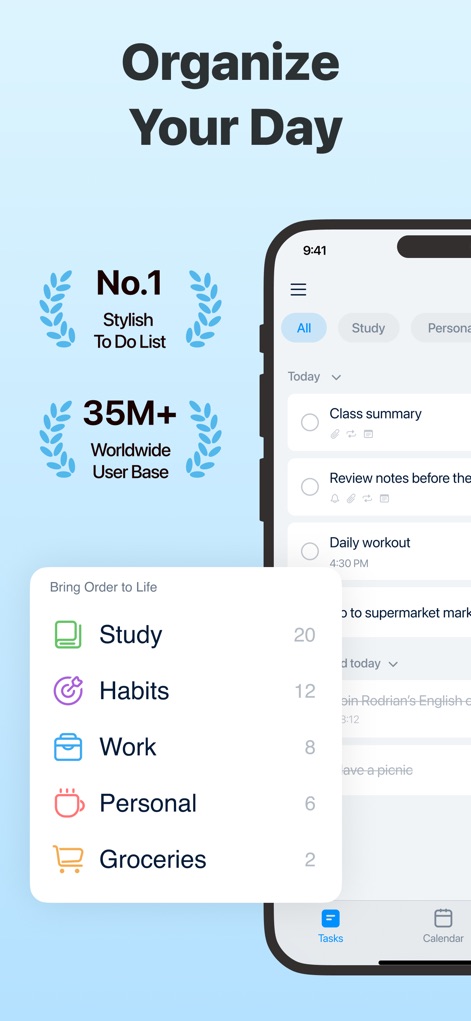
See how the app's clean task list interface and integrated categories like 'Study' and 'Work' simplify daily planning.
Organize Daily Tasks
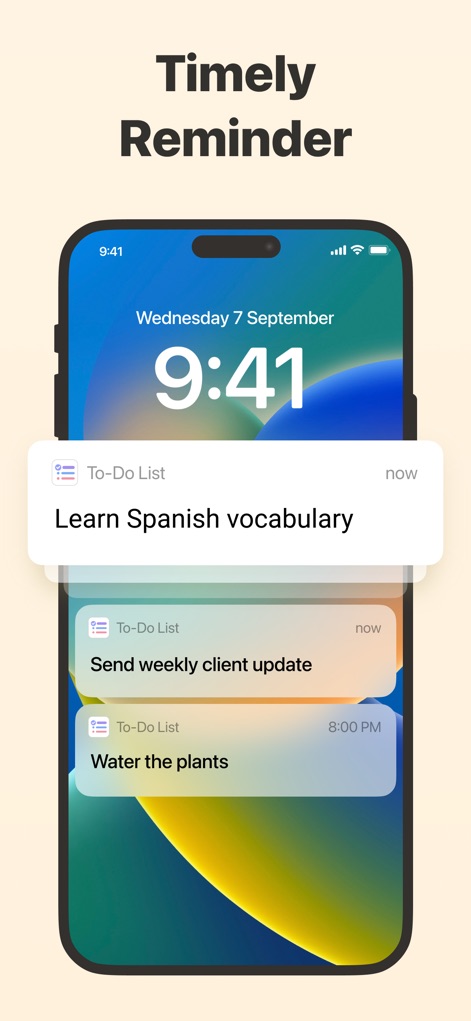
This tool provides timely lock screen notifications and custom reminders to keep users informed of upcoming tasks.
Never Miss a Beat
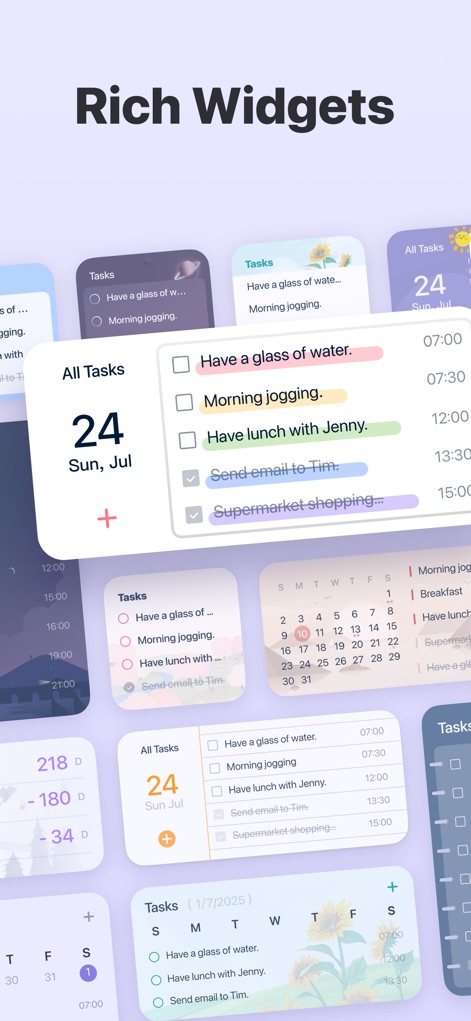
Users can personalize their home screen with diverse task widgets and calendar displays for at-a-glance organization.
Customizable Widgets
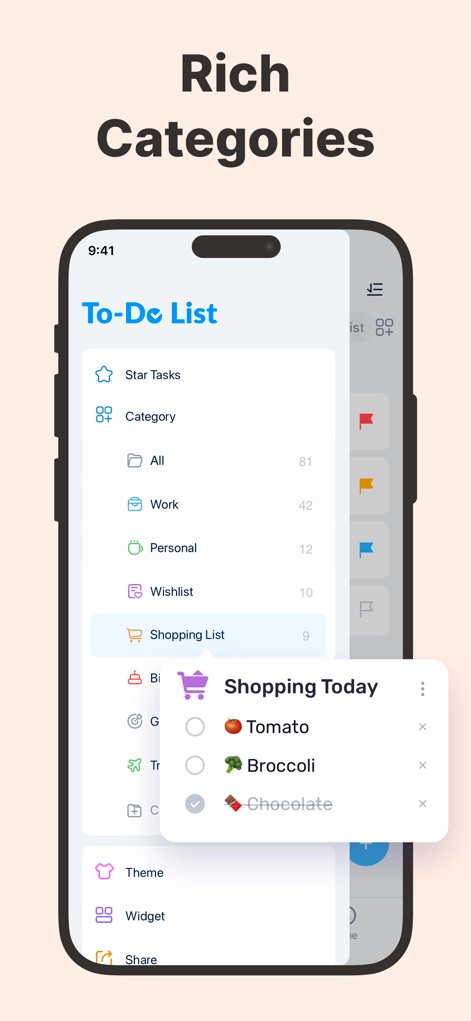
Explore the robust categorization system, including 'Shopping List' and 'Work', allowing for efficient task management and filtering.
Structured Categories
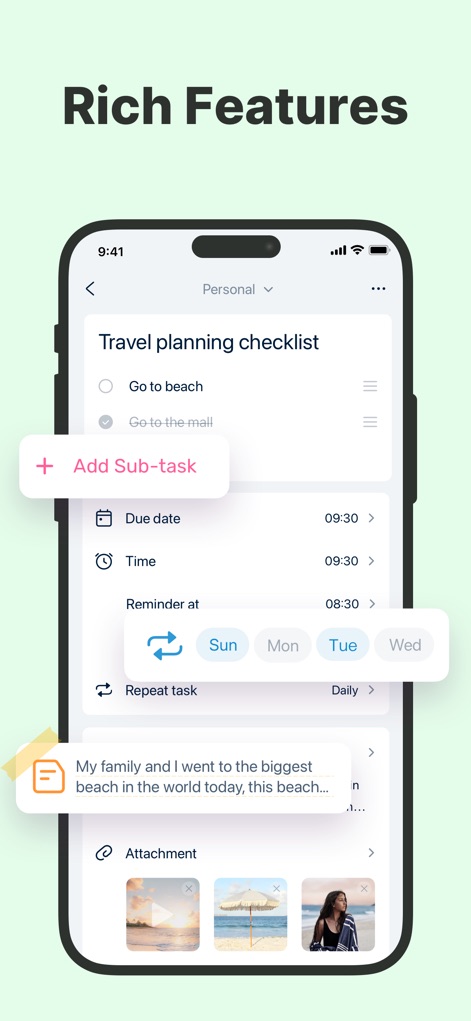
Discover advanced task features like adding 'sub-tasks' and setting 'repeat task' options for thorough planning.
Comprehensive Task Details
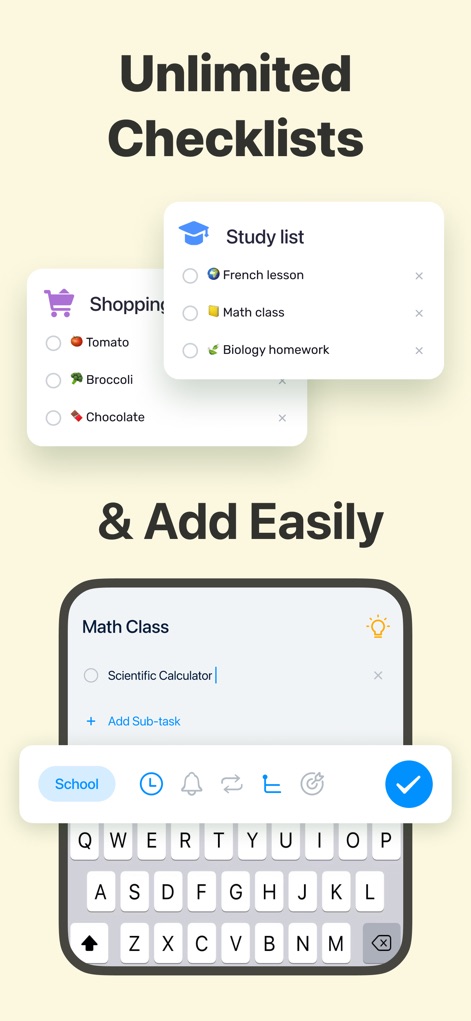
The app facilitates quick creation of 'unlimited checklists' and includes an intuitive 'Add Sub-task' option for complex projects.
Effortless Task Creation
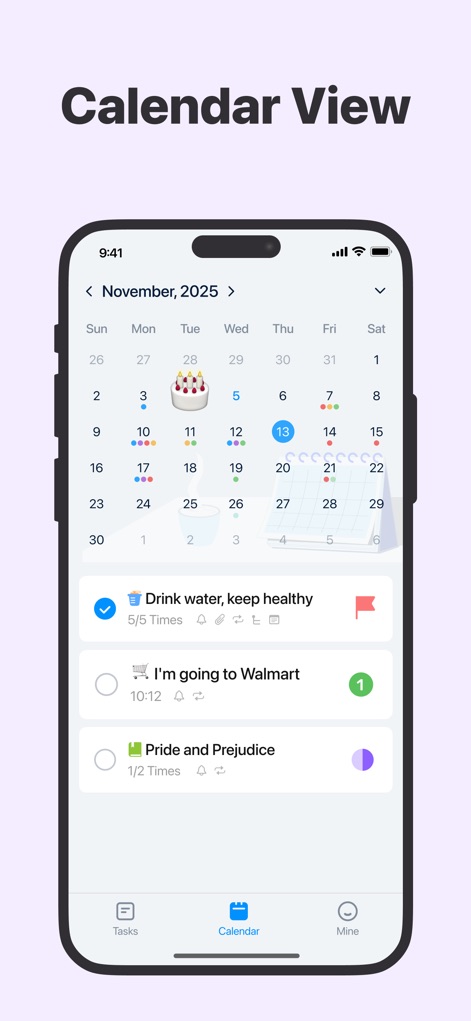
Gain a clear overview of daily and weekly schedules through the integrated 'calendar view', highlighting tasks and events on specific dates.
Visual Calendar Insight
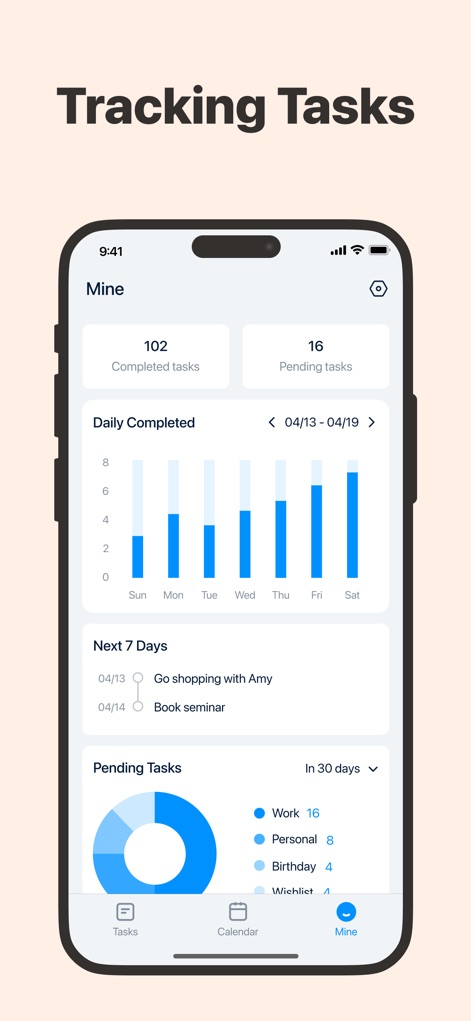
Monitor productivity with detailed 'daily completed' task charts and a 'pending tasks' overview categorized by type.
Progress Tracking
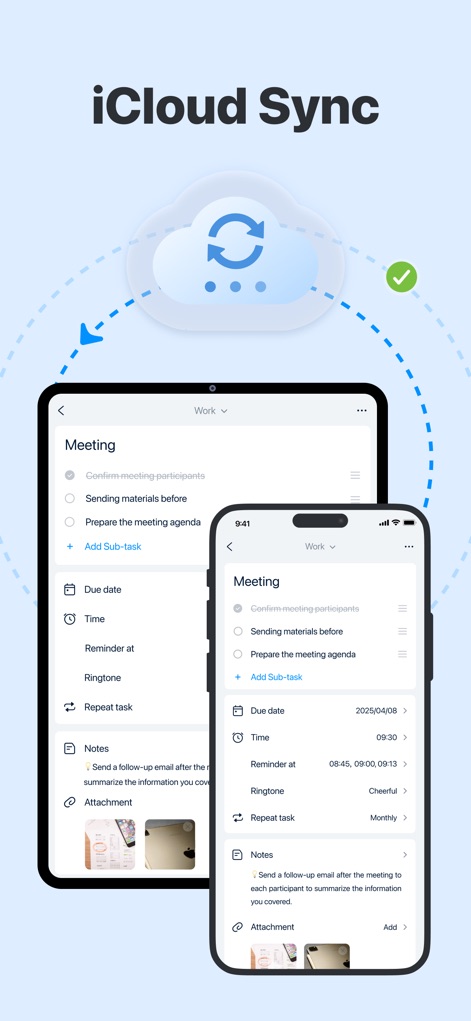
The app ensures data consistency across devices with reliable 'iCloud Sync', keeping tasks updated on both iPad and iPhone.
Seamless Cloud Sync
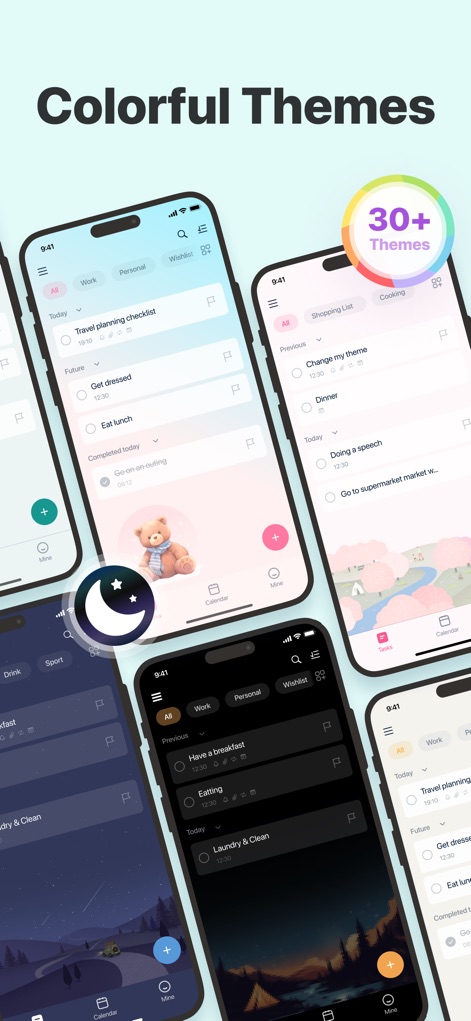
Users can customize their experience with a wide array of 'colorful themes' and toggle 'Dark Mode' for aesthetic preference.
Personalized Interface
Description
Download
More Like This
Apps with similar features and user experience

Notion: Notes, Tasks, AI
Notion Labs, Incorporated

Freenotes®: AI Notes Taking
Hangzhou Free Notes Technology Co., Ltd

Structured - Daily Planner
unorderly GmbH

Google Tasks: Get Things Done
Google LLC

TickTick:To-Do List & Calendar
Appest Limited

Noteful: Notes & PDF Markup
Noteful Technologies Ltd

Todoist: To Do List & Calendar
Doist Inc.

To do list MinimaList & Widget
Inner Grow Limited

monday.com - Work Platform
monday.com Ltd.
This page is not an official page of the app or its developer, but an independent editorial publication created for informational and commentary purposes. Unless expressly stated otherwise, neither the app nor its developer is affiliated with, endorsed by, sponsored by, authorized by, or otherwise officially connected with MWM, Apple, Google Play, the app publisher, or the app's developer, and nothing on this page implies that the app was developed using MWM's services. Any trademarks, logos, screenshots, and other content remain the property of their respective owners.