Torrent Detector
Torrent Detector
Download on App Store

This page is not an official page of the app or its developer, but an independent editorial publication created for informational and commentary purposes. Unless expressly stated otherwise, neither the app nor its developer is affiliated with, endorsed by, sponsored by, authorized by, or otherwise officially connected with MWM, Apple, Google Play, the app publisher, or the app's developer, and nothing on this page implies that the app was developed using MWM's services. Any trademarks, logos, screenshots, and other content remain the property of their respective owners.


Logo of Torrent Detector
Download on App Store

Torrent Detector

The professional-grade mobile tool for Network Administrators and CIOs to detect hidden BitTorrent activity, ensure DMCA compliance, and protect corporate bandwidth from shadow IT.

Key Figures

Downloads

96K+

User Rating

1.8/5

Total Ratings

0

Publisher

Csaba Iranyi

Category

Utilities

Locales

1

Latest Version

1.15

Size

4.9 MB

First Released

Apr 11, 2015
Features

Take Full Control of Your Network Security

Proactively monitor and manage your local network with professional-grade detection tools designed for administrators who demand visibility and compliance.

Instant P2P Client Detection

Identify active uTorrent instances across Windows, macOS, and Linux segments to prevent unauthorized file sharing instantly.

Mitigate Security & Legal Risks

Protect your infrastructure from bandwidth exhaustion, malware entry points, and DMCA liabilities through real-time audits.

The following screenshots and description are sourced directly from the app's official store listing and are the property of the app developer.

App Store

Screenshots
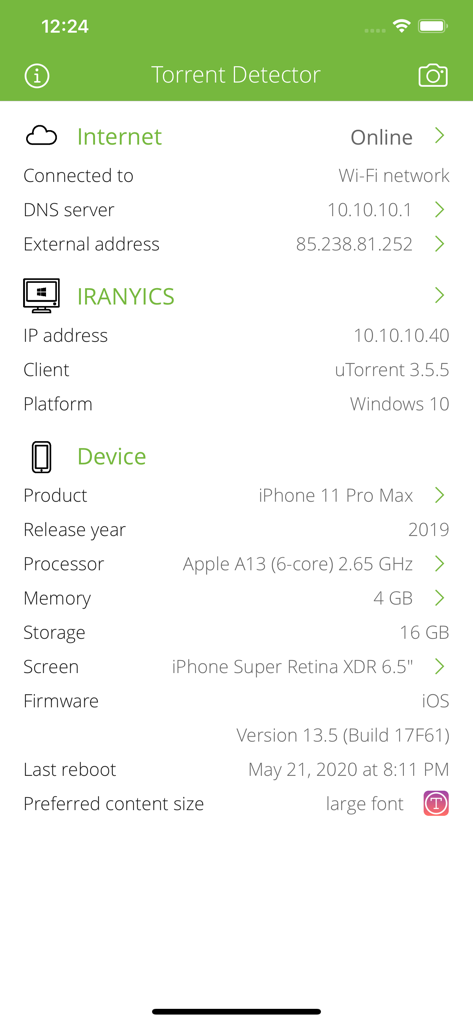
Torrent Detector - Screenshot of the Torrent Detector app showing internet connection status and detected torrent client information
Screenshot of the Torrent Detector app showing internet connection status and detected torrent client information

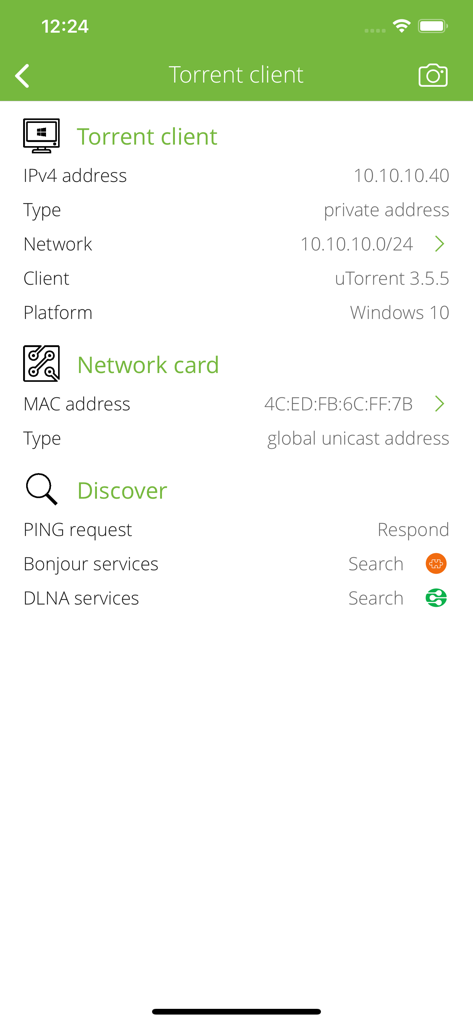
Torrent Detector - Torrent Detector app screen displaying network details and host information for a detected uTorrent client
Torrent Detector app screen displaying network details and host information for a detected uTorrent client

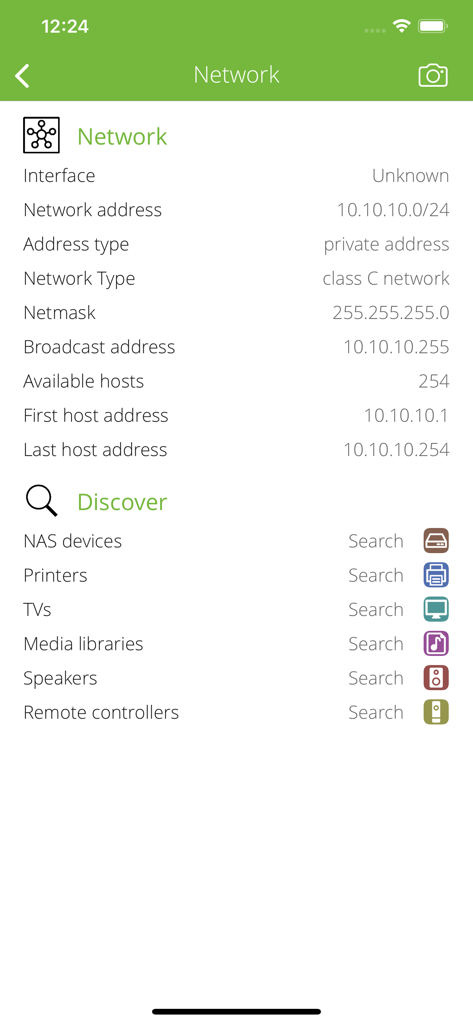
Torrent Detector - Screenshot of the Torrent Detector app showing technical network information and a discovery menu for devices like printers and NAS.
Screenshot of the Torrent Detector app showing technical network information and a discovery menu for devices like printers and NAS.

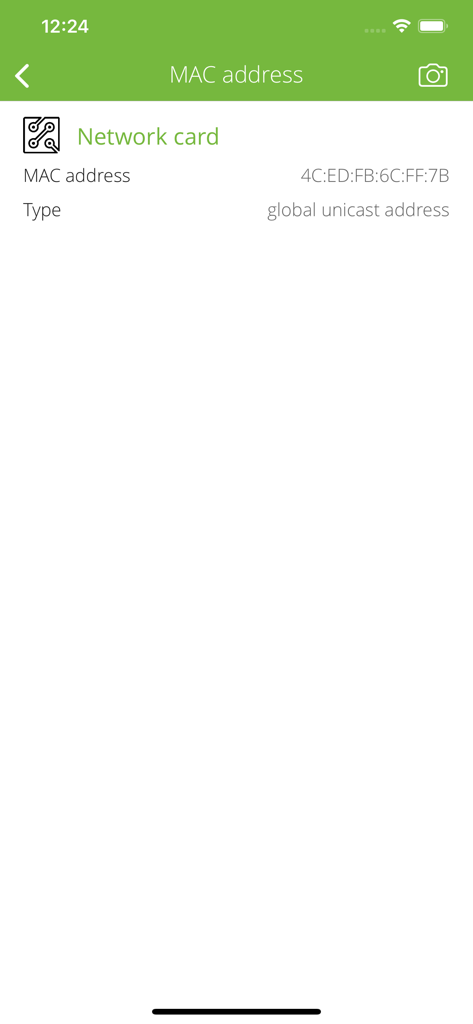
Torrent Detector - Screenshot showing the network card MAC address and address type in the Torrent Detector app.
Screenshot showing the network card MAC address and address type in the Torrent Detector app.

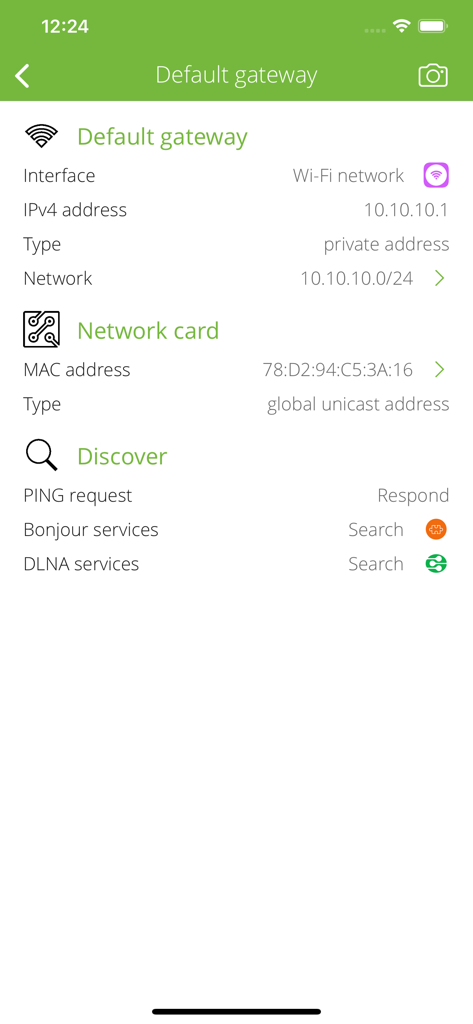
Torrent Detector - Network default gateway and MAC address details in the Torrent Detector app interface
Network default gateway and MAC address details in the Torrent Detector app interface

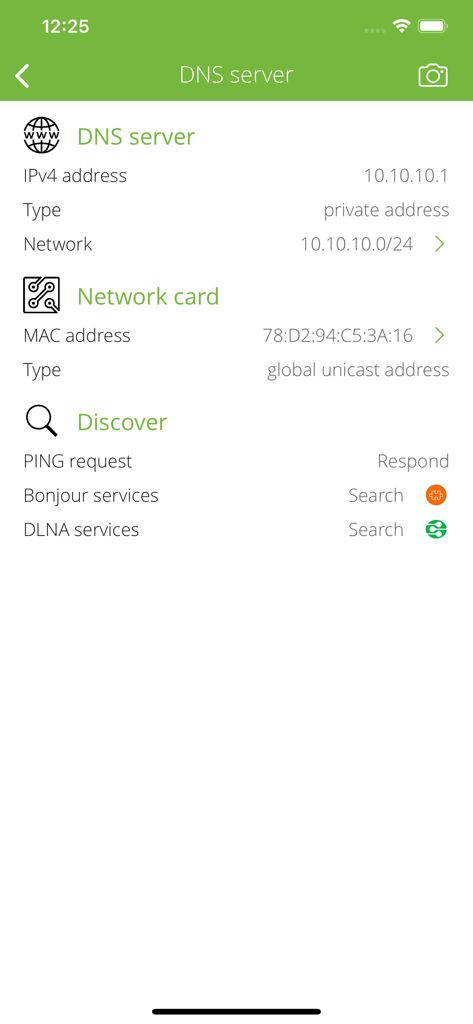
Torrent Detector - Torrent Detector app showing DNS server information and network card MAC address
Torrent Detector app showing DNS server information and network card MAC address

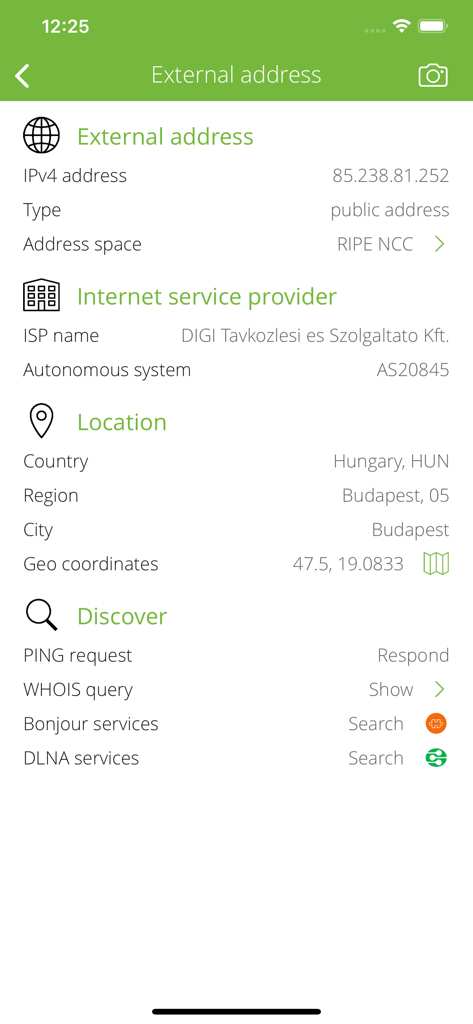
Torrent Detector - Torrent Detector interface showing external IP address, ISP, and geographic location data
Torrent Detector interface showing external IP address, ISP, and geographic location data

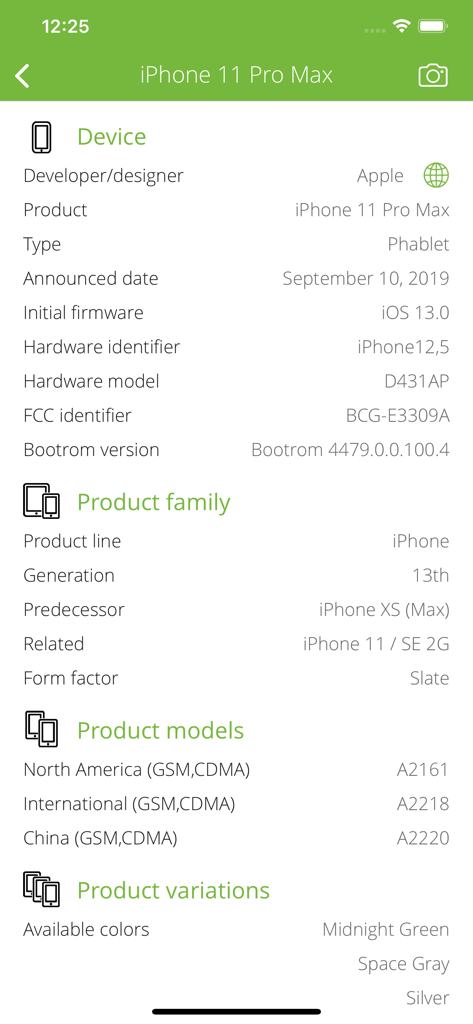
Torrent Detector - Interface showing detailed hardware specifications and product information for an iPhone 11 Pro Max within the Torrent Detector app
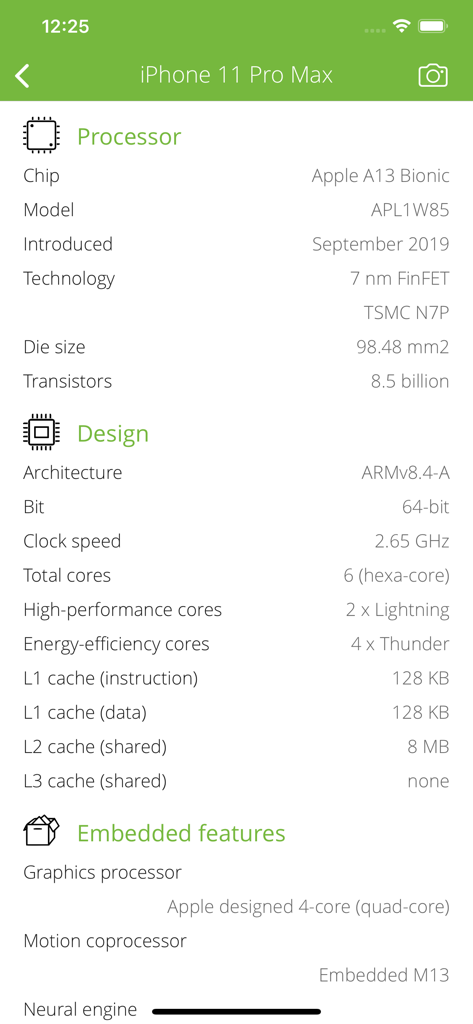
Interface showing detailed hardware specifications and product information for an iPhone 11 Pro Max within the Torrent Detector app

Torrent Detector - Technical hardware and processor specifications for an iPhone 11 Pro Max displayed within the Torrent Detector app
Technical hardware and processor specifications for an iPhone 11 Pro Max displayed within the Torrent Detector app

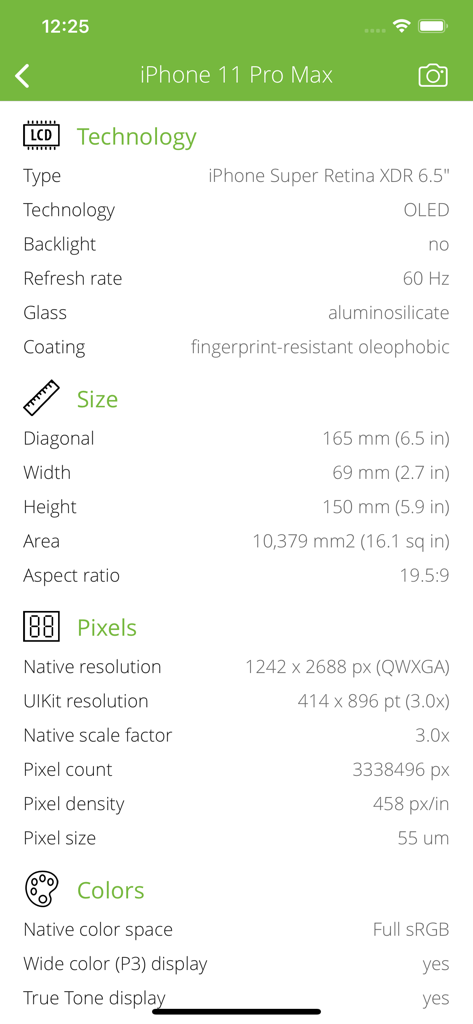
Torrent Detector - Technical display and hardware specifications of an iPhone 11 Pro Max within the Torrent Detector app

Technical display and hardware specifications of an iPhone 11 Pro Max within the Torrent Detector app

Description

Are you a network administrator, security officer or CIO at your company? Do you want to search for unwanted TORRENT clients on your local network? The Torrent Detector is the best choice for you. It is an easy-to-use app for detect uTorrent clients. With over 100 million users uTorrent is the most widely used BitTorrent client. WARNING: This is NOT a torrent client. You can NOT download, upload, open, run, seed or leach torrent file or content with this app. Torrent Discover is designed to search for torrent clients only, especially uTorrent clients. The app doesn't connect to torrent trackers or other content aggregators. WHAT IS BITTORRENT BitTorrent is a protocol for the practice of peer-to-peer file sharing that is used to distribute large amounts of data over the Internet. BitTorrent is one of the most common protocols for transferring large files, and peer-to-peer networks have been estimated to collectively account for approximately 43% to 70% of all Internet traffic. The fact is that peer-to- peer protocols such as BitTorrent provide a very efficient way to distribute large files such as operating system ISOs. Unfortunately that also makes peer-to-peer protocols a very efficient way to download copyright content such as music and movies. Regardless of whether corporate policy prohibits downloading of copyrighted content, or prohibits all peer-to-peer usage, it is essential to be able to detect the various aspects of peer-to-peer usage. TORRENT CLIENT DETECTION • Detect running uTorrent (owned and developed by BitTorrent, Inc) applications. • Detect uTorrent version. • Detect uTorrent host operating system name and version. Supported uTorrent platforms: • Microsoft Windows platform family (from Windows 95 to Windows 10). • Apple macOS/OS X platform family (from Cheetah to High Sierra). • Linux (Debian, Ubuntu). HOST INFORMATIONS • Show IP address, DNS hostname, PING capability, network informations. • Show MAC address, MAC vendor, country, postal address. INTERNET INFO • Show default gateways, IP addresses, networks. • Show DNS servers, search domain names, local MAC addresses, host name resolve. • Depth external address analysis: ISP name, autonomous system name, whois, ping, regional internet registry info. • Full offline MAC vendor database. REACH UI FEATURES • Info menu with feedback and privacy settings • Use the camera icon (upper-right corner) to create and print/send/share a screenshot from the entire page. • Pull down with your finger to refresh the informations. • Long press on a cell to copy/print/send/open as/share the cell value. • Shake your device to refresh the informations. DEVICE INFO • Detect device type and model. • Detect processor type. • Detect memory size. • Detect storage size. • Detect firmware name, version. • Detect last reboot time.

Download

Download on App Store

This page is not an official page of the app or its developer, but an independent editorial publication created for informational and commentary purposes. Unless expressly stated otherwise, neither the app nor its developer is affiliated with, endorsed by, sponsored by, authorized by, or otherwise officially connected with MWM, Apple, Google Play, the app publisher, or the app's developer, and nothing on this page implies that the app was developed using MWM's services. Any trademarks, logos, screenshots, and other content remain the property of their respective owners.








