
This page is not an official page of the app or its developer, but an independent editorial publication created for informational and commentary purposes. Unless expressly stated otherwise, neither the app nor its developer is affiliated with, endorsed by, sponsored by, authorized by, or otherwise officially connected with MWM, Apple, Google Play, the app publisher, or the app's developer, and nothing on this page implies that the app was developed using MWM's services. Any trademarks, logos, screenshots, and other content remain the property of their respective owners.


Trace - AI Calendar, Planner
Turn screenshots into events and voice into routines. Experience the ultimate all-in-one productivity hub built exclusively for the Apple ecosystem.
Downloads
10K+User Rating
Total Ratings
100Publisher
Category
ProductivityLocales
13Latest Version
3.10.2Size
191.3 MBFirst Released
Mar 12, 2025Built for the High-Achieving Multi-Tasker
Stop wrestling with date pickers. Trace uses advanced AI to turn your screenshots, voice, and thoughts into a perfectly optimized schedule.
Screenshot-to-Schedule
Turn concert flyers, social media stories, or text invites into events instantly. Our AI extracts dates and times so you don't have to.
Natural Language Assistant
Skip the manual entry. Just speak or type naturally—like 'Gym every Monday at 7 AM'—and let Trace intelligently organize your life.
Frequently Asked Questions
Everything you need to know about Trace - AI Calendar, Planner
What is Trace - AI Calendar, Planner?
Trace is an AI calendar, schedule assistant, and daily planner that organizes tasks, routines, and reminders. It uses AI to make planning faster, easier, and smarter by allowing input through typing, speaking, or capturing your schedule.
How does Trace - AI Calendar, Planner organize my schedule?
Trace organizes your schedule using its AI calendar and smart assistant. Users can input tasks, routines, and reminders by typing, speaking, or capturing information, and the AI processes these inputs to plan events.
Can I use voice commands with the Trace app?
Yes, Trace supports voice commands and Siri Shortcuts for hands-free planning. Users can speak their schedule, cancel events, set deadlines, and add appointments directly using voice input.
Does Trace support iOS widgets?
Yes, Trace provides iOS widgets for quick glance and task tracking. These include Monthly, Weekly, Bi-weekly, and Schedule & Calendar views, customizable to how users see their schedule.
Can Trace - AI Calendar, Planner create events from images?
Yes, Trace features "Screenshot to schedule," allowing users to instantly create events from images. The app processes visual information to add schedules efficiently.
What kind of productivity features does Trace offer?
Trace functions as an all-in-one productivity tool, combining an AI calendar, daily planner, reminder app, and routine tracker. It manages tasks, schedules, and events together in one place.
Does Trace synchronize across multiple Apple devices?
Yes, Trace supports iCloud sync across iPhone, iPad, and Mac. This feature ensures that users' schedules, tasks, and routines are consistent across all their Apple devices.
Can Trace help with setting and tracking personal goals?
Yes, Trace includes a goal assistant feature where users can tell the app what they want to achieve. It supports setting and tracking personal goals, tasks, and smart reminders.
Does Trace provide lock screen access to my schedule?
Yes, Trace offers Live Activity support. Users can check their ongoing and upcoming events directly from the iPhone lock screen, providing immediate access to their schedule.
Where can I find the privacy policy for Trace - AI Calendar, Planner?
The privacy policy for Trace is available at https://corcaai.notion.site/Privacy-Policy-d79a174ae82f48248d3c663781fcc8de. This link ensures transparency regarding data handling.
How do I manage tasks and routines within the Trace app?
Trace allows users to manage tasks, events, and routines together. Its AI planner assists in quickly creating events, setting multiple reminders, and building daily habits or routines.
The following screenshots and description are sourced directly from the app's official store listing and are the property of the app developer.
App Store
Screenshots
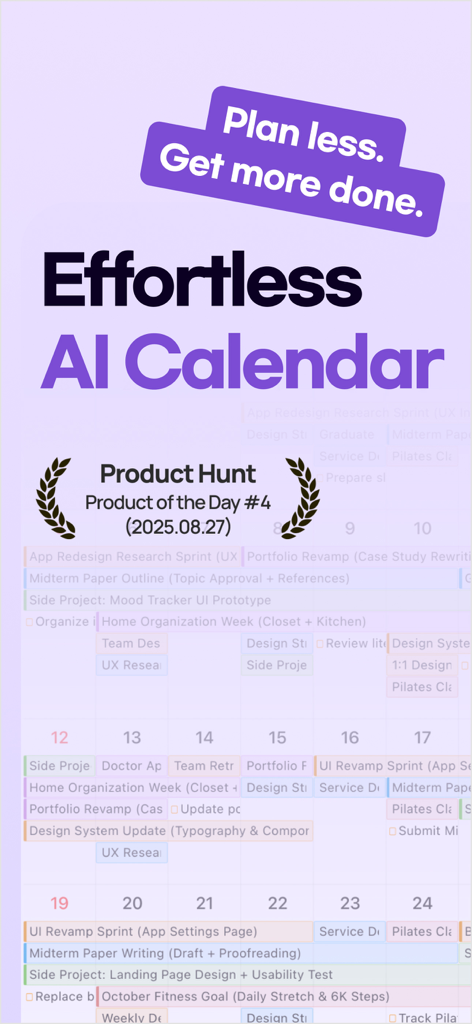
Trace AI Calendar promotional screen showing Product Hunt Product of the Day award and daily planner interface
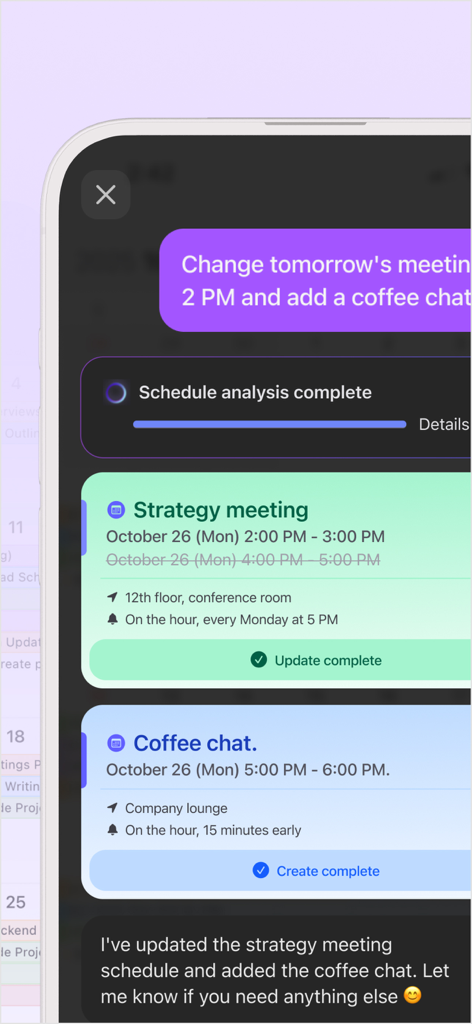
Interface of Trace AI Calendar showing natural language processing to update meetings and add new events automatically.
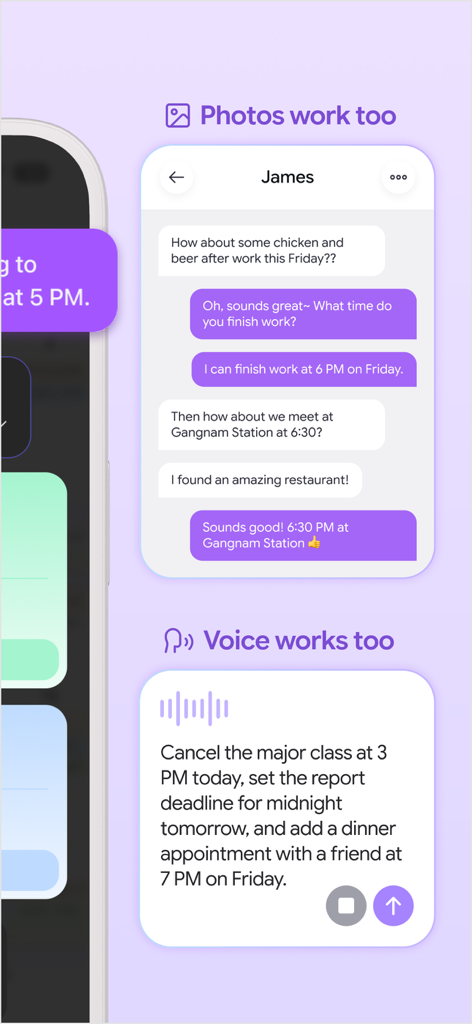
Trace AI calendar showing voice command and screenshot scheduling features
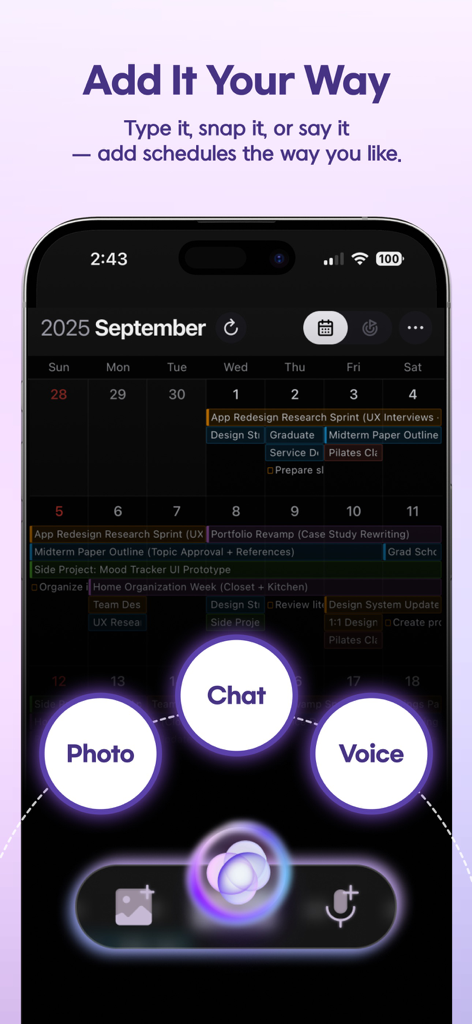
Trace AI calendar interface displaying photo, chat, and voice input options for scheduling
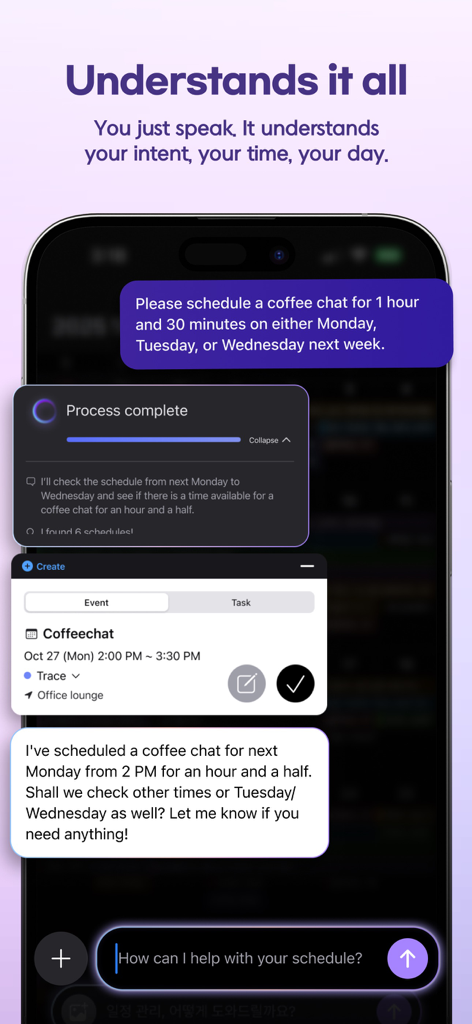
Trace AI app demonstrating smart voice-activated calendar scheduling for a coffee chat
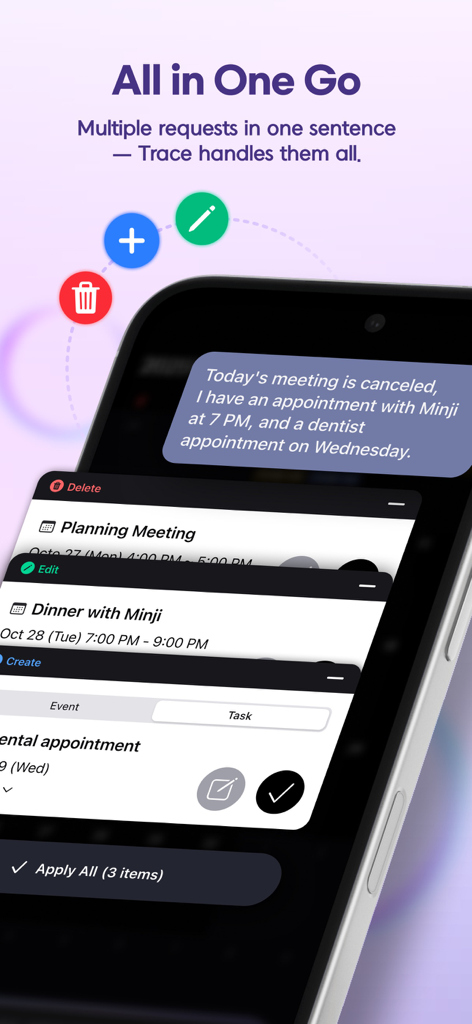
Trace AI calendar app showing multiple schedule updates from a single text sentence
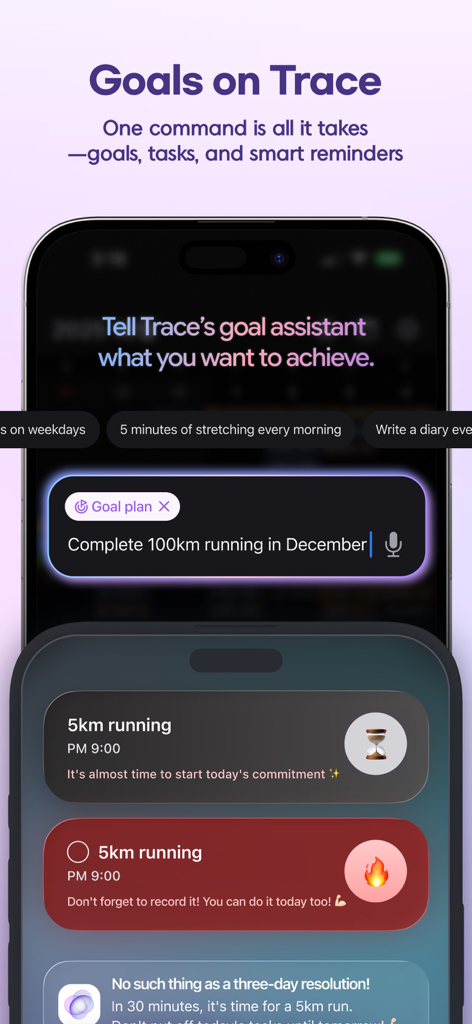
Trace AI calendar and planner app showing goal assistant feature and smart task reminders on an iPhone
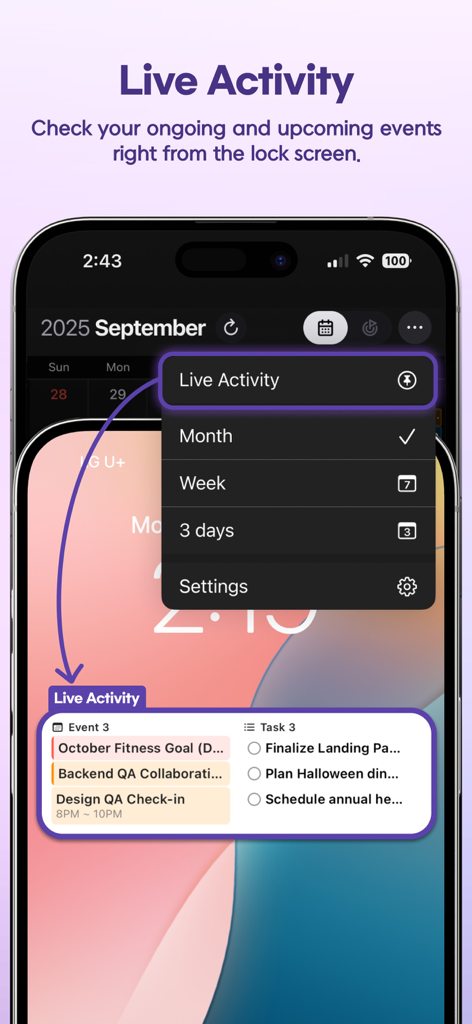
Trace AI Calendar Live Activity showing events and tasks on an iPhone lock screen
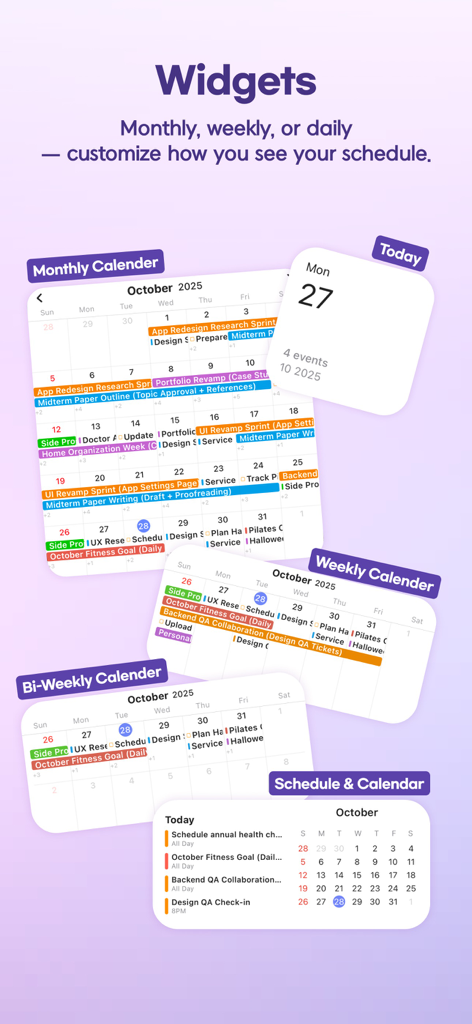
Various iOS calendar widgets for the Trace AI Planner app including monthly and weekly views
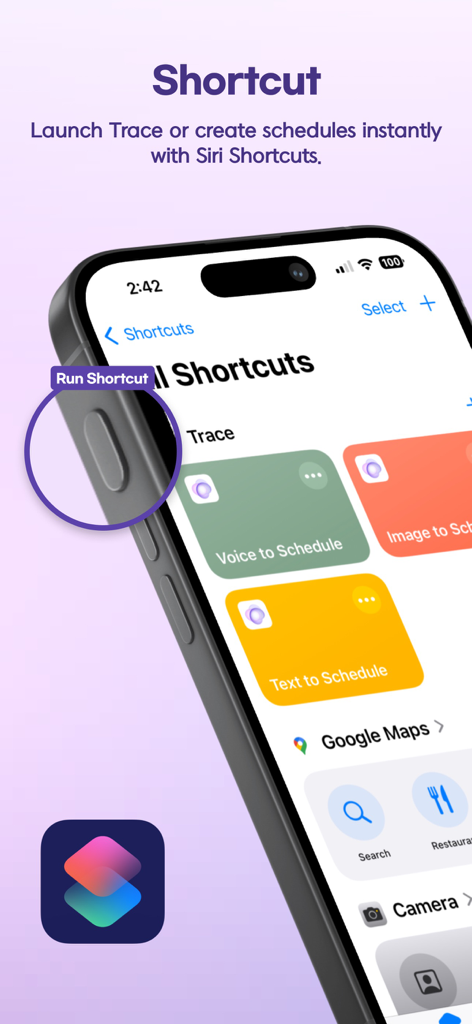
Siri Shortcuts integration in Trace AI Calendar app showing options for voice and text scheduling.
Description
Download
More Like This
Top-ranked apps in the same category

ChatGPT
OpenAI OpCo, LLC

Google Gemini
Google LLC

Grok
X.AI Corporation

Gmail - Email by Google
Google LLC

千问 - 阿里最强大模型官方AI助手
Shanghai Zhixin Puhui Technology Co., Ltd.

Google Drive
Google LLC

Microsoft Authenticator
Microsoft Corporation

Google Sheets
Google LLC

Google Docs
Google LLC
This page is not an official page of the app or its developer, but an independent editorial publication created for informational and commentary purposes. Unless expressly stated otherwise, neither the app nor its developer is affiliated with, endorsed by, sponsored by, authorized by, or otherwise officially connected with MWM, Apple, Google Play, the app publisher, or the app's developer, and nothing on this page implies that the app was developed using MWM's services. Any trademarks, logos, screenshots, and other content remain the property of their respective owners.