Tracearr
Tracearr

This page is not an official page of the app or its developer, but an independent editorial publication created for informational and commentary purposes. Unless expressly stated otherwise, neither the app nor its developer is affiliated with, endorsed by, sponsored by, authorized by, or otherwise officially connected with MWM, Apple, Google Play, the app publisher, or the app's developer, and nothing on this page implies that the app was developed using MWM's services. Any trademarks, logos, screenshots, and other content remain the property of their respective owners.

Logo of Tracearr

Tracearr

Take total control of your Plex, Jellyfin, and Emby instances from one unified dashboard. Monitor live streams, automate session rules, and manage user trust with a powerful, self-hosted platform built for the modern home lab.

Key Figures

Downloads

500+

User Rating

1.0/5

Total Ratings

0

Publisher

Connor Gallopo

Category

Utilities

Locales

1

Latest Version

1.4.24

Size

61.2 MB

First Released

Feb 19, 2026
Features

Master Your Media Ecosystem

Tracearr brings professional-grade monitoring and intelligent automation to your home lab, giving you total command over your Plex, Jellyfin, and Emby servers from a single, private dashboard.

Unified Real-Time Command Center

Stop juggling dashboards. Monitor active sessions, transcoding status, and viewer locations across all your servers instantly with zero-latency detection.

Proactive Automation & Guardrails

Protect your bandwidth and CPU. Automatically terminate unauthorized account sharing, 'impossible travel' logins, or resource-heavy 4K transcodes using 20+ custom logic rules.

The following screenshots and description are sourced directly from the app's official store listing and are the property of the app developer.

App Store

Screenshots
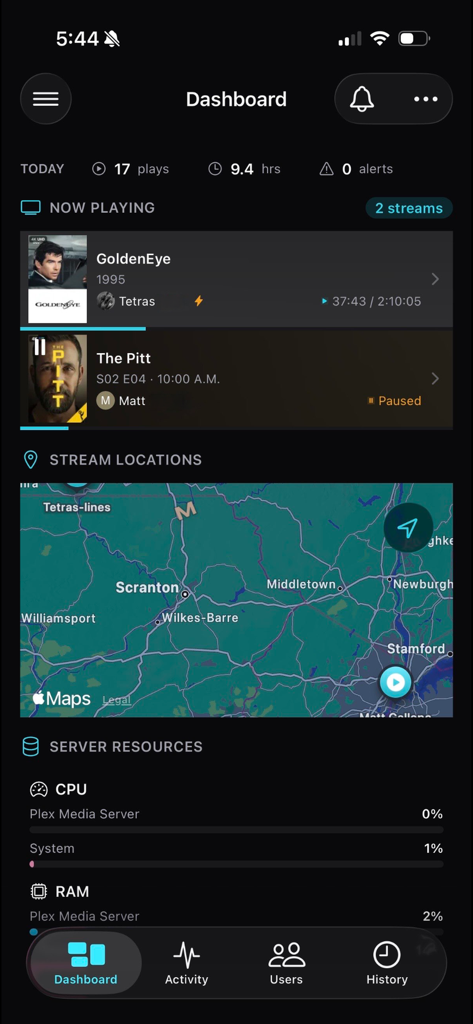
Tracearr - Tracearr dashboard showing active media streams map and server resource metrics
Tracearr dashboard showing active media streams map and server resource metrics

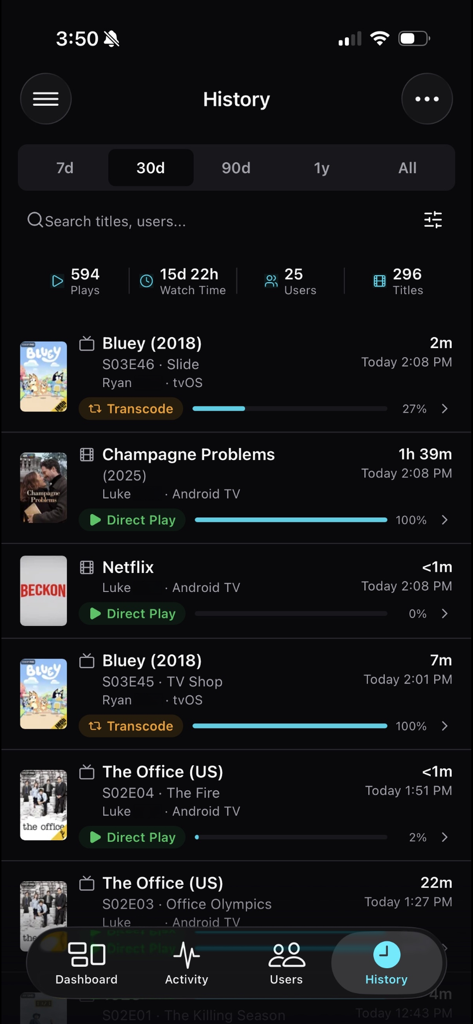
Tracearr - Tracearr history screen displaying media playback statistics and session details for Plex and Jellyfin servers
Tracearr history screen displaying media playback statistics and session details for Plex and Jellyfin servers

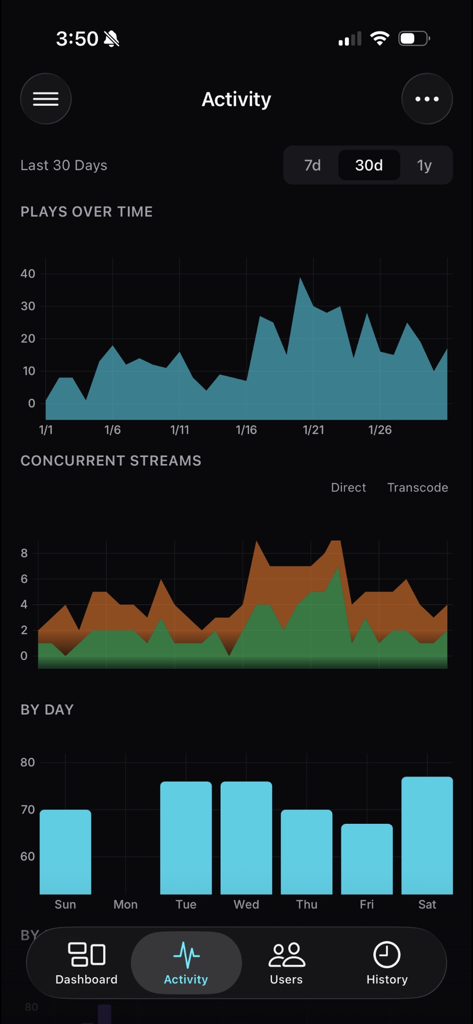
Tracearr - Tracearr activity dashboard displaying media server playback statistics and concurrent stream charts
Tracearr activity dashboard displaying media server playback statistics and concurrent stream charts

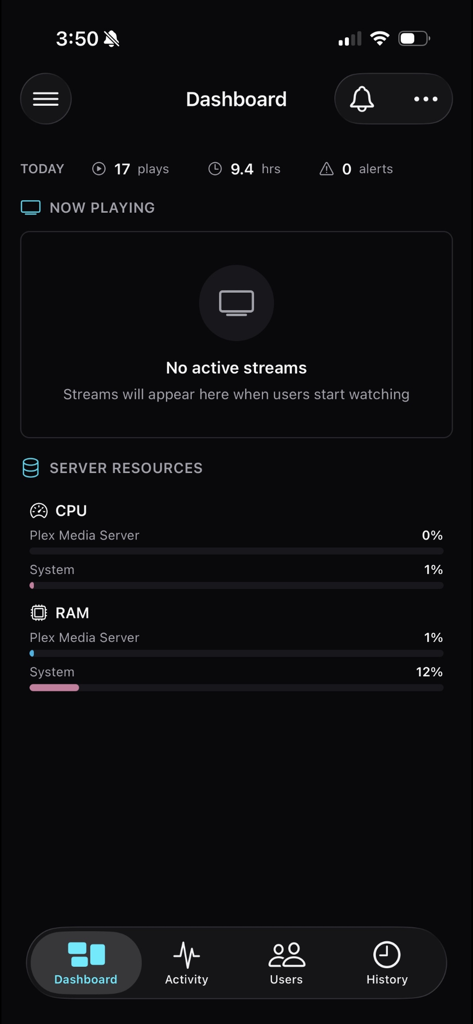
Tracearr - Tracearr app dashboard displaying real-time server CPU and RAM usage for a Plex media server

Tracearr app dashboard displaying real-time server CPU and RAM usage for a Plex media server

Description

Tracearr is a real-time monitoring platform for Plex, Jellyfin, and Emby. One dashboard for all your media servers. REAL-TIME STREAMING DASHBOARD See who's watching, what they're playing, and where they're streaming from - the moment it happens. Active sessions appear instantly with full details: device, quality, location, and transcoding status. Plex streams update via Server-Sent Events for zero-latency detection. A live stream map shows exactly where your viewers are watching from around the world. FLEXIBLE RULE BUILDER Build custom automation rules using 20+ condition fields: • Session behavior - concurrent streams, travel speed, unique IPs/devices in a time window, account inactivity • Stream quality - resolution, transcoding, bitrate thresholds • User attributes - specific users, trust score, account age • Device & client - device type, platform, player app • Network & location - country, IP ranges, local vs remote • Scope - target specific servers or media types Combine any conditions with AND/OR logic. When rules trigger, choose from multiple actions: • Create violation with severity levels • Send notifications (push, Discord, email, webhook) • Adjust or reset trust scores automatically • Terminate streams instantly • Message the client directly (Jellyfin/Emby) Chain multiple actions on a single rule. Set cooldowns to prevent spam. Classic templates for common patterns - impossible travel, simultaneous locations, device velocity, concurrent streams, geo restrictions - get you started in seconds. TRUST SCORES Users earn (or lose) trust based on their behavior. Rules can automatically adjust scores when they trigger. See at a glance which accounts might need attention. SESSION HISTORY & ANALYTICS Browse complete session history with powerful filters: date range, user, platform, country, media type, and transcode decision. Search across your entire watch history. See aggregated stats - total plays, watch time, unique viewers. The web dashboard includes deep library analytics: storage usage, quality distribution, duplicate detection, engagement metrics, and viewing patterns. USER PROFILES Drill into any user to see their activity: recent sessions, known devices, geographic locations, trust score history, and any violations. Everything you need to understand how an account is being used. PUSH NOTIFICATIONS Stay informed without constantly checking the app. Configure notifications for: • Rule violations (filter by type and severity) • Stream starts and stops • New device detection • Trust score changes • Server up/down status Set quiet hours to pause notifications overnight. Critical alerts can override quiet hours. MULTI-SERVER SUPPORT Connect multiple Plex, Jellyfin, and Emby servers to a single Tracearr instance. Switch between servers or view combined stats. No more juggling separate dashboards. SELF-HOSTED & PRIVATE Tracearr runs on your hardware. Your watch history, user data, and analytics never leave your network. The mobile apps connect directly to your server - nothing routes through third parties. Import existing data from Tautulli or Jellystat so you don't start from zero. REQUIREMENTS You need a running Tracearr server to use this app. It's free, open source, and runs in Docker. Visit github.com/connorgallopo/tracearr for setup instructions. Questions or issues? Open an issue on GitHub or join the Discord community.

Download

This page is not an official page of the app or its developer, but an independent editorial publication created for informational and commentary purposes. Unless expressly stated otherwise, neither the app nor its developer is affiliated with, endorsed by, sponsored by, authorized by, or otherwise officially connected with MWM, Apple, Google Play, the app publisher, or the app's developer, and nothing on this page implies that the app was developed using MWM's services. Any trademarks, logos, screenshots, and other content remain the property of their respective owners.