
This page is not an official page of the app or its developer, but an independent editorial publication created for informational and commentary purposes. Unless expressly stated otherwise, neither the app nor its developer is affiliated with, endorsed by, sponsored by, authorized by, or otherwise officially connected with MWM, Apple, Google Play, the app publisher, or the app's developer, and nothing on this page implies that the app was developed using MWM's services. Any trademarks, logos, screenshots, and other content remain the property of their respective owners.


Translate Video: Subtitles
Turn your speech into professional, multi-lingual subtitles in seconds. Use dozens of viral styles to capture attention on TikTok, Reels, and Shorts—even when viewers are watching on mute.
Downloads
59K+User Rating
Total Ratings
100Publisher
Category
Photo & VideoLocales
33Latest Version
3.4Size
24.7 MBFirst Released
Dec 18, 2021Go Viral Globally in Just Seconds
Unlock international growth with the ultimate AI tool for creators. Transcribe, translate, and style your captions to reach every viewer, everywhere.
Instant AI Transcription
Stop wasting hours on manual typing. Our advanced speech-to-text AI creates high-accuracy captions in seconds so you can focus on creating content.
Global Reach in 30+ Languages
Break the language barrier instantly. Translate your message into the world's most spoken languages and tap into international audiences on TikTok and YouTube.
Frequently Asked Questions
Everything you need to know about Translate Video: Subtitles
What is "Translate Video: Subtitles"?
Translate Video: Subtitles is an app that uses speech-to-text AI technology to translate video speech into foreign language subtitles. It enables users to create, edit, and style subtitles for their videos.
How does Translate Video generate translations?
Translate Video generates translations using speech-to-text AI technology. This process converts the original video speech into text, which is then translated into foreign language subtitles.
Does Translate Video support multiple languages for subtitles?
Yes, Translate Video supports multiple languages for subtitles. Users can choose from top languages including Spanish (MX), German (DE), Japanese (JP), French (FR), Portuguese (PR), Russian (RU), and Turkish (TR).
Can users edit the translated subtitles in Translate Video?
Yes, Translate Video allows users to edit translations for professional accuracy. The app provides simple editing tools to refine and adjust the generated subtitles.
What subtitle customization options are available in Translate Video?
Translate Video offers extensive customization for subtitles, including dozens of styles and fonts. Users can adjust font, shape, position, size, and text color for their subtitles.
Is there a free trial available for Translate Video?
Yes, users can try Translate Video for free. The app description explicitly states, "Try Translate Video for free today!" to encourage new users.
How much does a Translate Video subscription cost?
Translate Video offers three subscription options: $6.99 per week, $12.99 per month, and $49.99 per year. These prices apply to United States customers.
Are Translate Video subscriptions auto-renewing?
Yes, Translate Video subscriptions are auto-renewing. Subscriptions automatically renew at the end of each term, and the associated credit card is charged through the user's iTunes account.
How do I cancel my Translate Video subscription?
Users can cancel their Translate Video subscription by turning off auto-renewal at any time. This is done through the user's iTunes account settings.
Does Translate Video provide refunds for unused subscription periods?
No, Translate Video does not provide refunds for any unused portion of the subscription term. Users must turn off auto-renewal via iTunes settings to prevent future charges.
Where can I find the Terms of Use for Translate Video?
The Terms of Use for Translate Video are accessible via the link provided in the app description: http://totoventures.com/terms-of-use/. This document outlines the service's legal conditions.
Where can I find the Privacy Policy for Translate Video?
The Privacy Policy for Translate Video is available through the link in the app description: http://totoventures.com/privacy-policy/. It details how user data is handled and protected.
The following screenshots and description are sourced directly from the app's official store listing and are the property of the app developer.
App Store
Screenshots
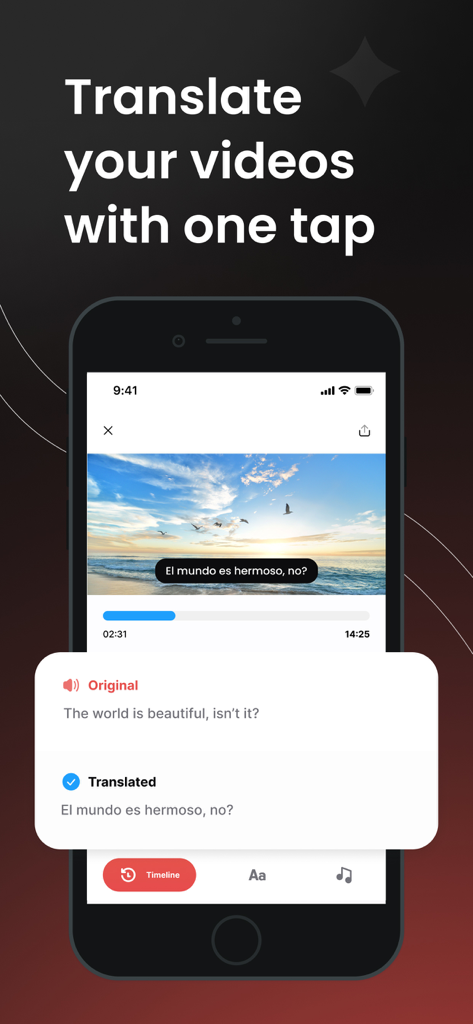
A smartphone showing the Translate Video app translating English captions into Spanish subtitles on a video of a sunset
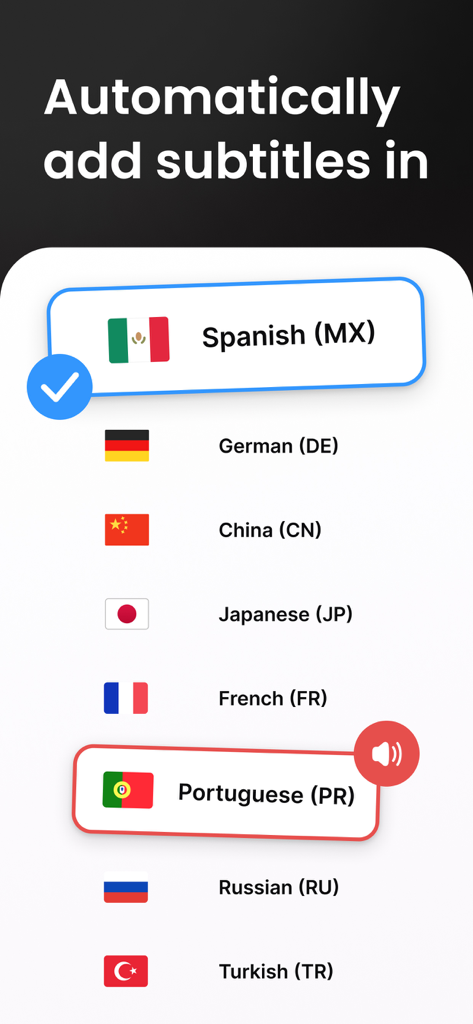
A list of language options with flags for automatic video subtitle translation including Spanish German Chinese and Japanese
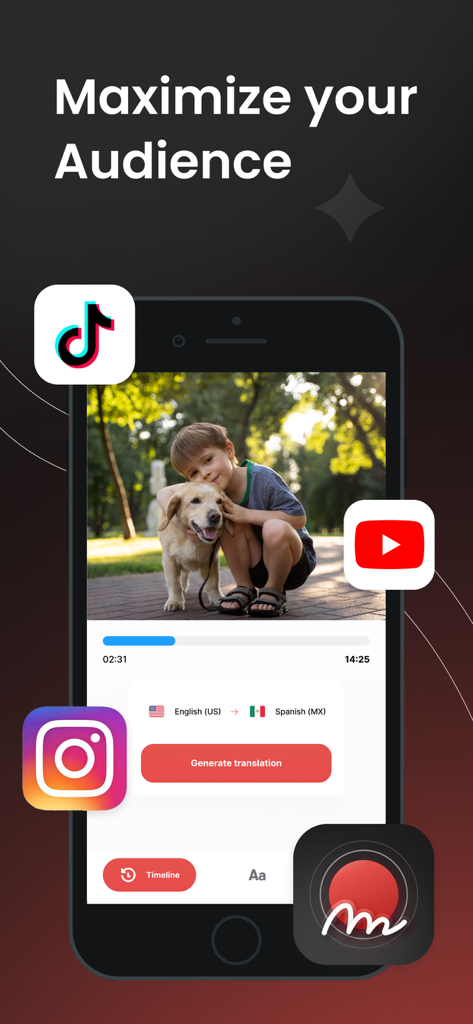
Smartphone interface showing the Translate Video app generating Spanish subtitles from English for social media like TikTok, YouTube, and Instagram.
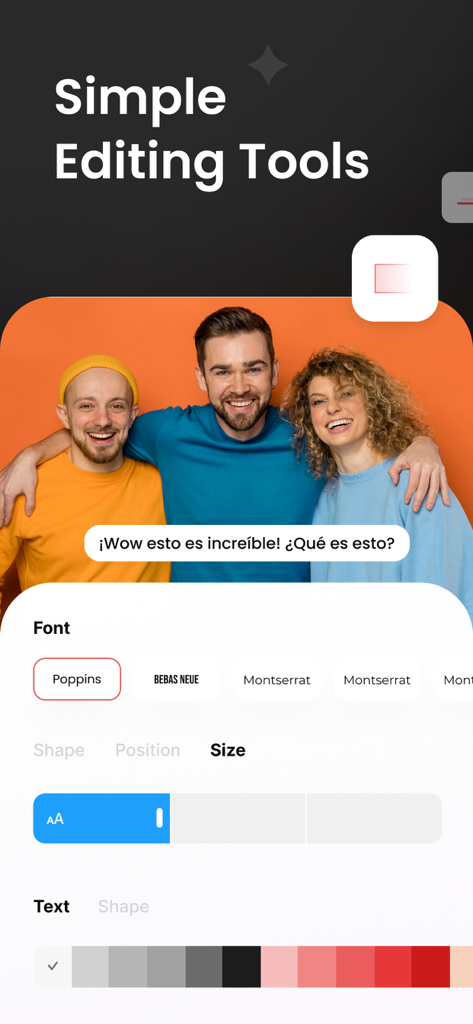
Interface of the Translate Video app showing subtitle customization options for fonts, size, and text color.
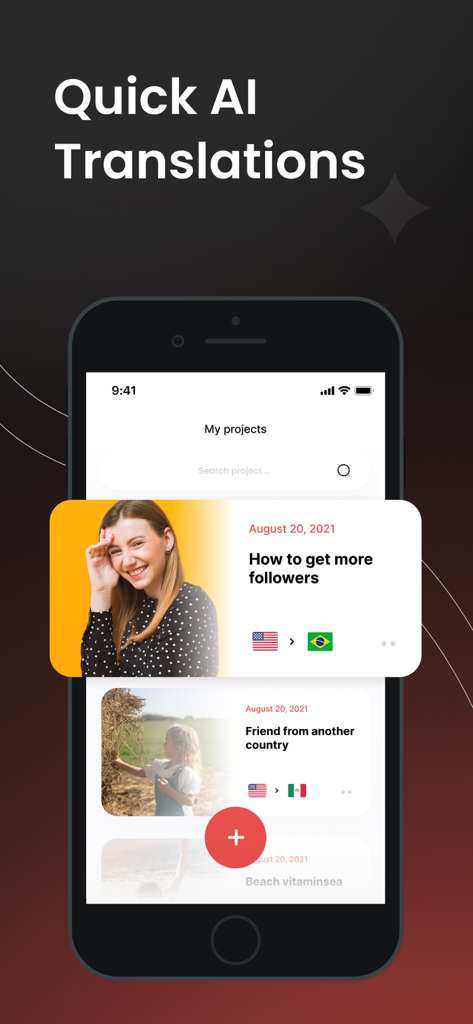
Smartphone screen displaying the My Projects list in the Translate Video app with AI translation options
Description
Download
More Like This
Top-ranked apps in the same category

CapCut: Photo & Video Editor
BYTEDANCE PTE. LTD.

Instagram, Inc.

YouTube
Google LLC

Canva: AI Photo & Video Editor
Canva Pty Ltd

Snapchat
Snap, Inc.

快手
Beijing Kwai Technology Co., Ltd.

Edits: Video Editor
Instagram, Inc.

Meitu- AI Photo & Video Editor
Xiamen Meitu Technology Co., Ltd.

Google Photos: Backup & Edit
Google LLC
This page is not an official page of the app or its developer, but an independent editorial publication created for informational and commentary purposes. Unless expressly stated otherwise, neither the app nor its developer is affiliated with, endorsed by, sponsored by, authorized by, or otherwise officially connected with MWM, Apple, Google Play, the app publisher, or the app's developer, and nothing on this page implies that the app was developed using MWM's services. Any trademarks, logos, screenshots, and other content remain the property of their respective owners.