
This page is not an official page of the app or its developer, but an independent editorial publication created for informational and commentary purposes. Unless expressly stated otherwise, neither the app nor its developer is affiliated with, endorsed by, sponsored by, authorized by, or otherwise officially connected with MWM, Apple, Google Play, the app publisher, or the app's developer, and nothing on this page implies that the app was developed using MWM's services. Any trademarks, logos, screenshots, and other content remain the property of their respective owners.

Trello: Organize anything!
Chaos succumbs to the card. The app grants users the visual leverage to corral any project, ensuring no task escapes its digital grasp.
Downloads
12.5M+User Rating
Total Ratings
37.0KPublisher
Category
ProductivityLocales
21Latest Version
2026.7Size
203.9 MBFirst Released
Sep 13, 2011Key Features of Trello: Organize anything!
An analytical overview of the core functionalities enabling visual task management and collaborative workflows.
Customizable Kanban Boards
The app provides flexible and visually intuitive kanban boards and lists, allowing users to organize tasks and workflows with drag-and-drop functionality.
Detailed Card Customization
This tool features comprehensive card capabilities, allowing users to add due dates, comments, checklists, descriptions, and files to individual tasks for thorough tracking.
Seamless Integrations & Capture
It allows users to centralize work by capturing tasks and information from various sources, including Slack, Microsoft Teams, emails, and Siri, directly into Trello cards.
Calendar Sync & Planner
The app offers integration with Google and Outlook calendars, providing users with a Trello Planner to visualize their schedule and allocate focus time for tasks.
Offline Functionality
This tool features offline capabilities, enabling users to capture ideas and update boards without internet access, with automatic synchronization upon reconnecting.
Intuitive Mobile Experience
It provides a tactile and visual mobile interface with drag-and-drop gestures and home screen widgets, ensuring a polished and efficient experience across iOS devices.
Frequently Asked Questions
Everything you need to know about Trello: Organize anything!
What is the Trello: Organize anything! app used for?
Trello: Organize anything! is a mobile app for capturing to-dos as cards and organizing them into lists and customizable kanban boards. It helps users manage tasks and deadlines effectively, ensuring productivity while on-the-go.
Is the Trello: Organize anything! mobile app free?
Yes, the Trello: Organize anything! app is free to download and use. Certain advanced Planner features, such as scheduling focus time, are available for users with Standard and Premium subscriptions.
Can I use Trello: Organize anything! when offline?
Yes, Trello: Organize anything! supports offline functionality. Users can capture ideas and update boards without an internet connection. All changes automatically sync to the cloud once the device is back online.
Does Trello: Organize anything! sync with Google or Outlook calendars?
Yes, Trello: Organize anything! integrates with external calendars. The Trello Planner feature syncs with Google and Outlook calendars, allowing users to view their daily schedule and allocate focus time.
What is the Trello Inbox in Trello: Organize anything!?
The Trello Inbox is a central feature where all captured tasks, ideas, and notes are initially stored as cards. From the Inbox, users can review, prioritize, and easily organize their work across different Trello boards.
Can I add tasks to Trello: Organize anything! using a home screen widget?
Yes, users can add new to-dos and mark tasks as complete directly from the Trello: Organize anything! home screen widget. This allows for quick task management without needing to open the full application.
How do I capture tasks in the Trello: Organize anything! app?
Users capture to-dos by creating Trello cards. These cards support adding due dates, comments, checklists, descriptions, and files. Tasks can also be captured from Slack or Microsoft Teams messages, photos, or forwarded emails.
Does Trello: Organize anything! use AI features?
Yes, Trello: Organize anything! incorporates AI to enhance task management. The AI assists by summarizing saved to-dos into Trello cards, ensuring that no important information or tasks are overlooked.
The following screenshots and description are sourced directly from the app's official store listing and are the property of the app developer.
App Store
Screenshots
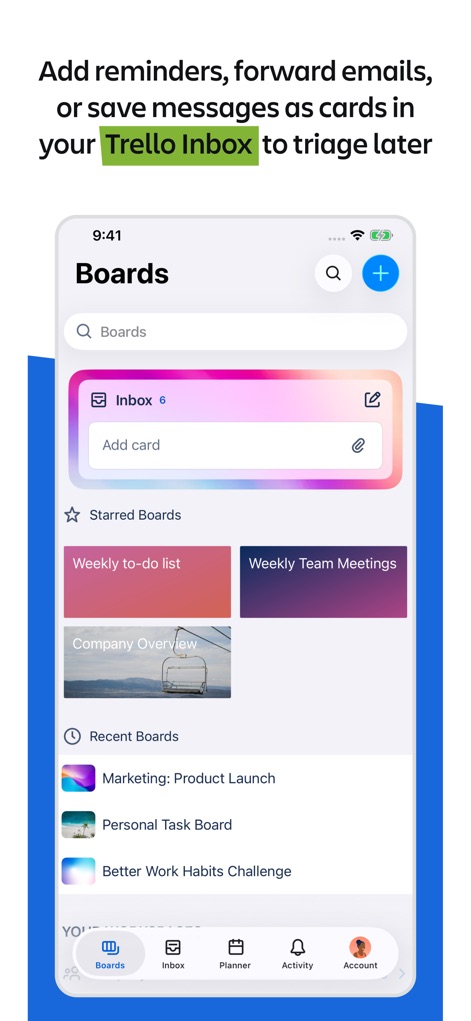
Inbox & Boards
This view showcases the app's intuitive Trello Inbox for quick task capture and the organized 'Starred Boards' for easy access to priority projects.
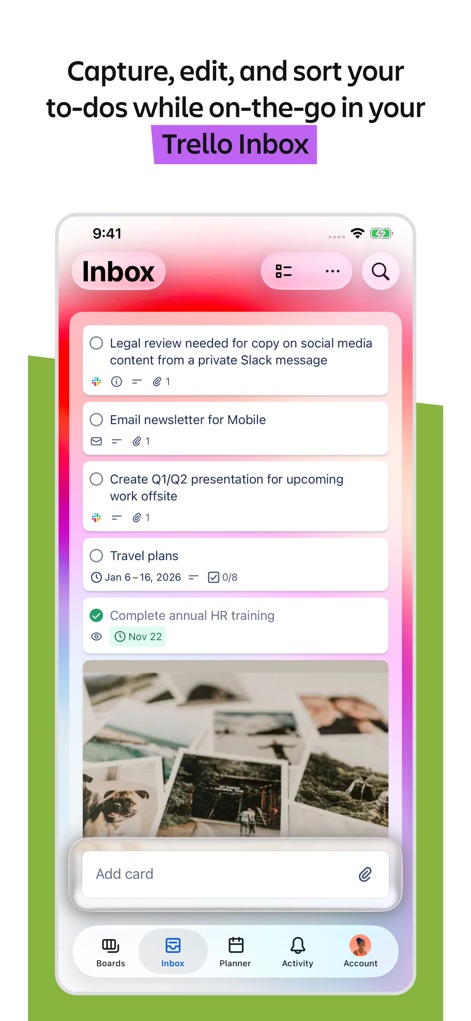
Inbox Task View
Users can efficiently capture, edit, and sort their to-dos within the Trello Inbox, where each task is represented as a detailed card with descriptions and due dates.
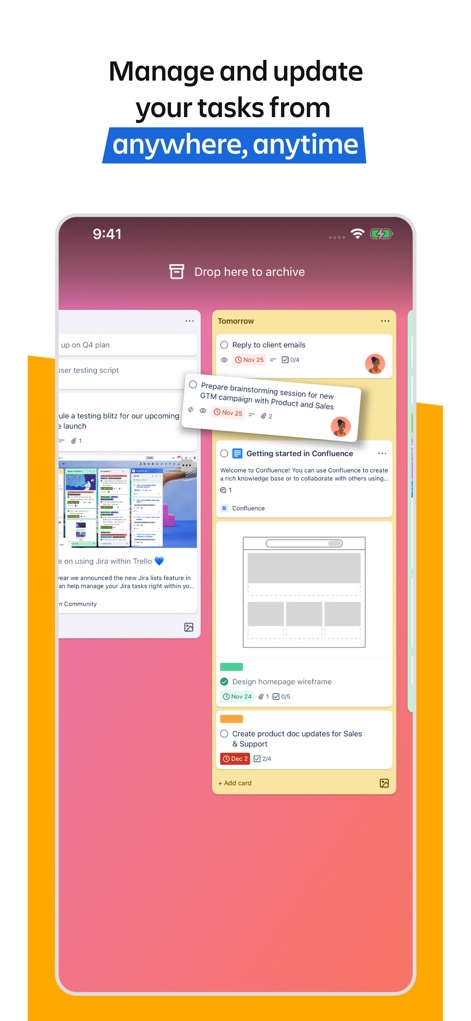
Dynamic Workflow
This tool allows for dynamic task management through its visual drag-and-drop interface, letting users easily move cards between lists and boards to streamline workflows.
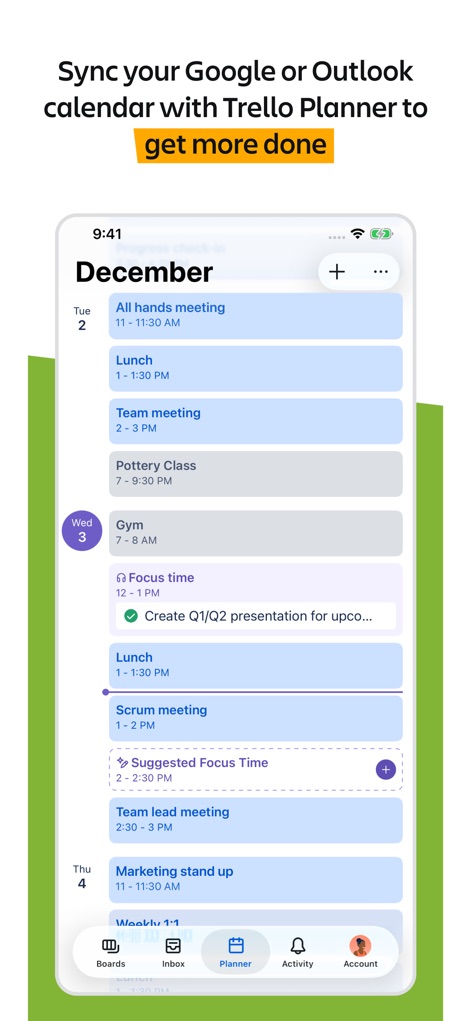
Integrated Planning
The app integrates seamlessly with external calendars like Google or Outlook, displaying scheduled events alongside dedicated 'Focus time' blocks within the Trello Planner.
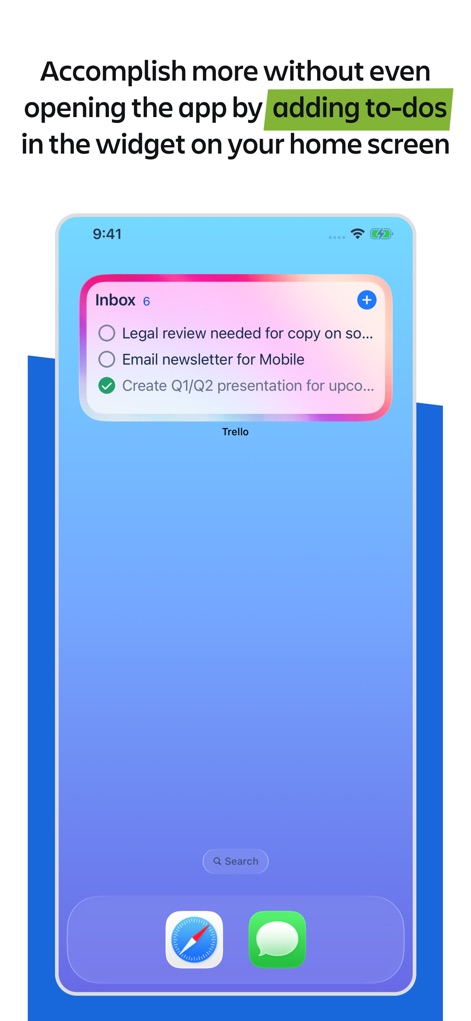
Quick Access Widget
Users can boost efficiency with the iOS home screen widget, which allows for quick viewing of tasks and the immediate addition of new to-dos directly from the device's home screen.
Description
Download
More Like This
Apps with similar features and user experience

Notion: Notes, Tasks, AI
Notion Labs, Incorporated

Freenotes®: AI Notes Taking
Hangzhou Free Notes Technology Co., Ltd

Structured - Daily Planner
unorderly GmbH

Google Tasks: Get Things Done
Google LLC

TickTick:To-Do List & Calendar
Appest Limited

Noteful: Notes & PDF Markup
Noteful Technologies Ltd

Todoist: To Do List & Calendar
Doist Inc.

To do list MinimaList & Widget
Inner Grow Limited

monday.com - Work Platform
monday.com Ltd.
This page is not an official page of the app or its developer, but an independent editorial publication created for informational and commentary purposes. Unless expressly stated otherwise, neither the app nor its developer is affiliated with, endorsed by, sponsored by, authorized by, or otherwise officially connected with MWM, Apple, Google Play, the app publisher, or the app's developer, and nothing on this page implies that the app was developed using MWM's services. Any trademarks, logos, screenshots, and other content remain the property of their respective owners.