
This page is not an official page of the app or its developer, but an independent editorial publication created for informational and commentary purposes. Unless expressly stated otherwise, neither the app nor its developer is affiliated with, endorsed by, sponsored by, authorized by, or otherwise officially connected with MWM, Apple, Google Play, the app publisher, or the app's developer, and nothing on this page implies that the app was developed using MWM's services. Any trademarks, logos, screenshots, and other content remain the property of their respective owners.


Ultralight: Photo Video Editor
Unleash visual brilliance. The app provides desktop-grade editing power directly to your device, ensuring every pixel aligns with your vision.
Downloads
5M+User Rating
Total Ratings
34.8KPublisher
Category
Photo & VideoLocales
21Latest Version
10.0.18Size
72.4 MBFirst Released
Jun 8, 2015An evaluation of key capabilities driving enhanced photo and video editing across user levels.
Ultralight: Core Feature Analysis
Intuitive User Interface
This tool features an intuitive and user-friendly interface, designed for effortless everyday use while providing precise control for detailed adjustments.
Layers & Masking
This tool features advanced layers and masks functionality, empowering users with sophisticated control over selective adjustments and complex compositions.
Desktop-Quality Cross-Device Editing
The app delivers desktop-quality editing capabilities directly on mobile devices, ensuring access to professional-grade tools across iPhones, iPads, and Macs.
Advanced Color & Tonal Control
The app offers comprehensive advanced controls for color and tone, including HSL, Curves, and professional color grading, enabling precise manipulation of image aesthetics.
Customizable Presets & Filters
The app offers high-quality, customizable presets, allowing users to create and save unique filter collections for consistent aesthetics.
Unified Photo & Video Workflow
It provides a unified workflow, enabling users to apply the same built-in and custom filters and editing tools across both photos and videos for consistent styling.
Non-Destructive Editing
The app supports non-destructive editing, ensuring users can revert, undo, and redo changes at any point without permanently altering the original media.
Real-Time Editing Preview
It facilitates real-time editing with a high-performance preview, allowing users to see instant results of their adjustments for efficient workflow.
Frequently Asked Questions
Everything you need to know about Ultralight: Photo Video Editor
What is Ultralight: Photo Video Editor?
Ultralight is a simple, powerful, and intuitive photo and video editor available on iPhone, iPad, and Mac. It offers desktop-quality editing with a user-friendly interface.
Is Ultralight: Photo Video Editor free to download?
Yes, Ultralight: Photo Video Editor is free to download. Ultralight Pro features, offering advanced tools, are available as a separate in-app purchase.
What key photo editing tools does Ultralight offer?
Ultralight provides creative photo editing tools including high-quality presets, light and exposure adjustments, saturation, temperature, color grading, clarity, sharpen, HSL, vignette, crop, and perspective correction.
Can Ultralight edit videos?
Yes, Ultralight supports simple video editing. Users can apply built-in and custom filters, trim clips, merge multiple videos, and create video collages using the same tools as photo editing.
What devices are compatible with Ultralight: Photo Video Editor?
Ultralight: Photo Video Editor is available on iPhone, iPad, and Mac. It provides the same editing tools across all these devices, ensuring a consistent user experience.
Does Ultralight Pro offer additional features?
Yes, Ultralight Pro unlocks professional tools such as Curves, Pro color controls, Texture overlays, and Layers and masks. These advanced features enhance editing capabilities.
How do I subscribe to Ultralight Pro?
Users can subscribe to Ultralight Pro as a separate in-app purchase after a free trial. The subscription is annual and renews automatically unless turned off 24 hours before the period ends.
Can I manage my Ultralight Pro subscription?
Yes, you can manage your Ultralight Pro membership through your device settings. Navigate to Settings > iTunes & App Store > Apple ID > Subscriptions to adjust your preferences.
Where can I find the privacy policy for Ultralight?
The privacy policy for Ultralight is available at https://www.uova.fi/privacy-policy.html. Detailed terms and conditions are also provided on the Uova website for user reference.
What is the average rating for Ultralight: Photo Video Editor?
Ultralight: Photo Video Editor has an average rating of 4.7 stars. It has garnered over 150K five-star reviews from its 7.5M+ downloads, indicating high user satisfaction.
The following screenshots and description are sourced directly from the app's official store listing and are the property of the app developer.
App Store
Screenshots
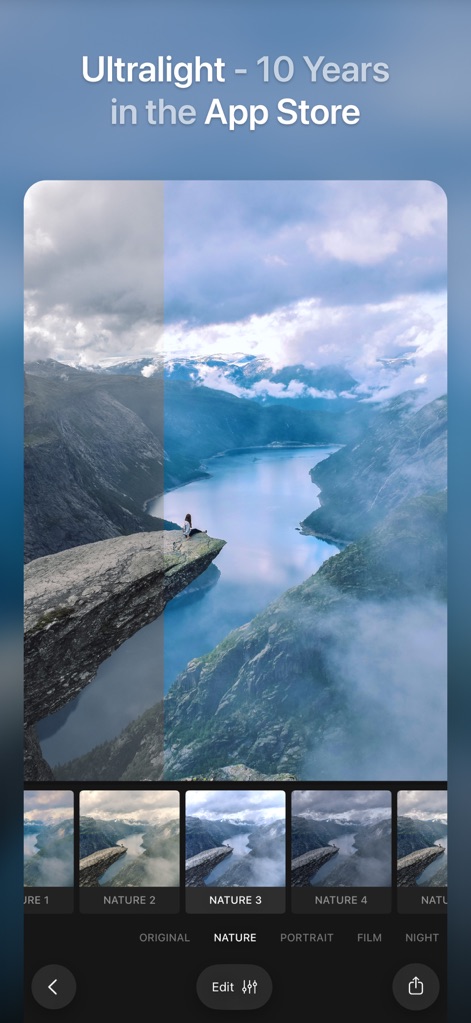
See how the app's intuitive "before-and-after" slider demonstrates instant transformations and how users can explore diverse "preset categories" like Nature, Portrait, and Film.
Instant Filter Magic
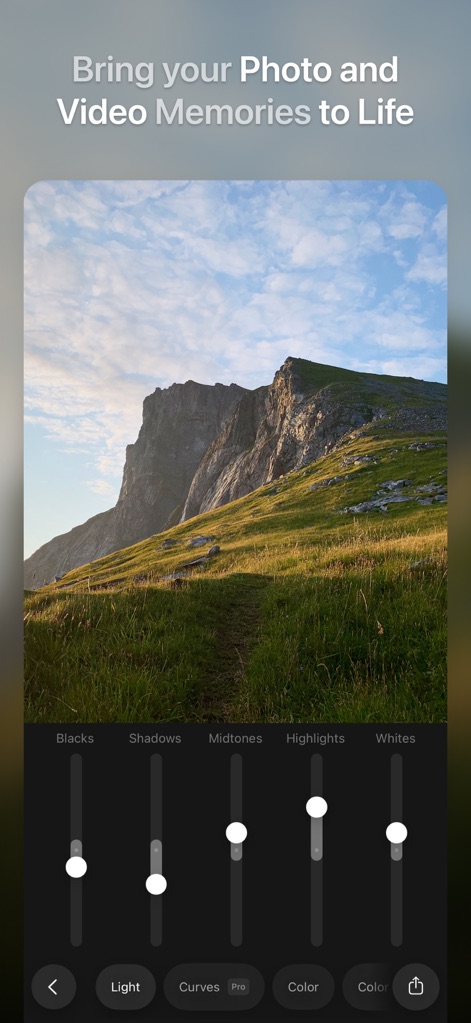
Explore the app's precise "exposure sliders" for Blacks, Shadows, Midtones, Highlights, and Whites, providing detailed control within the comprehensive "Light adjustment panel".
Precise Light Control
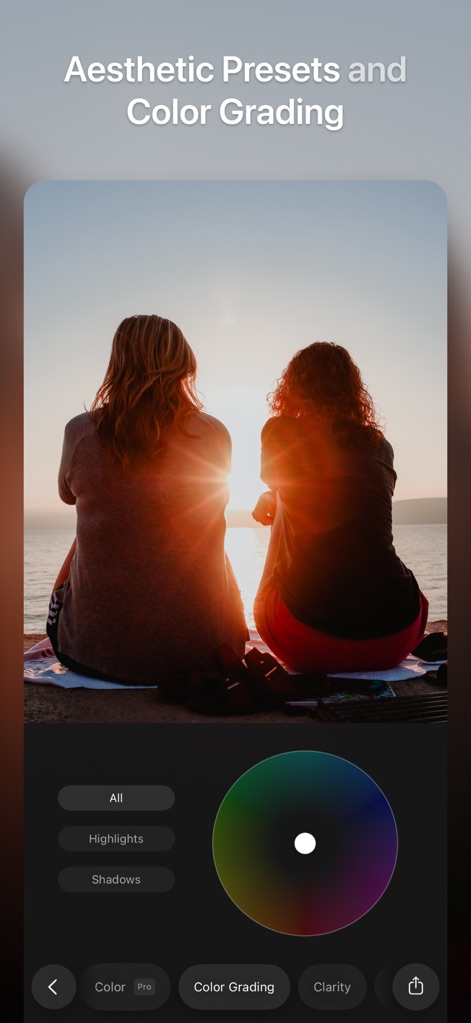
Discover the app's advanced "color wheel selector" for nuanced adjustments and witness the power of its "Color Grading" tools, enabling aesthetic transformations for any image.
Artistic Color Grading
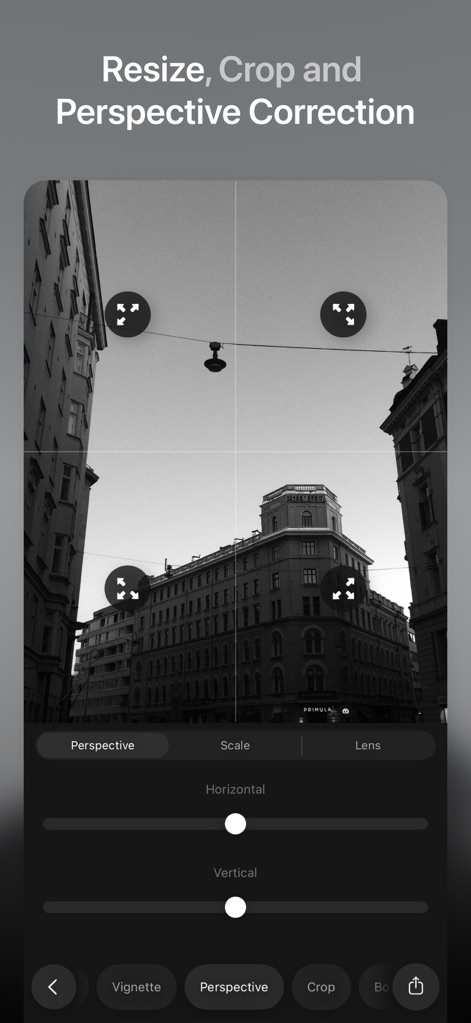
Observe the app's dynamic "perspective correction grid" for straightening lines and leveraging its intuitive "crop and resizing tools" to perfect image composition.
Composition Mastery
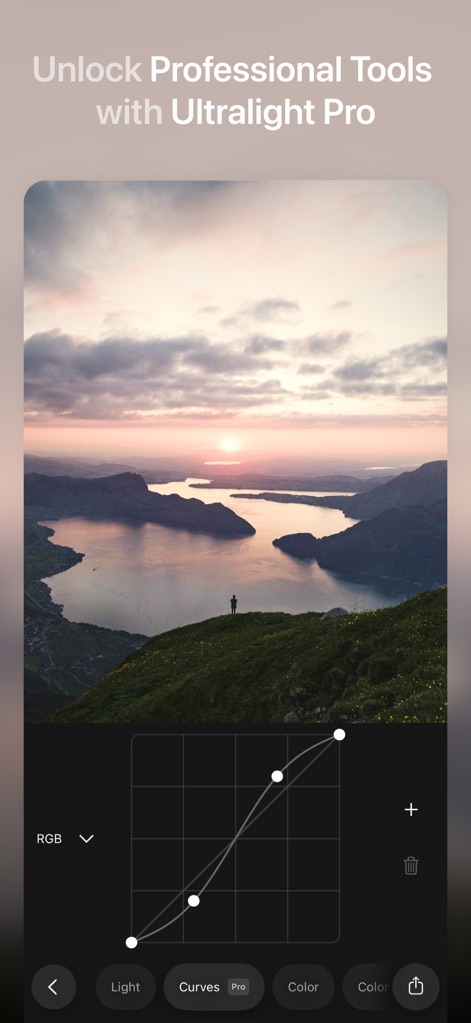
Uncover the precision of the app's "RGB Curves graph" for fine-tuning tonal ranges and glimpse the extensive "Pro editing features" available for unlocking advanced creative control.
Advanced Curve Adjustments
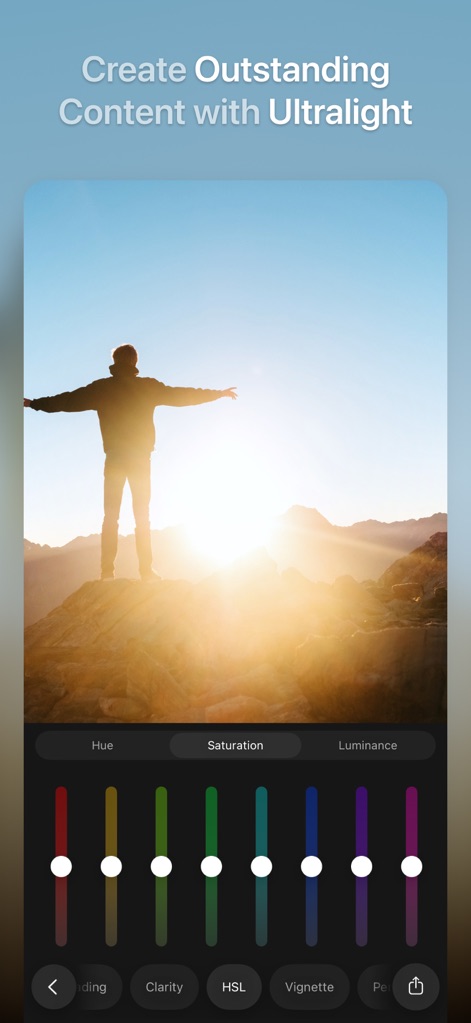
Experience the app's granular "HSL color sliders" for adjusting specific hues, saturation, and luminance, and fine-tune image vibrancy with dedicated "vibrancy controls".
Vibrant Color Control
Description
Download
More Like This
Apps with similar features and user experience

Lightroom: AI Photo Editor
Adobe Inc.

MIX-Photo Editor & Filters
灏 徐

Presets for Lightroom - FLTR
Onelight Apps CY Ltd

Colorby: AI Photo Color Editor
Zhanghan Ke

PRESETS: Filters for Pictures
Gustas Brazaitis

Edith: Presets for Lightroom
MWM

Soft Focus Lite 〜beauty selfie
handyCloset Inc.

BerryFilm - Korean Style Cam
Seungyun Kim

Presets for Lightroom: Filters
Alenrom sp. z o.o.
This page is not an official page of the app or its developer, but an independent editorial publication created for informational and commentary purposes. Unless expressly stated otherwise, neither the app nor its developer is affiliated with, endorsed by, sponsored by, authorized by, or otherwise officially connected with MWM, Apple, Google Play, the app publisher, or the app's developer, and nothing on this page implies that the app was developed using MWM's services. Any trademarks, logos, screenshots, and other content remain the property of their respective owners.