
This page is not an official page of the app or its developer, but an independent editorial publication created for informational and commentary purposes. Unless expressly stated otherwise, neither the app nor its developer is affiliated with, endorsed by, sponsored by, authorized by, or otherwise officially connected with MWM, Apple, Google Play, the app publisher, or the app's developer, and nothing on this page implies that the app was developed using MWM's services. Any trademarks, logos, screenshots, and other content remain the property of their respective owners.


Unblur - AI Photo Enhancer
Blurry photos are dead. This app resurrects your memories with AI precision, transforming pixelated ghosts into vibrant keepsakes.
Downloads
500k+User Rating
Total Ratings
9.2KPublisher
Category
Photo & VideoLocales
1Latest Version
6.0Size
226.6 MBFirst Released
Apr 12, 2023An Analytical Overview of Its Core Capabilities and Benefits
Key Features of Unblur - AI Photo Enhancer
AI-Powered Photo Enhancement
The app provides advanced Artificial Intelligence to transform old, blurry, and low-resolution photos into crystal clear HD images, including sharpening portraits, de-noising, and improving overall photo quality.
AI Image Upscaling
It allows users to significantly increase the resolution of images using AI, ensuring greater clarity and detail without loss of quality.
Vintage Photo Restoration
This tool features a 'Descratch' function to effectively remove scratches and imperfections, expertly restoring vintage photographs to their original glory.
HD Facial Details Enhancement
The app specializes in turning facial photos into high-definition, meticulously improving face details for sharper and clearer portraits.
B&W Photo Colorization
It allows users to automatically colorize old black & white photos, bringing new life and vibrancy to historical and family memories.
AI Art Generation from Text
This tool features the ability to generate entirely new images from text descriptions, leveraging Artificial Intelligence for creative artistic transformations.
Frequently Asked Questions
Everything you need to know about Unblur - AI Photo Enhancer
What is Unblur - AI Photo Enhancer?
Unblur - AI Photo Enhancer is an application that uses Artificial Intelligence to fix blurry, low-resolution photos, enhance their quality, and restore old images. It turns them into crystal clear HD.
How does Unblur - AI Photo Enhancer fix blurry photos?
Unblur fixes blurry photos by using Artificial Intelligence to sharpen portraits, de-noise images, and improve face details. It transforms blurry, low-resolution pictures into crystal clear HD.
Can Unblur - AI Photo Enhancer upscale image resolution?
Yes, Unblur - AI Photo Enhancer can upscale image resolution with AI. It turns low-resolution photos into high-definition quality, improving overall clarity and detail.
Does Unblur - AI Photo Enhancer restore old and vintage photos?
Yes, Unblur restores old and vintage photos. It can descratch images to remove damage and colorize old black and white photos, turning them into HD quality.
Can Unblur - AI Photo Enhancer generate art from text?
Yes, Unblur - AI Photo Enhancer can turn words into photos with Artificial Intelligence. Users input text prompts, and the app generates corresponding AI art images.
What are the subscription options for Unblur - AI Photo Enhancer?
Unblur - AI Photo Enhancer offers Premium subscription packages with weekly, monthly, or yearly lengths. These subscriptions provide an ad-free experience and access to all premium content.
How can I manage my Unblur - AI Photo Enhancer subscription?
You can manage your Unblur - AI Photo Enhancer subscription and turn off auto-renewal from your iTunes Account Settings after purchase. Your payment is charged to your iTunes Account.
Does Unblur - AI Photo Enhancer offer a free trial?
Yes, Unblur - AI Photo Enhancer may offer a free trial period. Any unused portion of this trial is forfeited upon purchasing a subscription to the app.
Does Unblur - AI Photo Enhancer offer an ad-free experience?
Yes, Unblur - AI Photo Enhancer offers an ad-free experience through its Premium subscription package. The free version includes advertisements.
What AI filters are available in Unblur - AI Photo Enhancer?
Unblur - AI Photo Enhancer includes AI filters such as 90's Anime, Mini Toy, Clay, and Plush. These filters transform portraits into stylized art.
How can I contact support for Unblur - AI Photo Enhancer?
You can contact support for Unblur - AI Photo Enhancer via email at app.care.anthony@gmail.com, or through the app’s settings screen for reporting bugs or suggestions.
Where can I find the privacy policy for Unblur - AI Photo Enhancer?
The privacy policy for Unblur - AI Photo Enhancer is available at the provided URL: https://sites.google.com/view/anthonydurbins/privacy.
The following screenshots and description are sourced directly from the app's official store listing and are the property of the app developer.
App Store
Screenshots
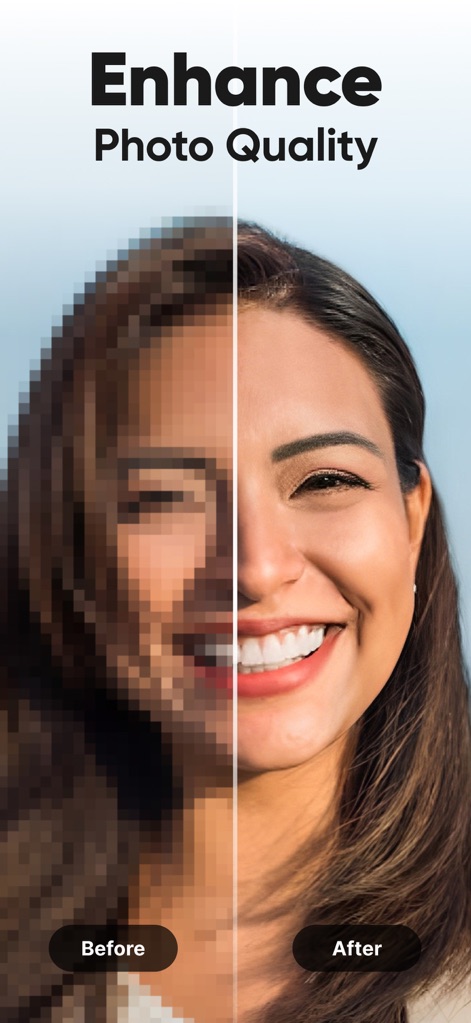
See how this tool uses AI to transform low-resolution images into crystal-clear photos, showcasing a stark before-and-after comparison of a facial portrait.
AI Clarity Transformation
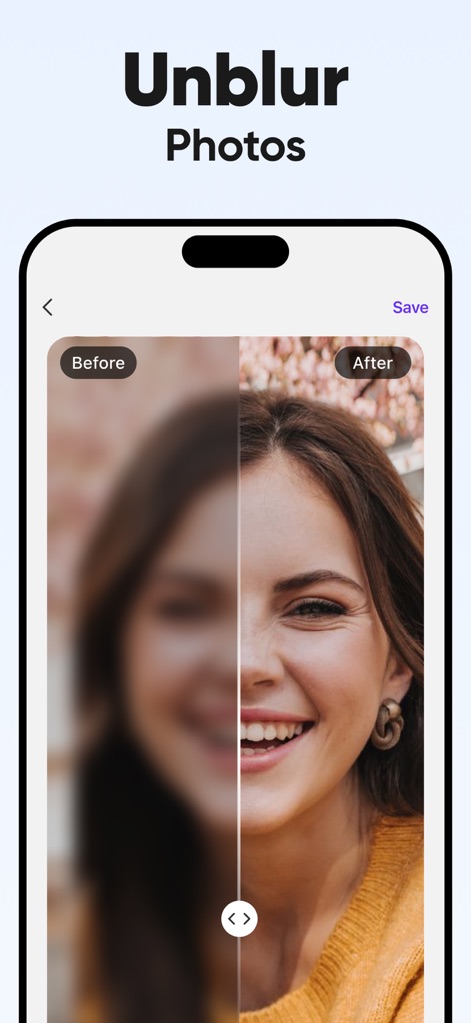
The app demonstrates its core functionality, allowing users to effortlessly unblur photos and instantly reveal the sharpened details of a previously out-of-focus image.
Instant Unblurring
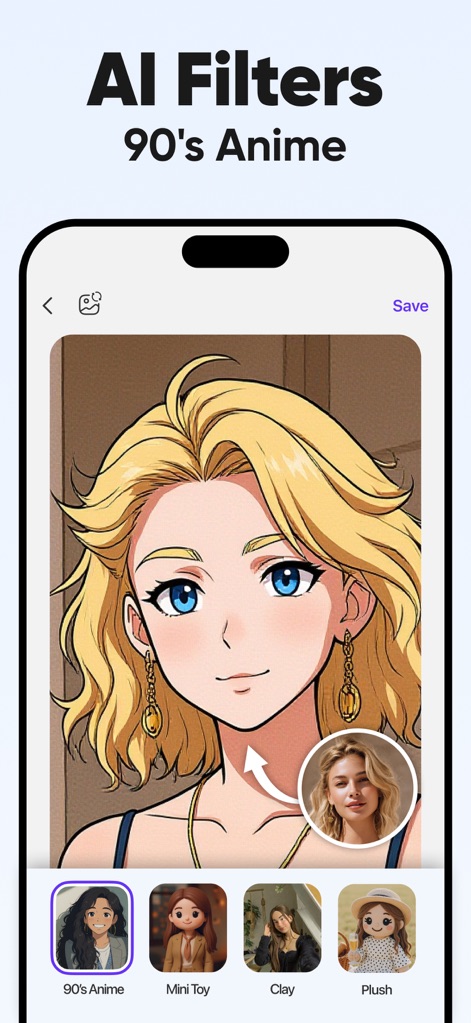
Explore the app's diverse AI filters, from transforming portraits into a distinct '90s Anime' aesthetic to offering various artistic styles like 'Mini Toy' and 'Clay'.
Creative AI Filters
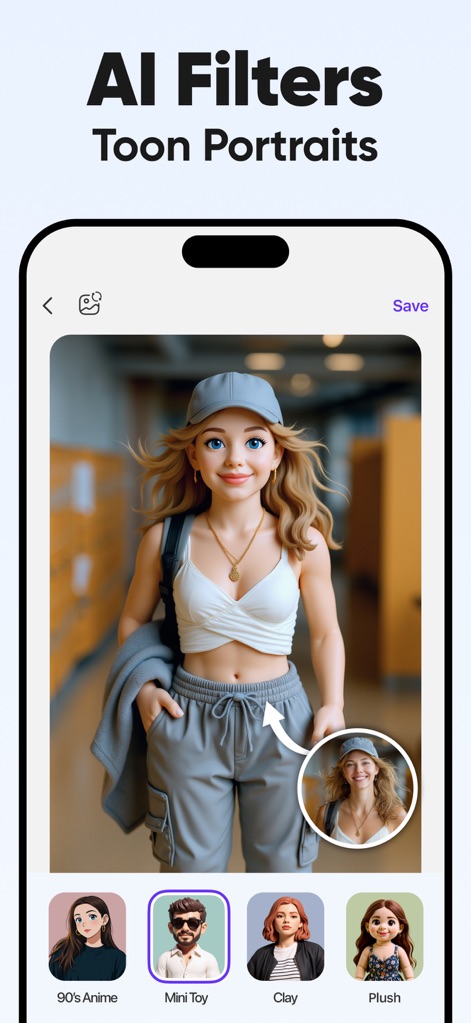
This tool showcases its AI capabilities by converting a realistic photo into a charming 'Mini Toy' toon portrait, providing a seamless transformation alongside other creative AI filter options.
AI Portrait Magic
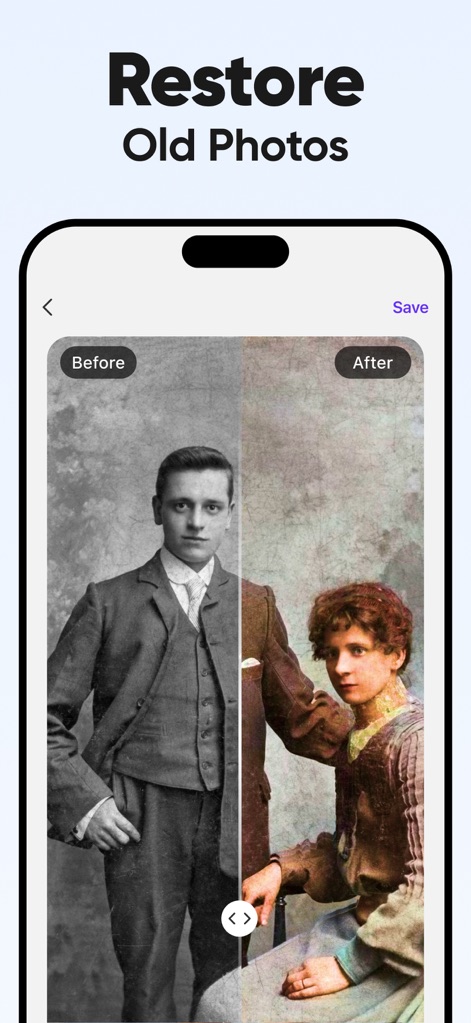
Users can witness the powerful restoration features of the app, bringing old black and white photographs back to life with precise colorization and enhanced detail.
Vintage Photo Revival
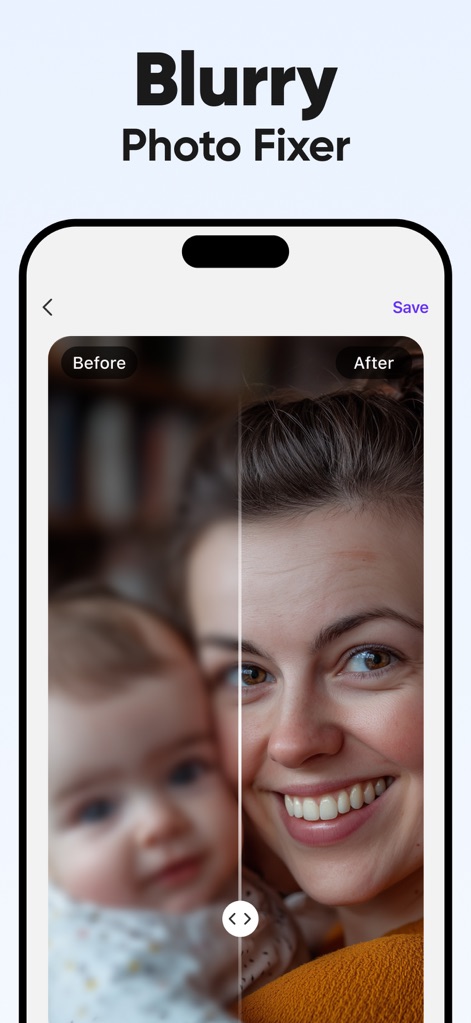
Observe how the app effectively sharpens blurry images, turning soft, undefined subjects like faces into clearly focused and detailed portraits.
Sharpening Capabilities
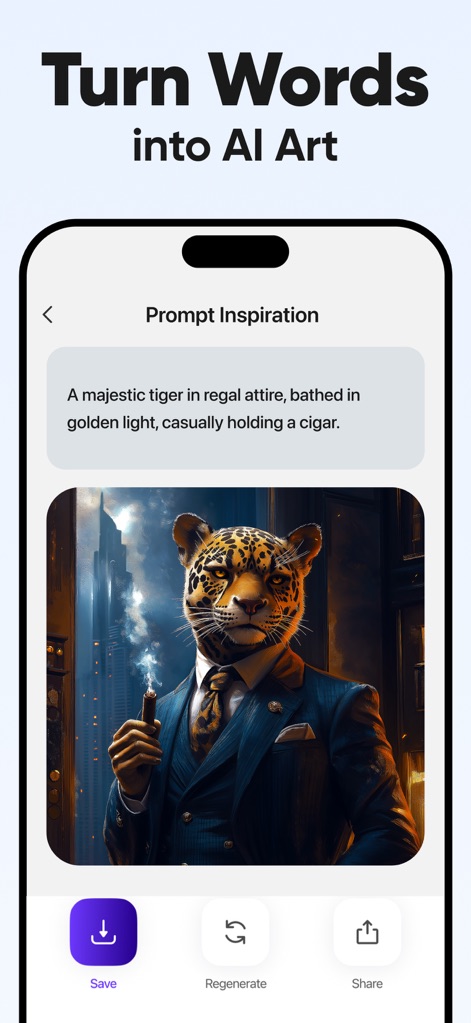
Discover the app's text-to-image generation feature, where users can input creative prompts to produce unique AI-generated artworks, such as a "majestic tiger in regal attire."
AI Art Generation
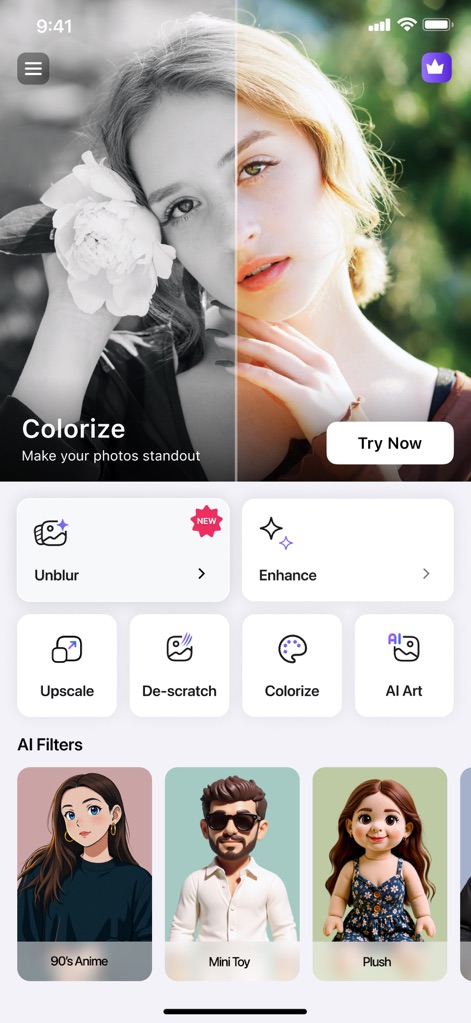
The app's intuitive home screen presents a comprehensive suite of AI-powered tools, including options for 'Unblur', 'Enhance', 'Colorize', and a wide range of 'AI Filters'.
Comprehensive AI Toolkit
Description
Download
More Like This
Apps with similar features and user experience

EPIK - AI Photo & Video Editor
SNOW Corporation

Citrus: AI 1 Tap Perfect Photo
Wemagine.ai LLP

SnapEdit: Photo Editor AI
SilverAI Joint Stock Company

Background Eraser 〜 Stickers
handyCloset Inc.

PhotoScan by Google Photos
Google LLC

Magic Eraser - Remove Object
Creatix Technology Global Limited

Magic Eraser Background Editor
Honk Honk Punch Pty Ltd

ProKnockOut-Cut Paste Photos
Shenzhen Qianhai Happy Tour Network Technology Co., Ltd.

Background Eraser - Remove BG*
SHANTANU PTE. LTD.
This page is not an official page of the app or its developer, but an independent editorial publication created for informational and commentary purposes. Unless expressly stated otherwise, neither the app nor its developer is affiliated with, endorsed by, sponsored by, authorized by, or otherwise officially connected with MWM, Apple, Google Play, the app publisher, or the app's developer, and nothing on this page implies that the app was developed using MWM's services. Any trademarks, logos, screenshots, and other content remain the property of their respective owners.