
This page is not an official page of the app or its developer, but an independent editorial publication created for informational and commentary purposes. Unless expressly stated otherwise, neither the app nor its developer is affiliated with, endorsed by, sponsored by, authorized by, or otherwise officially connected with MWM, Apple, Google Play, the app publisher, or the app's developer, and nothing on this page implies that the app was developed using MWM's services. Any trademarks, logos, screenshots, and other content remain the property of their respective owners.


Unzip - zip,rar,7z file opener
File formats present constant hurdles. This app provides the absolute command to effortlessly unpack, view, and manage any digital asset.
Downloads
12.5M+User Rating
Total Ratings
245.4KPublisher
Category
ProductivityLocales
49Latest Version
5.13Size
122.2 MBFirst Released
Sep 19, 2017Core Features of Unzip - zip,rar,7z file opener
An in-depth analysis of key functionalities catering to demanding file management needs.
Advanced File Transfer & Cloud Sync
The app provides versatile file transfer options, including USB via iTunes File Sharing, WiFi transfer, imports from other apps, and direct uploads to major cloud storage services like iCloud Drive, Google Drive, Dropbox, and OneDrive.
Extensive Archive Format Compatibility
The app provides comprehensive support for decompressing a vast array of archive formats, including ZIP, RAR, 7Z, TAR, GZIP, and many more, ensuring users can access virtually any compressed file.
Built-in Document & Image Viewer
It allows users to open and view numerous document types (DOC, PDF, TXT) and image formats (JPG, PNG), offering a convenient all-in-one solution for file content inspection.
Password-Protected ZIP Creation
It allows users to create password-protected ZIP files, enhancing data security for sensitive documents and ensuring privacy during file sharing or storage.
Multi-Volume Archive Handling
This tool features the capability to extract multi-volume archives, simplifying the process of reassembling and accessing content from large, segmented compressed files.
Batch Photo & Video Compression
The app provides functionality to batch compress photos and videos directly from the photo library, optimizing storage space and facilitating easier sharing.
Integrated Audio & Video Player
This tool features a built-in player that supports a wide range of video (mp4, avi, mkv) and audio (m4a, wav, wma) formats, enabling direct media playback without leaving the application.
Image to PDF Conversion
It allows users to convert JPG and PNG images directly into PDF files, offering a practical utility for document creation and sharing.
Frequently Asked Questions
Everything you need to know about Unzip - zip,rar,7z file opener
What archive file formats does Unzip support for decompression?
Unzip supports decompression for ZIP, RAR, 7Z, TAR, GZIP, GZ, BZIP2, LHA, CAB, LZX, BZ2, BIN, LZMA, ZIPX, ISO, ACE, AES, MSI, CBZ, and CBR files.
Can the Unzip app create password-protected ZIP files?
Yes, Unzip can create password-protected ZIP files. This feature secures your compressed archives with a chosen password.
How do I compress photos and videos using the Unzip app?
Unzip allows batch compression of videos and photos directly from your photo library. Users can select different compression levels to optimize file size.
Does the Unzip app support extracting multi-volume archives?
Yes, Unzip supports extracting multi-volume archives. To extract, ensure all parts are in the same folder, then select the first (main) volume to initiate the process.
What document types can Unzip open and view?
Unzip opens and views various document types, including DOC, Excel, PPT, PDF, TXT, RTF, CHM, EPUB, JPG, GIF, and PNG, directly within the application.
Can I play videos and audio files directly within the Unzip app?
Yes, Unzip includes a built-in player for video and audio playback. It supports formats such as mp4, avi, mkv, wma, flv, mov, 3gp, m4a, wav, wmv, and rmvb.
How can I transfer files to and from the Unzip app?
Unzip offers file transfer options including USB transfer via iTunes File Sharing, WiFi transfer, importing from other apps, and uploading to cloud storage services like iCloud Drive and Google Drive.
Does the Unzip app integrate with cloud storage services?
Yes, Unzip integrates with multiple cloud storage services. Users can upload files to iCloud Drive, Google Drive, Dropbox, and OneDrive directly from the app.
Can Unzip convert images to PDF format?
Yes, Unzip can convert JPG and PNG images into PDF files. This function is accessible through the app's image editing features.
What are the payment options for Unzip's professional version?
Unzip offers a permanent professional version via a one-time purchase or an annual professional version that is an auto-renewable subscription. Payment is charged to your iTunes Account.
How does the annual subscription for Unzip work?
The annual professional version subscription automatically renews unless turned off at least 24 hours before the current period ends. Users manage auto-renewal through iTunes Account Settings.
Where can I find the privacy policy for the Unzip app?
The privacy policy for the Unzip app is located at https://shuyongapp.web.app/privacypolicy.html. This document details the app's data handling practices.
The following screenshots and description are sourced directly from the app's official store listing and are the property of the app developer.
App Store
Screenshots
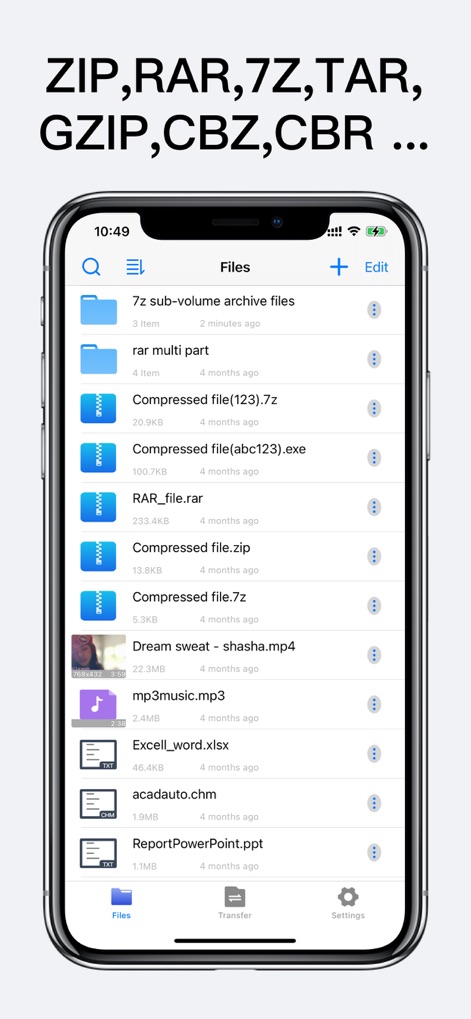
Universal File Handling
This tool provides a comprehensive file browsing interface and supports a vast array of archive formats, including ZIP, RAR, and 7Z.
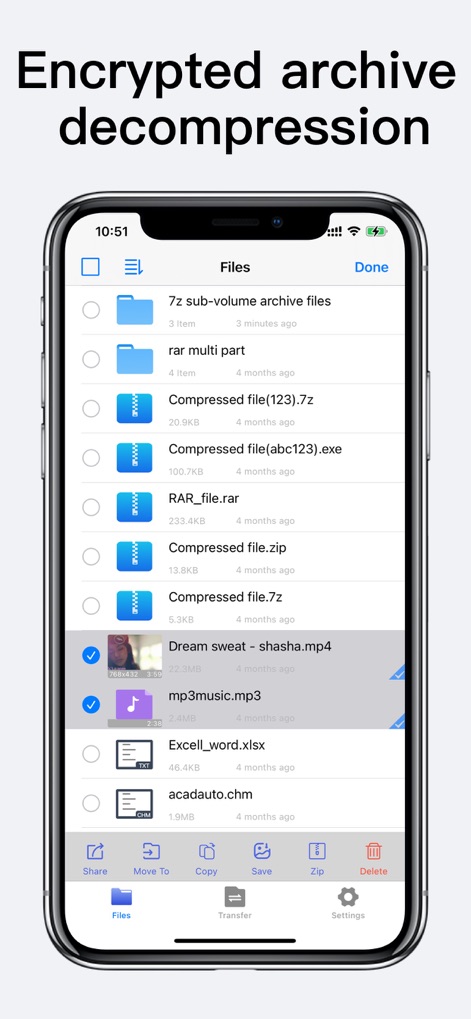
Secure Extraction Options
Users can select multiple files for batch operations and securely decompress encrypted archives directly within the app.
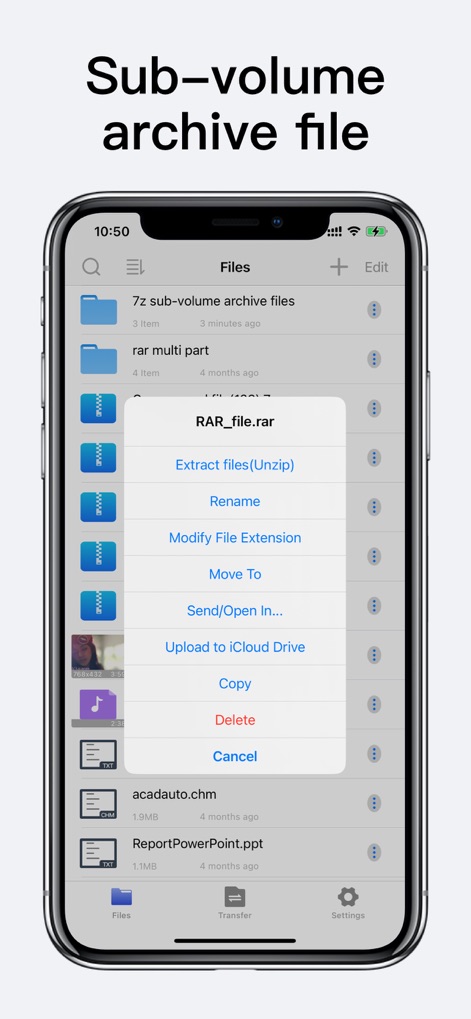
Intuitive File Actions
The app features a context-sensitive menu for quick file management, including direct extraction and seamless uploading to iCloud Drive.
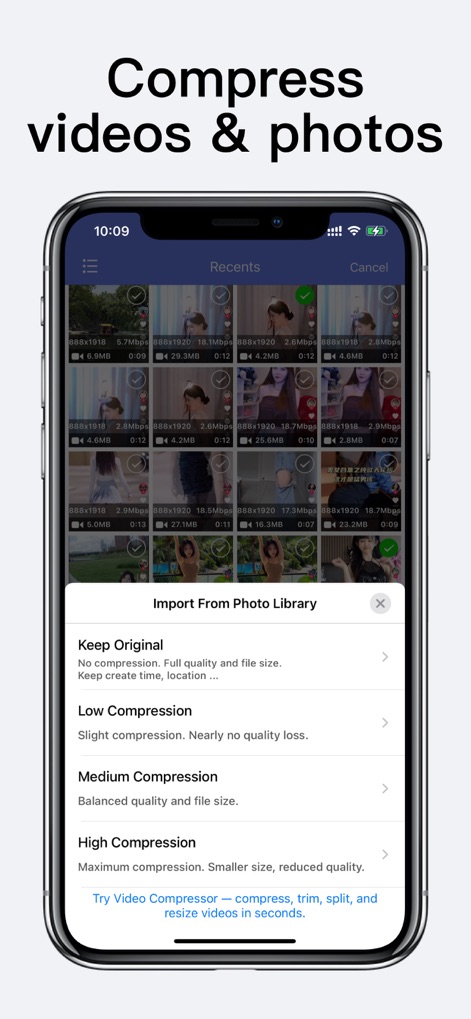
Optimized Media Compression
Effortlessly compress videos and photos from the photo library with flexible compression level options for optimal storage.
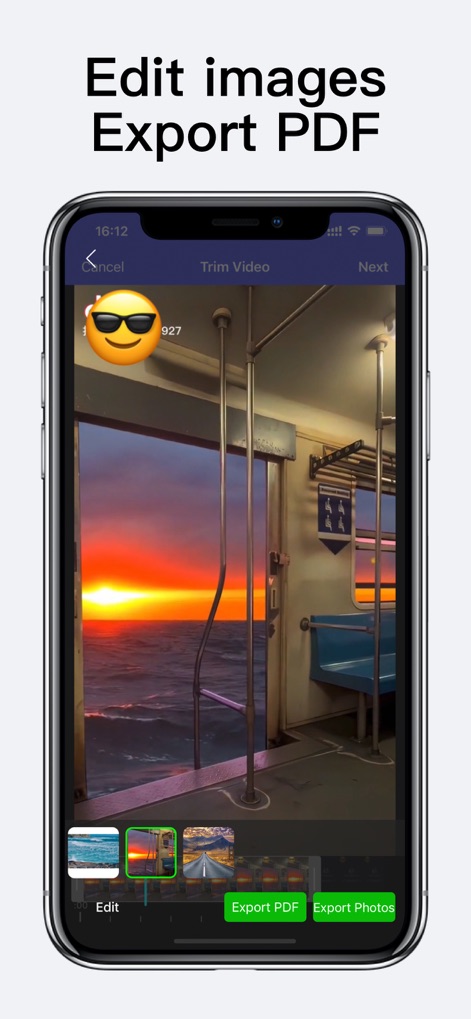
Integrated Media Conversion
The app enables users to perform video trimming and export images directly to PDF files for versatile document creation.
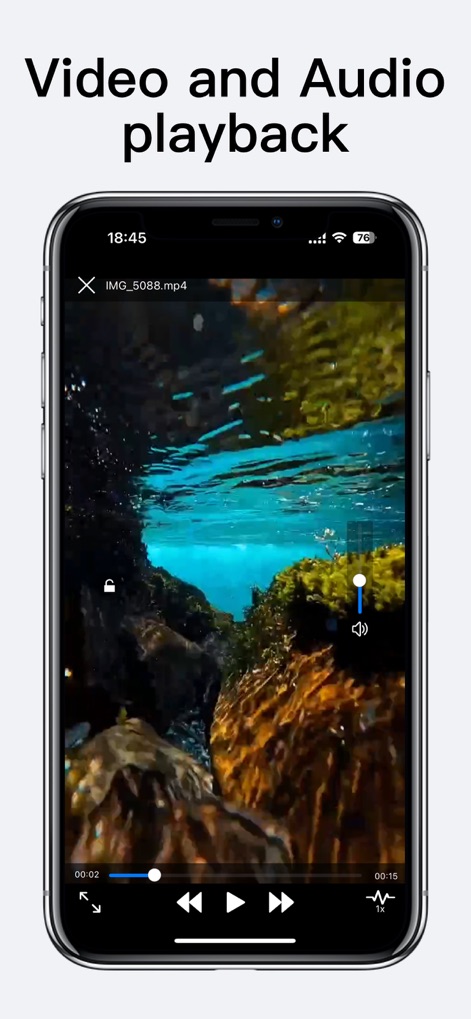
Seamless Media Playback
Enjoy integrated video and audio playback capabilities, complete with essential controls like volume adjustment and progress tracking.
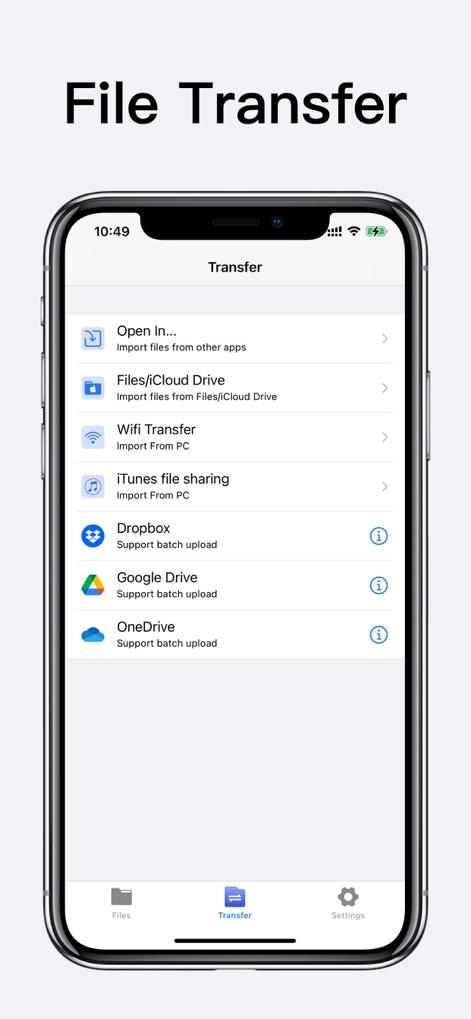
Diverse Transfer Solutions
This tool offers multiple transfer methods, including Wi-Fi and iTunes File Sharing, alongside direct integration with major cloud storage services.
Description
Download
More Like This
Apps with similar features and user experience

Unzip – ZIP RAR 7Z Extractor
Little Sweet Technology Co., Ltd.

Zip & RAR File Extractor
PENGHUI ZHAO

iZip – Zip Unzip Unrar
ComcSoft Corporation

Zip, RAR, 7z File Extractor
FANGZHOU INTERACTIVE TECHNOLOGY CO., LIMITED

ZArchiver: UnZip, UnRar, 7Z
TIMON SOFTWARE SOLUTIONS COMPANY LIMITED

iRAR - zip,rar,7z file opener
书敏 贾

Zip & RAR & 7z File Extractor
琳 胡

MT管理器
瑞 胡

iZip Pro -Zip Unzip Unrar Tool
ComcSoft Corporation
This page is not an official page of the app or its developer, but an independent editorial publication created for informational and commentary purposes. Unless expressly stated otherwise, neither the app nor its developer is affiliated with, endorsed by, sponsored by, authorized by, or otherwise officially connected with MWM, Apple, Google Play, the app publisher, or the app's developer, and nothing on this page implies that the app was developed using MWM's services. Any trademarks, logos, screenshots, and other content remain the property of their respective owners.