
This page is not an official page of the app or its developer, but an independent editorial publication created for informational and commentary purposes. Unless expressly stated otherwise, neither the app nor its developer is affiliated with, endorsed by, sponsored by, authorized by, or otherwise officially connected with MWM, Apple, Google Play, the app publisher, or the app's developer, and nothing on this page implies that the app was developed using MWM's services. Any trademarks, logos, screenshots, and other content remain the property of their respective owners.


Varlens - DSLR in Phone
Stop settling. This app hands users DSLR-level control, transforming their phone into a serious photographic instrument.
Downloads
5M+User Rating
Total Ratings
36.6KPublisher
Category
Photo & VideoLocales
15Latest Version
7.4.13Size
421.8 MBFirst Released
Jan 26, 2021An in-depth look at Varlens' capabilities for discerning photographers and videographers.
Varlens - DSLR in Phone: Core Feature Analysis
Advanced Manual Camera Controls
The app provides comprehensive manual control over critical camera parameters like ISO, shutter speed, exposure compensation (EV), white balance, and focus, along with multiple metering modes, offering a DSLR-like shooting experience.
Advanced Cinematic Video Production
The app enables cinematic video recording with features like Open Gate for full sensor utilization, 3-level stabilization, real-time color grading, high frame rate slow motion, and support for ProRes/ProRes RAW codecs, alongside HDR/Dolby Vision/Apple Log color profiles.
Comprehensive Non-Destructive Editing Suite
It offers a powerful, non-destructive photo editing suite featuring AI capabilities (Aperture, Whitening, Spot Removal), advanced masking (Subject, Sky, Gradient), an exclusive HSL+ tool for local color blending, and a wide array of fine-tuning parameters, rivaling professional desktop software.
Pro-Grade Image Formats
It supports a variety of high-quality image formats including HEIC, JPEG, Live Photo, TIFF, and crucially, RAW/ProRAW, allowing users to capture rich data for extensive post-processing.
Post-Capture Focus Adjustment
For photos captured in Portrait mode, the app uniquely allows users to readjust focus and aperture settings after the shot has been taken, offering unparalleled creative control over depth of field.
Versatile Pro Photography Modes
This tool features 7 specialized photography modes, including Auto, Portrait with an exclusive optical bokeh simulation algorithm, Time-lapse, Light Trail, Macro, Program, and full Manual, catering to diverse creative needs.
AI-Enhanced Image Quality & Depth
The app uses AI to de-sharpen over-processed iPhone images and features an exclusive Portrait Photography Algorithm to simulate optical bokeh and depth of field, closely mimicking DSLR telephoto lens effects.
Extensive & Customizable Film Simulations
The app includes dozens of carefully designed classic film simulations (Kodak, Fuji, Leica) and allows free import of unlimited .cube or .3dl 3D LUTs, providing immense creative flexibility for unique looks and styles.
Essential Technical Shooting Aids
It integrates professional shooting aids such as grid overlays, a level, live histogram, zebra stripes for exposure warnings, and focus peaking, ensuring precise composition, exposure, and focus.
High-Resolution Output Options
It supports capturing and saving images with options up to 48MP, providing maximum detail and flexibility for cropping and large prints.
Frequently Asked Questions
Everything you need to know about Varlens - DSLR in Phone
What is the Varlens app?
Varlens is a professional camera application that transforms your phone into a DSLR camera, offering over 100 functions for advanced photography and video capabilities.
What photography modes does Varlens offer?
The Varlens app provides seven distinct photography modes: Auto, Portrait, Time-lapse, Light Trail, Macro, Program, and Manual, offering diverse shooting options for users.
Does the Varlens app support RAW image formats?
Yes, Varlens supports RAW and ProRAW image formats. It also captures photos in HEIC, JPEG, Live Photo, and TIFF, with resolution options including 12MP, 24MP, and 48MP.
Can Varlens record cinematic video?
Yes, Varlens records cinematic video with features like Open Gate, 3-level stabilization, real-time color grading, and support for HDR, Dolby Vision, Apple Log, and ProRes RAW codecs.
What are the subscription prices for Varlens Pro?
Varlens Pro offers a monthly subscription at $5.99 and an annual subscription at $26.99 for 12 months, providing flexible access to premium features.
How do I cancel my Varlens Pro subscription?
To cancel your Varlens Pro subscription, access your device settings and navigate to "Settings" -> Apple ID -> Subscription. You can manage and cancel your membership there.
Can Varlens adjust focus after shooting in Portrait mode?
Yes, Varlens features "Shoot then focus," which enables users to readjust the focus and aperture of photos captured in Portrait mode even after the image has been taken.
Does Varlens offer professional photo editing tools?
Yes, Varlens provides professional photo editing tools, including AI features like Aperture and Face Slimming, various masks, an exclusive HSL+ tool, and extensive adjustments like curves and split tone.
What types of filters and presets are available in Varlens?
Varlens offers dozens of classic Kodak and Fuji film styles, Master filters, and analog presets like CCD and Polaroid. Users can also import unlimited .cube or .3dl 3D LUTs.
Can Varlens be used with anamorphic lenses?
Yes, Varlens is compatible with anamorphic lenses, specifically supporting 1.33x and 1.55x factors. This allows for cinematic widescreen effects directly within the app.
The following screenshots and description are sourced directly from the app's official store listing and are the property of the app developer.
App Store
Screenshots
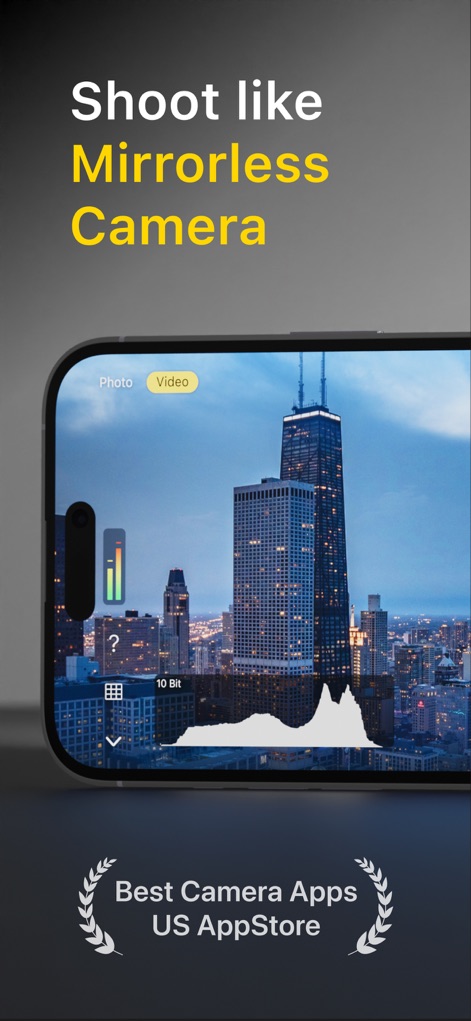
The app offers a professional shooting interface, displaying a real-time histogram and a vertical exposure meter for precise control.
Pro Capture Interface
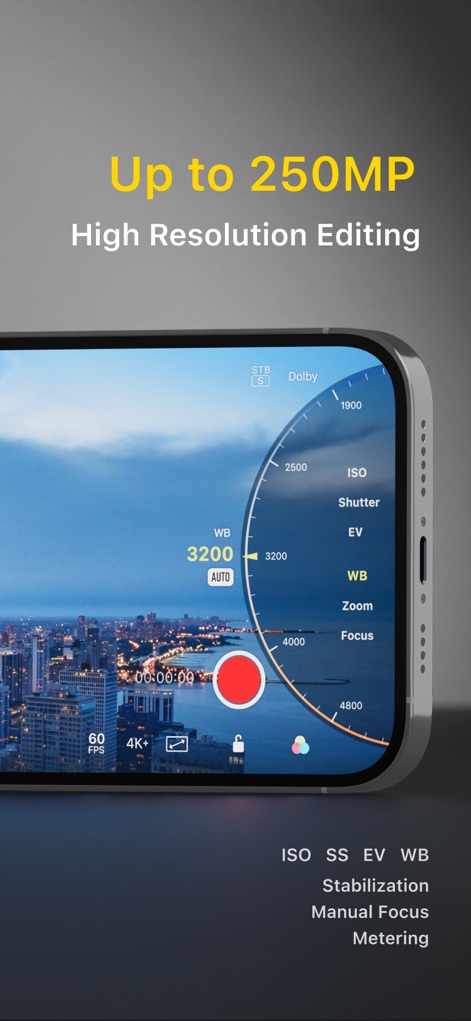
Users can fine-tune camera parameters with the intuitive dial, adjusting ISO and white balance for optimal exposure.
Advanced Manual Controls

This tool provides seven distinct shooting modes, alongside support for 1.33x and 1.55x anamorphic lenses, expanding creative possibilities.
Versatile Shooting Modes
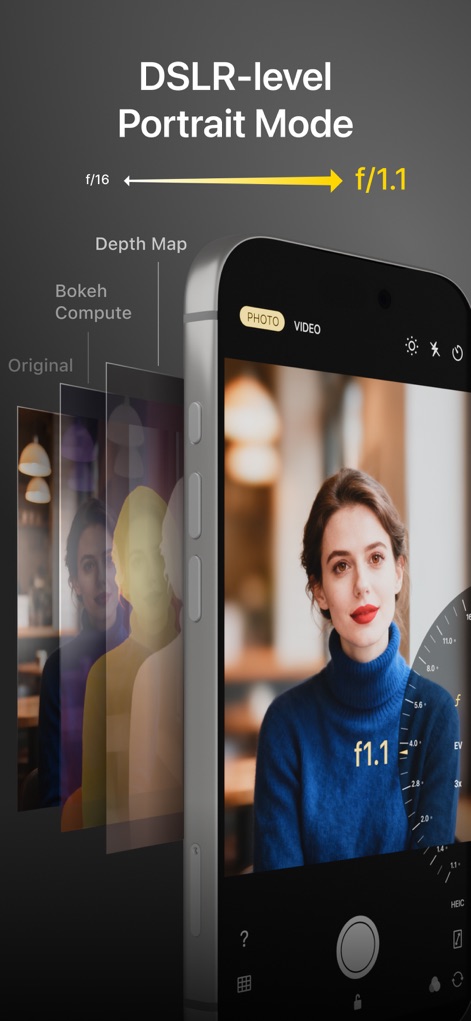
The app’s advanced portrait algorithm simulates optical bokeh with adjustable aperture, creating a depth-of-field blur comparable to DSLR cameras.
Simulated Bokeh Excellence
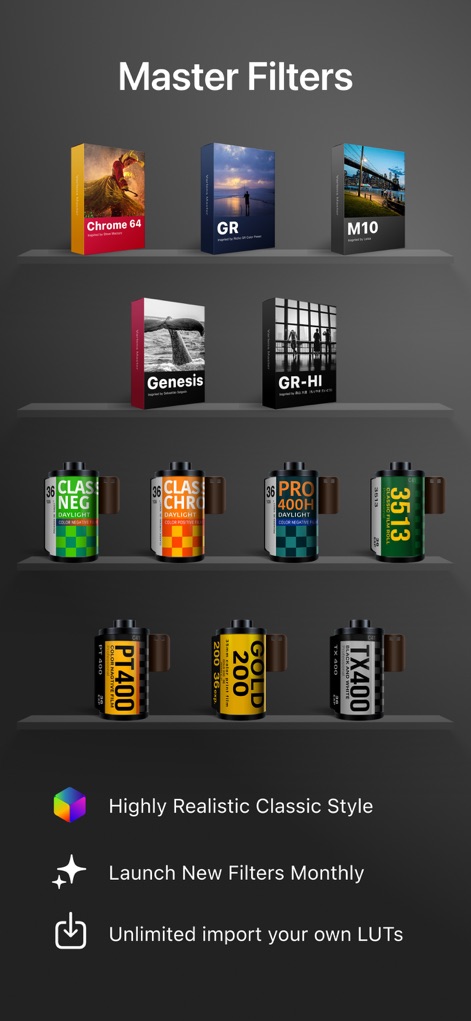
Discover an extensive collection of master filters, featuring classic Kodak and Fuji film emulations, designed to enhance photographic style.
Curated Film Emulations

The app simplifies complex editing with high-fidelity presets, offering detailed color toning and AI enhancement capabilities for stunning results.
Intuitive Preset Creation
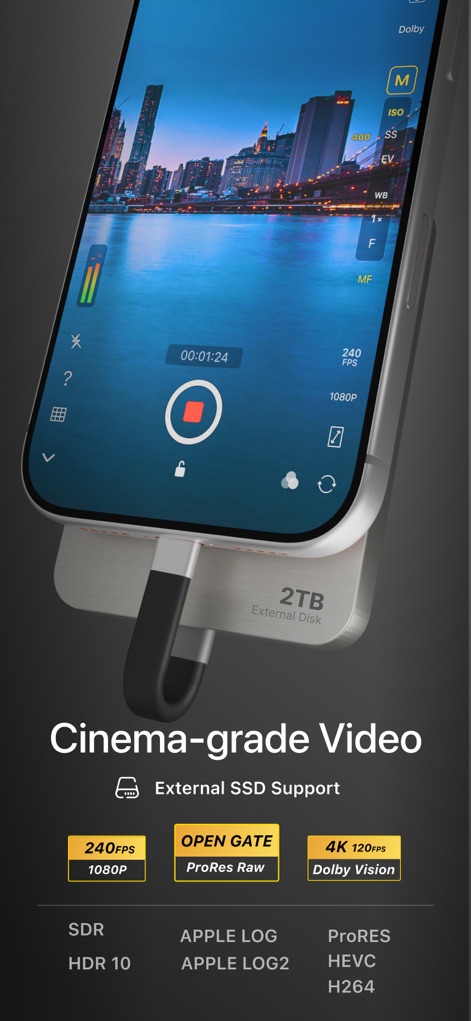
Capture cinema-grade footage with support for 240 FPS slow-motion and ProRes RAW recording, enhanced by external SSD storage.
Pro-Grade Video Capabilities

This tool provides an exclusive HSL+ tool for local color blending and selective color grading, enabling professional post-processing up to 250 MP.
Precision Image Editing

Users can personalize their creations by adding a unique art signature to their photographs, providing a professional touch and brand identity.
Personalized Branding
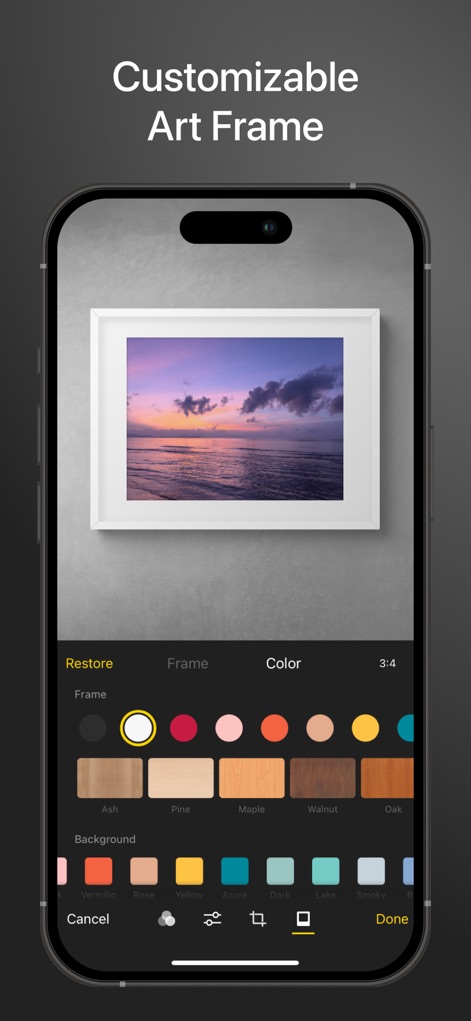
The app allows photographers to enhance their images with customizable art frames, selecting various styles and background colors for a refined presentation.
Artistic Framing Options
Description
Download
More Like This
Apps with similar features and user experience

Blackmagic Camera
Blackmagic Design Inc

飓风相机
Hangzhou Ostar Media Co.,Ltd.

ProMovie Recorder
Panda Apps Limited

ReLens Camera-DSLR Portrait
Pixl Concerto Technology Limited

Leica LUX - Pro Manual Camera
Leica Camera AG

FotorGear - Camera in Pocket
Shenzhen Fotorgear Technology Co., Ltd.

Unsharp
北北 宋

ProCam:Professional RAW Camera
BRAND CELLAR HOLDINGS PTE LTD

Vibe Cam - Moments Never Fade
森 林
This page is not an official page of the app or its developer, but an independent editorial publication created for informational and commentary purposes. Unless expressly stated otherwise, neither the app nor its developer is affiliated with, endorsed by, sponsored by, authorized by, or otherwise officially connected with MWM, Apple, Google Play, the app publisher, or the app's developer, and nothing on this page implies that the app was developed using MWM's services. Any trademarks, logos, screenshots, and other content remain the property of their respective owners.