Vibroscope
Vibroscope
Download on App Store

This page is not an official page of the app or its developer, but an independent editorial publication created for informational and commentary purposes. Unless expressly stated otherwise, neither the app nor its developer is affiliated with, endorsed by, sponsored by, authorized by, or otherwise officially connected with MWM, Apple, Google Play, the app publisher, or the app's developer, and nothing on this page implies that the app was developed using MWM's services. Any trademarks, logos, screenshots, and other content remain the property of their respective owners.


Logo of Vibroscope
Download on App Store

Vibroscope

Transform your iPhone into a high-precision accelerometer. Quantify vibrations, visualize 3-axis data with real-time FFT frequency analysis, and export professional logs for automotive, audio, and structural diagnostics.

Key Figures

Downloads

27K+

User Rating

1.0/5

Total Ratings

0

Publisher

TOON,LLC

Category

Utilities

Locales

1

Latest Version

9.0

Size

0.7 MB

First Released

Sep 16, 2015
Features

Precision Vibration Analysis at Your Fingertips

Turn your iPhone into a professional-grade accelerometer and FFT analyzer to diagnose machinery, monitor structural integrity, or fine-tune high-end audio equipment.

Real-Time 3-Axis Monitoring

Visualize X, Y, and Z-axis vibrations simultaneously with high-resolution vector graphs and time-axis waveforms for instant diagnostic feedback.

Advanced FFT Analysis

Break down complex vibrations into frequency components to identify the specific source of interference in engines, floors, or audio gear.

The following screenshots and description are sourced directly from the app's official store listing and are the property of the app developer.

App Store

Screenshots
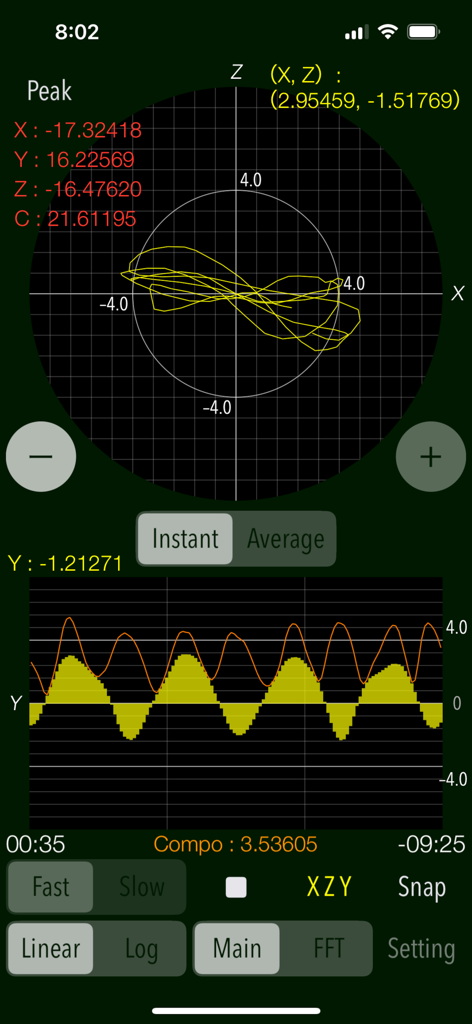
Vibroscope - Vibroscope app interface showing real-time vibration measurement graphs and peak acceleration values
Vibroscope app interface showing real-time vibration measurement graphs and peak acceleration values

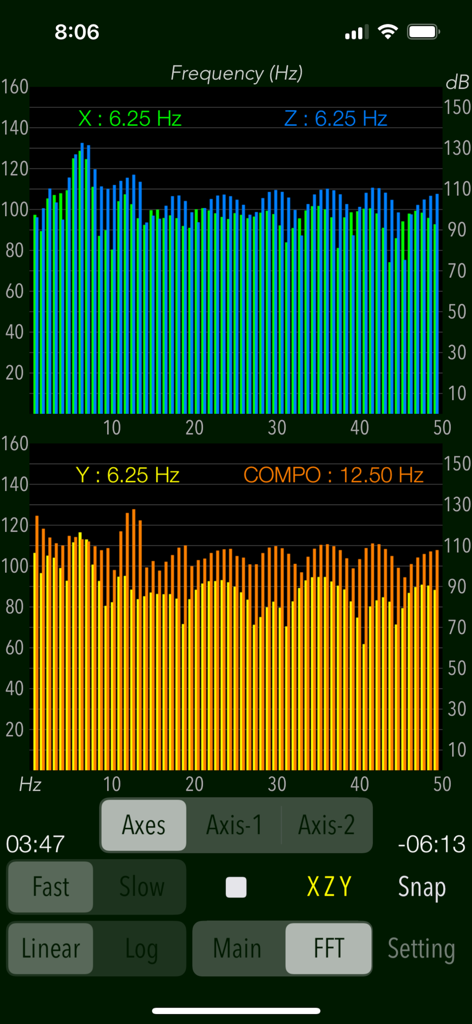
Vibroscope - Vibroscope interface showing frequency spectrum graphs and real time vibration data analysis
Vibroscope interface showing frequency spectrum graphs and real time vibration data analysis

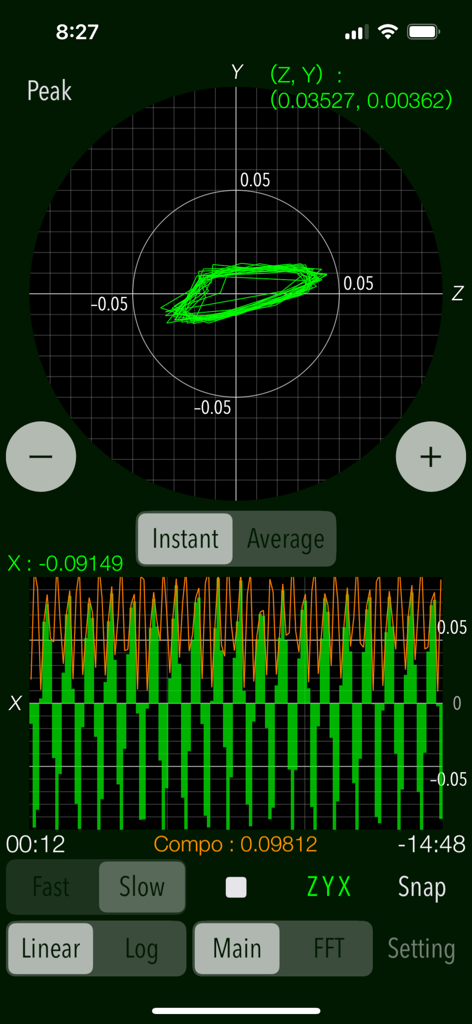
Vibroscope - Vibroscope mobile app interface showing real-time vibration data with vector and waveform graphs

Vibroscope mobile app interface showing real-time vibration data with vector and waveform graphs
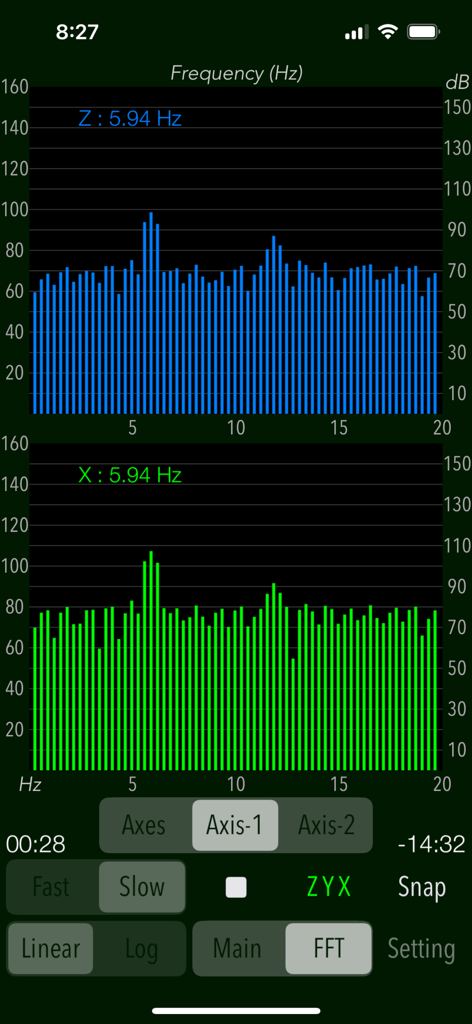
Vibroscope - Vibroscope app interface showing FFT frequency analysis graphs for Z and X axes with peak frequency at 5.94 Hz.
Vibroscope app interface showing FFT frequency analysis graphs for Z and X axes with peak frequency at 5.94 Hz.

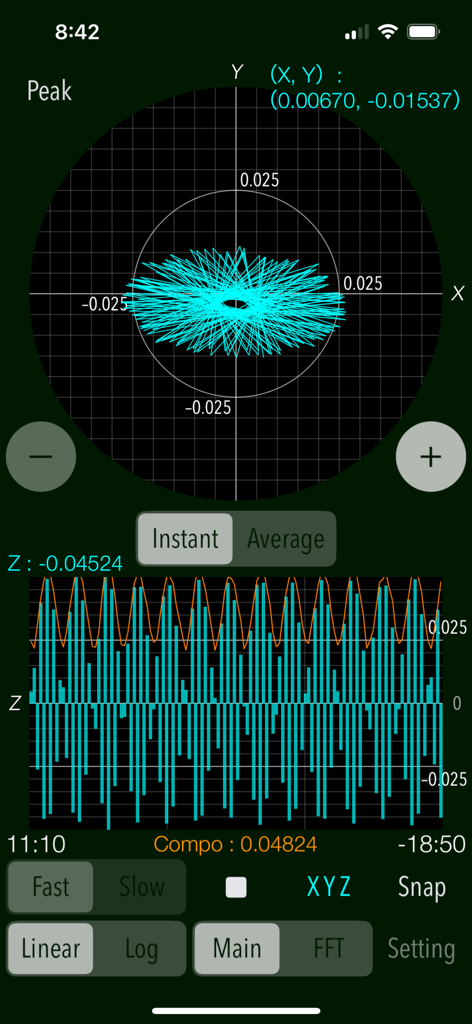
Vibroscope - Vibroscope app interface showing real time vibration acceleration data with X Y vector plane and Z axis waveform graphs
Vibroscope app interface showing real time vibration acceleration data with X Y vector plane and Z axis waveform graphs

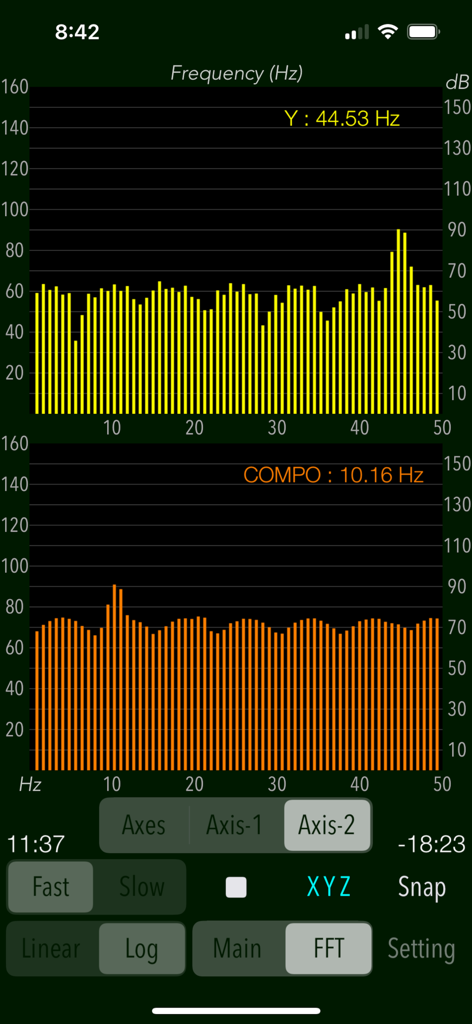
Vibroscope - Vibroscope app interface displaying FFT frequency analysis with dual bar charts
Vibroscope app interface displaying FFT frequency analysis with dual bar charts

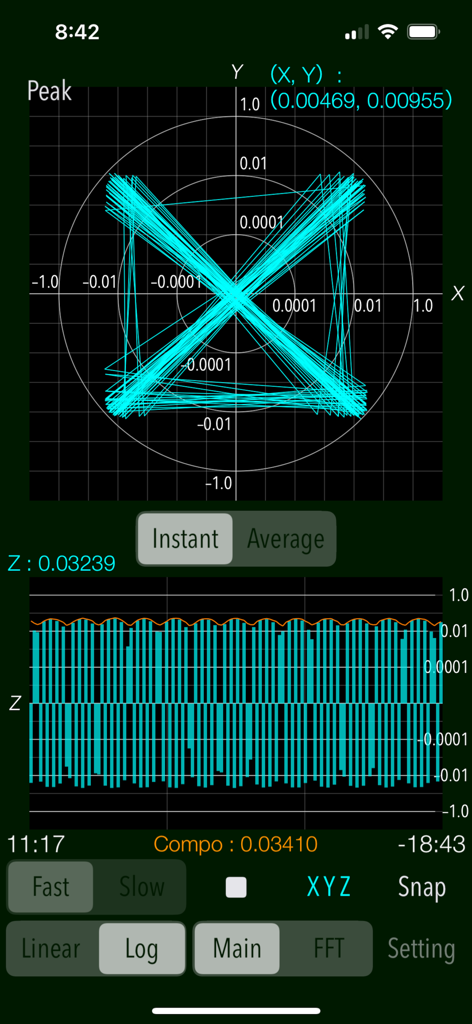
Vibroscope - Interface of Vibroscope app showing X-Y vector plane and Z-axis waveform graphs for real-time vibration measurement.
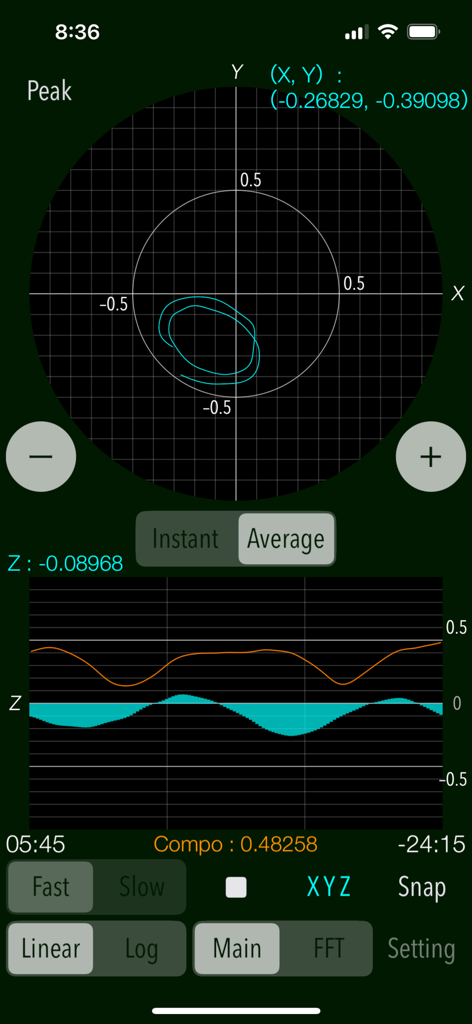
Interface of Vibroscope app showing X-Y vector plane and Z-axis waveform graphs for real-time vibration measurement.

Vibroscope - Vibroscope app interface showing real time 3 axis vibration acceleration graphs and data logger settings
Vibroscope app interface showing real time 3 axis vibration acceleration graphs and data logger settings

Vibroscope - Vibroscope app settings interface displaying a 3-axis accelerometer orientation diagram and measurement parameters

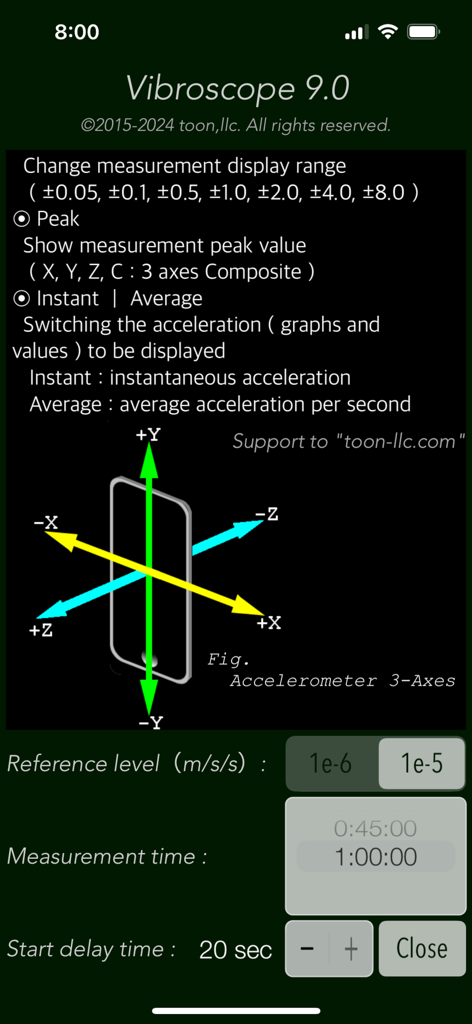
Vibroscope app settings interface displaying a 3-axis accelerometer orientation diagram and measurement parameters

Description

"Vibroscope" is a powerful vibration analysis tool to measure various vibrations in real time using iPhone's acceleration sensor. It allows you to monitor by visualizing the very low frequency vibration such as inaudible by ear. This app can detect the amount of acceleration of vibration and display the two-axis coordinates in the horizontal direction and the time-axis waveform in the vertical direction. It is also equipped with the ability to analyze the frequency components of the very low frequency vibration by FFT analyzer. It can be measured by determining the horizontal or vertical direction to suit the attitude of the iPhone, so as to be available in a placement of the floor and desk or handheld. The measurement data can also be saved as a log file, so you can use it as a vibration data logger. Application Examples: - Analysis of the amount of acceleration and frequency components of the floor and walls during car traffic. - Measurement of howling vibration of audio equipment, etc. - Detection of acceleration and vibration of trains and automobiles. - Body balance check (horizontal body shaking detection). - Measurement of vibration acceleration during earthquakes, etc. (displayed value x 100 [GAL]) Features: - Measurement of vibrations (Main): acceleration values (m/s/s) - Real-time display: the horizontal direction (X-Y) - 2-axis vector plane graph, the vertical direction (Z) - the time-axis waveform. - Display scale switching of vibration acceleration graph (Linear/Log): Linear - linear scale display, Log - logarithmic scale display. - 3-axis composite acceleration display (Compo) - Peak level value display (Peak) - Switching of acceleration display (Instant/Average): Instant - instantaneous acceleration, Average - average acceleration per second. - Scaling of measurement display range - FFT analysis for 3-axis directional and composite acceleration, with peak frequency (FFT) - FFT graph display control (Axes/Axis-1/Axis-2) - Switching of sensor sampling period (Slow/Fast): slow, fast - Axis direction (Axis): Swapping the axis direction on the graph display during operation. - Measurement timer function: 1 sec to 1 hour - Start delay timer function: 0 - 20 sec - Reference level setting in FFT mode: 1e-6m/s/s, or 1e-5m/s/s - Snapshot of the measurement screen (Snap): Capture the measurement results and Timestamp to "Photos". - Data Logger: X-axis, Y-axis, Z-axis, saved in a text file (UTF8). It saves the measurement data, timestamp to LOG file. It can be exported by using "iTunes File Sharing". Important settings: - At the time of the first access to Photos after installing the app, you will be asked permission to access them from the iOS system. If you did not enable this setting on this time, it cannot be access from the app by privacy restrictions of the iOS. Please enable slide switch of the app in the access permission of the iOS setting, "Settings > Privacy & Security > Photos". - This app does not support to the background operation, so it needs to set on "Never" in the iOS setting, "Settings > General > Auto-Lock" for a long-time operation. Notes: - In general, there is variation and accuracy error by individual terminals and sensor devices of the iPhone, so this app does not recommend the use in the formal measurement. It is also possible that the accuracy error will accumulate if the vibration is too large, it may not be appropriate to display the measured value. - While driving a car or operating machinery, please do not use this app for safety. - The logarithmic scale graph displays very small numerical value, so it may be affected by noise and temperature error in your environment or time fluctuation of sensor calibration. - Log data can be transferred from an iOS device to a Mac or PC using the iTunes File Sharing feature. macOS Catalina and later can share files between an iOS device and a Mac using the Finder. Please visit our iOS app support page for more information on this app.

Download

Download on App Store

This page is not an official page of the app or its developer, but an independent editorial publication created for informational and commentary purposes. Unless expressly stated otherwise, neither the app nor its developer is affiliated with, endorsed by, sponsored by, authorized by, or otherwise officially connected with MWM, Apple, Google Play, the app publisher, or the app's developer, and nothing on this page implies that the app was developed using MWM's services. Any trademarks, logos, screenshots, and other content remain the property of their respective owners.








