
This page is not an official page of the app or its developer, but an independent editorial publication created for informational and commentary purposes. Unless expressly stated otherwise, neither the app nor its developer is affiliated with, endorsed by, sponsored by, authorized by, or otherwise officially connected with MWM, Apple, Google Play, the app publisher, or the app's developer, and nothing on this page implies that the app was developed using MWM's services. Any trademarks, logos, screenshots, and other content remain the property of their respective owners.


Video Compressor: Resize Image
Stop paying for iCloud and end 'Storage Full' anxiety. Shrink huge 4K videos and photos by 80% while keeping crystal-clear quality—all with no watermarks and easy sharing.
Downloads
248K+User Rating
Total Ratings
0Publisher
Category
Photo & VideoLocales
1Latest Version
3.9.5Size
14.7 MBFirst Released
Jun 19, 2021Stop Deleting Memories, Start Saving Space
Shrink your 4K videos and high-res photos by 80% without losing quality. Clear room for new moments without paying for more iCloud storage.
Lossless Quality Control
Shrink file sizes while keeping your memories crisp. Use the before-and-after comparison to ensure your content looks perfect.
One-Tap Storage Cleanup
Compress bulky files and delete the originals instantly. The fastest way to fix 'Storage Almost Full' warnings on your iPhone.
The following screenshots and description are sourced directly from the app's official store listing and are the property of the app developer.
App Store
Screenshots
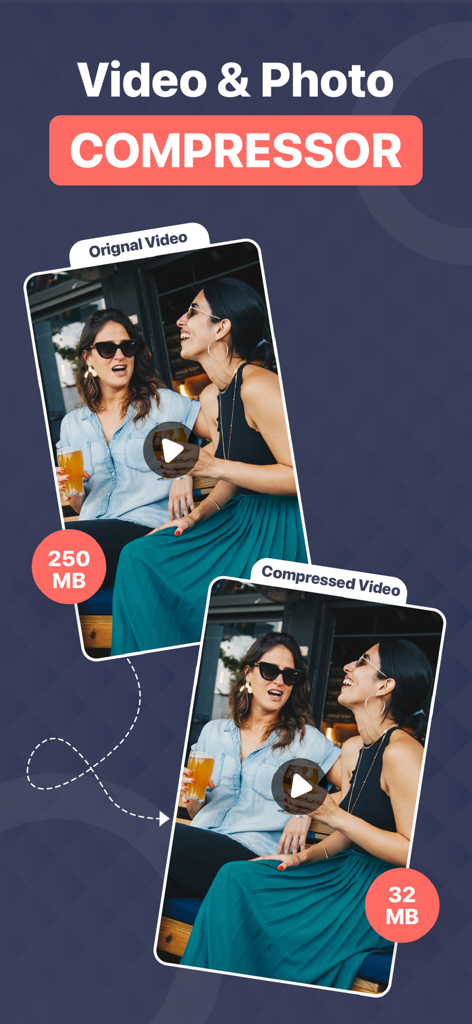
A visual comparison showing a video file reduced from 250MB to 32MB
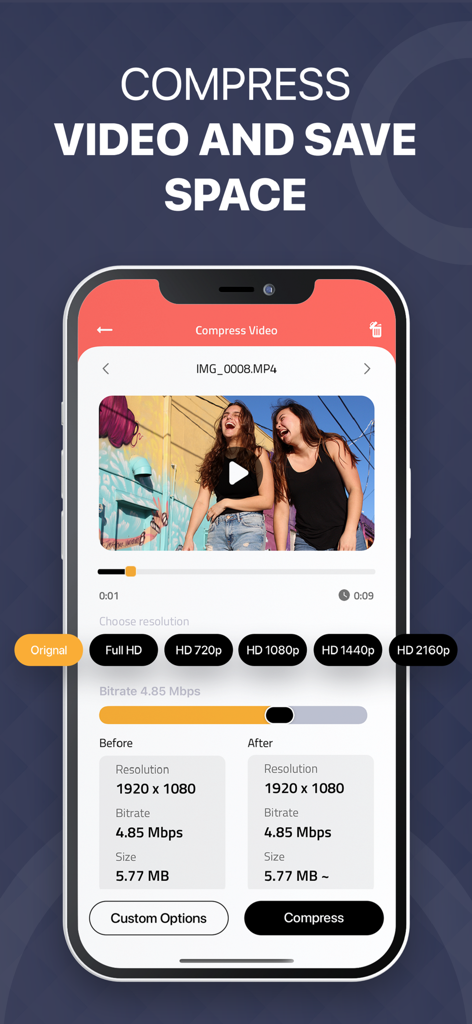
Smartphone interface of the Video Compressor app showing options to resize video and compare file sizes
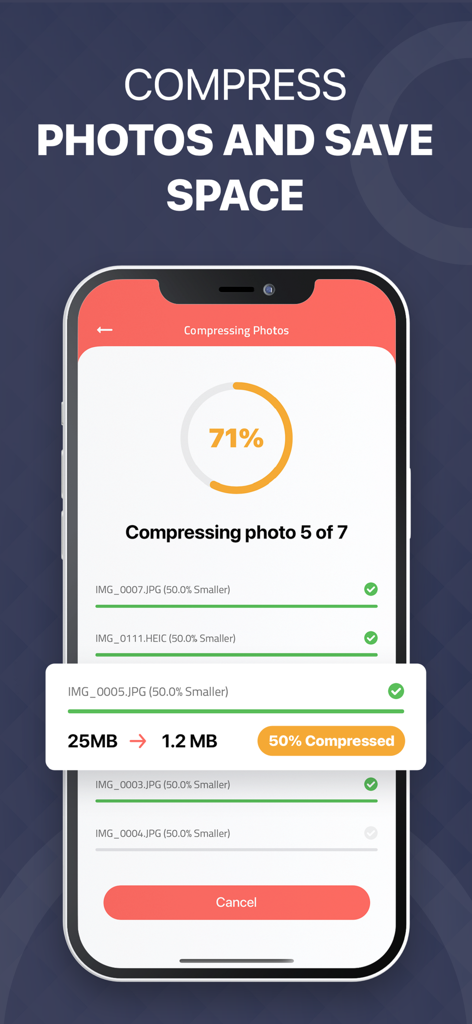
Mobile app interface showing photo compression progress and file size reduction to save device storage
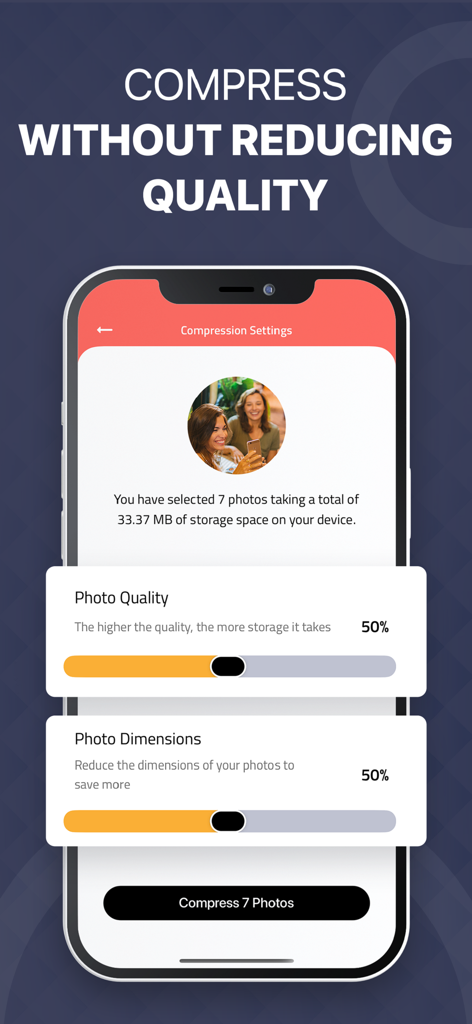
Interface showing photo quality and dimension sliders for compression on a mobile device

Video Compressor app interface showing a video file reduced from 782MB to 35MB to save phone storage space
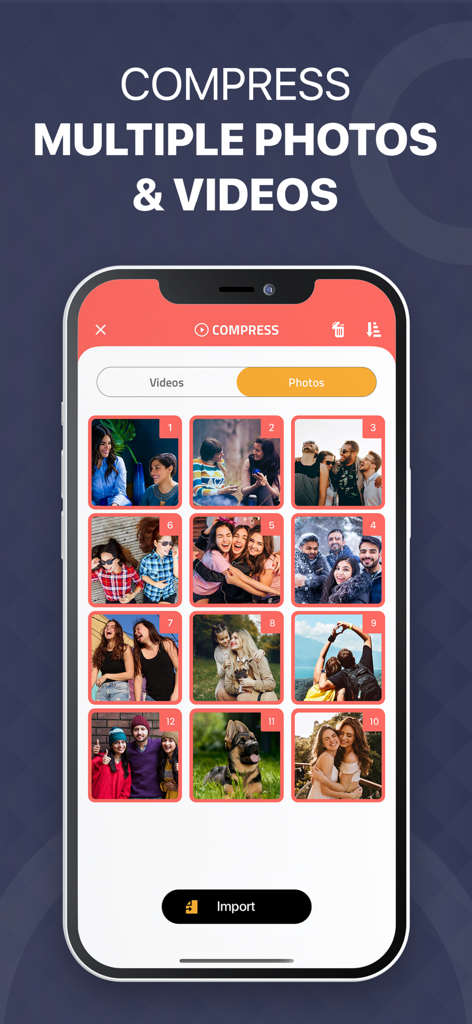
A smartphone screen displaying the batch photo selection feature in the Video Compressor app.
Description
Download
More Like This
Top-ranked apps in the same category

CapCut: Photo & Video Editor
BYTEDANCE PTE. LTD.

Instagram, Inc.

YouTube
Google LLC

Canva: AI Photo & Video Editor
Canva Pty Ltd

Snapchat
Snap, Inc.

快手
Beijing Kwai Technology Co., Ltd.

Edits: Video Editor
Instagram, Inc.

Meitu- AI Photo & Video Editor
Xiamen Meitu Technology Co., Ltd.

Google Photos: Backup & Edit
Google LLC
This page is not an official page of the app or its developer, but an independent editorial publication created for informational and commentary purposes. Unless expressly stated otherwise, neither the app nor its developer is affiliated with, endorsed by, sponsored by, authorized by, or otherwise officially connected with MWM, Apple, Google Play, the app publisher, or the app's developer, and nothing on this page implies that the app was developed using MWM's services. Any trademarks, logos, screenshots, and other content remain the property of their respective owners.