
This page is not an official page of the app or its developer, but an independent editorial publication created for informational and commentary purposes. Unless expressly stated otherwise, neither the app nor its developer is affiliated with, endorsed by, sponsored by, authorized by, or otherwise officially connected with MWM, Apple, Google Play, the app publisher, or the app's developer, and nothing on this page implies that the app was developed using MWM's services. Any trademarks, logos, screenshots, and other content remain the property of their respective owners.


Video Editor: Make Music Video
Finally, a mobile editor that respects your time. It offers the power to transform raw footage into shareable, rhythm-driven content, all without the usual headaches.
Downloads
100k+User Rating
Total Ratings
323Publisher
Category
Photo & VideoLocales
6Latest Version
2.1.5Size
141.3 MBFirst Released
Jun 2, 2017An evaluation of core functionalities for casual content creators.
Key Features Analysis: Video Editor: Make Music Video
Watermark-Free Export
It allows users to export and share their edited videos without any intrusive watermarks, ensuring a clean and professional appearance for social media.
Versatile Music Integration
The app provides multiple options to add music, including in-app tracks, iTunes Music, or custom audio recordings, catering to diverse content creation needs.
Advanced Audio Controls
This tool features comprehensive audio controls, including volume adjustment, looping, and fade-in/fade-out effects, to enhance the overall audio experience for a polished sound.
Direct Social Sharing
The app provides seamless direct sharing capabilities to popular social media platforms such as Instagram and Facebook, simplifying content distribution for immediate sharing.
Effortless Video Trimming
It allows users to quickly cut out unwanted moments from their videos in just a few steps, making rapid content preparation efficient and user-friendly.
Precise Audio Refinement
It allows users to precisely trim and adjust audio tracks after adding them, ensuring perfect synchronization with video content and improving overall video quality.
The following screenshots and description are sourced directly from the app's official store listing and are the property of the app developer.
App Store
Screenshots
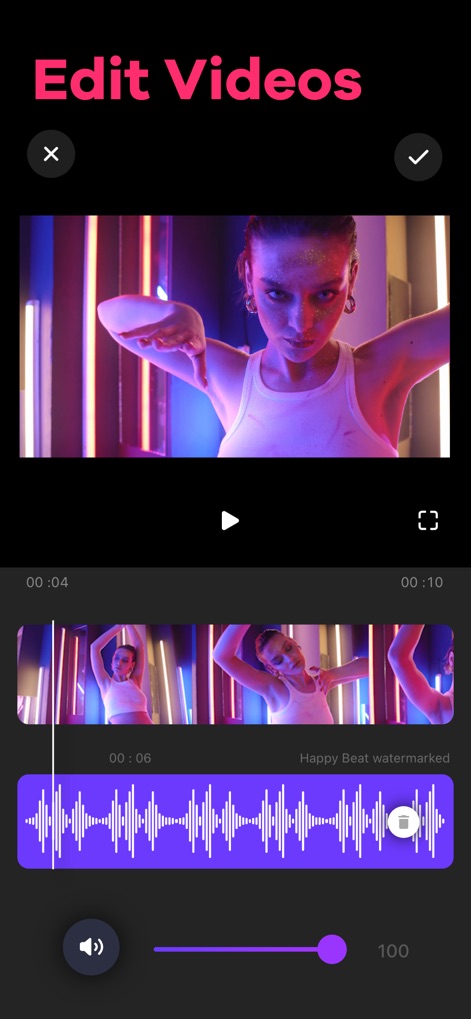
This interface showcases intuitive video playback with an interactive audio waveform timeline, allowing users to precisely align music and adjust video volume levels.
Video, Music Integration

This tool provides a clear visual timeline with intuitive draggable trim handles, enabling users to quickly cut out unwanted video segments and adjust the video volume.
Precise Video Trimming
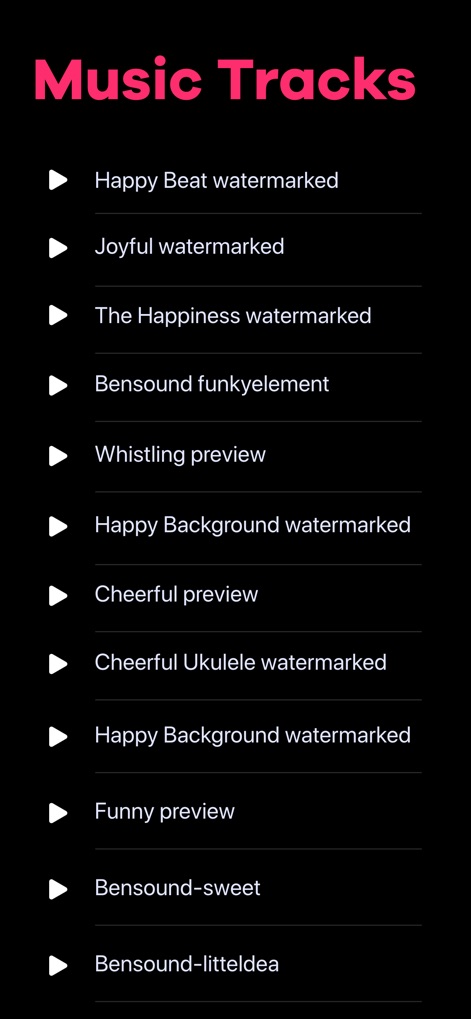
Explore a comprehensive library of in-app music tracks, featuring both "watermarked" premium options and free "preview" selections, simplifying audio choice for creators.
Curated Music Library

This screen offers precise audio control through an interactive waveform trimmer and intuitive toggle switches for fade-in and loop effects.
Advanced Audio Control
Description
Download
More Like This
Top-ranked apps in the same category

CapCut: Photo & Video Editor
BYTEDANCE PTE. LTD.

Instagram, Inc.

YouTube
Google LLC

Canva: AI Photo & Video Editor
Canva Pty Ltd

Snapchat
Snap, Inc.

快手
Beijing Kwai Technology Co., Ltd.

Edits: Video Editor
Instagram, Inc.

Meitu- AI Photo & Video Editor
Xiamen Meitu Technology Co., Ltd.

Google Photos: Backup & Edit
Google LLC
This page is not an official page of the app or its developer, but an independent editorial publication created for informational and commentary purposes. Unless expressly stated otherwise, neither the app nor its developer is affiliated with, endorsed by, sponsored by, authorized by, or otherwise officially connected with MWM, Apple, Google Play, the app publisher, or the app's developer, and nothing on this page implies that the app was developed using MWM's services. Any trademarks, logos, screenshots, and other content remain the property of their respective owners.