Video tachometer for business

This page is not an official page of the app or its developer, but an independent editorial publication created for informational and commentary purposes. Unless expressly stated otherwise, neither the app nor its developer is affiliated with, endorsed by, sponsored by, authorized by, or otherwise officially connected with MWM, Apple, Google Play, the app publisher, or the app's developer, and nothing on this page implies that the app was developed using MWM's services. Any trademarks, logos, screenshots, and other content remain the property of their respective owners.

Logo of Video tachometer for business

Video tachometer for business

Replace expensive hardware with a precision stroboscopic tool. Capture high-speed diagnostics with metadata overlays, manual exposure controls, and 4K video recording designed for industrial-grade maintenance and mechanical engineering.

Key Figures

Downloads

100+

User Rating

1.0/5

Total Ratings

0

Publisher

Dmitriy Kharutskiy

Category

Utilities

Locales

11

Latest Version

2.1.4

Size

4.4 MB

First Released

Sep 22, 2025
Features

Professional-Grade Motion Analysis & RPM Measurement

Turn your iPhone into a high-precision stroboscopic tachometer. Measure rotational speeds with industrial accuracy and document results with full metadata overlays for your business reports.

Stroboscopic Precision

Leverage high-speed camera sensors to freeze motion and calculate frequency in Hz and RPM with scientific accuracy up to 14,400 RPM.

Audit-Ready Documentation

Record 4K video with automated metadata overlays including ISO, frame rate, and timestamps for verifiable maintenance and inspection logs.

The following screenshots and description are sourced directly from the app's official store listing and are the property of the app developer.

App Store

Screenshots
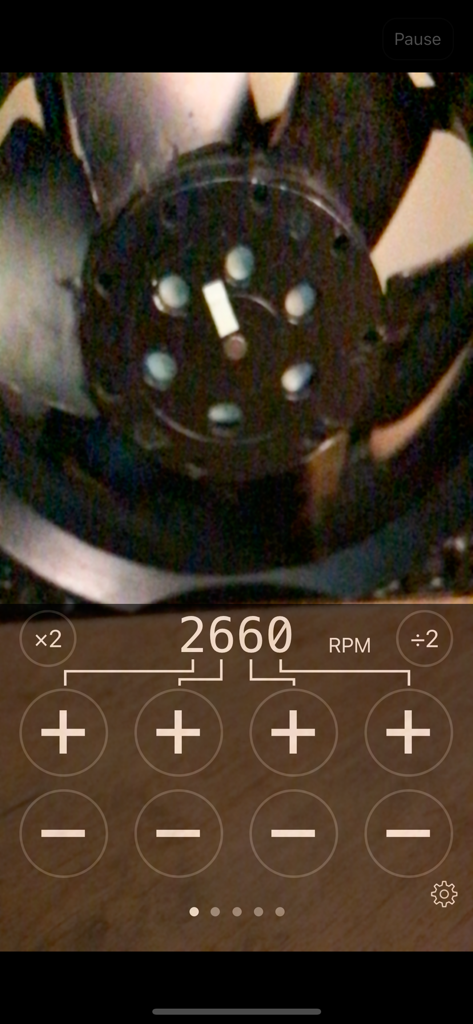
Video tachometer for business - Interface of a professional video tachometer app showing a rotational speed measurement of 2660 RPM for a spinning fan.
Interface of a professional video tachometer app showing a rotational speed measurement of 2660 RPM for a spinning fan.

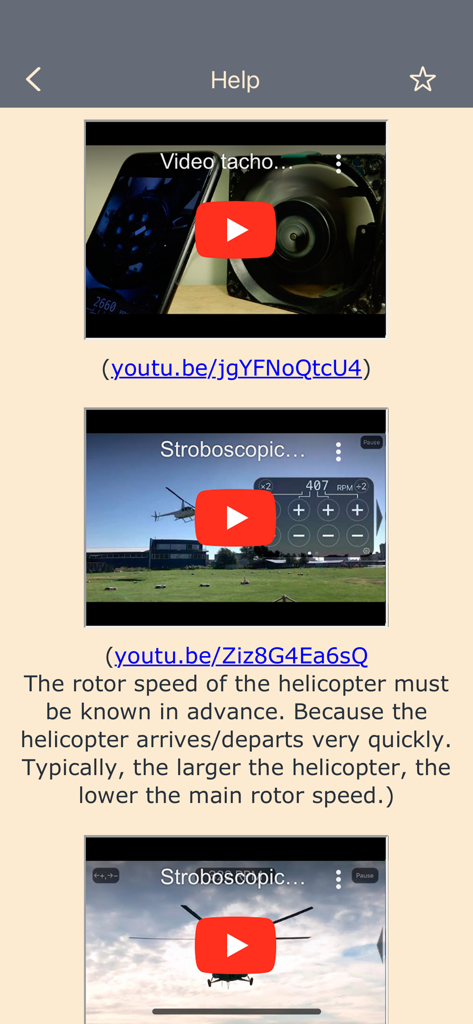
Video tachometer for business - Help screen with tutorial videos showing how to measure RPM for fans and helicopter rotors using the stroboscopic effect.
Help screen with tutorial videos showing how to measure RPM for fans and helicopter rotors using the stroboscopic effect.

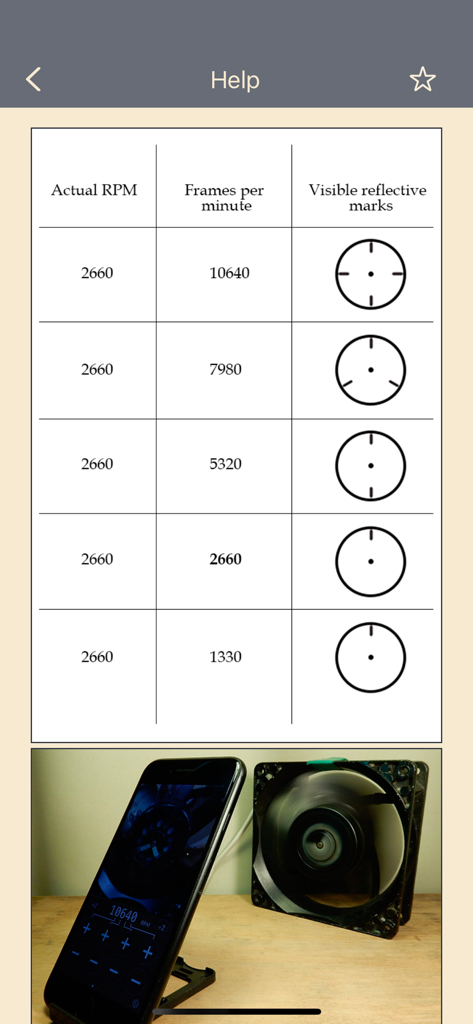
Video tachometer for business - A help screen showing a table of RPM versus frames per minute and a phone measuring a spinning fan

A help screen showing a table of RPM versus frames per minute and a phone measuring a spinning fan
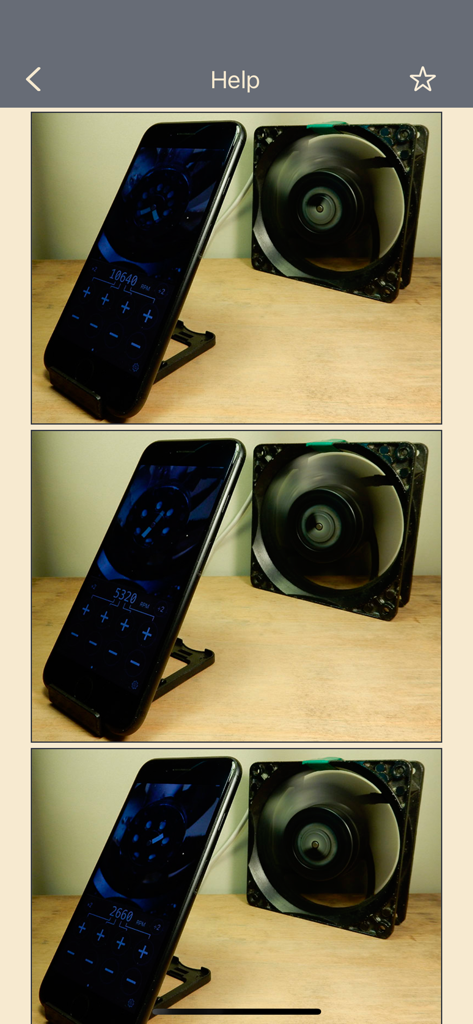
Video tachometer for business - Three panel comparison showing an iPhone measuring different rotational speeds of a fan in RPM using the video tachometer app.
Three panel comparison showing an iPhone measuring different rotational speeds of a fan in RPM using the video tachometer app.

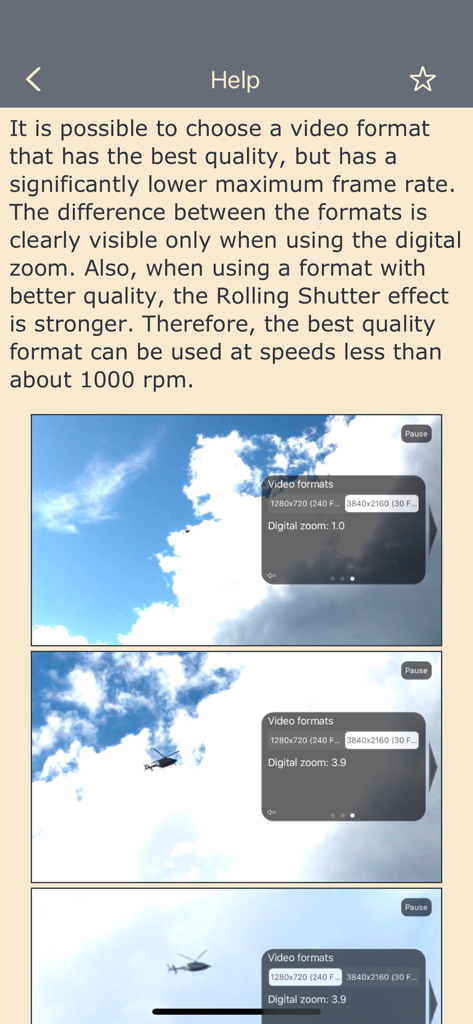
Video tachometer for business - Video tachometer app help screen explaining video formats and digital zoom with helicopter camera view examples
Video tachometer app help screen explaining video formats and digital zoom with helicopter camera view examples

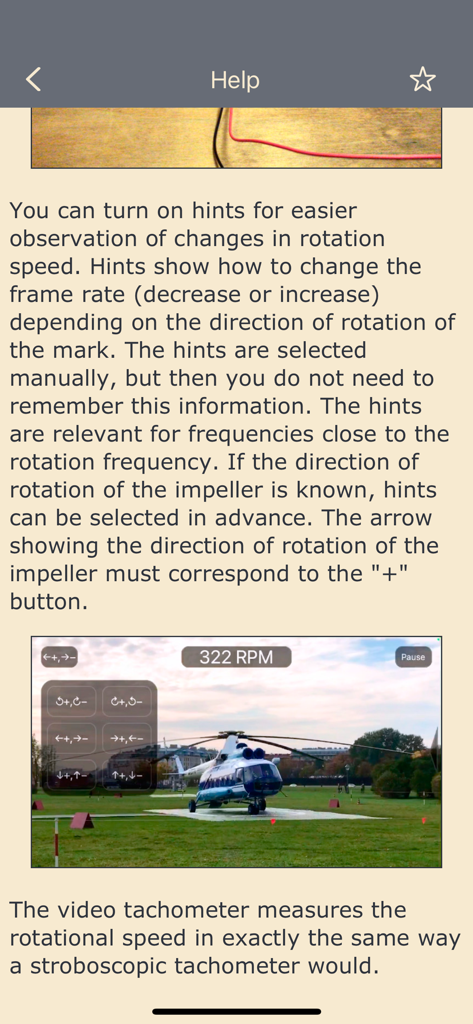
Video tachometer for business - Help screen for the Video tachometer app showing a helicopter rotor measurement at 322 RPM
Help screen for the Video tachometer app showing a helicopter rotor measurement at 322 RPM

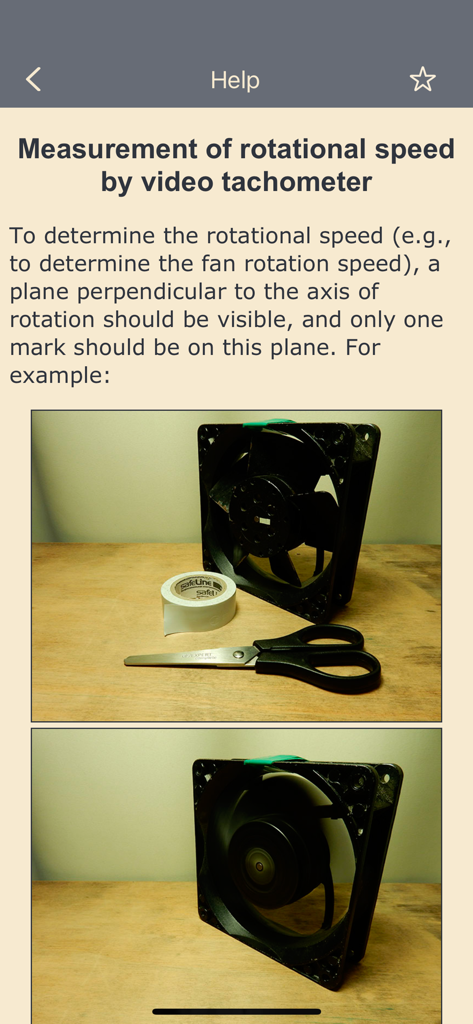
Video tachometer for business - In-app help guide showing how to prepare a fan for rotational speed measurement using a single mark.
In-app help guide showing how to prepare a fan for rotational speed measurement using a single mark.

Video tachometer for business - Help guide for Video tachometer for business showing RPM controls and fan measurement
Help guide for Video tachometer for business showing RPM controls and fan measurement

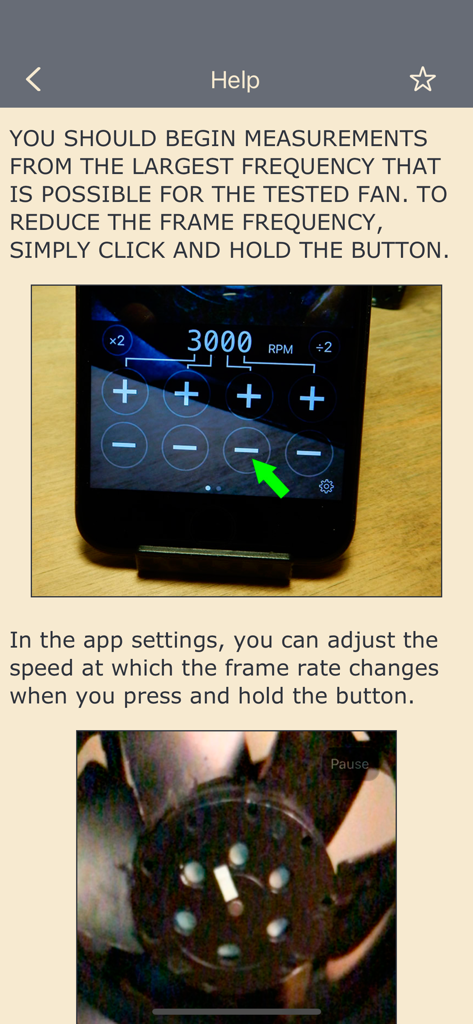
Video tachometer for business - Instructional help screen in the video tachometer app showing how to adjust frame rate settings for measuring fan rotation speed

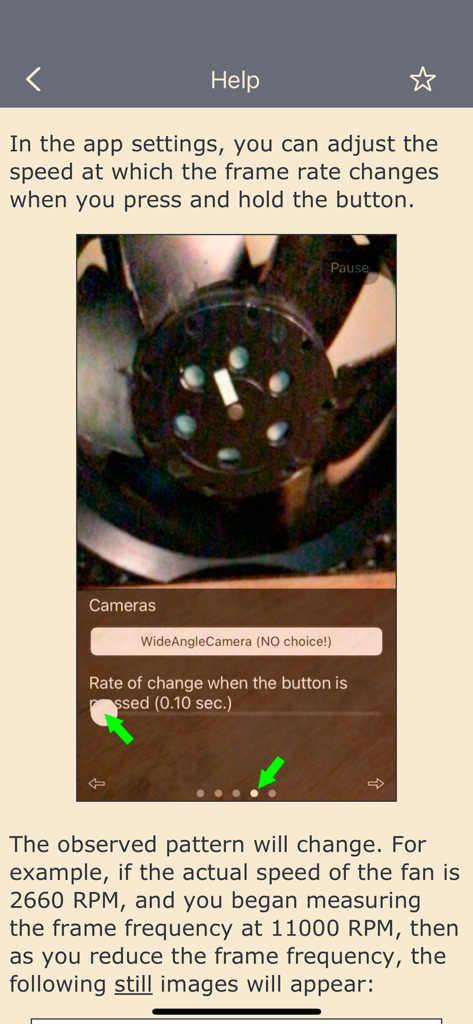
Instructional help screen in the video tachometer app showing how to adjust frame rate settings for measuring fan rotation speed

Description

IMPORTANT!!! Paid version of the "Video tachometer" app, without in-app purchases. For cases where the app is distributed using various services where in-app purchases are not possible. When the frame rate of a video matches the speed of a particular part, the effect is the same as using a strobe light. In the video, that part freezes. Since the frame rate of a video can be adjusted, this effect can be used to determine the rotational speed of a part. The smartphone must support slow-motion video recording (filming at a high frame rate). This is the case for all smartphones starting with iPhone 5S. The range is as follows: • 0.5—240 Hz (30—14400 RPM), for all phones from iPhone 6 onward • 0.5—120 Hz (30—7200 RPM), for iPhone 5S THE HERTZ (Hz) VALUE IS MORE ACCURATE THAN THE REVOLUTIONS PER MINUTE (RPM) VALUE, SINCE REVOLUTIONS PER MINUTE ARE CALCULATED FROM HERTZ AND ROUNDING IS DONE. To get a clear image, good lighting is important. The clarity of the image is controlled by the exposure of the video (exposure time and light sensitivity (ISO)). If the exposure time is reduced, the image will increase in clarity, but brightness will lower. To increase the brightness, you need to raise the camera's light sensitivity (ISO), but then the amount of noise increases. You also need to manually adjust the focus of the camera. The app can record video. The video format depends on the selected format in the app settings. If your iPhone supports 4K video format (3840x2160), then you can record 4K video at the frame rate supported by your iPhone. Text with important information is added to the frames of the recorded video: the selected frame rate, exposure duration, ISO, time stamp, time difference between the current and previous frames (Tcurr. − Tprev.), the sequence number of the frame in the recorded video. If you want any other information to be added, then let me know. You can choose to add only part of this information, and you can choose a different text color. You also have the option of not adding any information. You can change the information that is added and the color of the text while recording a video. At high frame rates, frames that do not have time to be processed may be discarded. This does not affect subsequent frames and can be controlled using the time difference between the current frame and the previous frame (Tcurr. − Tprev.). Dropping frames affects the video frame rate displayed in the "Photos" app. But the time interval between frames that were taken one after another and were not discarded will correspond to the selected frame rate. Frames may be dropped even when shooting slow motion video using the "Camera" app. You can check this by looking at the frame rate for slow motion video in the "Photos" app. Video containing the app's interface can be captured using the iOS "Screen Recording" function. To take a photo with the result of the measurement written on it, press the "Pause" button and take a screenshot. It is possible to choose a video format that has the best quality, but has a significantly lower maximum frame rate. The difference between the formats is clearly visible only when using the digital zoom. Also, when using a format with better quality, the Rolling Shutter effect is stronger. You can turn on hints for easier observation of changes in rotation speed. Hints show how to change the frame rate (decrease or increase) depending on the direction of rotation of the mark. The hints are selected manually, but then you do not need to remember this information. The hints are relevant for frequencies close to the rotation frequency. If the direction of rotation of the impeller is known, hints can be selected in advance. The arrow showing the direction of rotation of the impeller must correspond to the "+" button. The video tachometer measures the rotational speed in exactly the same way a stroboscopic tachometer would.

Download

This page is not an official page of the app or its developer, but an independent editorial publication created for informational and commentary purposes. Unless expressly stated otherwise, neither the app nor its developer is affiliated with, endorsed by, sponsored by, authorized by, or otherwise officially connected with MWM, Apple, Google Play, the app publisher, or the app's developer, and nothing on this page implies that the app was developed using MWM's services. Any trademarks, logos, screenshots, and other content remain the property of their respective owners.