
This page is not an official page of the app or its developer, but an independent editorial publication created for informational and commentary purposes. Unless expressly stated otherwise, neither the app nor its developer is affiliated with, endorsed by, sponsored by, authorized by, or otherwise officially connected with MWM, Apple, Google Play, the app publisher, or the app's developer, and nothing on this page implies that the app was developed using MWM's services. Any trademarks, logos, screenshots, and other content remain the property of their respective owners.


VideoToLive
Turn your favorite TikToks, memories, and fan edits into stunning live wallpapers. Join over 780,000 users creating the ultimate personalized iPhone experience with our professional conversion tools.
Downloads
782K+User Rating
Total Ratings
0Publisher
Category
Photo & VideoLocales
37Latest Version
1.31Size
132.8 MBFirst Released
Oct 15, 2020Your Lock Screen, Redefined in Motion
Turn your favorite TikToks, fan edits, and core memories into stunning Live Wallpapers. Tailor every frame to match your unique aesthetic perfectly.
Seamless Video Conversion
Turn any video clip into a high-quality Live Photo. From viral social media trends to personal videos, bring your phone to life instantly.
Curated Key Photos
Choose the perfect static frame to display when your phone is still, ensuring your lock screen looks aesthetic and polished at all times.
Frequently Asked Questions
Everything you need to know about VideoToLive
What is the primary purpose of the VideoToLive app?
The VideoToLive app is a professional tool designed to convert videos and photos into stunning live photos, primarily for use as live wallpapers.
What specific features does VideoToLive offer for live photo creation?
VideoToLive offers features for converting videos and photos to live photos, custom key time and photo settings, video trimming, and video rotation and flipping.
Can VideoToLive convert existing videos into live photos?
Yes, VideoToLive is capable of converting existing videos into live photos. This is a core function, as indicated by the "Live Converter" feature within the app.
Does VideoToLive allow users to create live photos from still images?
Yes, VideoToLive allows users to create live photos directly from their still images. This functionality is part of its live photo conversion capabilities.
What are the subscription costs for VideoToLive?
VideoToLive offers auto-renewing subscriptions at $2.99 per month or $9.99 per year. These plans provide unlimited access to all app features and content.
How do VideoToLive subscriptions renew?
VideoToLive subscriptions automatically renew unless auto-renewal is turned off at least 24-hours before the current period ends. The account is charged within 24-hours prior to renewal.
Where can users find the privacy policy for VideoToLive?
The privacy policy for VideoToLive is available at the provided URL: https://privacy.vidanimate.co. This document outlines the app's data handling practices.
The following screenshots and description are sourced directly from the app's official store listing and are the property of the app developer.
App Store
Screenshots
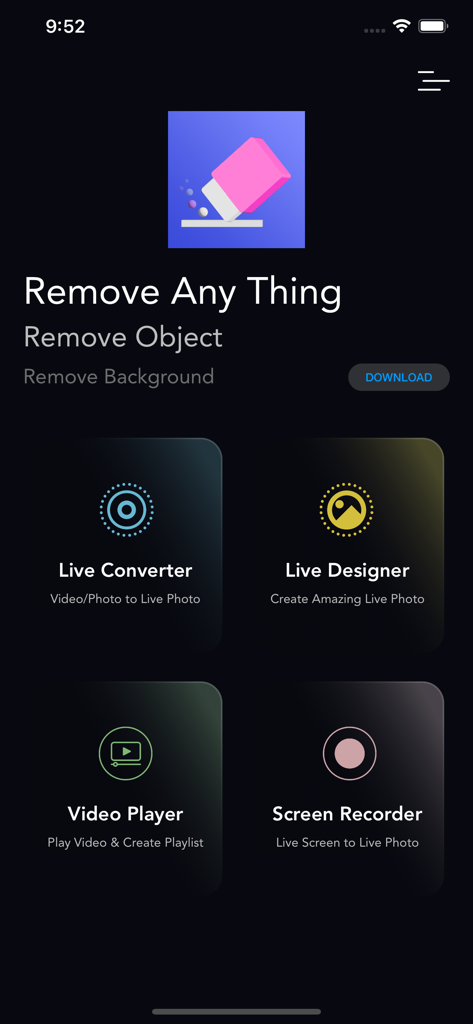
Main menu of the VideoToLive app showing tools for live photo conversion, design, video playback, and screen recording.
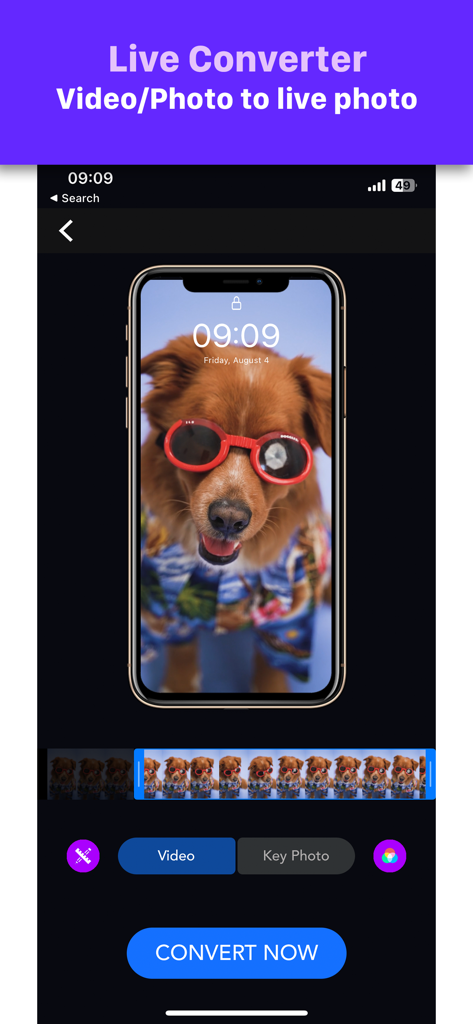
Interface of the VideoToLive app showing a video of a dog in sunglasses being converted into an iPhone live photo wallpaper
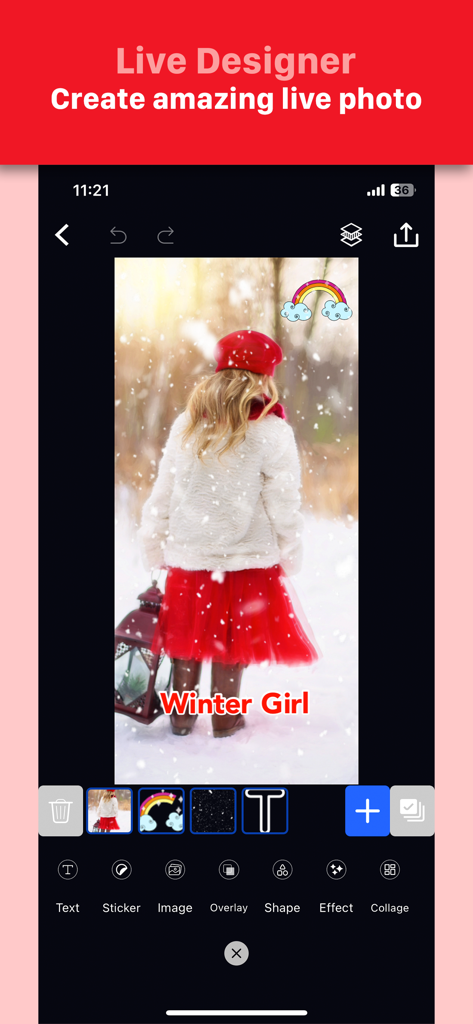
VideoToLive app interface showing the Live Designer tool editing a photo with text and sticker overlays
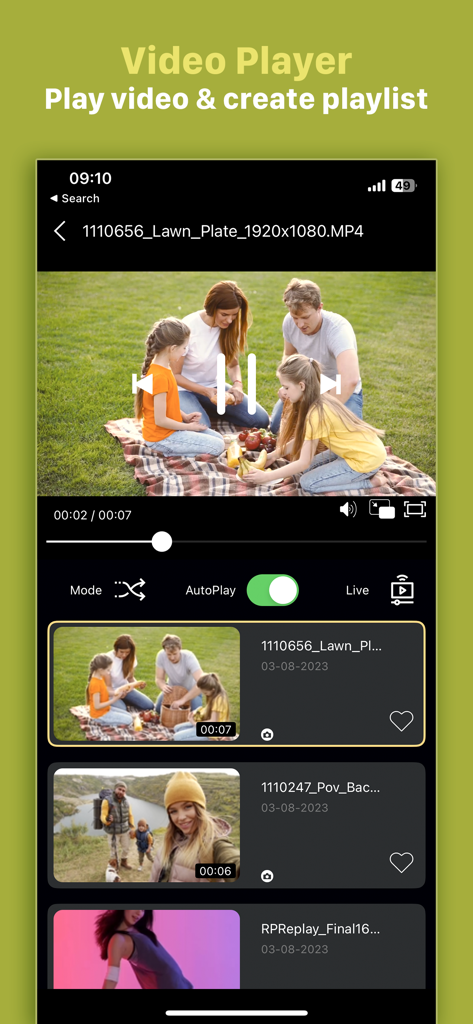
Video player and playlist feature in the VideoToLive app
Description
Download
More Like This
Apps with similar features and user experience

ImgPlay: GIF Maker & Meme
ImgBase, Inc.

quickLive-Video2Live Wallpaper
Changshu Chuang Shi Media Technology Co., Ltd.

Live - LivePhoto maker
Beyond Trading

Patternator Video Wallpapers
Bazaart Ltd.

GIF Maker & Editor Pro
Chengdu Siwen Culture Media Co., Ltd.

Gif Maker-meme & video to gifs
姿凤 陈

Mematic - The Meme Maker
Trilliarden Entertainment GmbH

Video to Live ◦
Anish Modan

Boomerang - Video Maker
Video Bakery Ltd.
This page is not an official page of the app or its developer, but an independent editorial publication created for informational and commentary purposes. Unless expressly stated otherwise, neither the app nor its developer is affiliated with, endorsed by, sponsored by, authorized by, or otherwise officially connected with MWM, Apple, Google Play, the app publisher, or the app's developer, and nothing on this page implies that the app was developed using MWM's services. Any trademarks, logos, screenshots, and other content remain the property of their respective owners.