
This page is not an official page of the app or its developer, but an independent editorial publication created for informational and commentary purposes. Unless expressly stated otherwise, neither the app nor its developer is affiliated with, endorsed by, sponsored by, authorized by, or otherwise officially connected with MWM, Apple, Google Play, the app publisher, or the app's developer, and nothing on this page implies that the app was developed using MWM's services. Any trademarks, logos, screenshots, and other content remain the property of their respective owners.


VidSub: Video Subtitle Creator
Stop typing and start talking. Use AI Voice-to-Text to caption your Reels, TikToks, and Shorts instantly. Customize your brand with Google Fonts, burn subtitles directly into your video, or export SRT files in seconds.
Downloads
1K+User Rating
Total Ratings
0Publisher
Category
Photo & VideoLocales
1Latest Version
25.6.1200Size
132.1 MBFirst Released
Sep 10, 2022Professional Tools for the Modern Creator
Streamline your video workflow with a mobile-first suite designed to make your content accessible, branded, and ready for any social platform.
Effortless Voice-to-Text
Stop wasting time typing. Convert your speech into precise subtitle lines instantly and edit them with our intuitive, fast-input interface.
Custom Branding & Fonts
Stand out from the crowd by importing Google Fonts. Fully customize colors, outlines, and shadows to ensure your captions match your brand aesthetic.
Frequently Asked Questions
Everything you need to know about VidSub: Video Subtitle Creator
What is VidSub: Video Subtitle Creator?
VidSub is a subtitle creator and editor. It helps users create or edit subtitles, save them as SRT files, or add them as subtitle tracks within videos.
Does VidSub: Video Subtitle Creator support Voice to Text for subtitle creation?
Yes, VidSub supports Voice to Text for faster subtitle input. Users can record their voice to create subtitle lines efficiently.
Can VidSub: Video Subtitle Creator burn or hardcode subtitles onto a video file?
Yes, VidSub makes burning or hardcoding subtitles to video files easy. Users can customize subtitle styles and control video quality and burning speed.
What subtitle styles can VidSub: Video Subtitle Creator customize?
VidSub allows customization of subtitle styles including color, outline color, outline width, text shadow, alignment, and background.
Can users add watermarks to videos using VidSub: Video Subtitle Creator?
Yes, VidSub's Burning tool enables users to watermark videos with their signature or any other content before uploading them to platforms like YouTube or TikTok.
Does VidSub: Video Subtitle Creator support custom fonts for burned subtitles?
Yes, VidSub features a Font Download Manager. Users can download custom fonts from Google Fonts and import them for use in the Burn Video tool.
What video formats does VidSub: Video Subtitle Creator's built-in player support?
VidSub's built-in video player supports MKV and many other popular video formats. It allows playback from the gallery or selected files.
Can VidSub: Video Subtitle Creator extract subtitle tracks from a video?
Yes, VidSub includes a tool to extract subtitle tracks directly from video files. This feature is part of its Subtitle Tools.
Can VidSub: Video Subtitle Creator convert subtitle files to different formats?
Yes, VidSub can convert subtitle files to other formats. Supported formats for conversion include SRT, VTT, and ASS.
How does VidSub: Video Subtitle Creator help manage existing subtitle files?
VidSub provides an easy and intuitive editor to create new or edit existing SRT files. It also allows adding or removing lines and saving as SRT.
The following screenshots and description are sourced directly from the app's official store listing and are the property of the app developer.
App Store
Screenshots
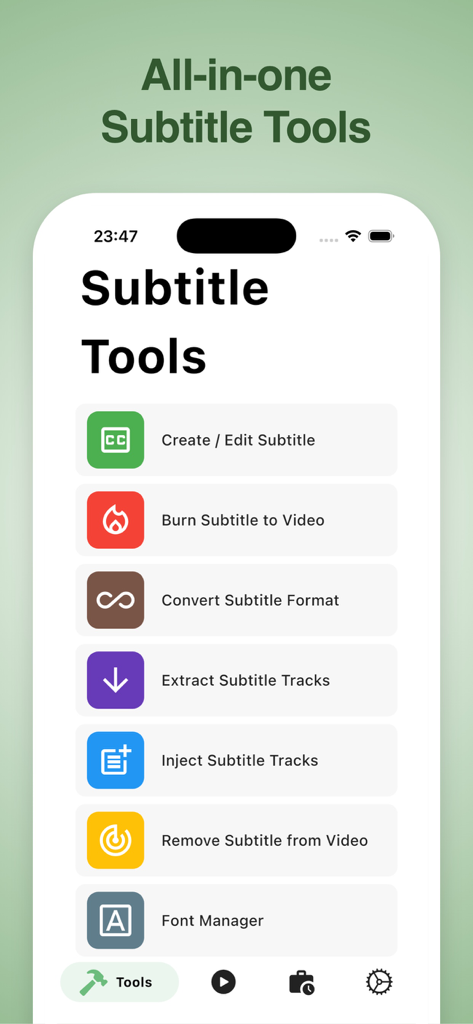
VidSub app interface showing subtitle tools like create, edit, burn, and convert subtitles.
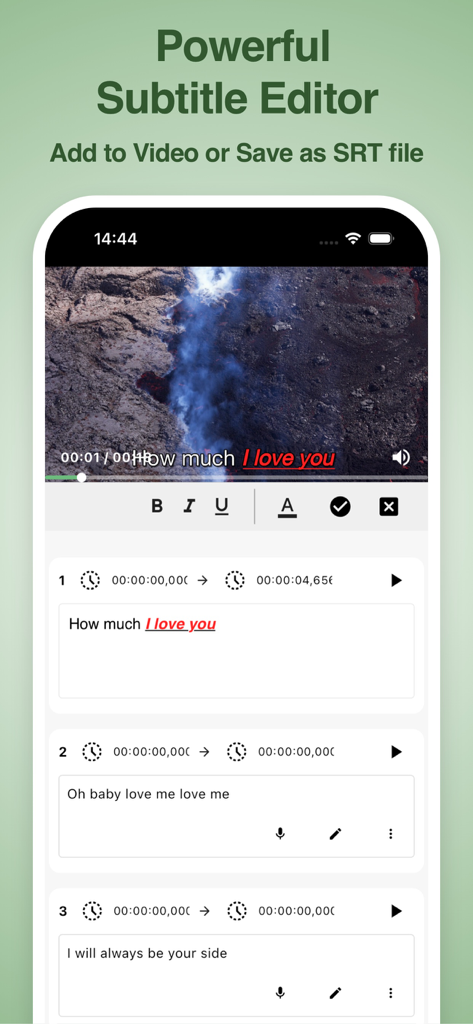
Interface of VidSub app showing a video player and tools to edit subtitles with timestamps and text styles.
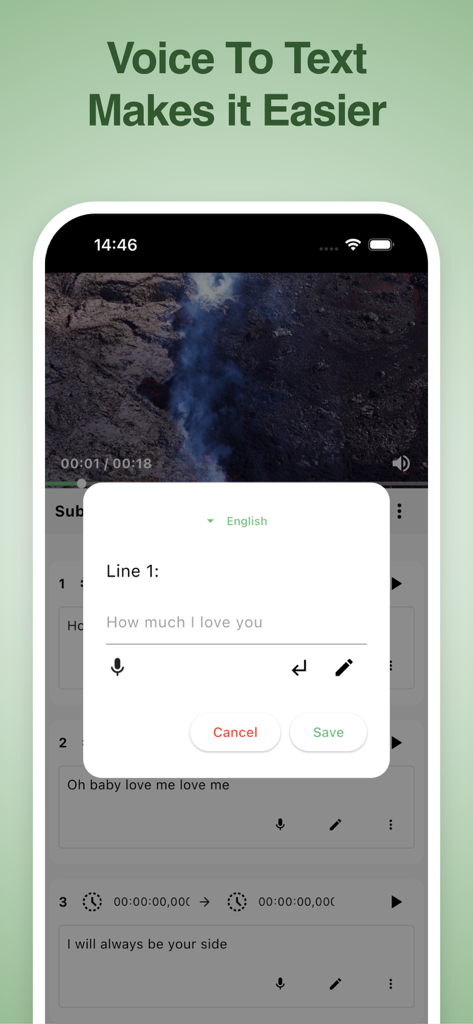
VidSub mobile app interface showing the voice to text feature for creating video subtitles
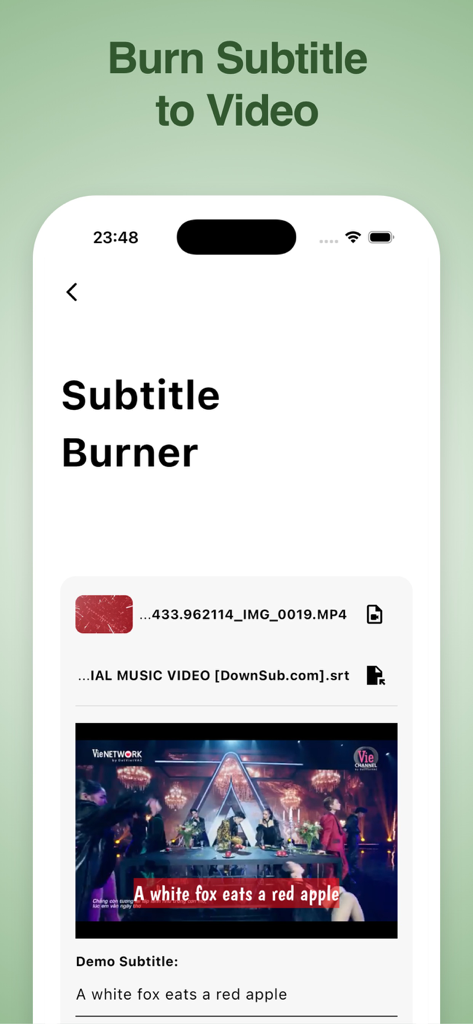
VidSub app interface showing the subtitle burner tool with a video preview and captions
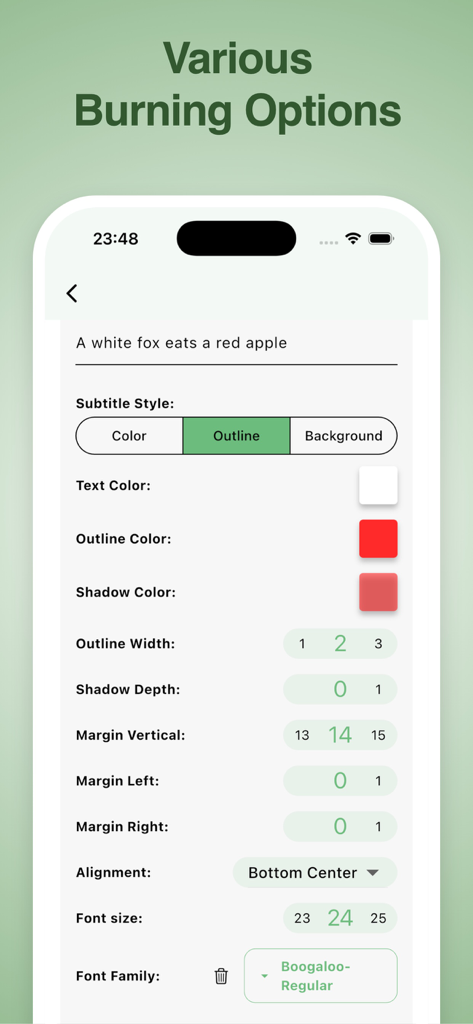
Interface for customizing subtitle styles including colors outline and font in VidSub
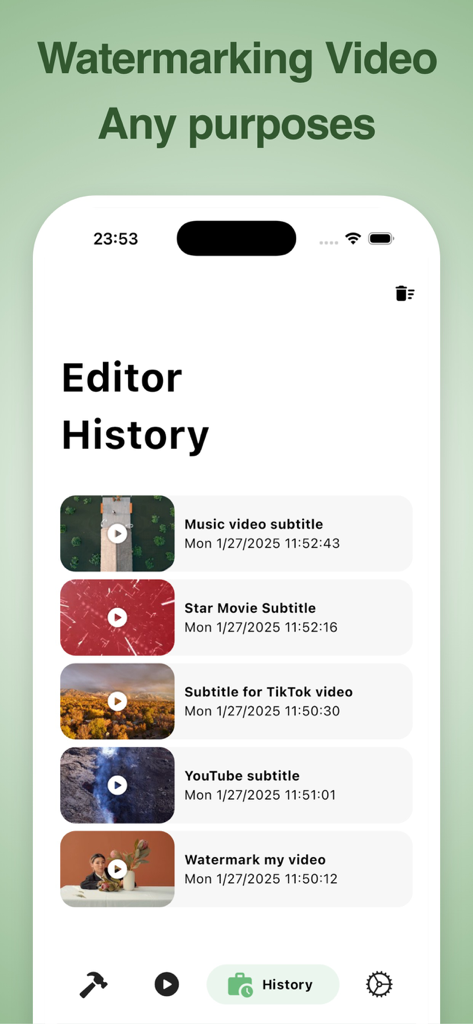
VidSub app interface showing a list of recent subtitle and watermarking projects in the editor history screen.
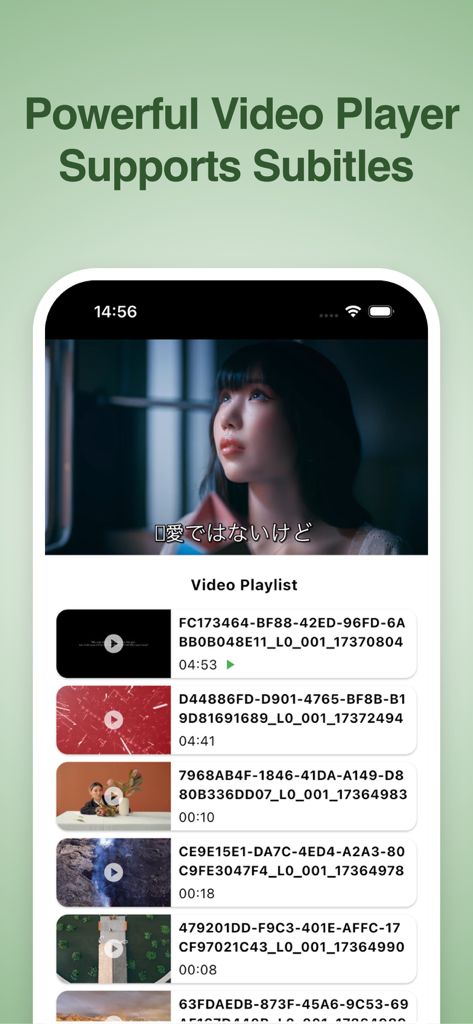
VidSub app interface showing a video player with subtitles and a video playlist on a smartphone
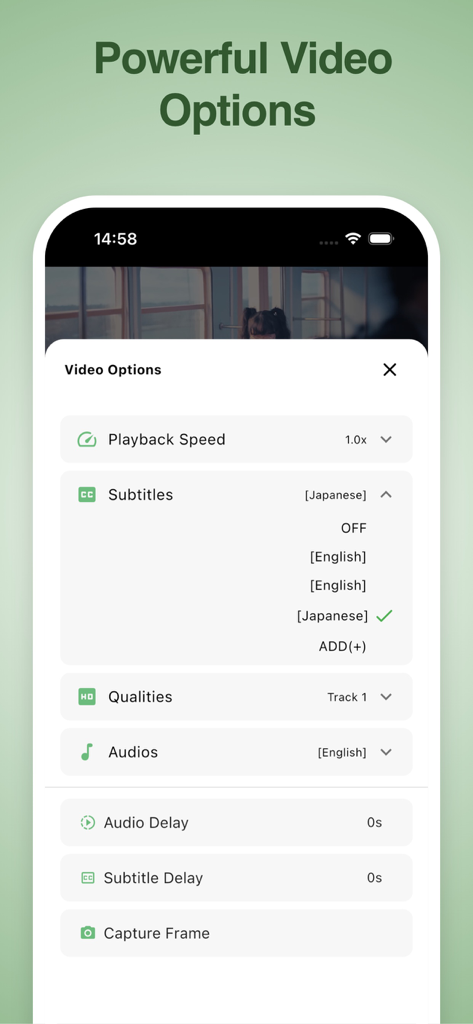
VidSub app interface displaying video options menu with subtitle selection playback speed and audio settings
Description
Download
More Like This
Top-ranked apps in the same category

CapCut: Photo & Video Editor
BYTEDANCE PTE. LTD.

Instagram, Inc.

YouTube
Google LLC

Canva: AI Photo & Video Editor
Canva Pty Ltd

Snapchat
Snap, Inc.

快手
Beijing Kwai Technology Co., Ltd.

Edits: Video Editor
Instagram, Inc.

Meitu- AI Photo & Video Editor
Xiamen Meitu Technology Co., Ltd.

Google Photos: Backup & Edit
Google LLC
This page is not an official page of the app or its developer, but an independent editorial publication created for informational and commentary purposes. Unless expressly stated otherwise, neither the app nor its developer is affiliated with, endorsed by, sponsored by, authorized by, or otherwise officially connected with MWM, Apple, Google Play, the app publisher, or the app's developer, and nothing on this page implies that the app was developed using MWM's services. Any trademarks, logos, screenshots, and other content remain the property of their respective owners.