한컴오피스 Viewer

한컴오피스 Viewer

Download on App Store
Logo of 한컴오피스 Viewer

한컴오피스 Viewer: The Essential Bridge for HWP and Global Office Documents

The reliable, free mobile solution for cross-border professionals. Open, manage, and convert HWP, Word, and Spreadsheets with perfect formatting and zero compatibility issues.

Publisher

HANCOM Incorporated

Category

Productivity

Downloads

4M+

User Rating

2.8/5

Total Ratings

8K+

Locales

3

Efficiency at a Glance

Discover the interface used by 4M+ users.
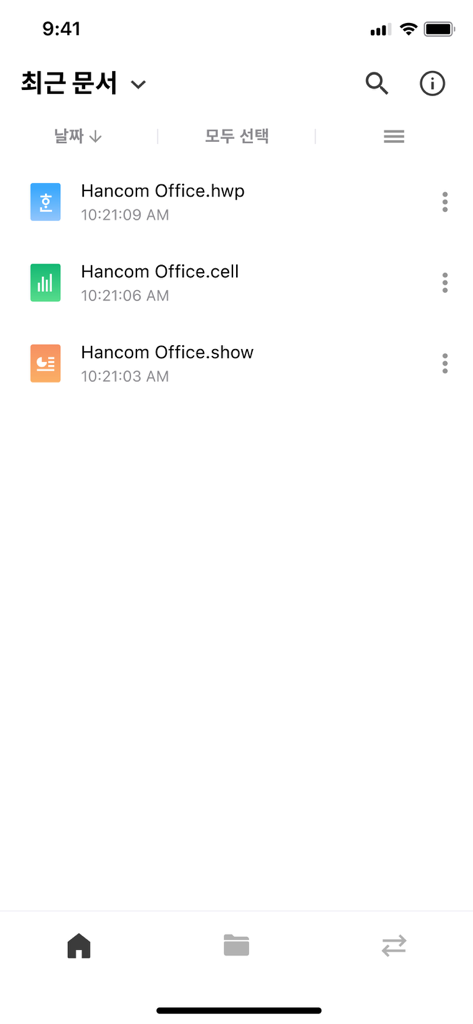
Interface of Hancom Office Viewer showing a list of recent HWP, CELL, and SHOW documents

Interface of Hancom Office Viewer showing a list of recent HWP, CELL, and SHOW documents

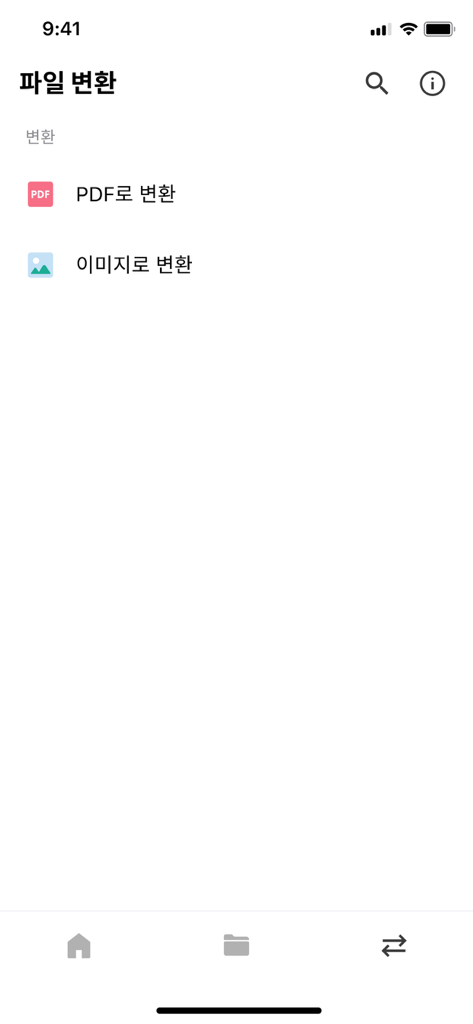
File conversion screen in Hancom Office Viewer app displaying options to convert documents to PDF or image formats.

File conversion screen in Hancom Office Viewer app displaying options to convert documents to PDF or image formats.

Settings screen of the Hancom Office Viewer app for iPhone

Settings screen of the Hancom Office Viewer app for iPhone

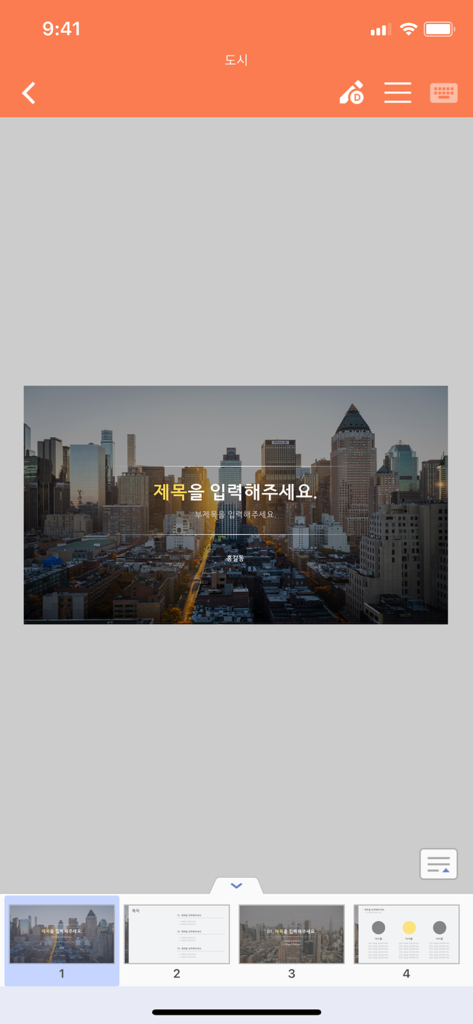
Presentation viewer interface in Hancom Office Viewer app showing a city skyline slide and navigation thumbnails

Presentation viewer interface in Hancom Office Viewer app showing a city skyline slide and navigation thumbnails

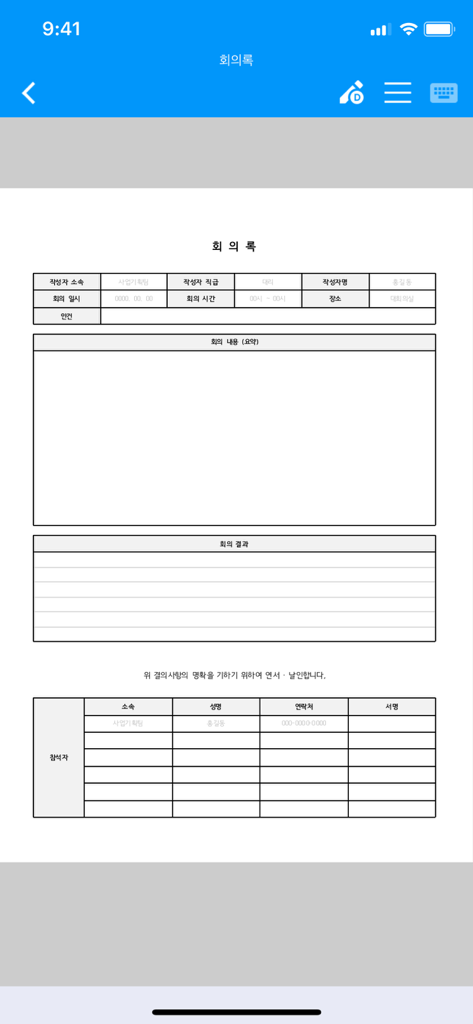
Hancom Office Viewer showing a Korean meeting minutes document with tables and text

Hancom Office Viewer showing a Korean meeting minutes document with tables and text

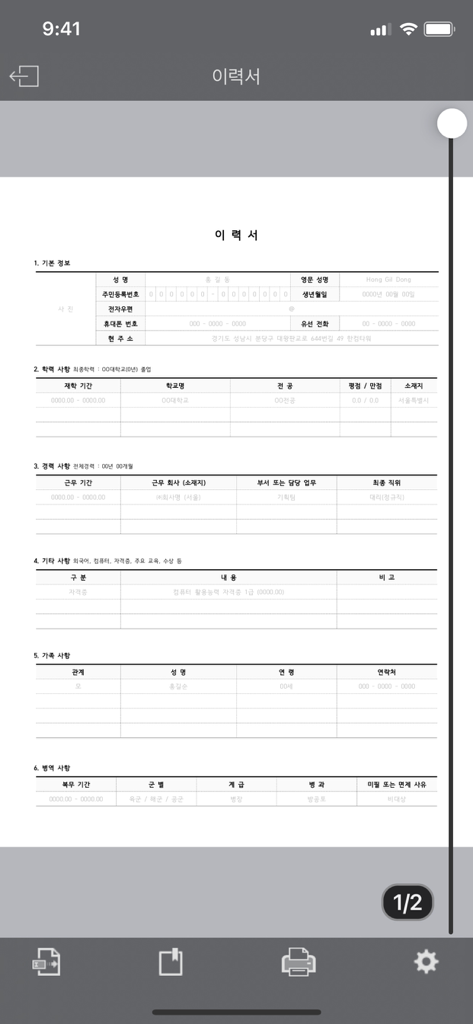
A Korean resume document displayed in the Hancom Office Viewer app on a smartphone.

A Korean resume document displayed in the Hancom Office Viewer app on a smartphone.

Your Essential Link to Global Business

The tools that make this app stand out, trusted by 4M+ users.

🇰🇷

Perfect HWP/HWPX Rendering

Eliminate formatting errors. View proprietary Hangul documents with 100% accuracy, exactly as they were created in Korea.

🔄

Seamless Format Conversion

Turn HWP, Word, and Presentation files into universal PDFs or images instantly to facilitate smooth collaboration with US partners.

📎

All-in-One Mobile Archive

Manage your entire document library. Support for Word, Excel, PowerPoint, and PDF ensures you are prepared for any file sent your way.

About the app

Everything you need to know about 한컴오피스 Viewer.

Description

Overview HancomOffice Viewer is a program that allows you to read and manage documents in various formats. [System Requirements] - OS: iOS 16.0 or higher [Key Features] 1. Reading and managing Office documents: You can use the full-featured document viewer to read documents, change folders, and send emails. 2. Support for various document formats - Hangul documents: hwp, hwpx, hwt - Word documents: doc, docx, dot, dotx - Spreadsheets: cell, csv, xls, xlsx, xlsm - Presentations: show, ppt, pptx - Other documents: pdf 3. Support for converting Hwp, Word, and Presentation documents to PDF or image files - Hwp: hwp, hwt, hml, hwpx, hwtx, owpml -> pdf, png - Word: doc, docx, dot, dotx, hwdt, rtf -> pdf, png - Show: show, ppt, pptx, hsdt, htheme, thmx, potx -> pdf, png [Answers to Important Inquiries] When a $1 payment occurs during download: HancomOffice Viewer is a free program. Occasionally, a $1 payment is made to verify the validity of the credit card registered in the app store, but the actual amount will not be charged. [Important Notices] - Due to mobile font embedding, some symbols and characters other than Hangul and English may not be displayed correctly. - The font specified in the original document may be changed to a mobile font, which can affect the layout of the document. [Required Access Permissions] Device Information: This is used to provide device and iOS version information when contacting customer support for product inquiries. ■ If you encounter errors or have any inconveniences while using the app, please contact us at 'haancs@hancom.com' with details about the error environment and content, and we will investigate and respond.

Latest Version

10.42.39

Size

553.7 MB

First Released

May 3, 2010

Never Miss a Beat Between the US and Korea

Join 4 million professionals who trust Hancom to open HWP and Office documents with perfect formatting. View, manage, and convert to PDF for free on your mobile device.

Download on App Store
FAQ

Frequently Asked Questions

Everything you need to know about 한컴오피스 Viewer

Is HancomOffice Viewer a free application?

Yes, HancomOffice Viewer is a free program. A $1 payment occurs only for credit card validation in the app store, but it is not an actual charge.

What document formats does HancomOffice Viewer support?

HancomOffice Viewer supports Hangul (hwp, hwpx, hwt), Word (doc, docx, dot, dotx), Spreadsheets (cell, csv, xls, xlsx, xlsm), Presentations (show, ppt, pptx), and PDF documents.

Can HancomOffice Viewer convert documents to other formats?

Yes, HancomOffice Viewer supports converting Hwp, Word, and Presentation documents. It converts these files to PDF or image formats directly within the application.

What are the system requirements for HancomOffice Viewer?

HancomOffice Viewer requires iOS 16.0 or higher to operate. Users must ensure their Apple device meets this operating system version.

What document management features does HancomOffice Viewer provide?

HancomOffice Viewer provides a full-featured document viewer. Users can read documents, change folders, and send emails directly from the application.

Are there any known display limitations in HancomOffice Viewer?

HancomOffice Viewer may display some symbols and non-Hangul/English characters incorrectly due to mobile font embedding. Document layouts might also change if original fonts are replaced by mobile fonts.

App information, icons, screenshots, and descriptions displayed on this page are sourced from the Apple App Store and are the property of their respective developers. Download estimates and rankings are based on MWM's proprietary models and may not reflect actual figures. This page is provided for informational and analytical purposes only.

Believe this page infringes your intellectual property? File a dispute