
This page is not an official page of the app or its developer, but an independent editorial publication created for informational and commentary purposes. Unless expressly stated otherwise, neither the app nor its developer is affiliated with, endorsed by, sponsored by, authorized by, or otherwise officially connected with MWM, Apple, Google Play, the app publisher, or the app's developer, and nothing on this page implies that the app was developed using MWM's services. Any trademarks, logos, screenshots, and other content remain the property of their respective owners.


VIN decoder for Mercedes-Benz
Instantly verify every feature, option code, and technical spec with precision. The fast, private tool designed for buyers, sellers, and automotive enthusiasts.
Downloads
1K+User Rating
Total Ratings
0Publisher
Category
UtilitiesLocales
1Latest Version
1.0Size
7.4 MBFirst Released
Jul 17, 2025Uncover the DNA of Any Mercedes-Benz
Get instant access to original factory build sheets, equipment codes, and technical specifications to ensure total transparency before you buy, sell, or service.
Verify Every Factory Option
Confirm exactly what was installed at the factory, from AMG packages to premium sound systems. Never pay for features that aren't actually there.
Deep Technical Insights
Instantly access precise engine codes, transmission types, and paint codes. Essential data for DIY maintenance, restoration, or ordering the right parts.
Frequently Asked Questions
Everything you need to know about VIN decoder for Mercedes-Benz
What does the VIN Decoder for Mercedes-Benz app do?
The VIN Decoder app instantly reveals original factory information for any Mercedes-Benz vehicle. It provides accurate and structured vehicle data for evaluation, verification of build options, and exploring vehicle specifications.
What information does the VIN Decoder for Mercedes-Benz app provide?
The VIN Decoder app provides full factory specifications including model, series, engine, transmission, color, and original options like seat heating or auto-dimming mirrors. It also shows production details and delivery date.
How do I use the VIN Decoder for Mercedes-Benz app?
To use the VIN Decoder app, enter the 17-digit VIN number into the input field on the main screen. Ensure it is exactly 17 characters without spaces, then tap "Check VIN".
Does the VIN Decoder for Mercedes-Benz app save past VIN searches?
Yes, the VIN Decoder app automatically saves a history of past decoded VINs. This feature allows for quick re-access to previously searched vehicle details without needing to decode them again.
Can I share vehicle details from the VIN Decoder for Mercedes-Benz app?
Yes, the VIN Decoder app allows users to share decoded vehicle details. This feature is available with a single tap, enabling easy distribution of information.
Is the VIN Decoder for Mercedes-Benz app secure and private?
Yes, the VIN Decoder app is secure and private. It requires no login and performs no data tracking, ensuring user confidentiality and data protection.
Does the VIN Decoder for Mercedes-Benz app support dark theme?
Yes, the VIN Decoder app supports dark theme. This feature allows users to switch to a darker interface for improved viewing comfort, especially in low-light conditions.
Does the VIN Decoder app provide original factory options for Mercedes-Benz vehicles?
Yes, the VIN Decoder app discovers original options and equipment. Users can see details like "S494 – Seat heating" and "S430 – Auto-dimming mirrors" directly from the factory specifications.
The following screenshots and description are sourced directly from the app's official store listing and are the property of the app developer.
App Store
Screenshots
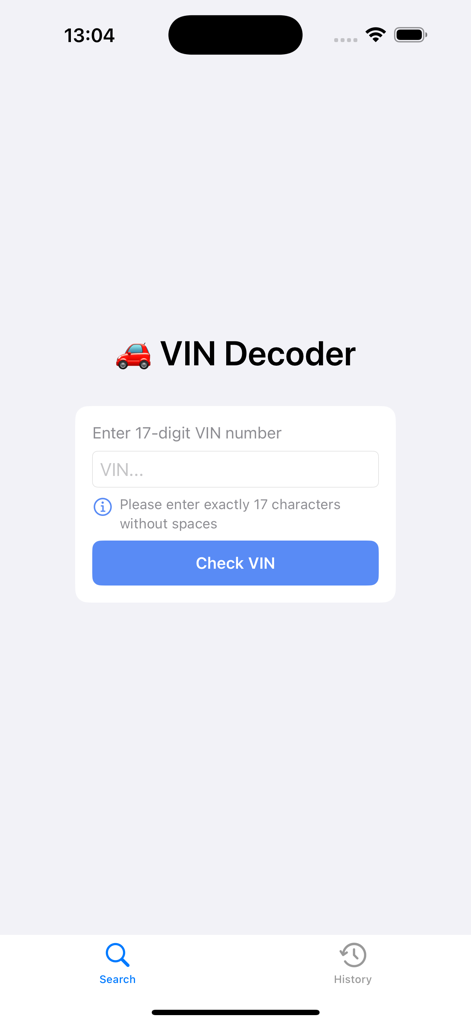
Search screen of the Mercedes Benz VIN decoder app featuring a field to enter a 17 digit VIN number and a check button
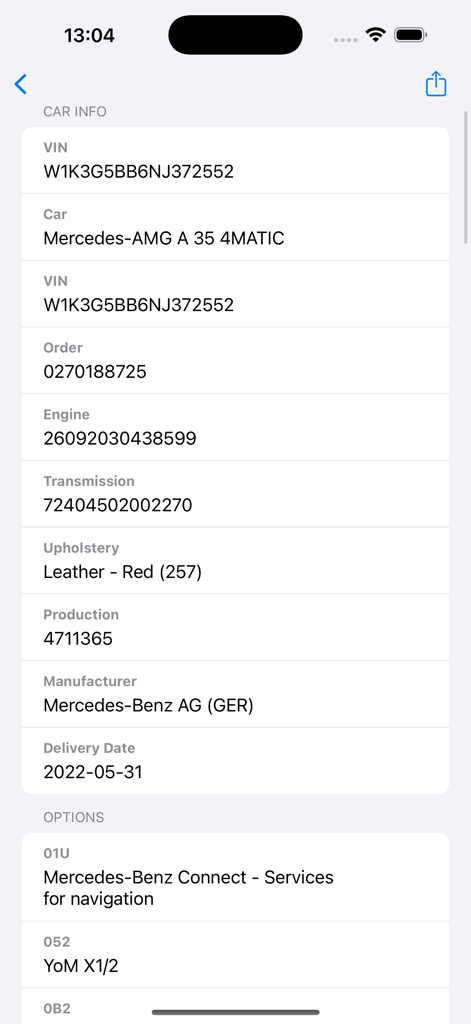
Detailed vehicle specifications and factory options shown for a Mercedes-AMG A 35 4MATIC in the VIN decoder app.
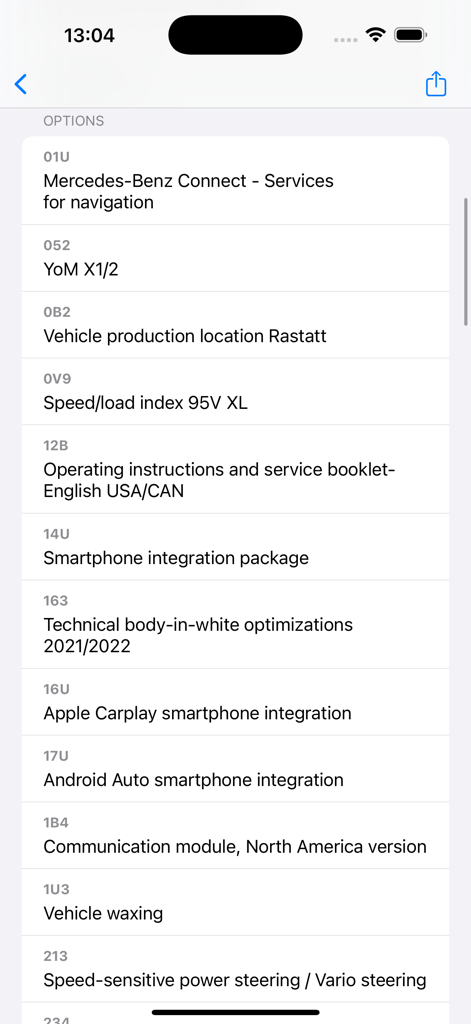
A detailed list of decoded Mercedes-Benz factory equipment and technical specifications shown in the app interface.
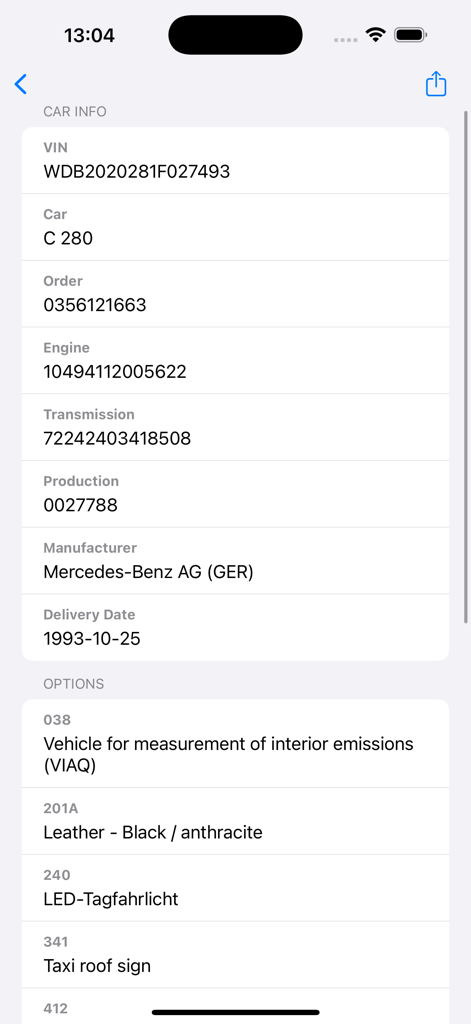
Interface of the Mercedes-Benz VIN decoder app showing car specifications and factory options like leather interior.
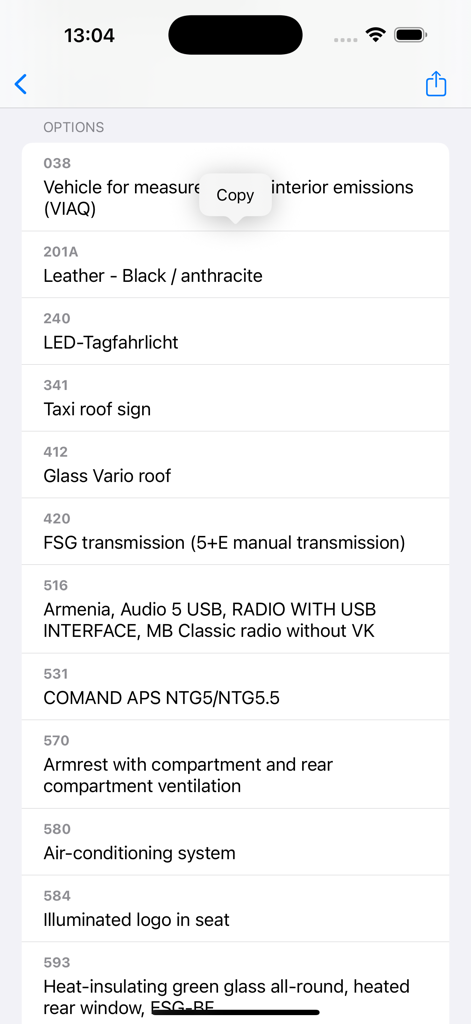
A detailed list of original factory options and equipment codes for a Mercedes-Benz vehicle decoded from its VIN
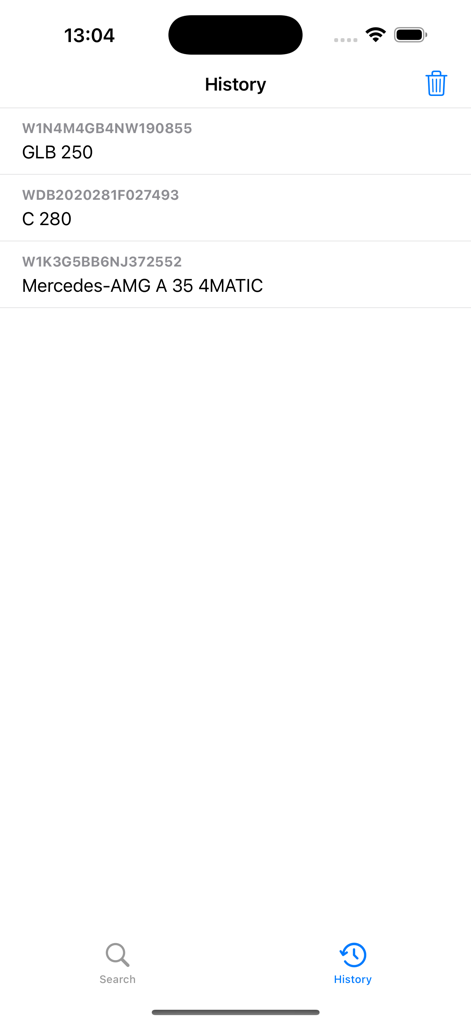
History screen showing a list of decoded Mercedes-Benz VINs and models
Description
Download
More Like This
Top-ranked apps in the same category

Google LLC

Google Chrome
Google LLC

中国移动(手机营业厅)
China Mobile Online Services Co., Ltd.

Google Authenticator
Google LLC

CNH do Brasil
Servicos e Informacoes do Brasil

Cleanup: Phone Storage Cleaner
DEEP FLOW SOFTWARE SERVICES - FZCO

gov.br
Servicos e Informacoes do Brasil

中国电信-全国统一官方服务平台
CHINA TELECOM Corporation Ltd.

Microsoft Edge: AI Browser
Microsoft Corporation
This page is not an official page of the app or its developer, but an independent editorial publication created for informational and commentary purposes. Unless expressly stated otherwise, neither the app nor its developer is affiliated with, endorsed by, sponsored by, authorized by, or otherwise officially connected with MWM, Apple, Google Play, the app publisher, or the app's developer, and nothing on this page implies that the app was developed using MWM's services. Any trademarks, logos, screenshots, and other content remain the property of their respective owners.