
This page is not an official page of the app or its developer, but an independent editorial publication created for informational and commentary purposes. Unless expressly stated otherwise, neither the app nor its developer is affiliated with, endorsed by, sponsored by, authorized by, or otherwise officially connected with MWM, Apple, Google Play, the app publisher, or the app's developer, and nothing on this page implies that the app was developed using MWM's services. Any trademarks, logos, screenshots, and other content remain the property of their respective owners.


Vocal Remover & Noise Reducer
Isolate vocals, 8 musical instruments, and eliminate background noise with zero quality loss. The essential toolkit for creators, musicians, and DJs to remix, sample, and produce like a pro.
Downloads
392K+User Rating
Total Ratings
1K+Publisher
Category
MusicLocales
18Latest Version
2.11.1Size
62.1 MBFirst Released
Jun 6, 2023Pro-Level AI Audio Tools for Creators
Take full control of your sound. Whether you're sampling a beat, cleaning up a podcast, or making a viral mashup, our AI delivers studio-grade precision in seconds.
Vocals & Instrument Isolation
Split any song into clean voice and backing tracks. Ideal for creating high-quality karaoke, song covers, and viral TikTok remixes.
Multi-Instrument Extraction
Isolate 8 specific stems including drums, bass, and piano. Extract the exact elements you need for your next production with zero quality loss.
Frequently Asked Questions
Everything you need to know about Vocal Remover & Noise Reducer
What is Vocal Remover & Noise Reducer?
Vocal Remover & Noise Reducer (LALAL.AI) is an application that isolates vocals, instruments, and removes background noise from audio and video files using unique AI technology.
What audio components can Vocal Remover & Noise Reducer isolate?
Vocal Remover & Noise Reducer (LALAL.AI) isolates vocals, accompaniment, and 8 specific musical instruments. These instruments include drums, bass, piano, acoustic guitar, electric guitar, synthesizer, string, and wind instruments.
Can Vocal Remover & Noise Reducer process video files?
Yes, Vocal Remover & Noise Reducer processes both audio and video files. Users can upload various common audio and video formats to extract stems.
What file formats does LALAL.AI support for input and output?
LALAL.AI supports input in MP3, OGG, WAV, FLAC, AVI, MP4, MKV, AIFF, and AAC. It exports stems in the same format as the original file without quality loss.
How do I use Vocal Remover & Noise Reducer?
To use LALAL.AI, click ‘Select Files’ to upload audio/video, choose the stem to remove, listen to previews, and then download the full stems.
Does LALAL.AI preserve the quality of extracted stems?
Yes, LALAL.AI ensures extracted parts retain the same bitrate and format as the original file, with no quality loss. The AI extracts stems with utmost precision.
Does Vocal Remover & Noise Reducer (LALAL.AI) use a balance or credit system?
Yes, the application uses a balance system, indicating remaining processing time. Screenshot #1 shows 'Your balance 33 m 31 s' at the top of the interface.
Who is the target audience for Vocal Remover & Noise Reducer?
Vocal Remover & Noise Reducer is a versatile tool for musicians, producers, dancers, vocalists, content creators, DJs, and karaoke fans who need to isolate audio elements.
Can Vocal Remover & Noise Reducer remove background noise?
Yes, Vocal Remover & Noise Reducer can cancel unwanted background noise from any recording. This feature helps clean up audio for vocals, voice, or speech.
What is LALAL.AI's policy on copyrighted material uploads?
LALAL.AI strongly recommends against uploading copyrighted material unless users have permission. Users are legally responsible for the content they upload to the application.
The following screenshots and description are sourced directly from the app's official store listing and are the property of the app developer.
App Store
Screenshots
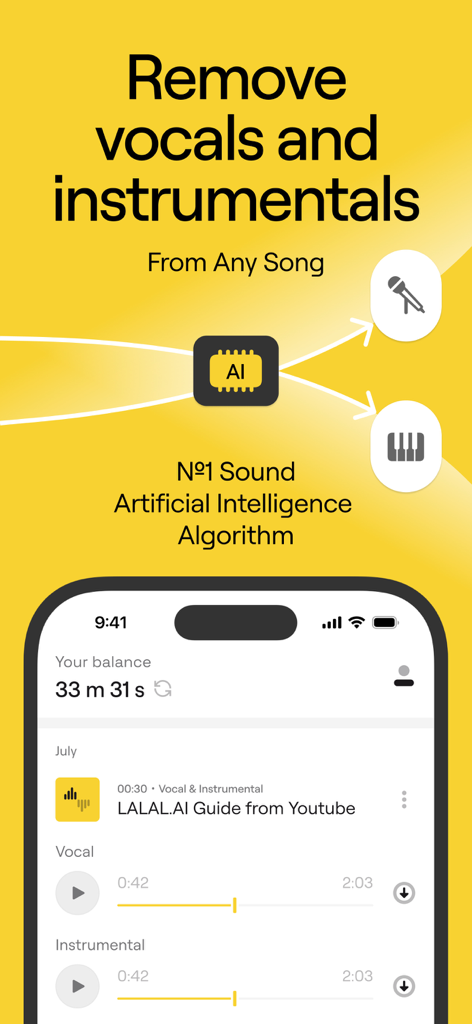
LALAL AI mobile app interface showing vocal and instrumental separation from a song
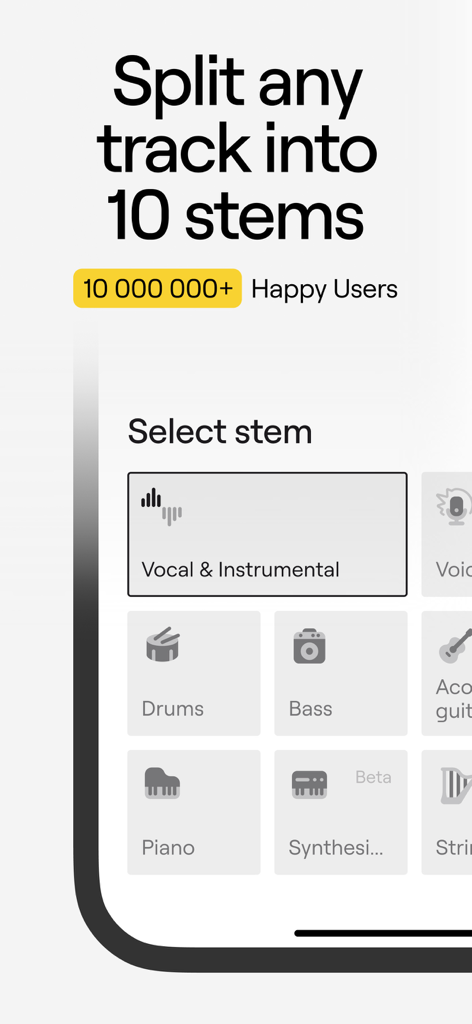
LALAL.AI mobile app screen showing options to split audio tracks into ten different stems like vocals drums and bass
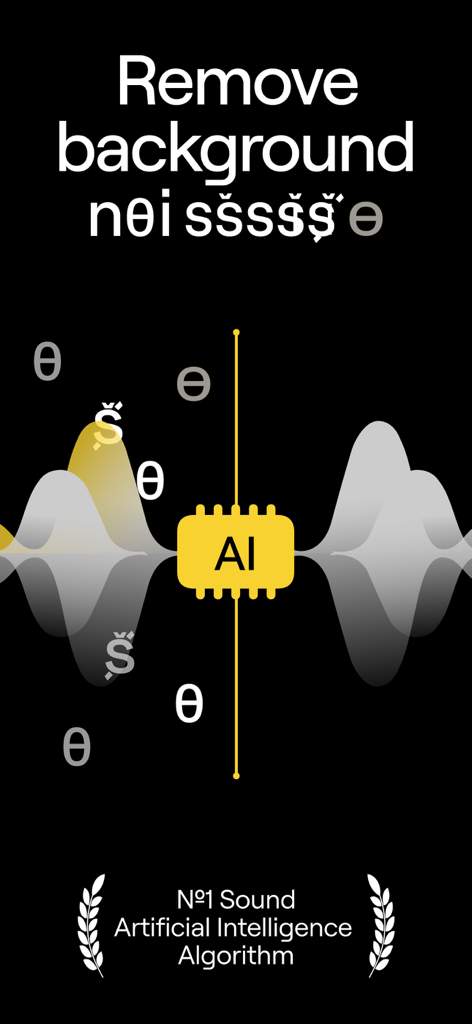
AI background noise removal feature with waveform visualization
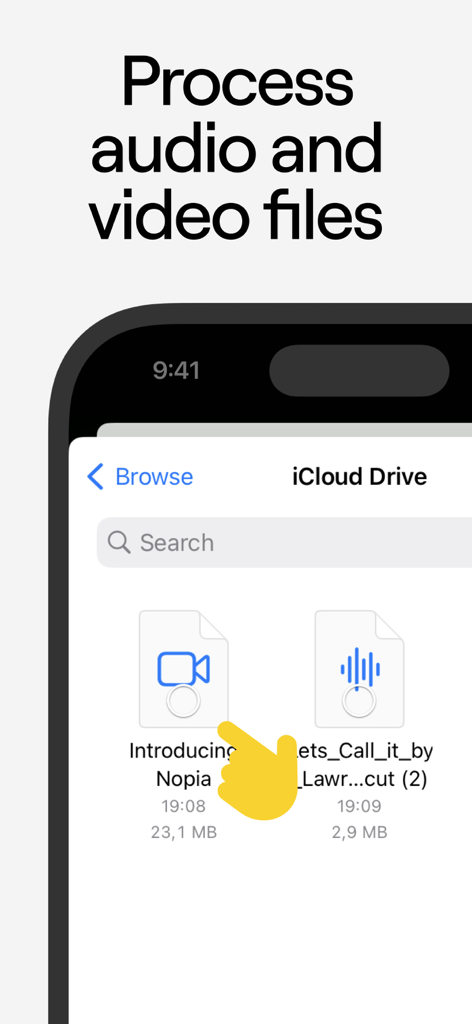
Selecting audio and video files from iCloud Drive for processing

Screenshot of LALAL.AI app highlighting press features from Forbes and MusicRadar alongside Golden Kitty Awards finalist badge
Description
Download
More Like This
Apps with similar features and user experience

Music Speed Changer ▶▶▶
Single Minded Productions, LLC

Vocal Remover - Musiclab
CHENGDU Yiwo Tech Development Co., Ltd

Audio Fusion
景睿 文

Audio Jam: AI for musicians
Kiraku Tech Co., Ltd.

Anytune Pro+: Studio Tools
Anytune Inc.

Moises: The Musician's App
Moises Systems Inc

Strum - Play Guitar
W185 Holdings LLC

Chordify: Songs, Chords, Tuner
Chordify BV

Chord ai - Play any song!
Nomad AI OU
This page is not an official page of the app or its developer, but an independent editorial publication created for informational and commentary purposes. Unless expressly stated otherwise, neither the app nor its developer is affiliated with, endorsed by, sponsored by, authorized by, or otherwise officially connected with MWM, Apple, Google Play, the app publisher, or the app's developer, and nothing on this page implies that the app was developed using MWM's services. Any trademarks, logos, screenshots, and other content remain the property of their respective owners.