Voice Record Pro

Voice Record Pro

Download on App Store
Logo of Voice Record Pro

Voice Record Pro: Professional Audio Capture Without Compromise

The ultimate all-in-one recorder for power users. Capture unlimited high-fidelity audio, edit with precision, and export to any cloud platform—no subscriptions, no limits, just professional results.

Publisher

Dayana Networks Ltd

Category

Utilities

Downloads

1M+

User Rating

4.7/5

Total Ratings

18K+

Locales

1

The Interface of a Pro

Discover the interface used by 1M+ users.

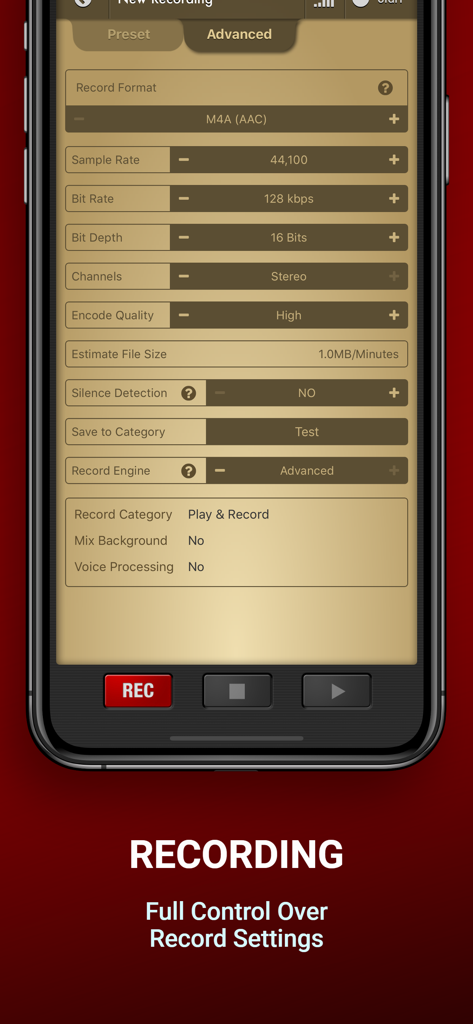
Voice Record Pro app interface showing recording formats and advanced audio features
Voice Record Pro app interface showing recording formats and advanced audio features

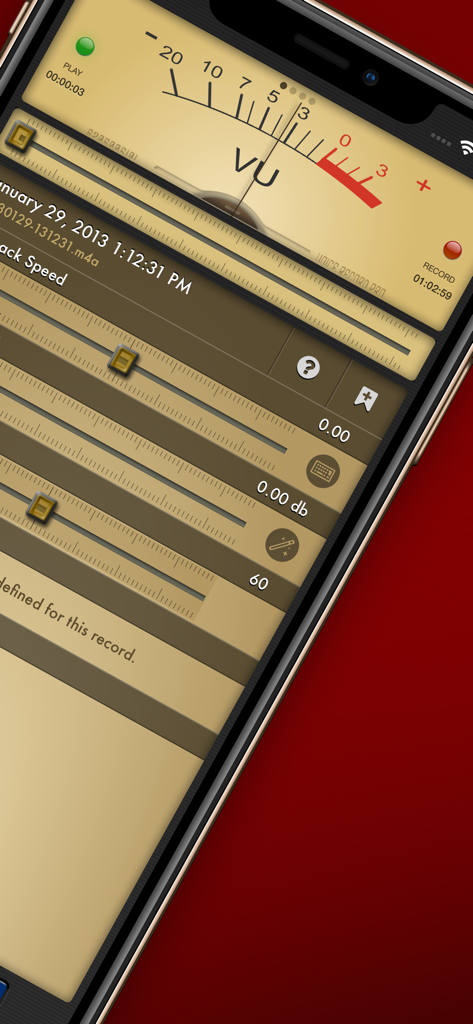
Professional audio recording interface with an analog VU meter and playback speed sliders
Professional audio recording interface with an analog VU meter and playback speed sliders

Voice Record Pro advanced recording interface showing detailed audio configuration settings for bitrate and sample rate
Voice Record Pro advanced recording interface showing detailed audio configuration settings for bitrate and sample rate

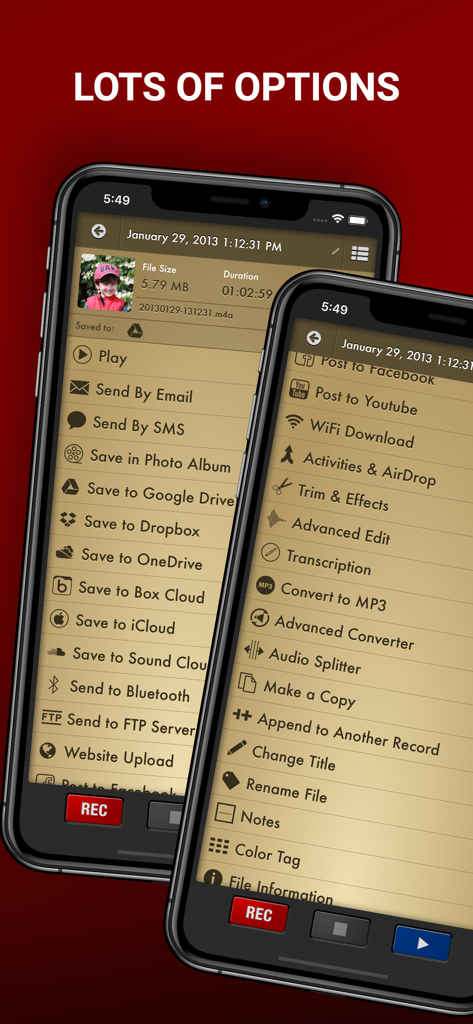
Menu of export and editing options in the Voice Record Pro app
Menu of export and editing options in the Voice Record Pro app

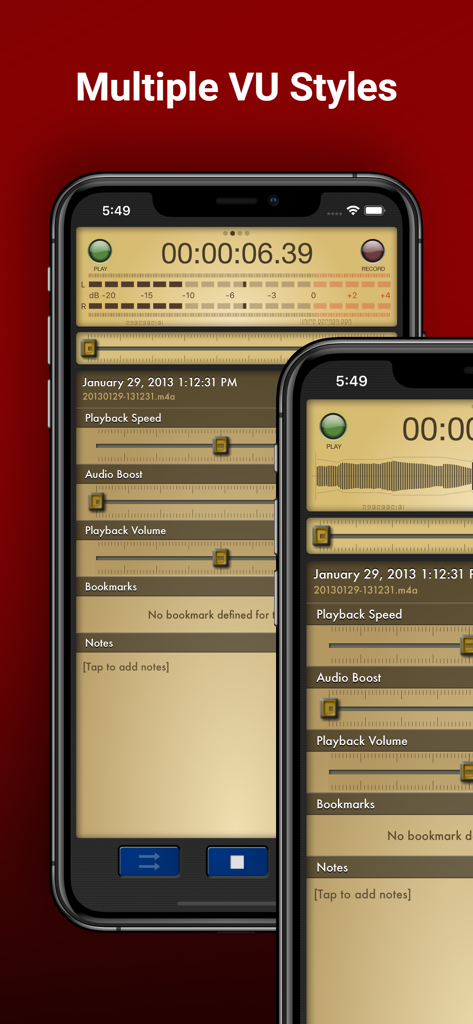
Voice Record Pro app interface on iPhone showing multiple VU meter styles and audio playback controls
Voice Record Pro app interface on iPhone showing multiple VU meter styles and audio playback controls

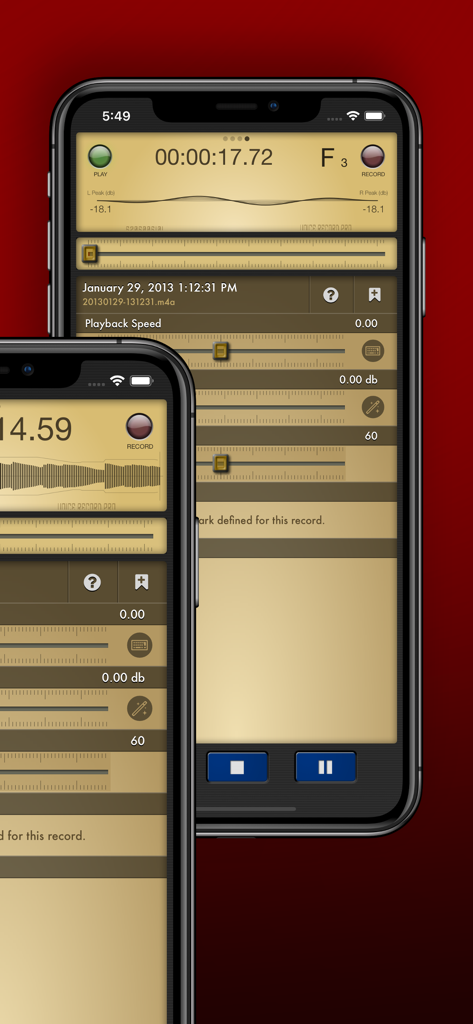
Voice Record Pro app interface displaying professional playback and volume settings on iPhone
Voice Record Pro app interface displaying professional playback and volume settings on iPhone

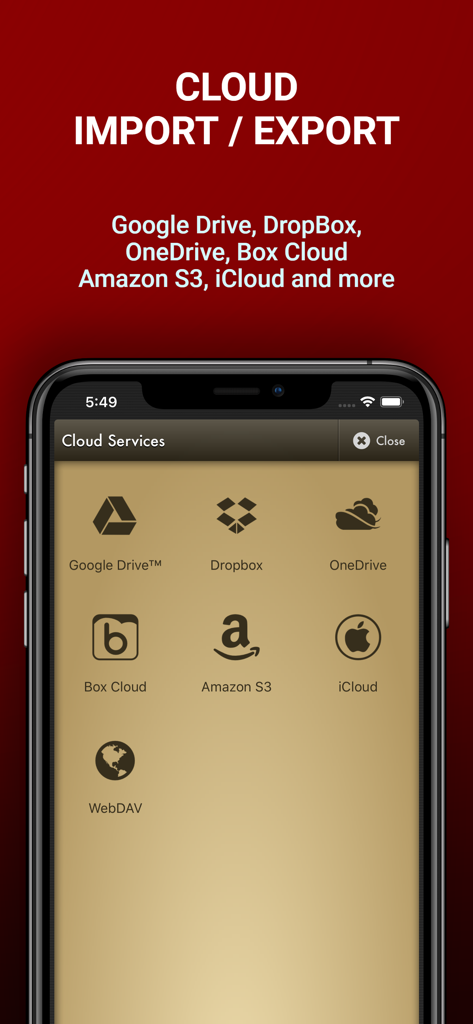
Voice Record Pro app screen showing cloud service options for importing and exporting audio files including Google Drive, Dropbox, and OneDrive
Voice Record Pro app screen showing cloud service options for importing and exporting audio files including Google Drive, Dropbox, and OneDrive

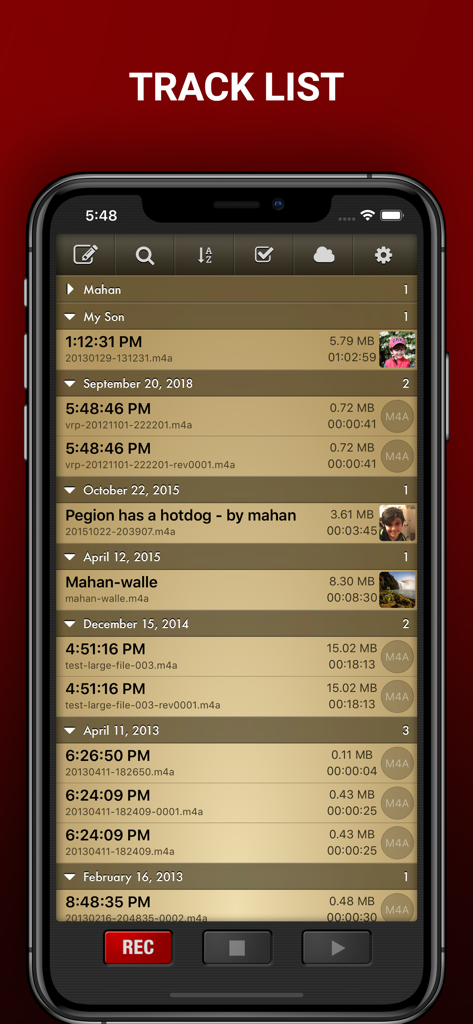
Voice Record Pro track list screen showing a detailed list of organized audio recordings with timestamps and file information

Voice Record Pro track list screen showing a detailed list of organized audio recordings with timestamps and file information

Professional Recording Without the Pro Price Tag

The tools that make this app stand out, trusted by 1M+ users.

🎙️

Studio-Quality Control

Take total command of your audio. Record in MP3, WAV, or AAC with granular settings for bitrates and sample rates to suit any environment.

☁️

Seamless Workflow Integration

Skip the friction. Instantly sync recordings to Google Drive, Dropbox, or OneDrive, or use the built-in WiFi server to move files to your PC.

⏱️

Smart Productivity Tools

Optimize your time with silence detection, live bookmarks for key moments, and advanced trimming to keep only what matters.

About the app

Everything you need to know about Voice Record Pro.

Description

Professional Voice Recorder for iPhone, iPad and iWatch! No limitation, Completely FREE! Voice Record Pro is a professional voice recorder. It allows you to record voice memos and on-site sounds at unlimited length with configurable quality. Voice Record Pro can record directly in MP4 (AAC), MP3 (MPEG) and WAV (PCM) formats plus convert function for all supported formats. None of the features are limited by in-app purchase, they are all free and without limitation. in-app purchase can be used to remove the bottom advertisement from the app. RECORDING: - Unlimited recording, the only limit is your device free space. - Record audio in M4A/AAC format, you can choose the exact quality of the record including bitrate, sample rate, bit depth, number of audio channels and encode quality. - Record audio in MP3 format, in addition to sample rate, bitrate, bit depth and number of channels you can also set to record MP# in VBR (Variable Bit Rate) or CBR (Constant Bit Rate). - Record audio in WAV/PCM format, sample rate, bit depth and number of channels can be configured. - All formats can be set to record audio in silence detection mode, which will only record audio if detected (record level is configurable) - Ability to enable/disable iOS Voice Processing and mix with background sounds. - Ability to record in stereo format on supported devices. - Apply effects while recording - Add bookmarks during record session PLAYBACK: - Change playback speed - Boost audio volume - Change playback volume and divert into connected devices (AirPlay) - Jump to previously defined bookmarks and add new ones - Read and edit notes - Swipe gestures to short and long jump forward and backward, amount of jump is configurable - Swipe gestures to previous and next track - Loop playback on single record or play multiple records in sequence STORAGE & EXPORT: - Export to and import from Google Drive™, DropBox, Microsoft® OneDrive (personal and business), Box Cloud, iCloud Drive, Amazon S3 - Export to SoundCloud and Custom FTP server - Post to Any Web base Script - Import from device Music Library - Sync records with other nearby devices running this app - Send to other devices via Bluetooth - Download directly to PC using built-in web server via local WiFi connection - Upload from PC using WiFi connection - WebDav support using WiFi service - Convert to a movie clip and export to Photo Albums - Post as a Movie Clip on YouTube - Export to other apps on your device that can handle the audio file - Import from other apps - Send Audio or Movie by email - Send Audio or Movie by SMS/iMessage MODIFICATION: - Add notes to records - Add photo to records - Add bookmarks to records - Simple trim and Advanced trim functions - Modify ID3v2 tags - Append a record to another record - Split audio files into separate files based on equal parts, file size or bookmarks - Join multiple audio records into one - Apply effects while recording - Apply effects to the recorded or imported file including: - Echo - Volume/Gain - Pitch & Speed - Reverb - Distortion - 3/6/10 Band Equalizer - Add reminder alarm for each record - Color tag audio files - Convert M4A to and from MP3 to and from WAV GENERAL: - Protect the app with a passcode - Create custom movie templates - Built-in WiFi http server - Custom categories for better organizing - Customized swipe to right gestures on each record - Multiple sort options and deep customization of track lists and much more. Enjoy.

Latest Version

4.1.0

Size

106.4 MB

First Released

Sep 13, 2012

Take Full Control of Your Audio Today

Join over 1 million professionals and students who demand more from their recordings. Experience unlimited length, pro-grade formats, and seamless cloud exports for free on your iPhone, iPad, and Apple Watch.

Download on App Store

App information, icons, screenshots, and descriptions displayed on this page are sourced from the Apple App Store and are the property of their respective developers. Download estimates and rankings are based on MWM's proprietary models and may not reflect actual figures. This page is provided for informational and analytical purposes only.

Believe this page infringes your intellectual property? File a dispute