Wake Up Light – Sunrise Alarm
Download on App Store

This page is not an official page of the app or its developer, but an independent editorial publication created for informational and commentary purposes. Unless expressly stated otherwise, neither the app nor its developer is affiliated with, endorsed by, sponsored by, authorized by, or otherwise officially connected with MWM, Apple, Google Play, the app publisher, or the app's developer, and nothing on this page implies that the app was developed using MWM's services. Any trademarks, logos, screenshots, and other content remain the property of their respective owners.

Logo of Wake Up Light – Sunrise Alarm
Download on App Store

Wake Up Light – Sunrise Alarm

Stop waking up to jarring alarms. Synchronize your circadian rhythm by automating your Apple HomeKit lights and blinds to create a gentle, personalized sunrise for a more energized and productive morning.

Key Figures

Downloads

2K+

User Rating

3.6/5

Total Ratings

300

Publisher

Andreas Ganske

Category

Utilities

Locales

16

Latest Version

4.17.6

Size

50.0 MB

First Released

Jun 20, 2019
Features

Wake Up with the Sun, Every Day

Optimize your circadian rhythm and transform your bedroom into a natural sunrise with seamless HomeKit automation tailored for high-performance mornings.

Natural Sunrise Simulation

Eliminate sleep inertia by shifting your lights from a warm red glow to bright daylight, mimicking a natural dawn.

Smart Home Orchestration

Sync your lights, smart blinds, and coffee machine into a single routine to automate every aspect of your morning.

The following screenshots and description are sourced directly from the app's official store listing and are the property of the app developer.

App Store

Screenshots
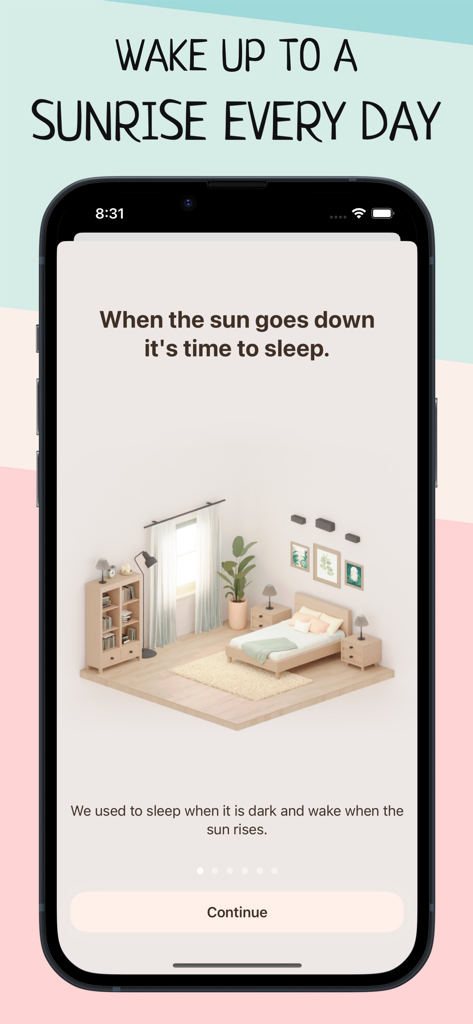
Wake Up Light – Sunrise Alarm - Wake Up Light app onboarding screen featuring a minimalist bedroom illustration and sunrise awakening concept
Wake Up Light app onboarding screen featuring a minimalist bedroom illustration and sunrise awakening concept

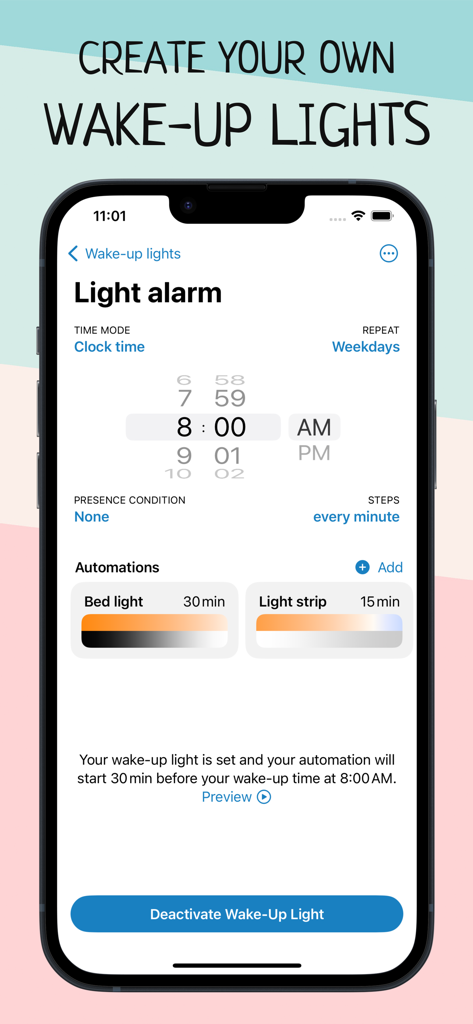
Wake Up Light – Sunrise Alarm - Smartphone screen showing sunrise alarm settings for smart home lights and automations
Smartphone screen showing sunrise alarm settings for smart home lights and automations

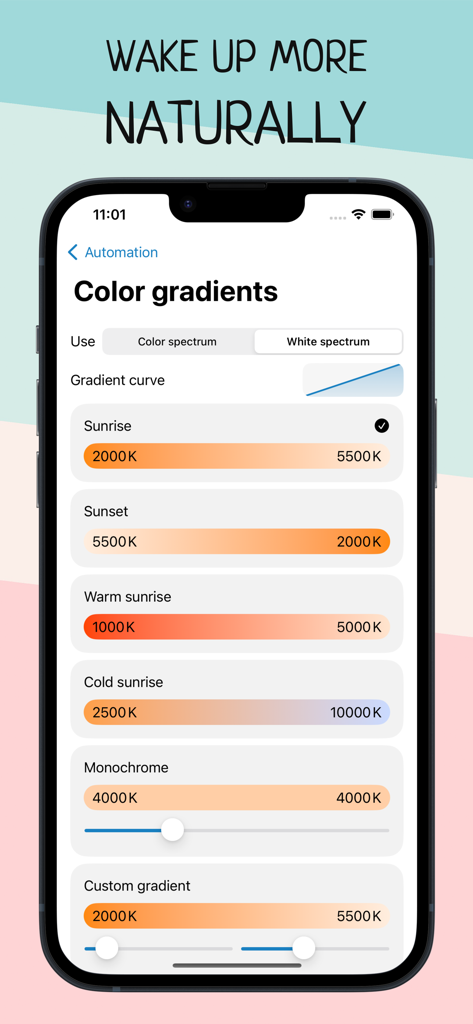
Wake Up Light – Sunrise Alarm - Color gradient settings in the Wake Up Light app for smart home automation showing different sunrise and sunset temperature options.
Color gradient settings in the Wake Up Light app for smart home automation showing different sunrise and sunset temperature options.

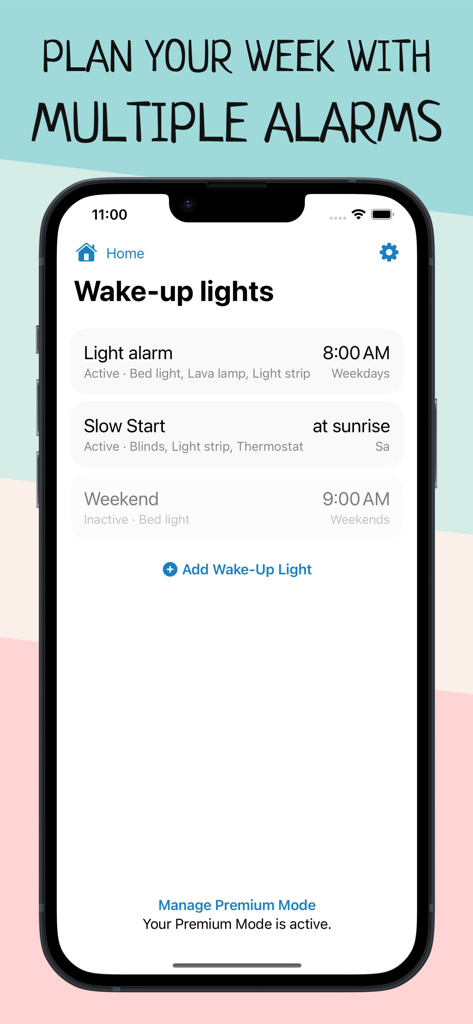
Wake Up Light – Sunrise Alarm - Interface of Wake Up Light app showing a list of scheduled sunrise alarms for smart home devices
Interface of Wake Up Light app showing a list of scheduled sunrise alarms for smart home devices

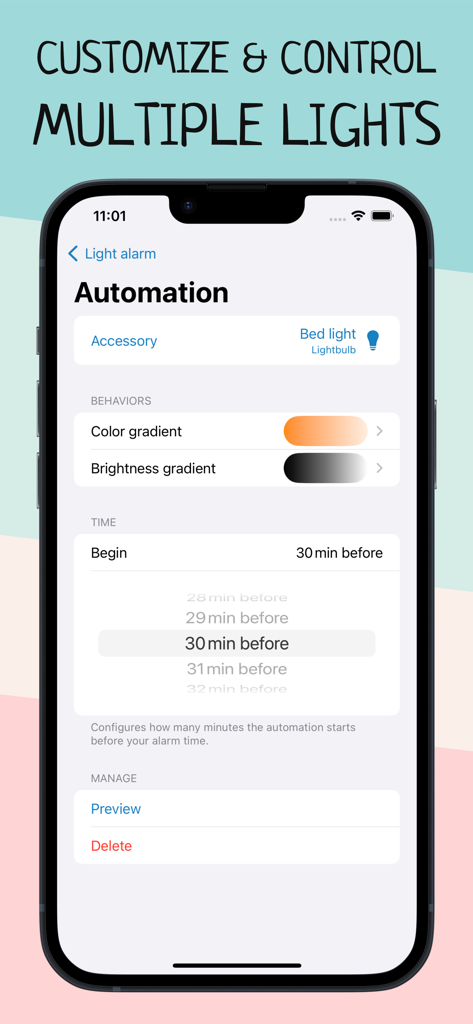
Wake Up Light – Sunrise Alarm - Smart light automation screen showing color gradient and brightness gradient settings for a sunrise alarm
Smart light automation screen showing color gradient and brightness gradient settings for a sunrise alarm

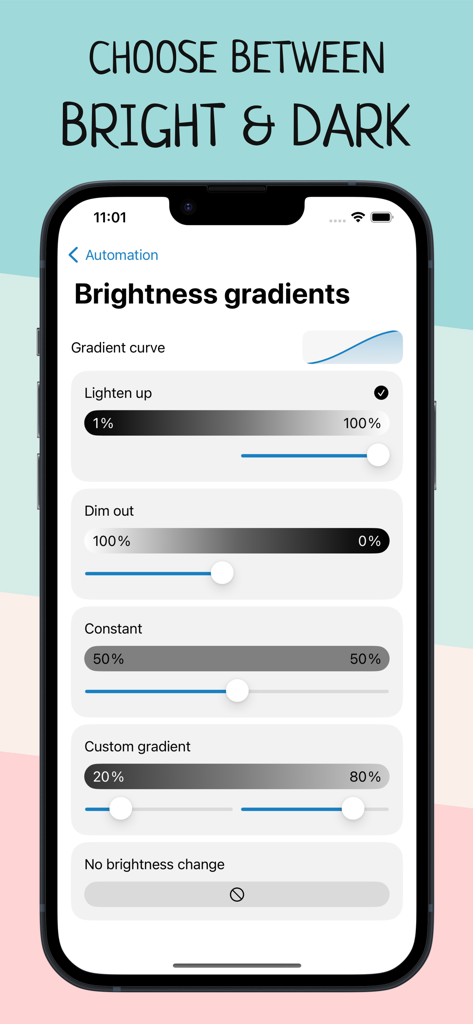
Wake Up Light – Sunrise Alarm - Interface showing brightness gradient options for smart home light automation
Interface showing brightness gradient options for smart home light automation

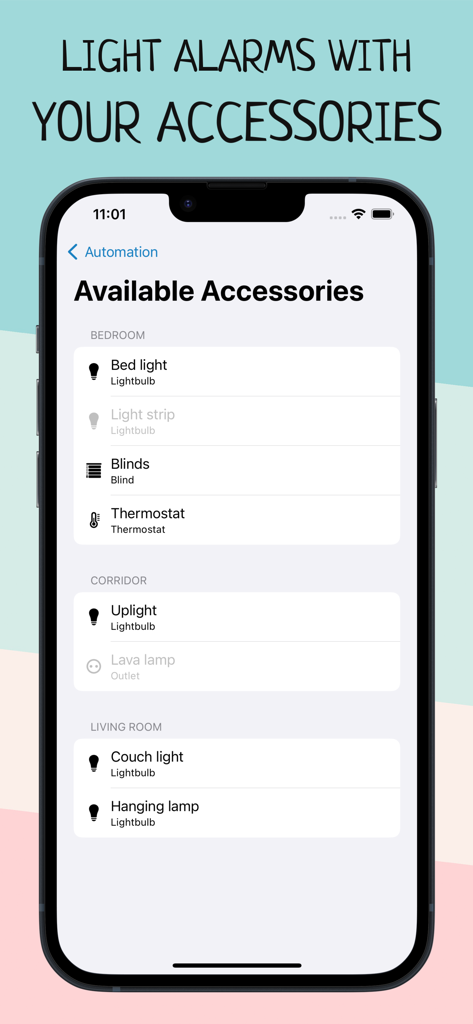
Wake Up Light – Sunrise Alarm - Screenshot of the Wake Up Light app showing a list of available HomeKit accessories like smart bulbs and blinds categorized by room for sunrise automations.
Screenshot of the Wake Up Light app showing a list of available HomeKit accessories like smart bulbs and blinds categorized by room for sunrise automations.

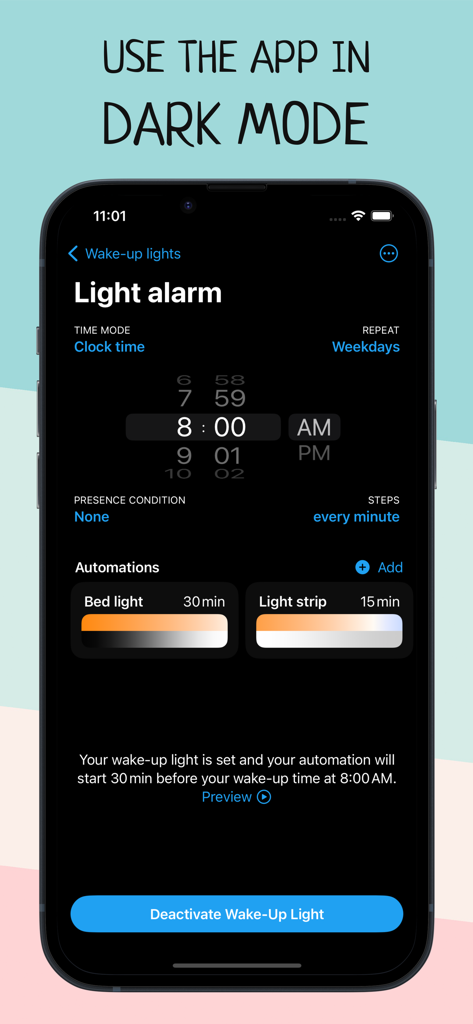
Wake Up Light – Sunrise Alarm - Interface of Wake Up Light app showing light alarm settings and automations in dark mode
Interface of Wake Up Light app showing light alarm settings and automations in dark mode

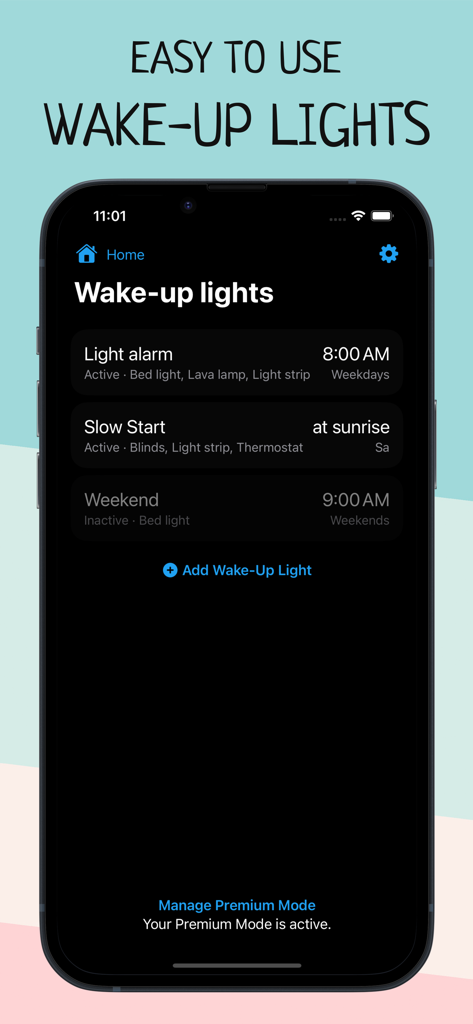
Wake Up Light – Sunrise Alarm - A smartphone screen displaying the home menu of the Wake Up Light app with scheduled sunrise alarms.
A smartphone screen displaying the home menu of the Wake Up Light app with scheduled sunrise alarms.

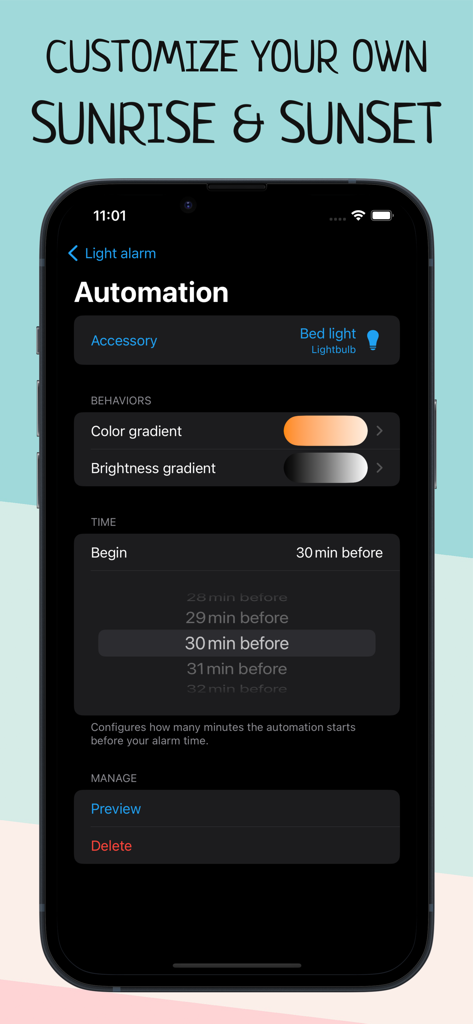
Wake Up Light – Sunrise Alarm - Sunrise alarm automation settings in the Wake Up Light app

Sunrise alarm automation settings in the Wake Up Light app

Description

Wake up more naturally with your wake-up light based on your smart HomeKit lights, and improve your morning routine with Wake Up Light. Are you tired in the morning? Does your body feel like it doesn't want to get up? Create an artificial dawn with Wake Up Light, so getting up in the morning feels easier and more natural. Built for use with HomeKit-enabled lights, now it’s easy to add a wake-up light alarm to the Apple Home app. Say you want to wake up at 8:00 a.m. Use Wake Up Light to schedule your bed light to turn on at 7:30 am with its minimum brightness in a dark reddish color. Your light will then gradually increase its brightness and change its color to daylight white until it reaches its full brightness at 8:00 a.m. Got smart blinds? Let them gradually open 20 minutes before your wake-up time. Coffee machine plugged into a smart outlet? Let it turn on 15 minutes before your alarm goes off. Set a light alarm that starts your day before your desired wake-up time (a recommended duration is something between 30 and 60 minutes). Your light brightens to its maximum intensity by the time you’ve set it, shifting from dim, warm red to bright and cold white after its light-up duration. The brighter the light, the better the effect will be on your body. The goal is to put you into a lighter sleep so that you awaken easier. FEATURES – Alarms that turn on lights and change colors as they brighten – Support for all HomeKit-enabled lights, blinds and outlets – Alarms are shared with everyone who has access to the same home – There is no need to keep your iPhone connected (or even on) – Set the days your wake-up light should wake you – Combine lightbulbs, power outlets, and smart blinds – Shortcuts and Siri support to activate, reschedule and deactivate your alarms – Create multiple wake-up lights and control multiple accessories per alarm – Preview your wake-up light Wake Up Light lets you easily create wake-up lights that fit your needs. Just select your light and preferred wake-up time, and Wake Up Light will create HomeKit automation for you, turning your lights on gradually over time. Adjust the duration of the brightening phase (between 30 and 60 minutes is recommended) and choose the brightness your lights should reach. Your light then brightens to its maximum intensity by the time you have chosen, shifting from dim, warm red to bright and cold white after its light-up duration (if supported by the light bulb). Add multiple wake-up lights to your weekly schedule. Control different lights with their own custom time, duration and brightness. Everyone in the same house can control the wake-up lights, too – thanks to HomeKit. HOW DOES IT WORK? A wake-up light alarm clock brings you slowly into shallower states of sleep by gradually increasing the brightness in your room. The light travels through your closed eyelids, notifying your body the same way as a natural sunrise. This gradual transition from deeper to shallower states of sleep has been found to wake you more naturally and boost your mood, energy and productivity for the whole day. Let your lights brighten your morning. App preview music is Haven by Nihilore: http://www.nihilore.com/license Terms of Use: https://wakeuplight.app/terms-of-use/

Download

Download on App Store

This page is not an official page of the app or its developer, but an independent editorial publication created for informational and commentary purposes. Unless expressly stated otherwise, neither the app nor its developer is affiliated with, endorsed by, sponsored by, authorized by, or otherwise officially connected with MWM, Apple, Google Play, the app publisher, or the app's developer, and nothing on this page implies that the app was developed using MWM's services. Any trademarks, logos, screenshots, and other content remain the property of their respective owners.








