
This page is not an official page of the app or its developer, but an independent editorial publication created for informational and commentary purposes. Unless expressly stated otherwise, neither the app nor its developer is affiliated with, endorsed by, sponsored by, authorized by, or otherwise officially connected with MWM, Apple, Google Play, the app publisher, or the app's developer, and nothing on this page implies that the app was developed using MWM's services. Any trademarks, logos, screenshots, and other content remain the property of their respective owners.

Walbum™ - Watch Faces Gallery
Your Apple Watch, finally uncaged. This app hands you the keys to absolute aesthetic and data mastery, turning a gadget into a statement.
Downloads
2.5M+User Rating
Total Ratings
31.2KPublisher
Category
LifestyleLocales
6Latest Version
4.2.0Size
114.9 MBFirst Released
Apr 4, 2019An evaluation of core functionalities enhancing personalization and utility for Apple Watch users.
Key Features Analysis: Walbum™ - Watch Faces Gallery
Extensive Watch Face & Wallpaper Gallery
The app provides a vast gallery of watch faces, live wallpapers, and curated background sets, allowing users to effortlessly refresh their Apple Watch aesthetic with diverse styles and themes.
Context-Aware SmartShift Widgets
This tool features intelligent widgets that automatically display relevant information based on time, activity, and context, providing glanceable insights like fitness stats, weather forecasts, or personal countdowns.
Customizable DIY Watch Face Creation
It allows users to design unique watch faces using personal photos, custom layouts, stickers, text, and countdowns, enabling a high degree of self-expression and personalization.
Lifestyle-Tailored Smart Faces
The app offers specialized Smart Faces designed for various lifestyles, such as fitness, work-life balance, or pregnancy, integrating real-time data and widgets pertinent to specific user needs.
Health & Activity Data Integration
This tool integrates with Apple Health and Activity data, allowing widgets to display real-time metrics such as steps, heart rate, and activity rings directly on customizable watch faces.
Seamless Watch Face Sync & Preview
The app enables users to preview watch face designs directly on their iPhone and instantly sync them to their Apple Watch with a single tap, ensuring a smooth and efficient customization process.
Frequently Asked Questions
Everything you need to know about Walbum™ - Watch Faces Gallery
What is Walbum and what does it offer?
Walbum is an Apple Watch application providing a gallery of watch faces and wallpapers. It offers live watch faces, DIY photo faces, smart widgets, and curated albums to personalize your Apple Watch display.
How many watch faces are available in Walbum?
Walbum boasts a vast gallery of nearly 3,000 watch faces. This collection includes various watch wallpapers, background packs, live-style watch faces, and themed albums for diverse styles and seasons.
Can users create custom watch faces with Walbum?
Yes, Walbum allows you to create personalized DIY watch faces in seconds. You can add photo watch face collections that auto-rotate, and customize them with stickers, text labels, widgets, and countdowns for special dates.
What are SmartShift widgets in Walbum?
SmartShift widgets in Walbum automatically adapt their content based on time, activity, and context. Examples include showing countdowns before work ends, displaying weekend weather forecasts, or presenting live stats for steps and activity rings.
Does Walbum offer free watch faces and wallpapers?
Yes, Walbum provides free watch faces and wallpapers through its "Today Free" section. The application continuously updates and adds more free watch faces and recommended content for users.
What is the price of Walbum's Gold Membership?
Walbum's Gold Membership costs $2.99 per month or $13.99 per year, though prices may vary by location. This membership unlocks all premium watch faces, widgets, and advanced features within the app.
What features are included with Walbum's Gold Membership?
Gold Membership in Walbum unlocks all premium watch faces, premium widgets, and advanced features. This includes access to exclusive albums and comprehensive customization options not available in the free version.
What permissions does Walbum require to function?
Walbum requires Health and Activity permissions for steps, heart rate, and activity widgets. It also needs Location access for weather data and Photos permission to save and sync wallpapers to your device.
Does Walbum support Always On Display for Apple Watch?
Yes, Walbum supports the "Always On" display feature for Apple Watch. This ensures that the selected watch face remains visible on your Apple Watch screen, even when your wrist is lowered.
Can custom widgets be added to Walbum watch faces?
Yes, Walbum allows you to add various widgets to watch faces. Available widgets include off-work countdowns, fitness activity trackers, HRV, steps, stickers, holiday countdowns, and news, enabling extensive customization.
The following screenshots and description are sourced directly from the app's official store listing and are the property of the app developer.
App Store
Screenshots

Discover the app's exquisite watch faces, showcasing detailed complications like a step counter and the impressive "3.5 Million+ App Downloads" achievement.
Exquisite Watch Faces
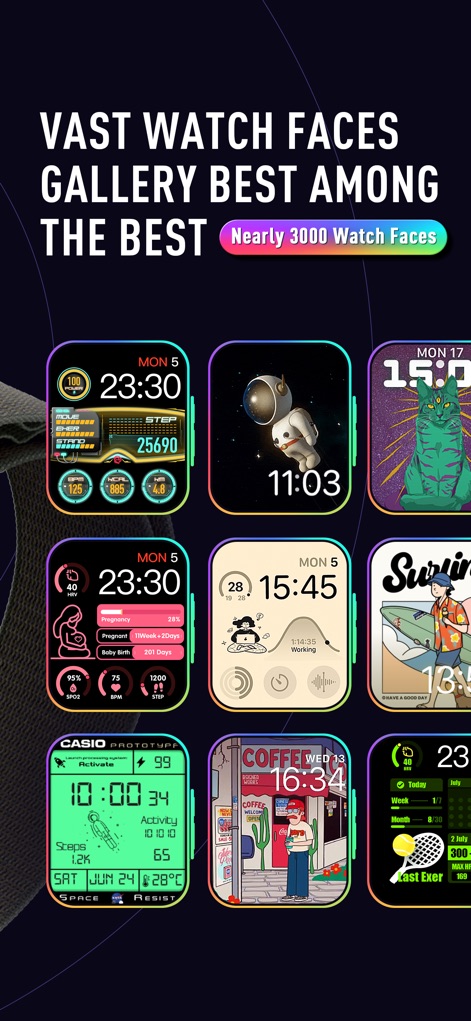
Explore an extensive gallery featuring diverse watch face styles, from artistic designs like the astronaut to the "Nearly 3000 Watch Faces" available.
Extensive Face Gallery
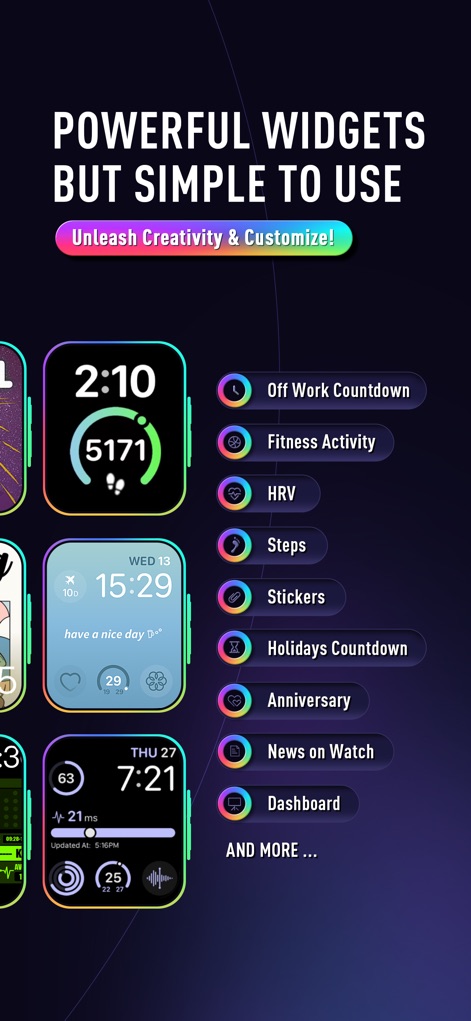
Unleash creativity with powerful widgets, enabling users to add functional elements like "Off Work Countdown" and track "Fitness Activity" seamlessly.
Dynamic Widget Power
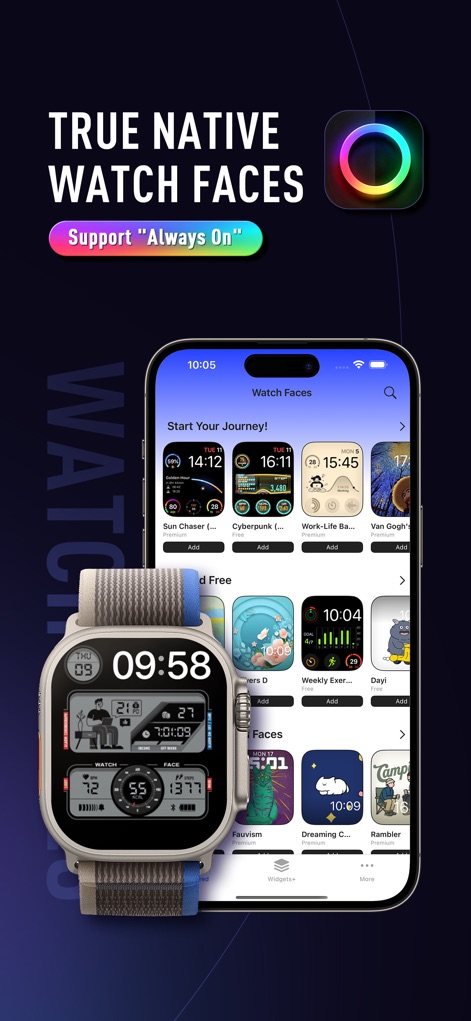
Experience seamless integration as the app delivers true native watch faces, supported by features like "Always On" display and easy iPhone browsing.
Seamless Watch Integration

Browse through thoughtfully curated face collections, including "Limited Free" options and "Essential Watch Faces," all readily available for instant "Add" to the device.
Curated Face Collections

Preview and instantly apply detailed watch faces like the "Work-Life Balance" design, enhanced by the convenient "One-click Add" feature for rapid personalization.
Instant Face Application

Customize your watch experience with advanced widget categories, offering options like "Off work countdown" and comprehensive "HRV: Physical & Mental Health Indicator" data.
Advanced Widget Customization

Design a personalized display using flexible widget designs, including both "Circular Widget" and "Rectangular Widget" formats for diverse data like "Offwork countdown" and "Steps".
Flexible Widget Designs
Description
Download
More Like This
Apps with similar features and user experience

Watchfaces - Watch Wallpaper
亚伦 陈
Watch Faces & Widget Gallery
Hyperday MB
Watch Faces by Facer
Little Labs, Inc.
Watch Faces & Widgets Gallery
GANYMEDES POINT SP Z O O
Buddywatch - Watch Faces
BUDDY SRLS
Watch Faces Gallery & Creator
Artem Vasiliuk
Watch Faces Gallery & Themes
Mikael Melkonyan
Watch Faces Gallery - Widgets.
European apps solutions LTD

Watch Faces Gallery-Widget
Jinan Feiniao culture media Co., Ltd
This page is not an official page of the app or its developer, but an independent editorial publication created for informational and commentary purposes. Unless expressly stated otherwise, neither the app nor its developer is affiliated with, endorsed by, sponsored by, authorized by, or otherwise officially connected with MWM, Apple, Google Play, the app publisher, or the app's developer, and nothing on this page implies that the app was developed using MWM's services. Any trademarks, logos, screenshots, and other content remain the property of their respective owners.