
This page is not an official page of the app or its developer, but an independent editorial publication created for informational and commentary purposes. Unless expressly stated otherwise, neither the app nor its developer is affiliated with, endorsed by, sponsored by, authorized by, or otherwise officially connected with MWM, Apple, Google Play, the app publisher, or the app's developer, and nothing on this page implies that the app was developed using MWM's services. Any trademarks, logos, screenshots, and other content remain the property of their respective owners.


Watch Faces & Widget Gallery
Apple Watch customization is usually a chore; this app makes it effortless. It puts a gallery of unique designs and widgets at the user's fingertips, proving that personalization doesn't have to be complex.
Downloads
2.5M+User Rating
Total Ratings
59.7KPublisher
Category
LifestyleLocales
15Latest Version
3.7.1Size
134.5 MBFirst Released
Apr 24, 2022An in-depth look at the app's functionalities designed for the discerning Apple Watch user.
Watch Faces & Widget Gallery: Core Features Analysis
Personal Photo Watch Faces
It allows users to create unique watch faces by utilizing their own photos, offering a deeply personal customization experience.
Vast Design Gallery
The app provides a vast selection of professionally designed watch faces, allowing users to choose from complication-rich or minimalist wallpaper styles.
Flexible Customization
The app provides easy customization options, including various layouts and color choices, empowering users to fine-tune watch faces to their personal style.
Effortless Installation
It allows users to quickly personalize their Apple Watch with a few taps, ensuring a smooth and efficient installation process.
Rich Complication Support
This tool features watch faces with dynamic complications, displaying essential data like activity, battery, weather, and date directly on the watch face.
Regular Free Content Updates
It provides completely free access to its extensive gallery, with new collections and content updated regularly for continuous fresh options.
Dynamic Live Faces
The app offers live-style watch faces that incorporate motion elements, adding a dynamic and engaging visual experience to the device.
Seamless Browsing & Previews
This tool allows for intuitive category browsing and full-screen previews, enabling users to easily discover and visualize watch faces before installation.
Frequently Asked Questions
Everything you need to know about Watch Faces & Widget Gallery
What is Watch Faces & Widget Gallery?
Watch Faces & Widget Gallery is an all-in-one hub providing unique, customizable watch faces and widgets for Apple Watch. It offers thousands of complication-based and wallpaper-style designs.
Is Watch Faces & Widget Gallery free to use?
Yes, Watch Faces & Widget Gallery is completely free to explore and install. It provides free collections updated regularly, but some advanced features or designs may require a 'PRO' subscription.
Which Apple Watch models are compatible with Watch Faces & Widget Gallery?
Watch Faces & Widget Gallery supports all Apple Watch models, including Series 3, 4, 5, 6, 7, 8, 9, 10, 11, all SE generations, and Ultra, Ultra 2, and Ultra 3.
Can I customize watch faces in Watch Faces & Widget Gallery?
Yes, Watch Faces & Widget Gallery allows easy customization with various layouts and color options. Users can also create watch faces using their own photos.
What types of watch faces does Watch Faces & Widget Gallery offer?
Watch Faces & Widget Gallery offers complication-based faces showing activity, battery, weather, and date. It also provides wallpaper faces, live-style faces with motion elements, and designs based on user photos.
How often is new content added to Watch Faces & Widget Gallery?
New content is added monthly to Watch Faces & Widget Gallery. Additionally, free collections are updated regularly, and new faces are introduced weekly.
Does Watch Faces & Widget Gallery use personal data for complications?
Yes, Watch Faces & Widget Gallery uses activity and device data to display complications like steps, distance, battery, and weather on watch faces.
How do I install a watch face from Watch Faces & Widget Gallery?
Watch Faces & Widget Gallery offers few-tap installation for every design. It features a one-tap setup and a smooth installation flow for convenience.
The following screenshots and description are sourced directly from the app's official store listing and are the property of the app developer.
App Store
Screenshots
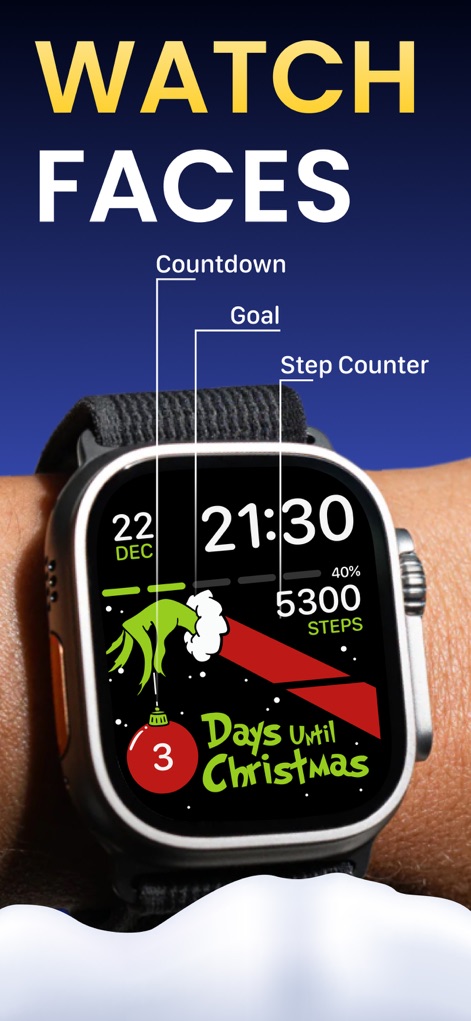
Users can personalize their Apple Watch with vibrant, holiday-themed designs, showcasing both a festive countdown and essential activity data like a step counter.
Festive Watch Faces
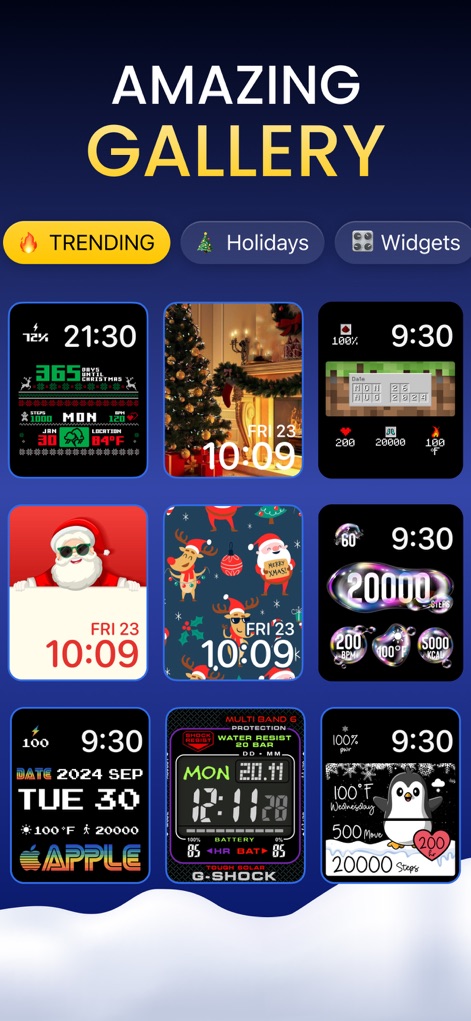
The app offers an extensive gallery of watch faces, allowing users to browse diverse designs through intuitive categories like 'Holidays' and 'Trending' for quick discovery.
Explore Vast Galleries
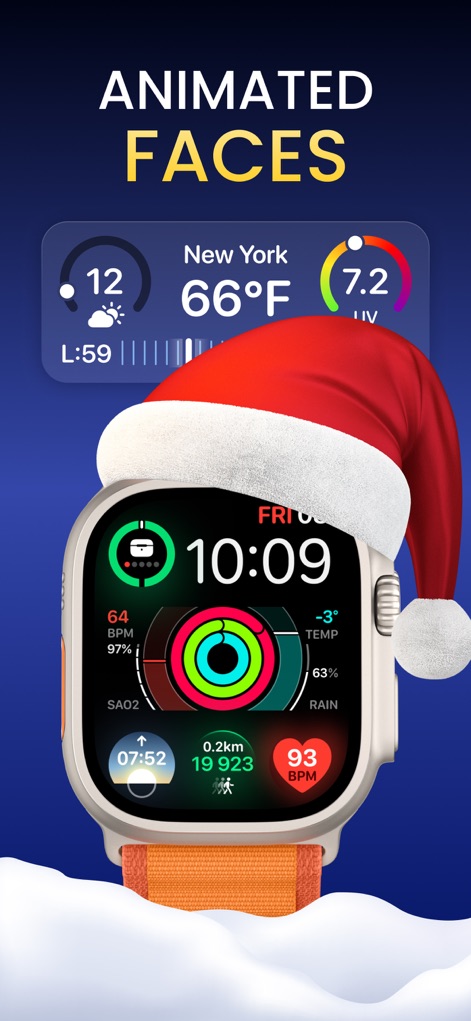
Discover dynamic, live-style watch faces that integrate real-time weather updates and a comprehensive display of health metrics such as BPM and activity rings.
Live Animated Faces

This tool provides comprehensive detail pages for each watch face, allowing users to preview designs like 'Moonphase' and understand features such as 'Weather' and 'Fitness' before installation.
Detailed Face Previews
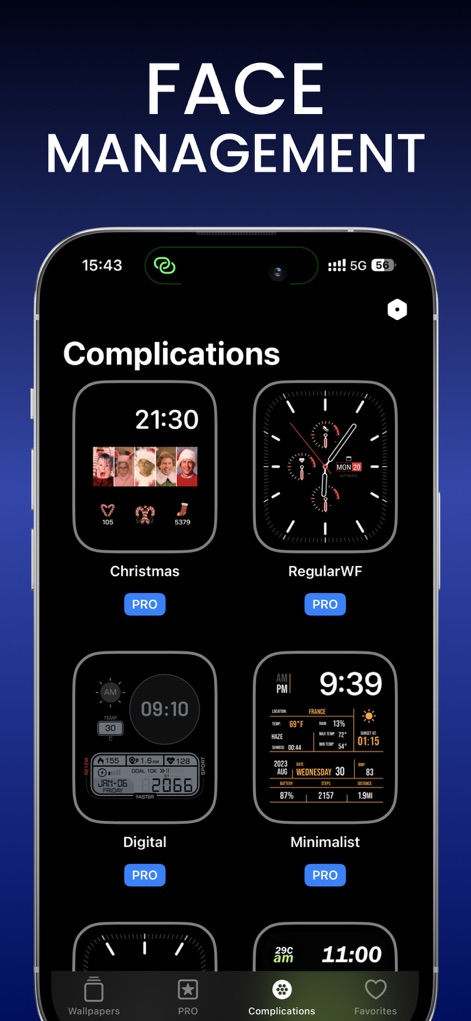
The app presents a dedicated section for managing complication-based designs, offering an organized selection of faces like 'Digital' and 'Minimalist' to suit diverse user needs.
Complication Customization
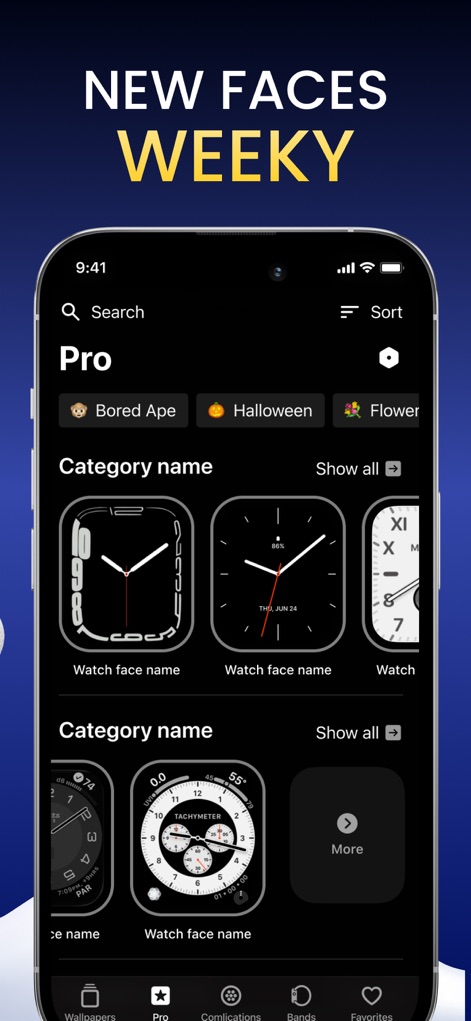
Users can explore a continuously updated selection of new watch faces added weekly, conveniently organized into searchable categories like 'Halloween' and 'Bored Ape' for easy discovery.
Fresh Weekly Content
Description
Download
More Like This
Apps with similar features and user experience
Walbum™ - Watch Faces Gallery
怡飞 王

Watchfaces - Watch Wallpaper
亚伦 陈
Watch Faces by Facer
Little Labs, Inc.

Watch Faces & Widgets Gallery
GANYMEDES POINT SP Z O O
Buddywatch - Watch Faces
BUDDY SRLS
Watch Faces Gallery & Creator
Artem Vasiliuk

Watch Faces Gallery & Themes
Mikael Melkonyan
Watch Faces Gallery - Widgets.
European apps solutions LTD
Watch Faces Gallery-Widget
Jinan Feiniao culture media Co., Ltd
This page is not an official page of the app or its developer, but an independent editorial publication created for informational and commentary purposes. Unless expressly stated otherwise, neither the app nor its developer is affiliated with, endorsed by, sponsored by, authorized by, or otherwise officially connected with MWM, Apple, Google Play, the app publisher, or the app's developer, and nothing on this page implies that the app was developed using MWM's services. Any trademarks, logos, screenshots, and other content remain the property of their respective owners.