Web site to App Pro : No Ads
Download on App Store

This page is not an official page of the app or its developer, but an independent editorial publication created for informational and commentary purposes. Unless expressly stated otherwise, neither the app nor its developer is affiliated with, endorsed by, sponsored by, authorized by, or otherwise officially connected with MWM, Apple, Google Play, the app publisher, or the app's developer, and nothing on this page implies that the app was developed using MWM's services. Any trademarks, logos, screenshots, and other content remain the property of their respective owners.


Logo of Web site to App Pro : No Ads
Download on App Store

Web site to App Pro : No Ads

Experience the web in full screen without URL bars or footer menus. Keep your logins secure, your history private, and your focus sharp with a passcode-locked, ad-free environment.

Key Figures

Downloads

0

User Rating

1.0/5

Total Ratings

0

Publisher

MINERVA K.K.

Category

Productivity

Locales

1

Latest Version

1.0

Size

30.1 MB

First Released

May 16, 2025
Features

Experience a Cleaner, Faster Web

Transform any website into a dedicated, full-screen workspace. Eliminate distractions, secure your privacy, and access your most-used sites in a single tap.

Instant One-Tap Access

Skip the bookmarks and repetitive logins. Stay signed in and launch your favorite sites instantly with zero friction.

Immersive Full-Screen View

Maximize your screen real estate. By removing the URL bar and footer, we provide a distraction-free, native app-like experience.

The following screenshots and description are sourced directly from the app's official store listing and are the property of the app developer.

App Store

Screenshots
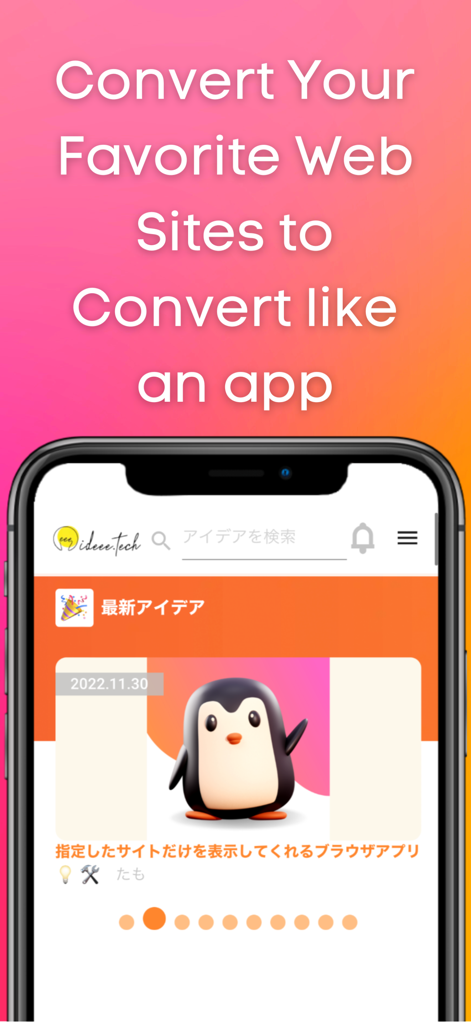
Web site to App Pro : No Ads - Smartphone displaying a website converted to a full screen mobile app interface
Smartphone displaying a website converted to a full screen mobile app interface

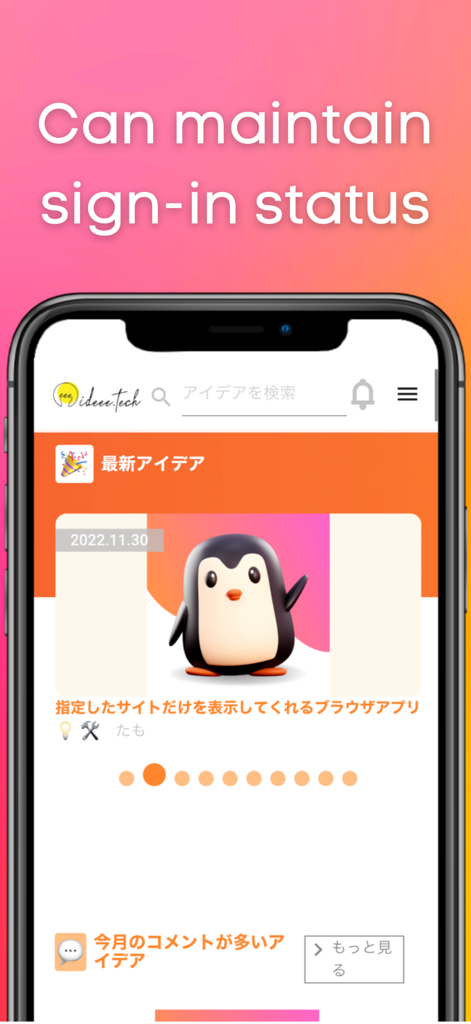
Web site to App Pro : No Ads - A smartphone showing a website in full screen mode with text stating it can maintain sign-in status.
A smartphone showing a website in full screen mode with text stating it can maintain sign-in status.

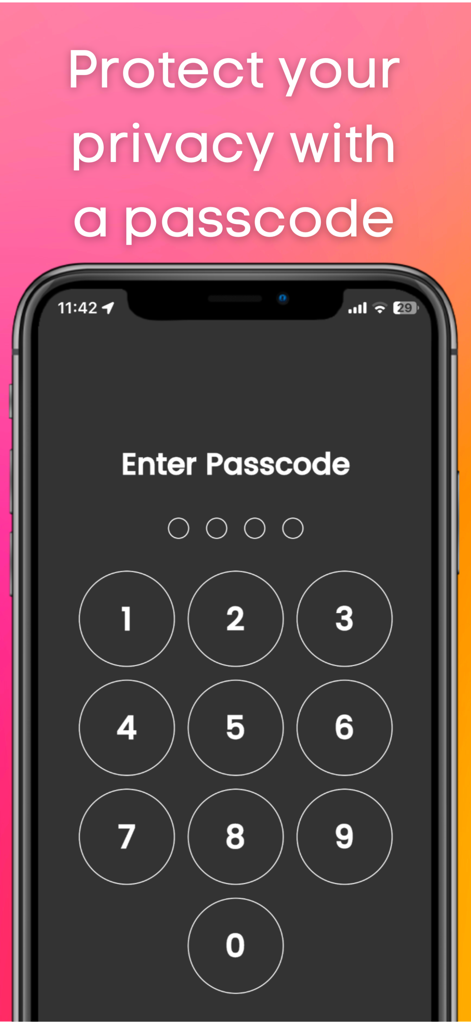
Web site to App Pro : No Ads - A smartphone screen showing a numeric passcode entry for privacy protection
A smartphone screen showing a numeric passcode entry for privacy protection

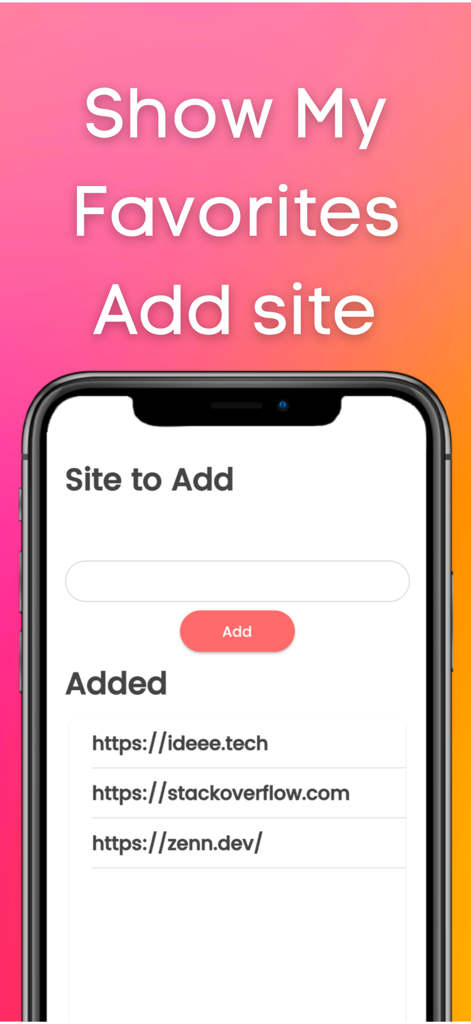
Web site to App Pro : No Ads - Interface of Web site to App Pro showing the add site field and a list of added websites like StackOverflow
Interface of Web site to App Pro showing the add site field and a list of added websites like StackOverflow

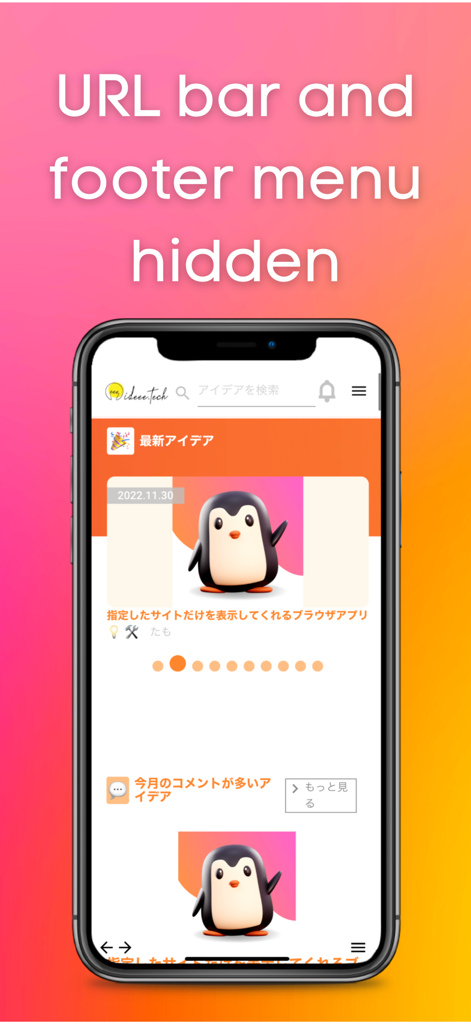
Web site to App Pro : No Ads - Mobile app interface displaying a website in full screen mode with the URL bar and footer menu hidden

Mobile app interface displaying a website in full screen mode with the URL bar and footer menu hidden

Description

This app allows you to quickly launch frequently used sites. You can use it like an app. It hides the URL bar and footer bar found in standard browsers, so you can view sites on a larger screen. Login information is retained, which is very convenient. If you usually use a private browser such as safari or chrome, this app will free you from the troublesome login process. There is also a passcode lock function. You can protect your privacy. Also, this app does not save history, so there is no need to delete history. ■How to use 1, Add the site you want to view. 2, Select the site you want to view. Functions 1, Add site function 2, Function to switch display sites 3, Retention of login information 4, Passcode function 5, Lock function 6, Function to switch to dark mode Language switching (defaults to the language set by the user on the device) Use Cases 1, Users who usually display a private browser 2, Those who want to keep their login information 3. those who want to display the site they want to view first when they open the application 4. who find it tedious to "click the bookmark button ⇨ find the URL of the site ⇨ click the bookmark button ⇨ log in 5. you want to protect your privacy by locking your browser with a passcode 6, you do not want to be able to see your history. 7. you want the site to be displayed on the entire screen. 8. you do not want others to know your history or the sites you are viewing. 9. you feel that the URL bar or footer menu is in the way. 10. if you want to put a password on your browser. My use case I am the developer of this application. I use a private browser in safari on my iPhone. Before using this app, I used to close the private browser once and set the regular browser. I then opened my bookmarks and viewed the site. I mainly did such tedious operations to view Stackoverflow. However, when I started using this app, I was freed from such tedious operations because once I open this app, stackoverflow is displayed with my login. Since the URL bar and footer menu are not displayed, I can display stackoverflow on a large screen. ■Reviews from testers 1. I am a fan of a certain website that has not been made into an app. I used to use safari until now. I started using this app because logging in was a hassle. I am satisfied with this app because it not only frees me from the login process, but also allows me to view the site larger than when opening it in safari. (Momo,student ,23 years old) 2. I used this app because I wanted to lock my browser. This app allows you to open your browser by entering your passcode. And I can view the display site out of the blue, so I don't have to open the site from my bookmarks anymore. I have this app available from a shortcut on my iPhone so I can open it right away. (John, Engineer, age 36)

Download

Download on App Store

This page is not an official page of the app or its developer, but an independent editorial publication created for informational and commentary purposes. Unless expressly stated otherwise, neither the app nor its developer is affiliated with, endorsed by, sponsored by, authorized by, or otherwise officially connected with MWM, Apple, Google Play, the app publisher, or the app's developer, and nothing on this page implies that the app was developed using MWM's services. Any trademarks, logos, screenshots, and other content remain the property of their respective owners.








